EN 3.pdf - 第277页
Model DECAN Series Company SAMSUNG TECHWIN Module 3.15 PC RACK V ersion 01 Tit le PC RACK ASSEMBL Y Page 3-15-8 Note 3 MUL TI POR T PC-232-EXT PCI EXPRESS F-MON CAN_CH2_R USB_P ANEL CAN_CH3_L F-BAR R-BAR 9. Using a tool,…
Model
DECAN Series
Company
SAMSUNG TECHWIN
Module
3.15 PC RACK
Version
01
Title
PC RACK ASSEMBLY
Page
3-15-7
Note
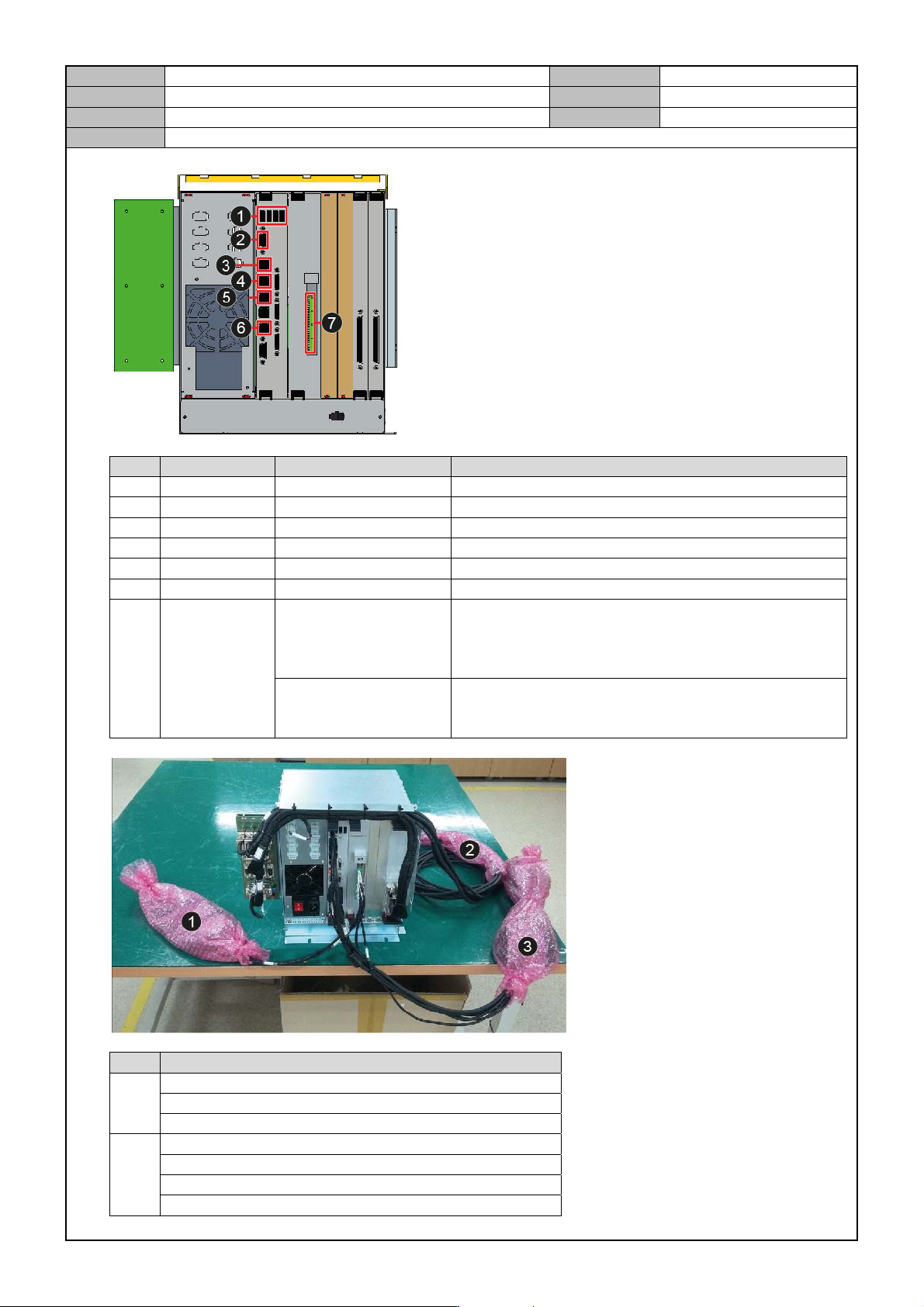
No. Item Specification Label
1 USB SM471PC_007 USB-PORT
2 VGA1 SM511C_KV003-2 SBC-VGA1
3 COM5/6 SM511_VM101 COM5/6
4 COM3/4 SM511_IT001 COM3/4
5 COM1/2 SM48C_PC003 COM-1/2
6 LAN3 SM511_VM111 SBC-LAN1
7
SM511_IT004
CH1_CAN+, CH1_CAN-, CH1_SHIELD
CH2_CAN+, CH2_CAN-, CH2_SHIELD
CH3_CAN+, CH3_CAN-, CH3_SHIELD
CH4_CAN+, CH4_CAN-, CH4_SHIELD
SM48C_IT005
CH1_D24V, CH2_D24V, CH3_D24V
CH4_D24V, CH1_D24G, CH2_D24G
CH3_D24G, CH4_D24G
No. Item
1
DEVICE-PW
CAN_CH1_L
CAN_CH4_R
2
FID1-CAM1
FID1-CAM2
FLY1-PW
FLY1-CAM
Model
DECAN Series
Company
SAMSUNG TECHWIN
Module
3.15 PC RACK
Version
01
Title
PC RACK ASSEMBLY
Page
3-15-8
Note
3
MULTI PORT
PC-232-EXT
PCI EXPRESS
F-MON
CAN_CH2_R
USB_PANEL
CAN_CH3_L
F-BAR
R-BAR
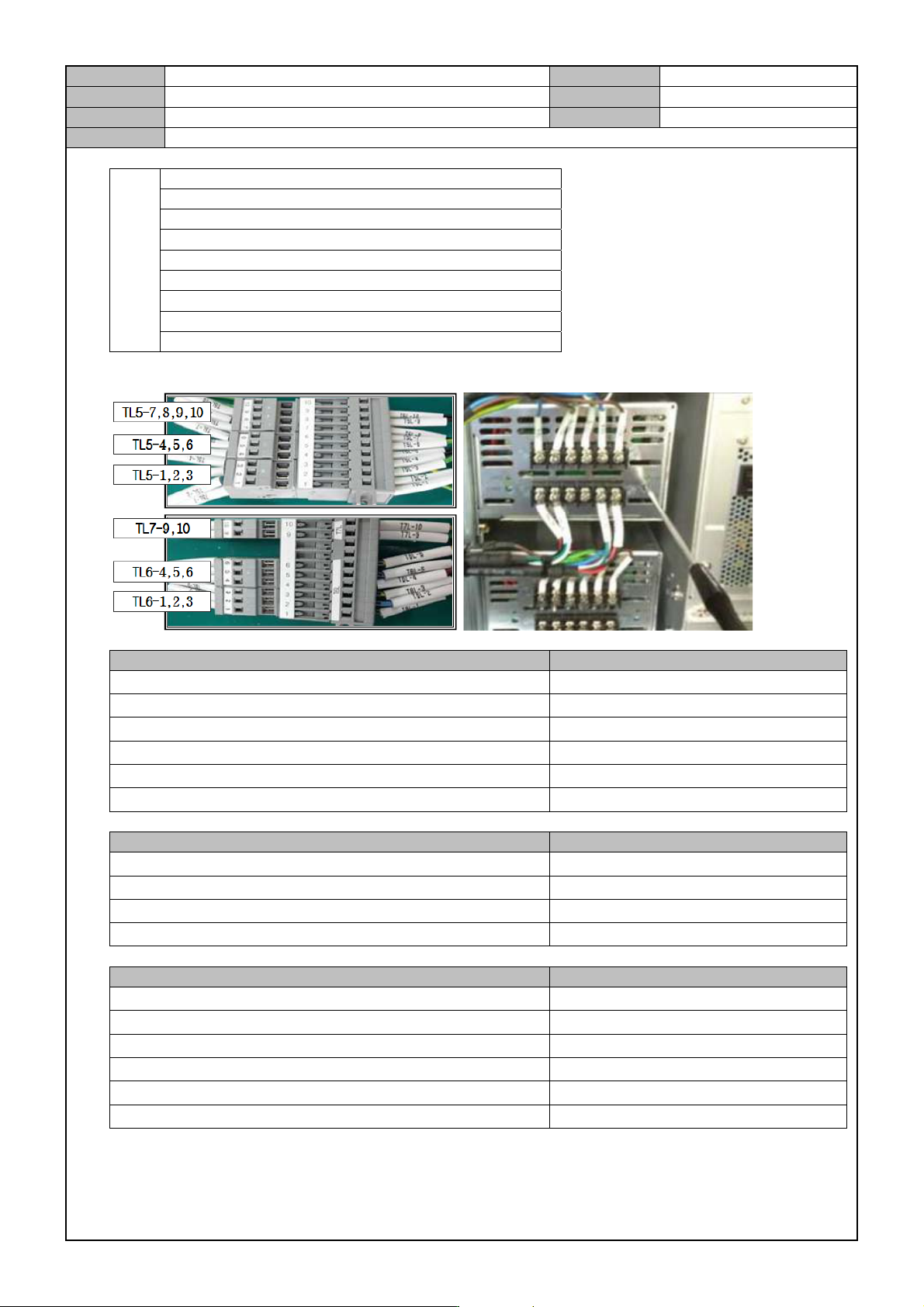
9. Using a tool, connect the cable to the Power Supply and then perform a Power Test.
Item Criteria
#1 DC POWER SUPPLY : PS1+24V, PS1-24G
DC 24.30±0.05V
#2 DC POWER SUPPLY : PS1+24V, PS1-24G
DC 24.30±0.05V
#3 DC POWER SUPPLY : PS1+24V, PS1-24G DC 24.30±0.05V
#4 DC POWER SUPPLY : PS1+24V, PS1-24G DC 24.30±0.05V
#5 DC POWER SUPPLY : PS1+24V, PS1-24G DC 24.30±0.05V
#6 DC POWER SUPPLY : PS1+24V, PS1-24G DC 24.30±0.05V
Item Criteria
SM511_PW123 CABLE : FZ12-CN5-1, FZ12-CN5-2 DC 24V ±0.72
SM511_PW123 CABLE : FZ910-CN5-1, FZ78-CN5-2 DC 24V ±0.72
SM511_PW124 CABLE : RZ12-CN5-1, RZ12-CN5-2 DC 24V ±0.72
SM511_PW124 CABLE : RZ910-CN5-1, RZ910-CN5-2 DC 24V ±0.72
Item Criteria
SM511_PW127 CABLE : T6L-7, T6L-8 DC 24V ±0.72
SM511_PW127 CABLE : T6L-9, T6L-10 DC 24V ±0.72
SM511_PW120 CABLE : T7L-1, T7L-2 DC 24V ±0.72
SM511_PW121 CABLE : T7L-3, T7L-4 DC 24V ±0.72
SM511_PW103 CABLE : T7L-6, T7L-5 DC 24V ±0.72
SM511_PW103 CABLE : T7L-8, T7L-7 DC 24V ±0.72
Model
DECAN Series
Company
SAMSUNG TECHWIN
Module
3.15 PC RACK
Version
01
Title
PC RACK CHECK
Page
3-15-9
Note
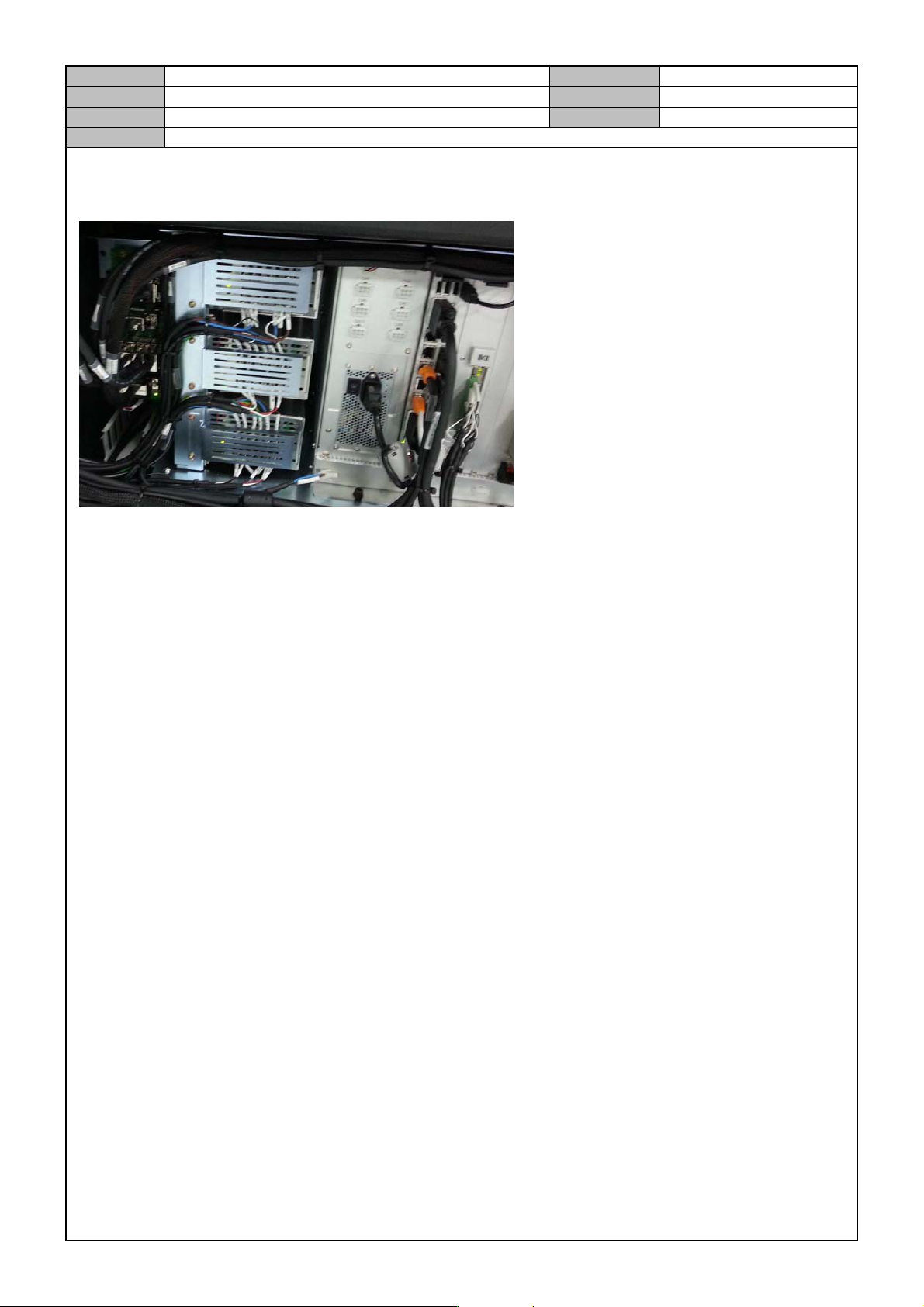
[PC RACK CHECK]
1. In the PC Rack, check the connector connection.
2. Check if the HDD Cooling Fan Operation Lamp is lit properly.
3. Check if the Power Supply has a high voltage warning sticker attached to it.
4. Check if the 24V P/S terminal board has an acryl cover attached to it.
5. From the left of the PC Rack, the order of assembly goes like the following: SBC Board, IT Master Board,
PCI Board, NT-A8 Board.
6. Check if the exterior is damaged.