EN 3.pdf - 第267页
Model DECAN Series Company SAMSUNG TECHWIN Module 3.14 OS V ersion 01 Tit le COMPUTER NAME C HAN GE Page 3-14-17 Note [COMPUTER NAME CHANGE] 1. Right click with your mouse button in W indows <My Co mputer> . 2. In …
Model
DECAN Series
Company
SAMSUNG TECHWIN
Module
3.14 OS
Version
01
Title
MONITOR SETTING
Page
3-14-16
Note
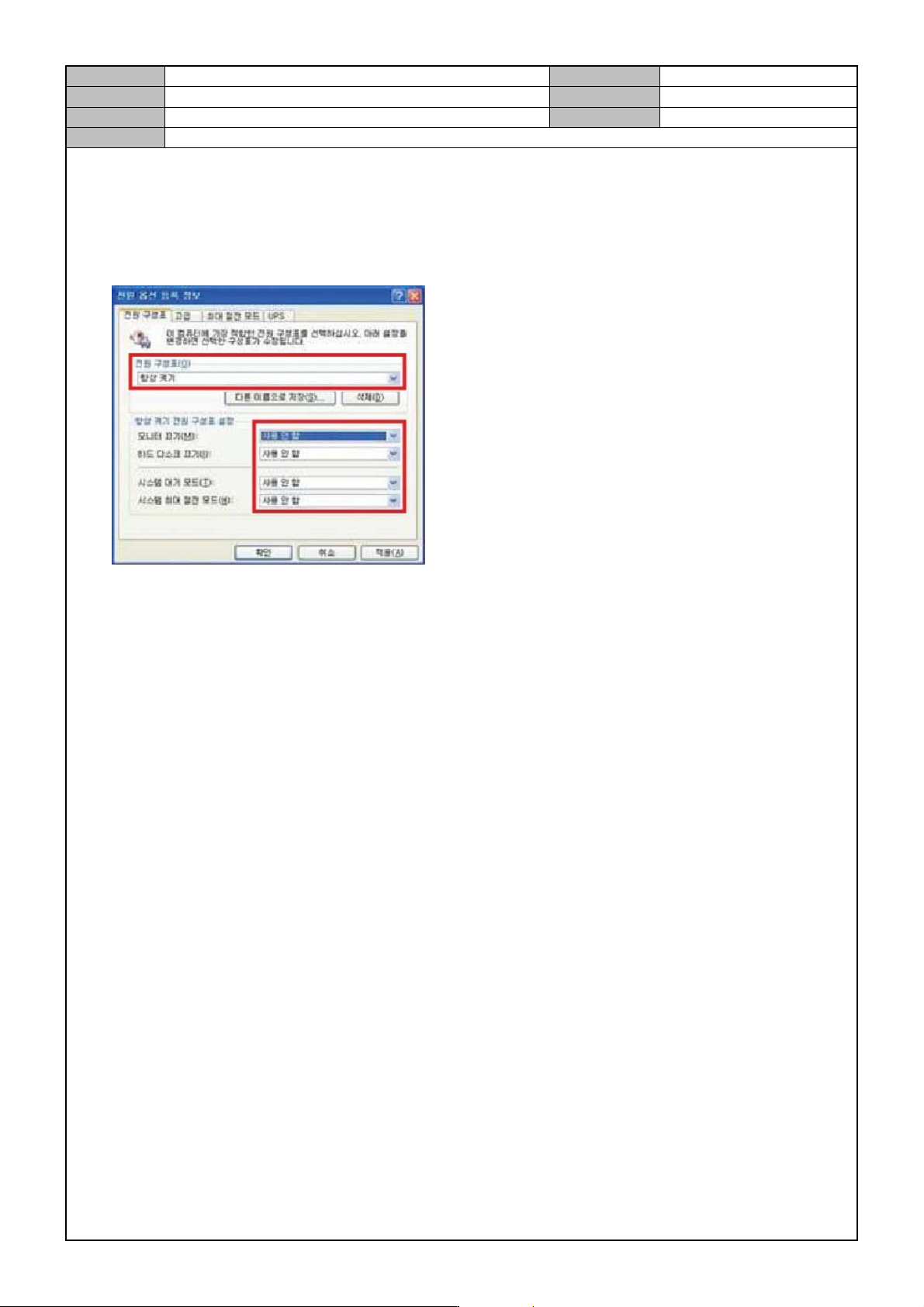
3. Check if the following is set and if not change settings.
Power chart: always on.
Monitor off: not used.
HD off: not used.
System standby mode: not used.
System max power saving mode: not used.
Model
DECAN Series
Company
SAMSUNG TECHWIN
Module
3.14 OS
Version
01
Title
COMPUTER NAME C HANGE
Page
3-14-17
Note
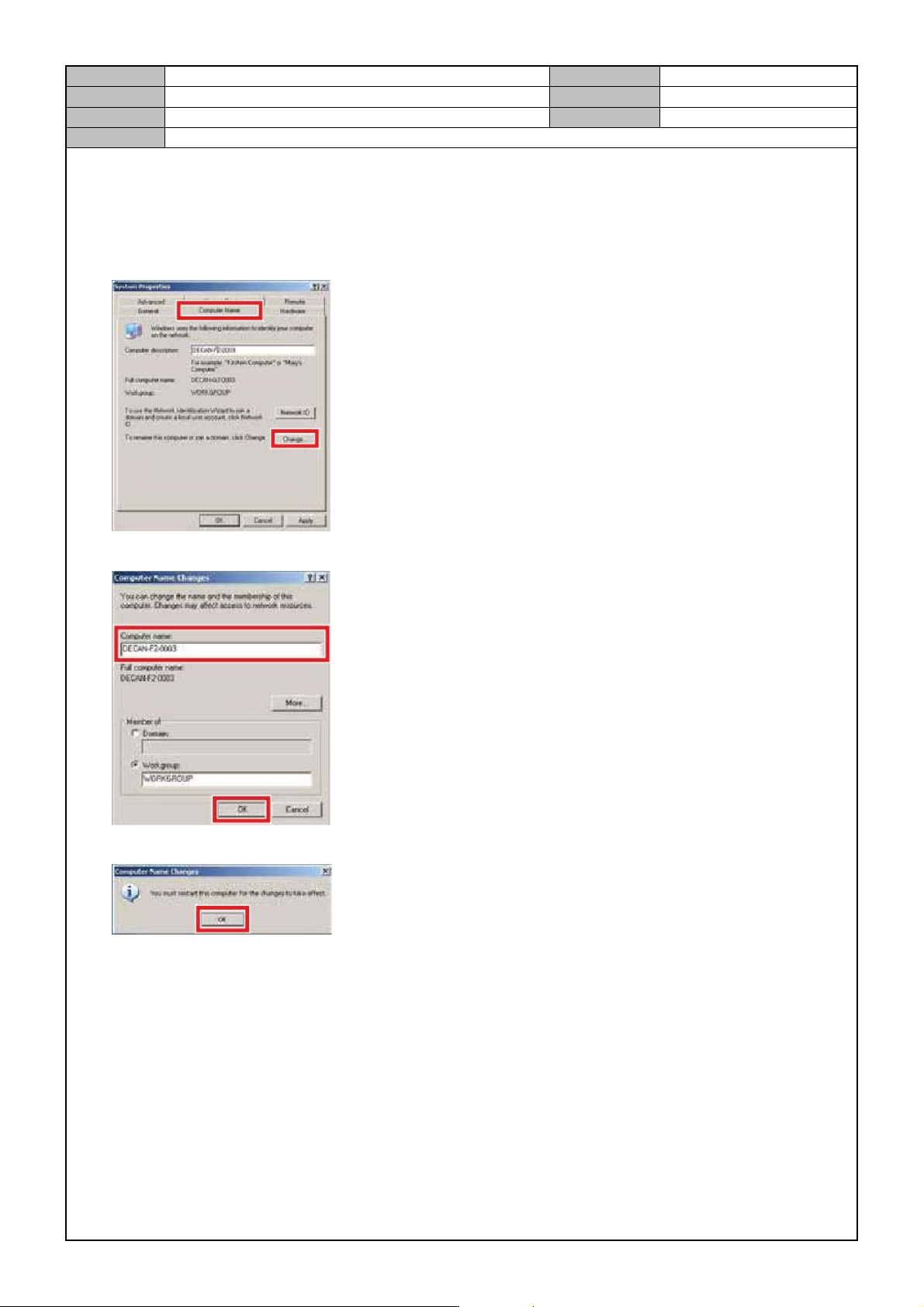
[COMPUTER NAME CHANGE]
1. Right click with your mouse button in Windows <My Co mputer> .
2. In the <PC Name> tab, select <Change>.
3. After entering model name, number in <PC Name>, click on <OK>.
4. When the following message appears, click on <OK>.
Model
DECAN Series
Company
SAMSUNG TECHWIN
Module
3.14 OS
Version
01
Title
COMPUTER NAME C HANGE
Page
3-14-18
Note
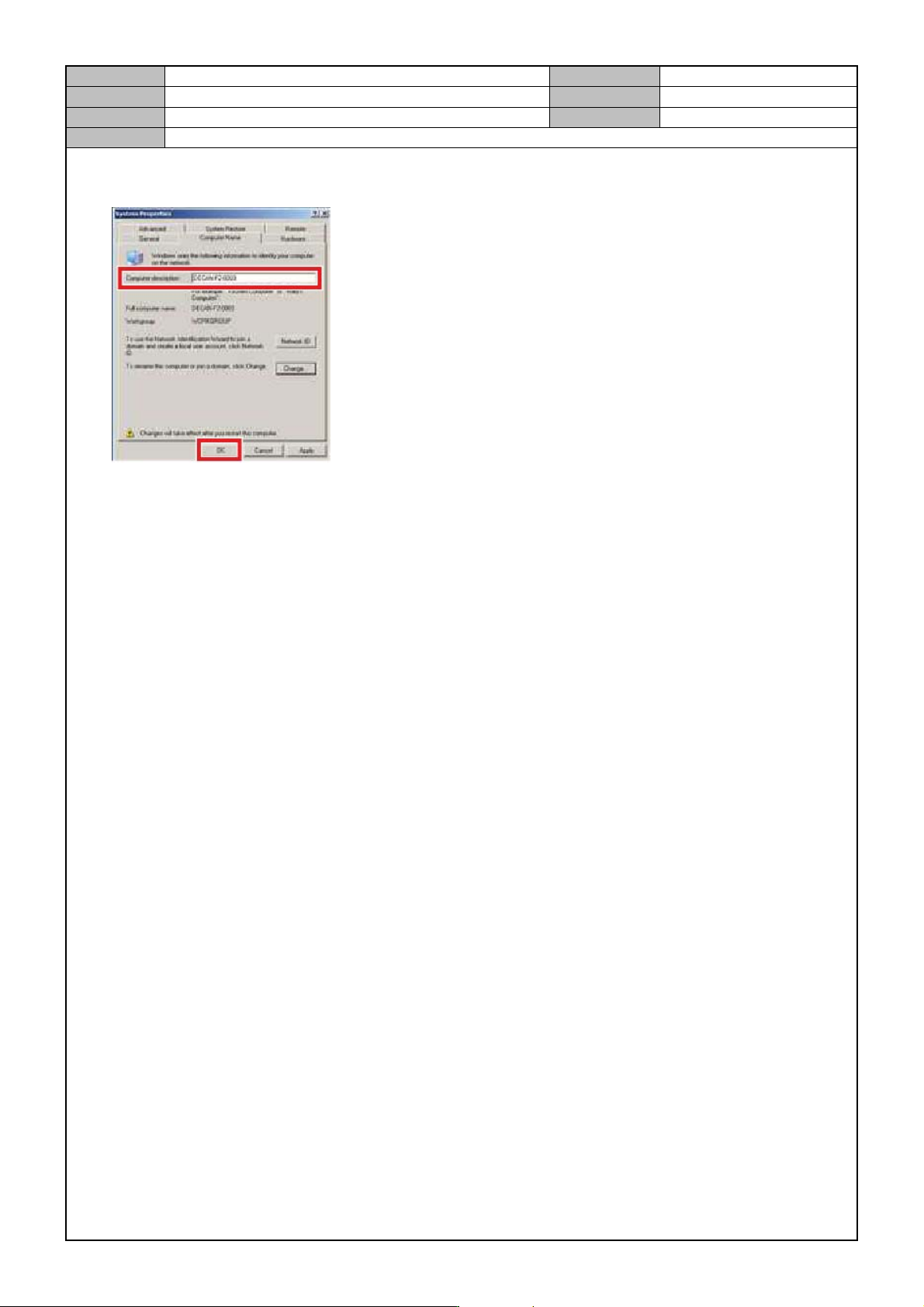
5. After entering model name/number in <PC Description> of <Sy stem Register Info> windows, click on
<OK>.
6. When the rebooting prompt window shows up, select <Cancel>.