EN 3.pdf - 第225页
Model DECAN Series Company SAMSUNG TECHWIN Module 3.12 MMI V ersion 01 Tit le MMI IO CHECK PREP ARA TION Page 3-12-3 Note [MMI IO CHECK PREP ARA TION] Digital Gauge Setting 1. Home setting When the air pressure is not …
Model
DECAN Series
Company
SAMSUNG TECHWIN
Module
3.12 MMI
Version
01
Title
JOG BOX CHECK
Page
3-12-2
Note
[JOG BOX CHECK]
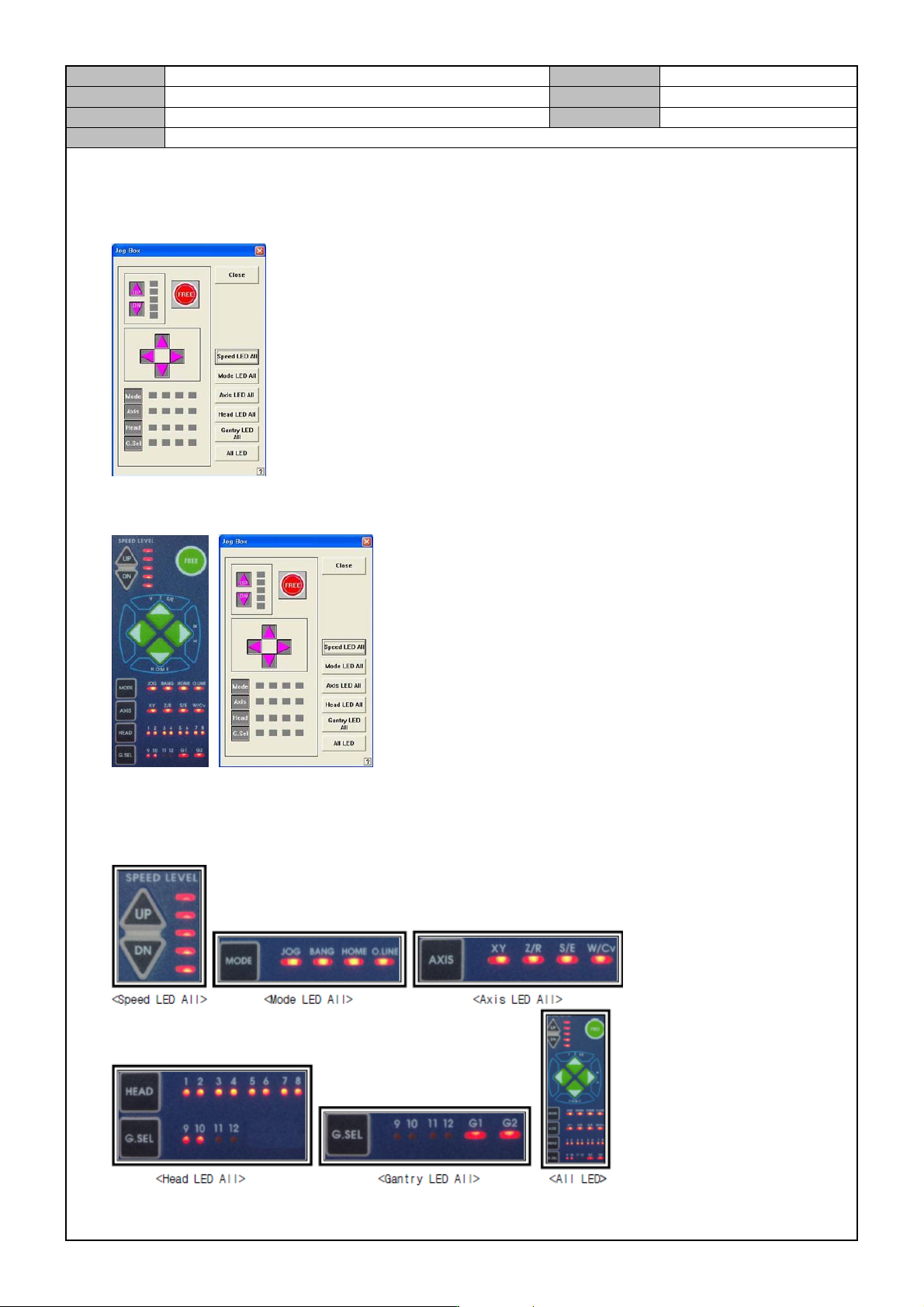
1. In the MMI, select < Diagnosis > → <Jogbox>.
2. When the Jogbox button is pressed, check if the signal from the jogbox of MMI is received and it is
displayed in dark gray.
3. Press the Jogbox's Up/ Down button, Free button, Directional key, Mode button, Axis button and Head
button in the order to check if the Jogbox LED on the MMI receives the signal.
4. On the MMI, press the JogBox window button to see if the JogBox LED is lit.
Model
DECAN Series
Company
SAMSUNG TECHWIN
Module
3.12 MMI
Version
01
Title
MMI IO CHECK PREPARATION
Page
3-12-3
Note
[MMI IO CHECK PREPARATION]
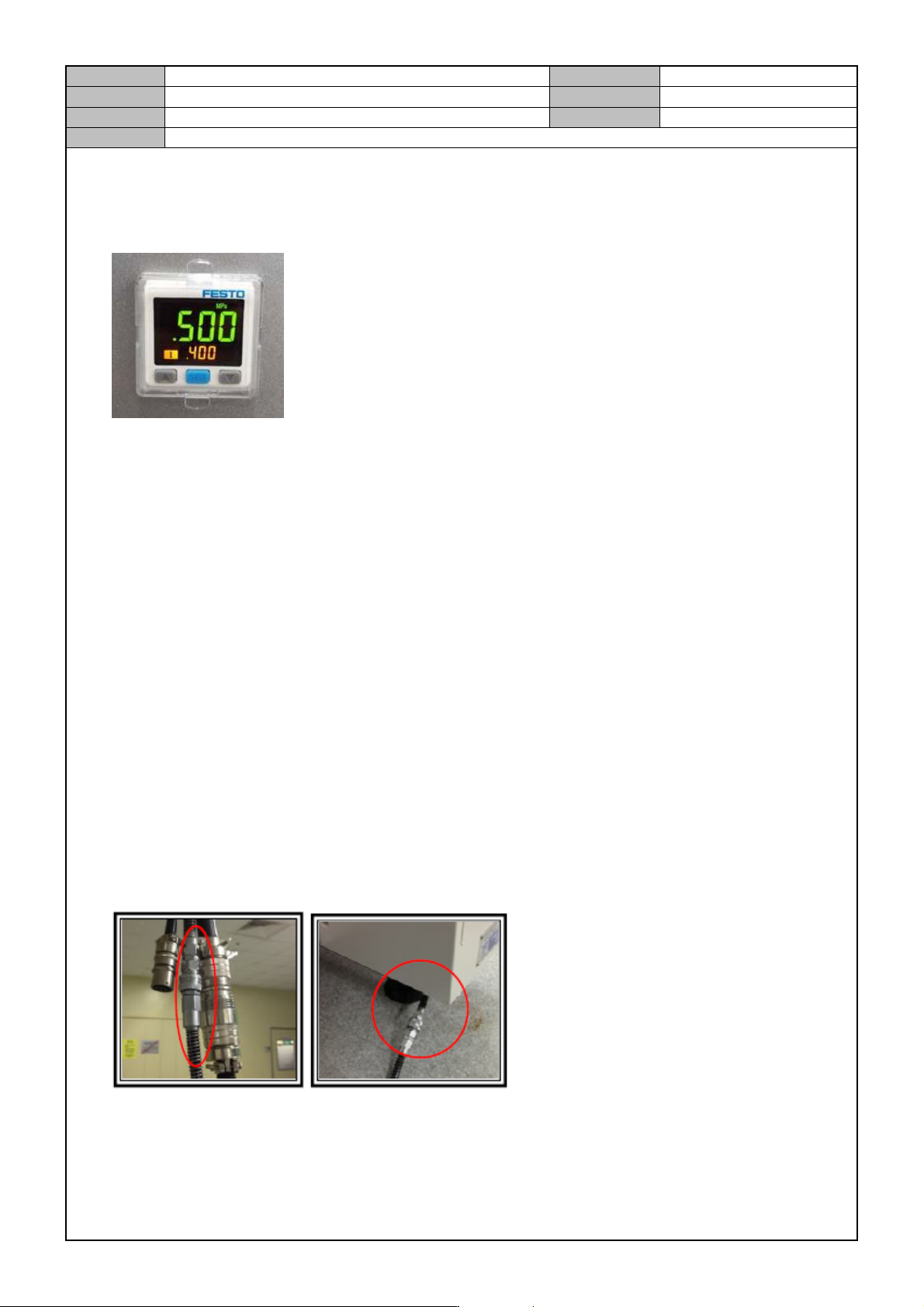
Digital Gauge Setting
1. Home setting
When the air pressure is not applied, press ▼ and ▲ at the same time until the display window displays
<00>.
2. Initial setting mode
① In the initial operation condition, press the [SET] button for three seconds.
② In <ot1>, press [▼] and [▲] to set <HYS> and then press the [SET] button.
③ In <ot1>, press [▼] and [▲] to set <no> and then press the [SET] button.
④ In <ot2>, press [▼] and [▲] to set <oFF> and then press the [SET] button.
⑤ In <rES>, press [▼] and [▲] to set <2.5> and then press the [SET] button.
⑥ In <cOL>, press [▼] and [▲] to set <SoG> and then press the [SET] button.
⑦ In <uni>, press [▼] and [▲] to set <Mpa> and then press the [SET] button.
3. Pressure setting mode
① Press the [SET] button once to see <L1> on the sub window. Then, press the [▼] and [▲] buttons to
set it to 0.4.
② When the sub window displays <H1>, press the [▼] and [▲] buttons to set it to 0.45.
MAIN AIR PRESSURE SETTING
1. Connect the Main Air Pressure Cable.
Model
DECAN Series
Company
SAMSUNG TECHWIN
Module
3.12 MMI
Version
01
Title
MMI IO CHECK PREPARATION
Page
3-12-4
Note
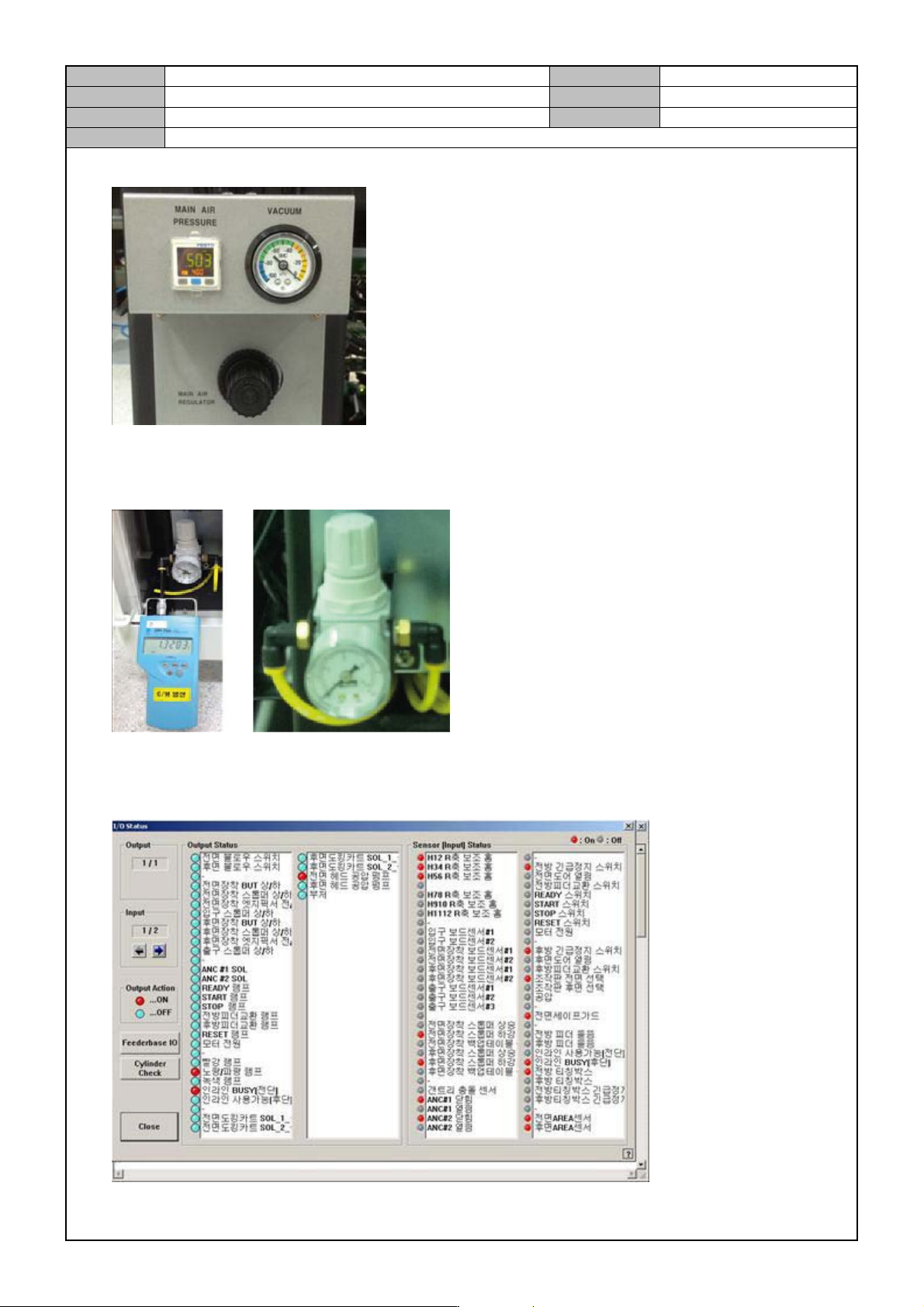
2. Set the Main Air Pressure Digital Gauge to below 0.5 Mpa and set the Vacuum Gauge to below-95kPa.
Air Regulator Setting
1. Connect an air pressure tester to the Regulator and set it to 0.9 ~ 1.1 BAR.
MMI IO Check Preparation
1. Select <Diagnosis> → <I/O>.