EN 3.pdf - 第108页
Model DECAN Series Company SAMSUNG TECHWIN Module 3.7 P ARAMETER V ersion 01 Tit le Motor Driver Parameter download(Z) Page 3-7-10 Note 5. After checking <Auto Search>, press [Connect]. 6. After pressing <Load&g…
Model
DECAN Series
Company
SAMSUNG TECHWIN
Module
3.7 PARAMETER
Version
01
Title
Motor Driver Parameter download(Z)
Page
3-7-9
Note
[MOTOR DRIVER PARAMETER DOWNLOAD(Z)]
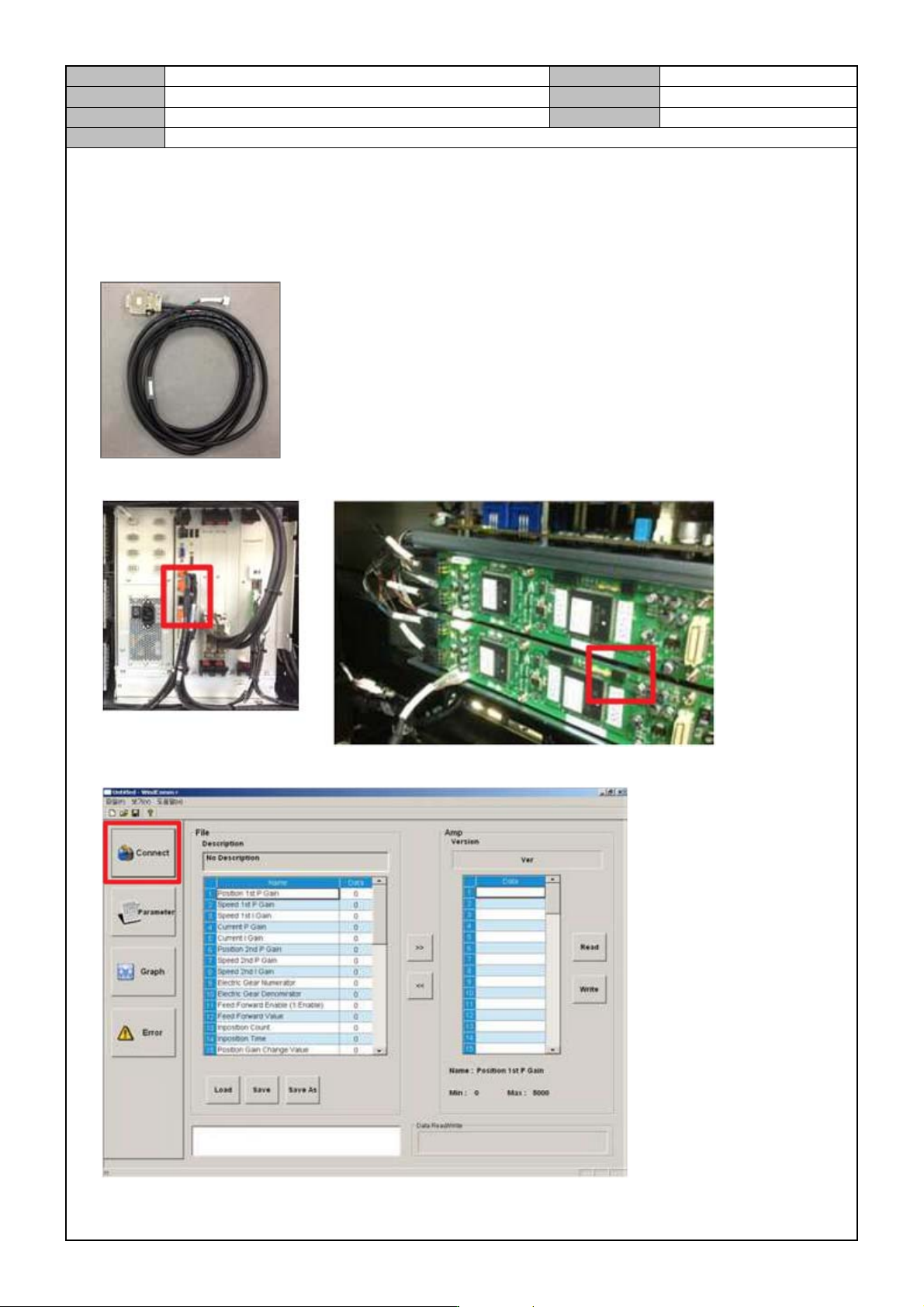
1. Run the WindComm+ program.
2. Prepare the Parameter Cable (Z axis).
3. Connect the Cable to the PC COM Port and the Head AMP Z12.
4. Press [Connect].
Model
DECAN Series
Company
SAMSUNG TECHWIN
Module
3.7 PARAMETER
Version
01
Title
Motor Driver Parameter download(Z)
Page
3-7-10
Note
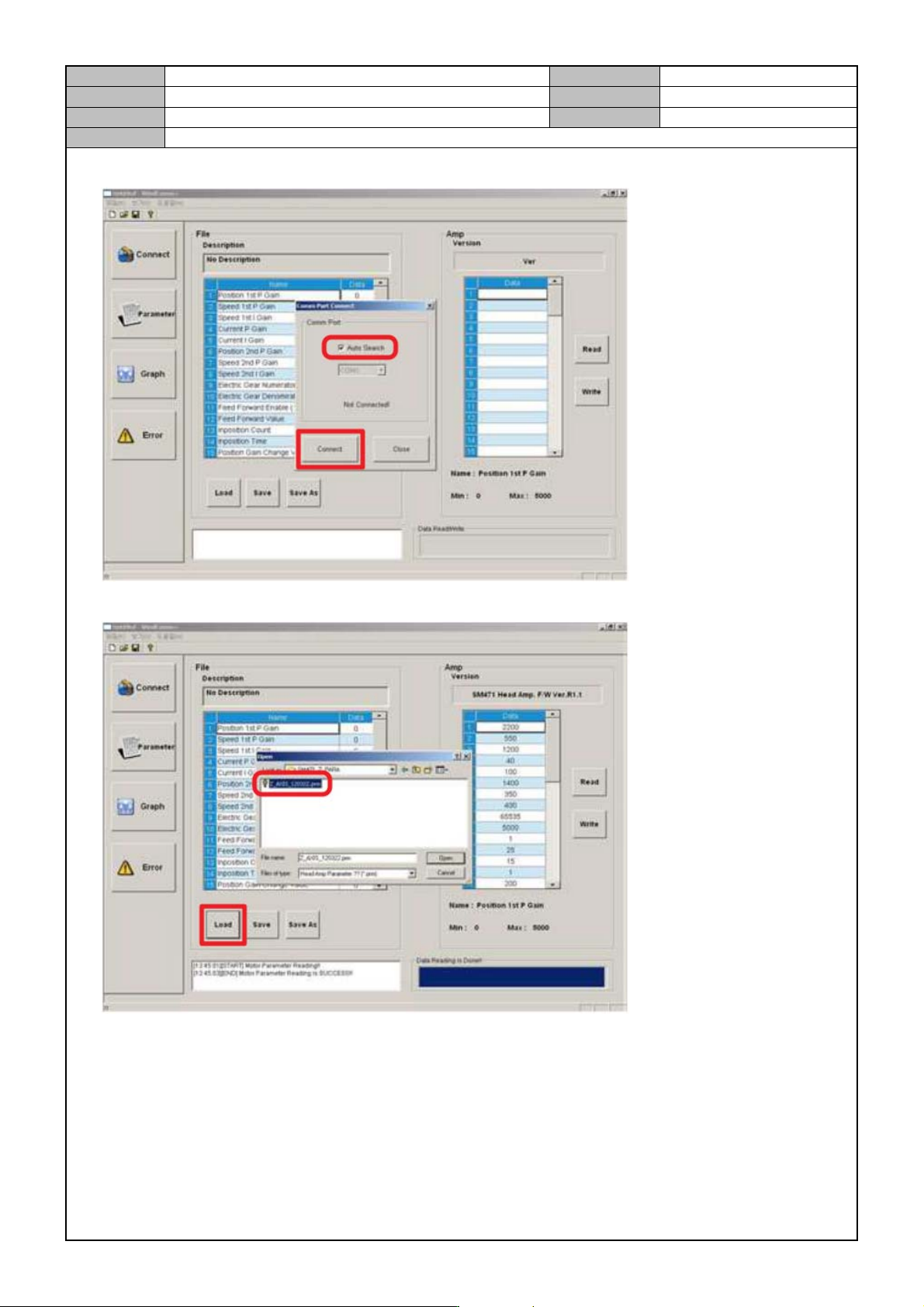
5. After checking <Auto Search>, press [Connect].
6. After pressing <Load>, select the file to enter the parameter for.
Model
DECAN Series
Company
SAMSUNG TECHWIN
Module
3.7 PARAMETER
Version
01
Title
Motor Driver Parameter download(Z)
Page
3-7-11
Note
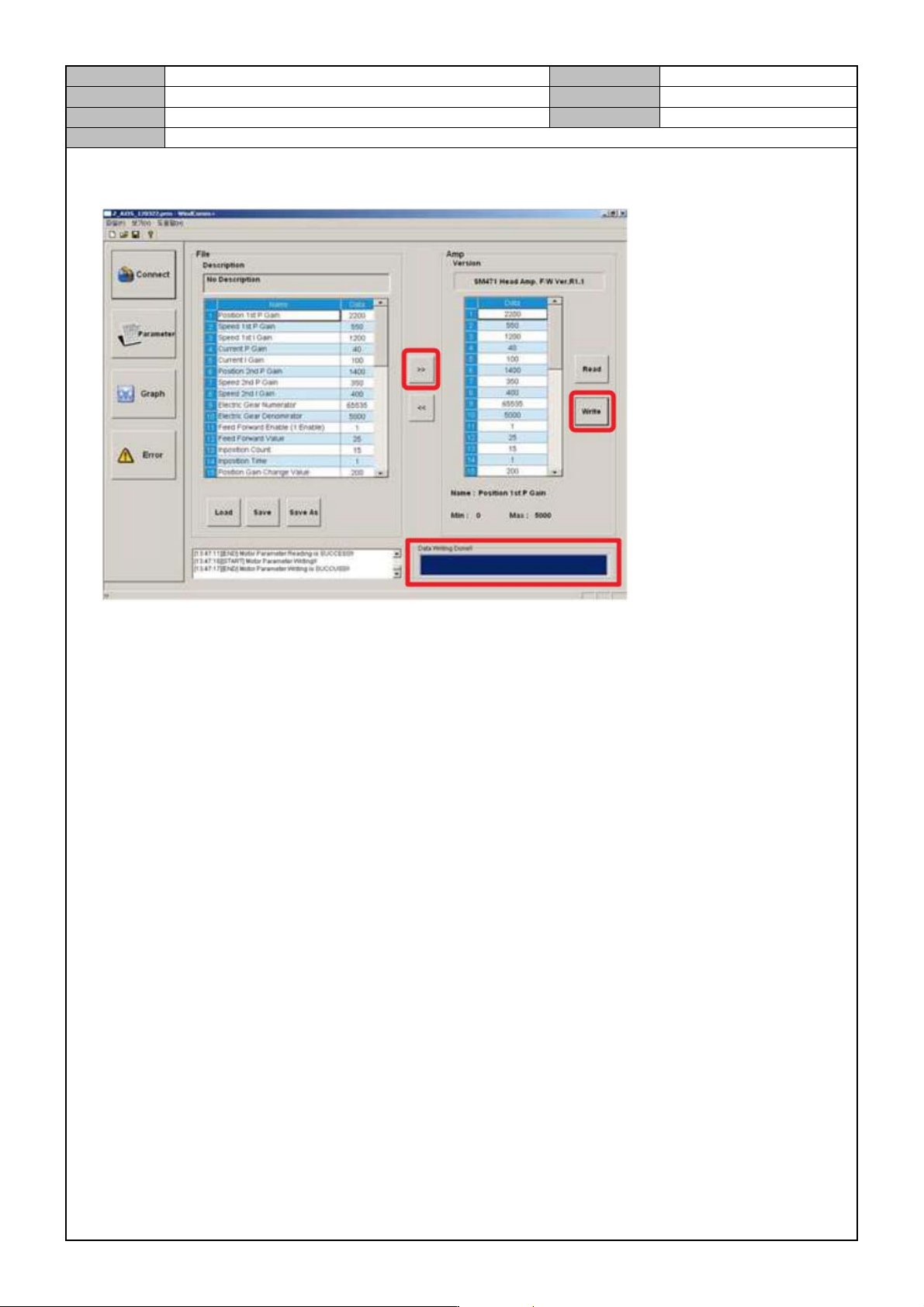
7. After selecting [>>], press [Write].
When the "Data writing Done!!" message appears, it means that the parameter input is finished.
8. For Z34 ~ Z910, download the parameters in the same way.