EN 3.pdf - 第229页
Model DECAN Series Company SAMSUNG TECHWIN Module 3.12 MMI V ersion 01 Tit le MMI IO CHECK(OUTP UT) Page 3-12-7 Note Check operation of the inlet/outlet stopper . In the I/O window , click on <Inlet/Outlet Stopper U…
Model
DECAN Series
Company
SAMSUNG TECHWIN
Module
3.12 MMI
Version
01
Title
MMI IO CHECK(OUTP UT)
Page
3-12-6
Note
No. Item Reference value
1 PLACE STOPPER #1 UP 100~130msec
2 PLACE STOPPER #1 DOWN 100~130msec
3 BACKUP TABLE#1 UP 320±10msec
4 BACKUP TABLE #1 DOWN 95±25mSec
5 PLACE STOPPER #2 UP 80~110msec
6 PLACE STOPPER #2 DOWN 80~110msec
7 BACKUP TABLE #2 UP 320±10msec
8 BACKUP TABLE #2 DOWN 95±25mSec
9 ANC SHUTTER #1 CLOSE 60±10mSec
10 ANC SHUTTER #1 OPEN 40~50msec
11 ANC SHUTTER #2 CLOSE 60±10mSec
12 ANC SHUTTER #2 OPEN 40~50msec
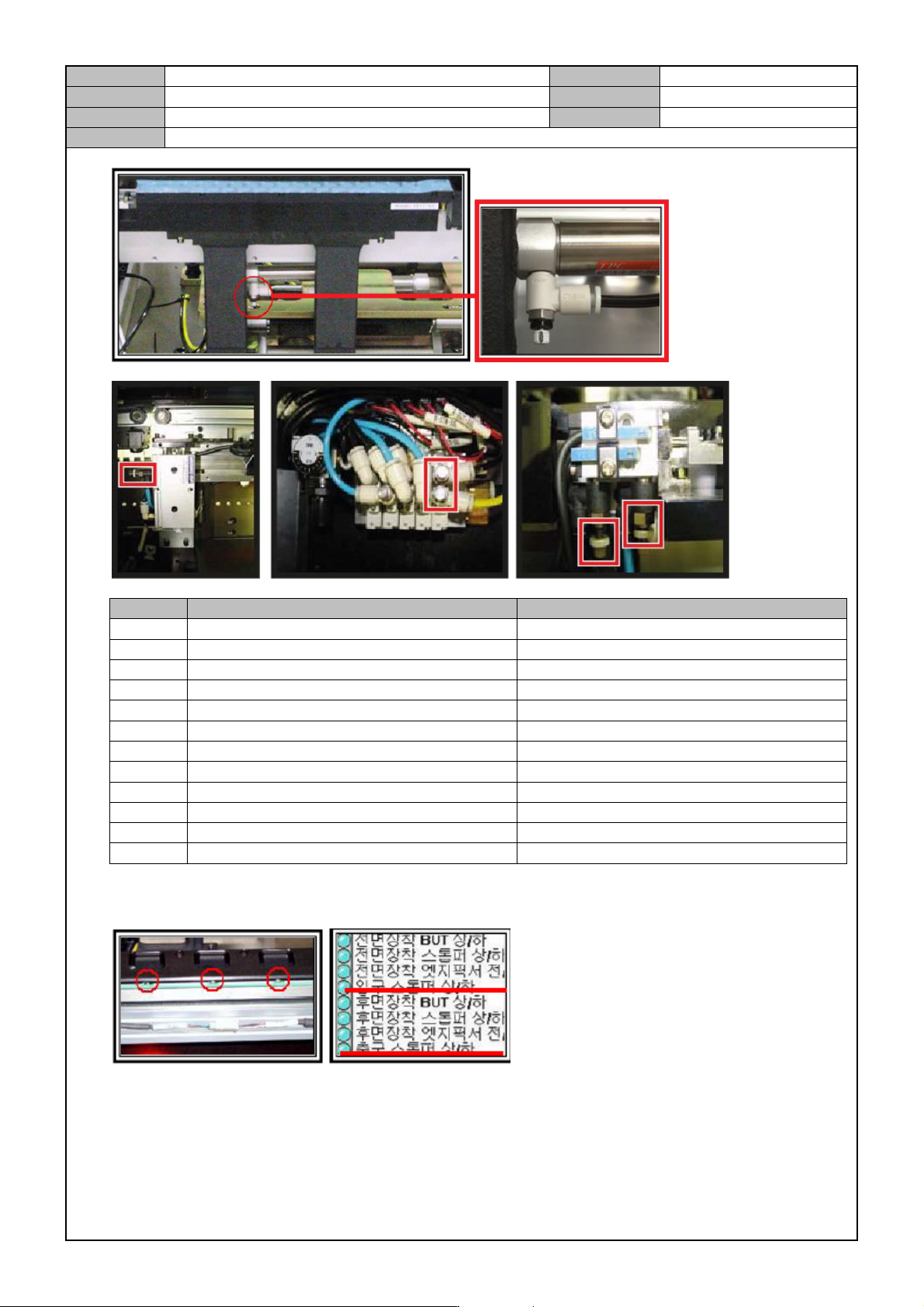
Check operation of the Front/Rear Edge Fixer.
In the I/O window, click on <Front/Rear Mounted Edge Fixer Back/Forth> to check operation.
Model
DECAN Series
Company
SAMSUNG TECHWIN
Module
3.12 MMI
Version
01
Title
MMI IO CHECK(OUTP UT)
Page
3-12-7
Note
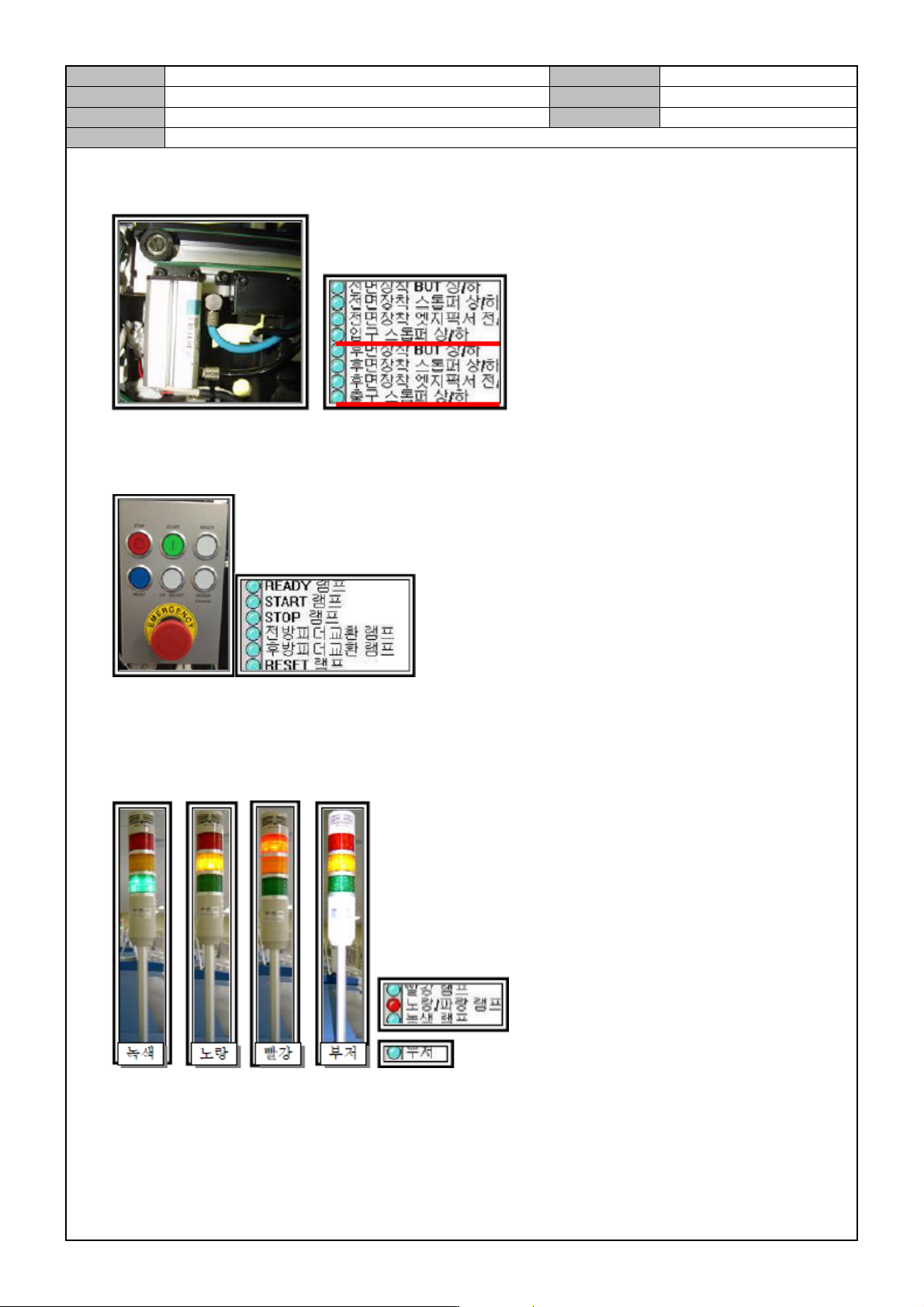
Check operation of the inlet/outlet stopper.
In the I/O window, click on <Inlet/Outlet Stopper Up/Down> to check operation.
Check the OP Panel Lamp.
In the IO window, click on <READY>,<START>,<STOP>,<Front/Rear FEEDER CHANGE> and
<RESET> to check if the Lamp in the OP panel is lit.
Check the Tower Lamp.
In the IO window, click <Red>, <Yellow>, <Green> Buzzer in the order to see if the tower lamp is lit
and check the buzzer.
Click on the Emergency button in the OP panel to see if the Tower Lamp buzzer works and if the red
lamp is on and off.
Model
DECAN Series
Company
SAMSUNG TECHWIN
Module
3.12 MMI
Version
01
Title
MMI IO CHECK(OUTP UT)
Page
3-12-8
Note
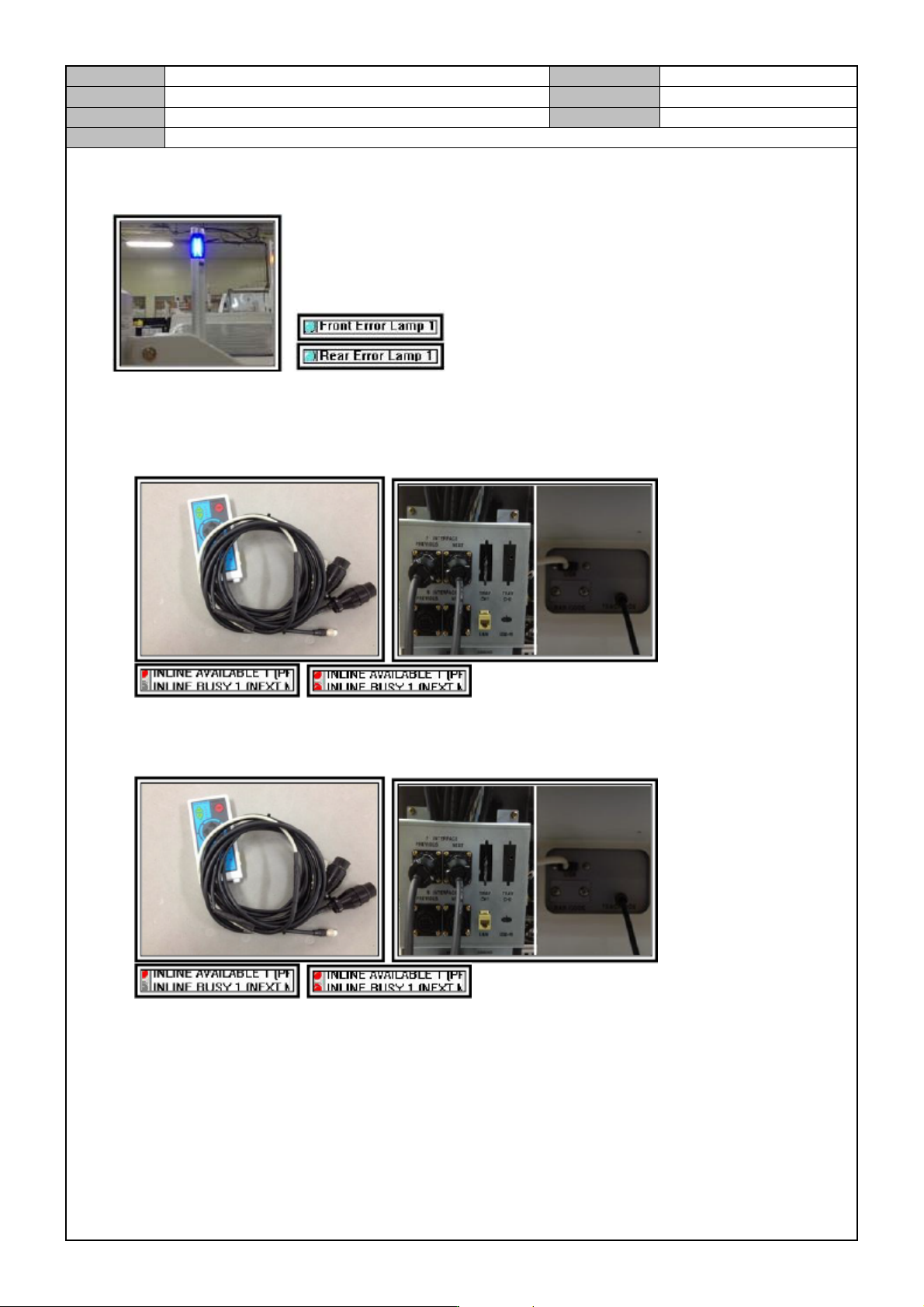
Error Lamp check
In the IO window, click on the Front/Rear < ERROR LAMP> button to check if the error lamp is lit.
Check the inline function
Connect the inline test tool's Next/Previous connectors to the Rear Power Panel and connect the power
cable to the Teaching Box connector or USB. After that, click on <INLINE BUSY[PREVIOUS]> and
see if the T-Box <BUSY LED> is lit.
Connect the inline test tool's Next/Previous connectors to the Rear Power Panel and connect the power
cable to the Teaching Box connector or USB. After that, click on <INLINE AVAILABLE[NEXT]> and
see if the T-Box <AVAILABLE LED> is lit.
In the Teaching Box, touch the <Pre> button and see if <INLINE AILABLE[PREVIOUS L E D> in
the I/O screen is lit.
In the Teaching Box, touch the <Next> button and see if <INLINE BUSY[NEXT> in the I/O screen is
off.