EN 3.pdf - 第235页
Model DECAN Series Company SAMSUNG TECHWIN Module 3.12 MMI V ersion 01 Tit le MMI IO CHECK(INPU T) Page 3-12-13 Note Right Only Shuttle Conveyor (Dual – Dual – Shut tle) Check detection by the Gantry Collision Sensor…
Model
DECAN Series
Company
SAMSUNG TECHWIN
Module
3.12 MMI
Version
01
Title
MMI IO CHECK(INPUT)
Page
3-12-12
Note
[MMI IO CHECK(INPUT)]
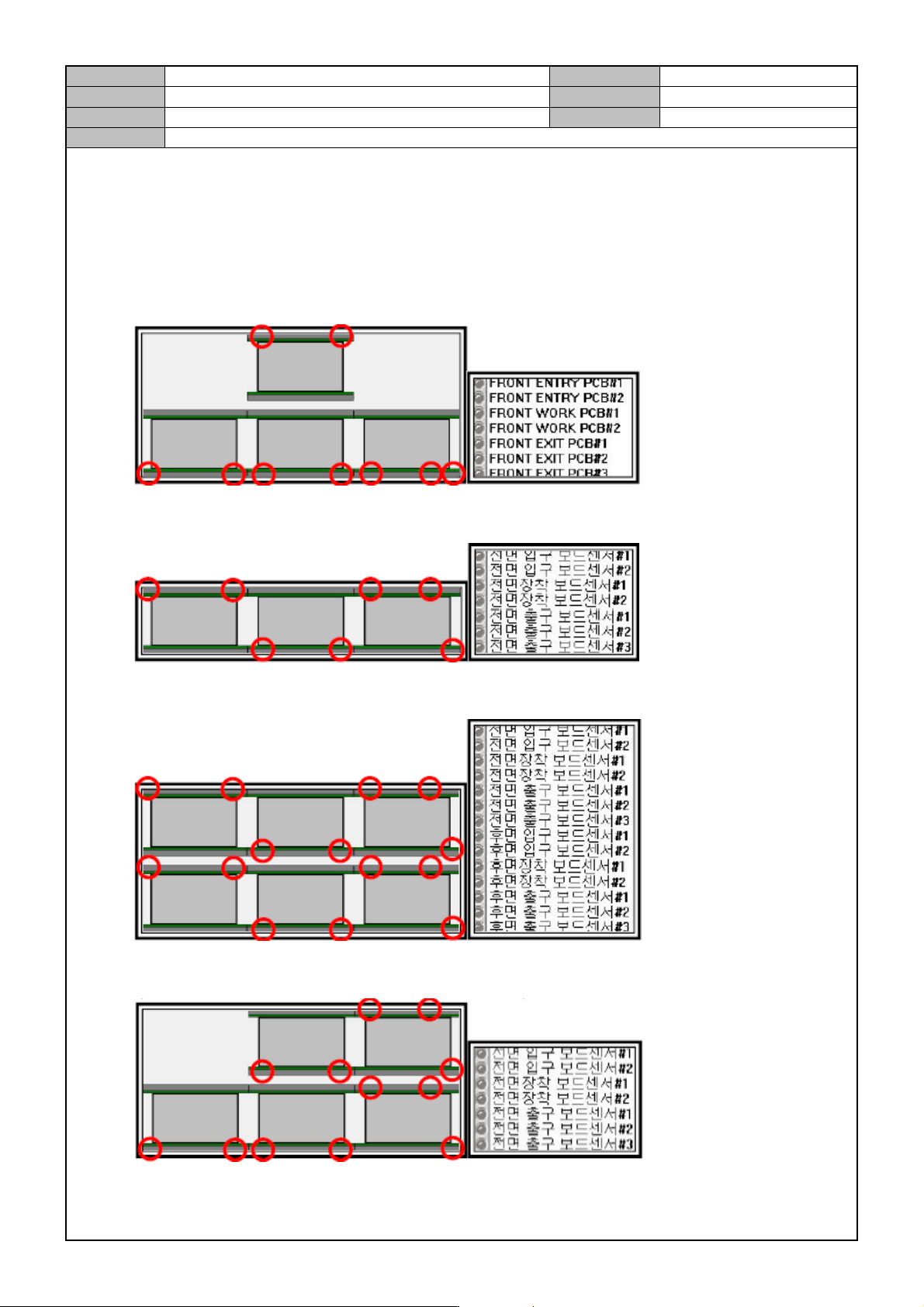
Check the input, standby, job finish and output locations.
Run the inlet/mounting/outlet sensors to see if the I/O screen displays it.
Shuttle Conveyor (Shuttle - Dual - Shuttle)
Full Single Conveyor (Single - Single - Single)
Full Dual Conveyor (Dual - Dual - Dual)
Left Only Shuttle Conveyor (Shuttle - Dual - Dual)
Model
DECAN Series
Company
SAMSUNG TECHWIN
Module
3.12 MMI
Version
01
Title
MMI IO CHECK(INPUT)
Page
3-12-13
Note
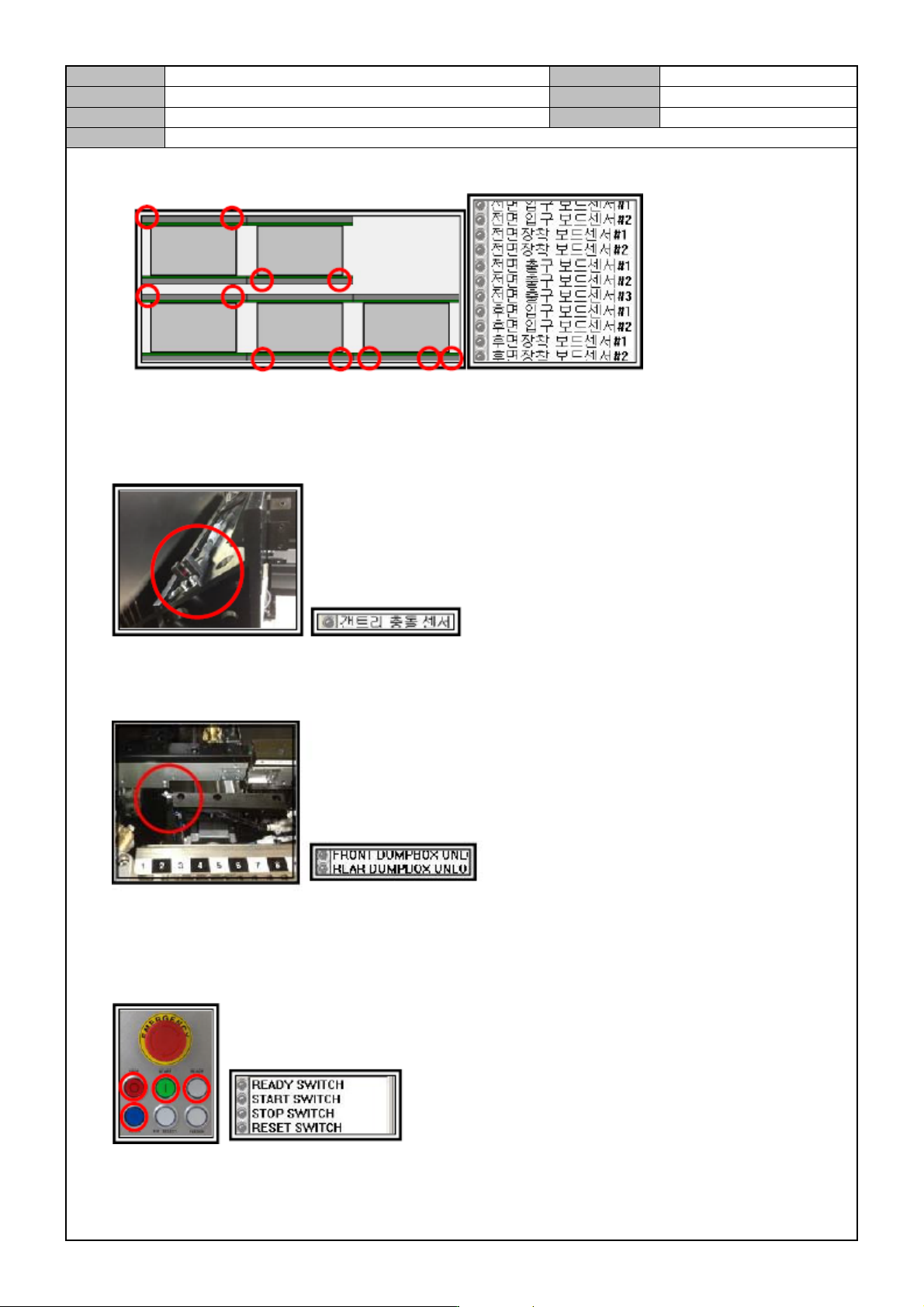
Right Only Shuttle Conveyor (Dual – Dual – Shuttle)
Check detection by the Gantry Collision Sensor.
Run the Gantry Collision Sensor to see if the input operates properly.
Check detection by the Dump Box Unlock Sensor.
Run the Gantry Collision Sensor to see if the input operates properly.
Check the OP Panel Lamp.
Press the Ready, Start, Stop and Reset switches to see if the input operates properly.
※Press the Select button to check the I/O of the Start button.
Model
DECAN Series
Company
SAMSUNG TECHWIN
Module
3.12 MMI
Version
01
Title
MMI IO CHECK(INPUT)
Page
3-12-14
Note
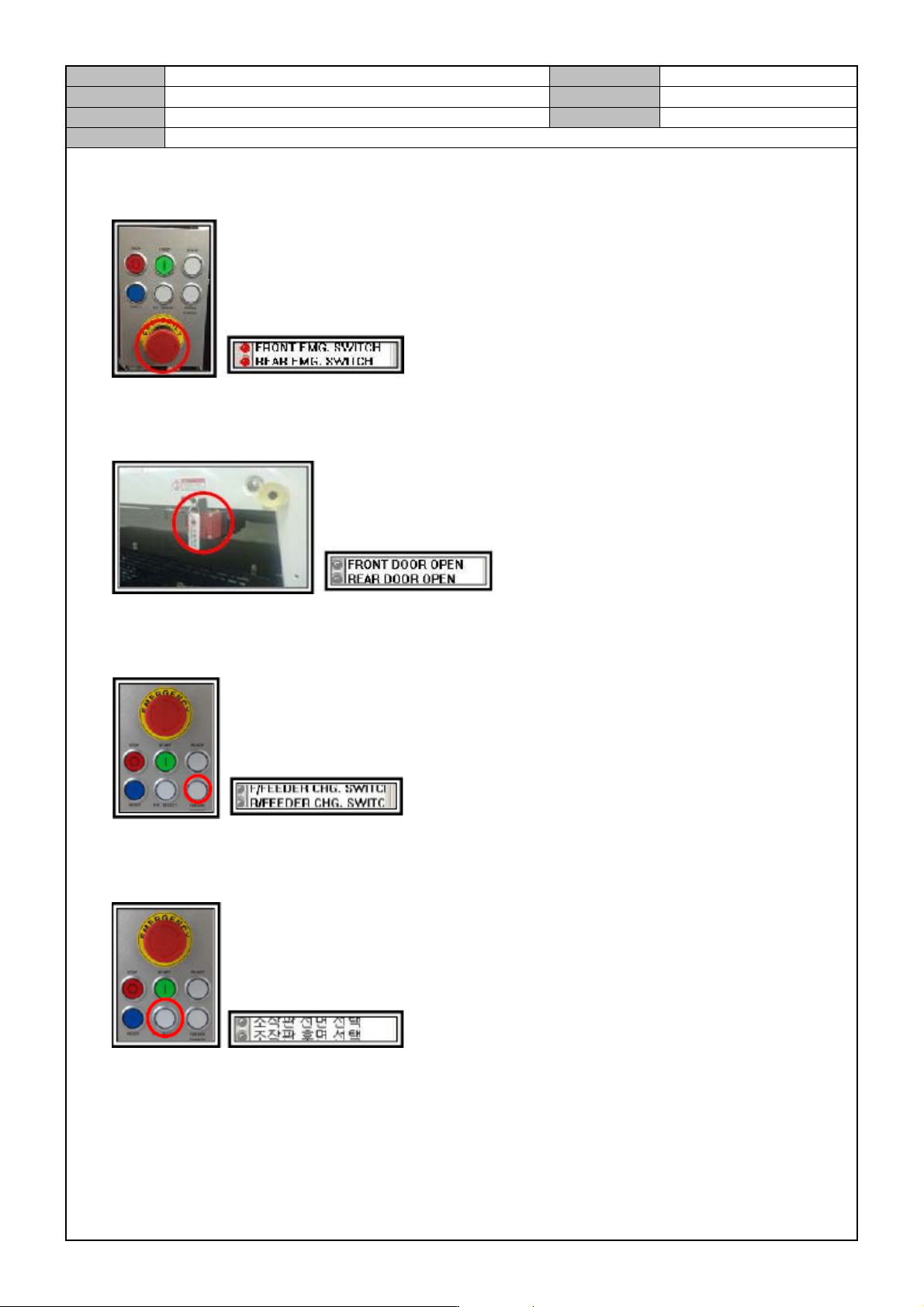
Check operation of the Front/Rear Emergency Stop Switch.
Press the Front/Rear Emergency Stop Switch to see if the input operates properly.
Check if the front/rear door opens.
When the front/rear door opens or closes, check if the I/O operates properly as well.
Check operation of the Front/Rear Feeder Change Switch.
Press the Front/Rear Feeder Exchange Switch to see if the input operates properly.
Check operation of the Front/Rear Selection Switch on the control panel.
Press the Front/Rear Selection Switch to see if the input operates properly.