EN 3.pdf - 第57页
Model DECAN Series Company SAMSUNG TECHWIN Module 3.4 CAMERA V ersion 01 Tit le ST AGE CAMERA ENABLE Page 3-4-6 Note [ST AGE CAMERA ENABLE] If a Stage Camera is used, then set the following in the MMI. 1. In the MMI&apos…
Model
DECAN Series
Company
SAMSUNG TECHWIN
Module
3.4 CAMERA
Version
01
Title
FIDUCIAL CAMERA OPTION SETTING
Page
3-4-5
Note
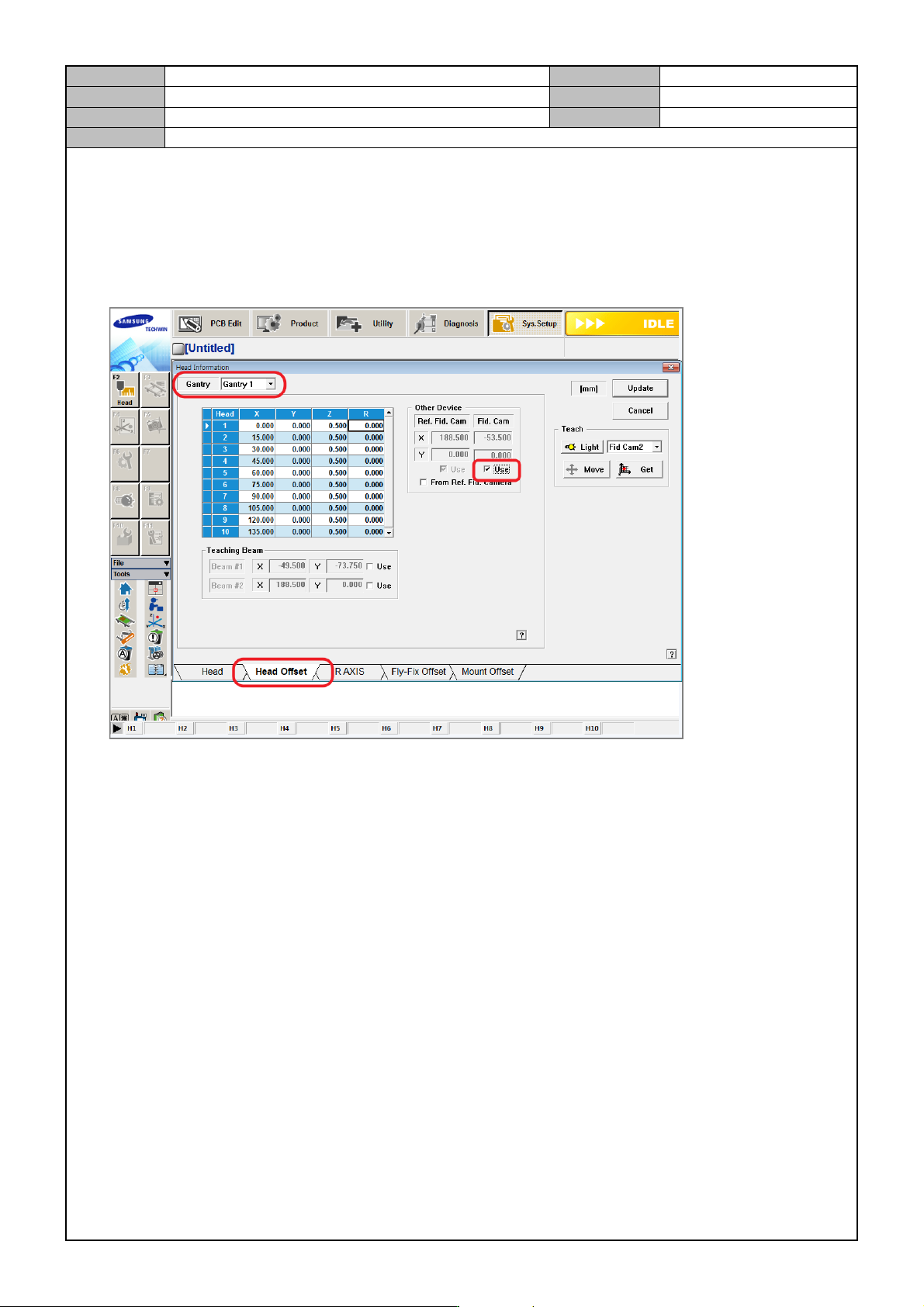
[FIDUCIAL CAMERA OPTION SETTING]
If the equipment uses two Fiducial Cameras, then go to the MMI and enable two cameras.
System Setup > Fly Camera
- If the same option is used, select Gantry 2 in <Gantry 2> and then select Fid Cam Use.
Model
DECAN Series
Company
SAMSUNG TECHWIN
Module
3.4 CAMERA
Version
01
Title
STAGE CAMERA ENABLE
Page
3-4-6
Note
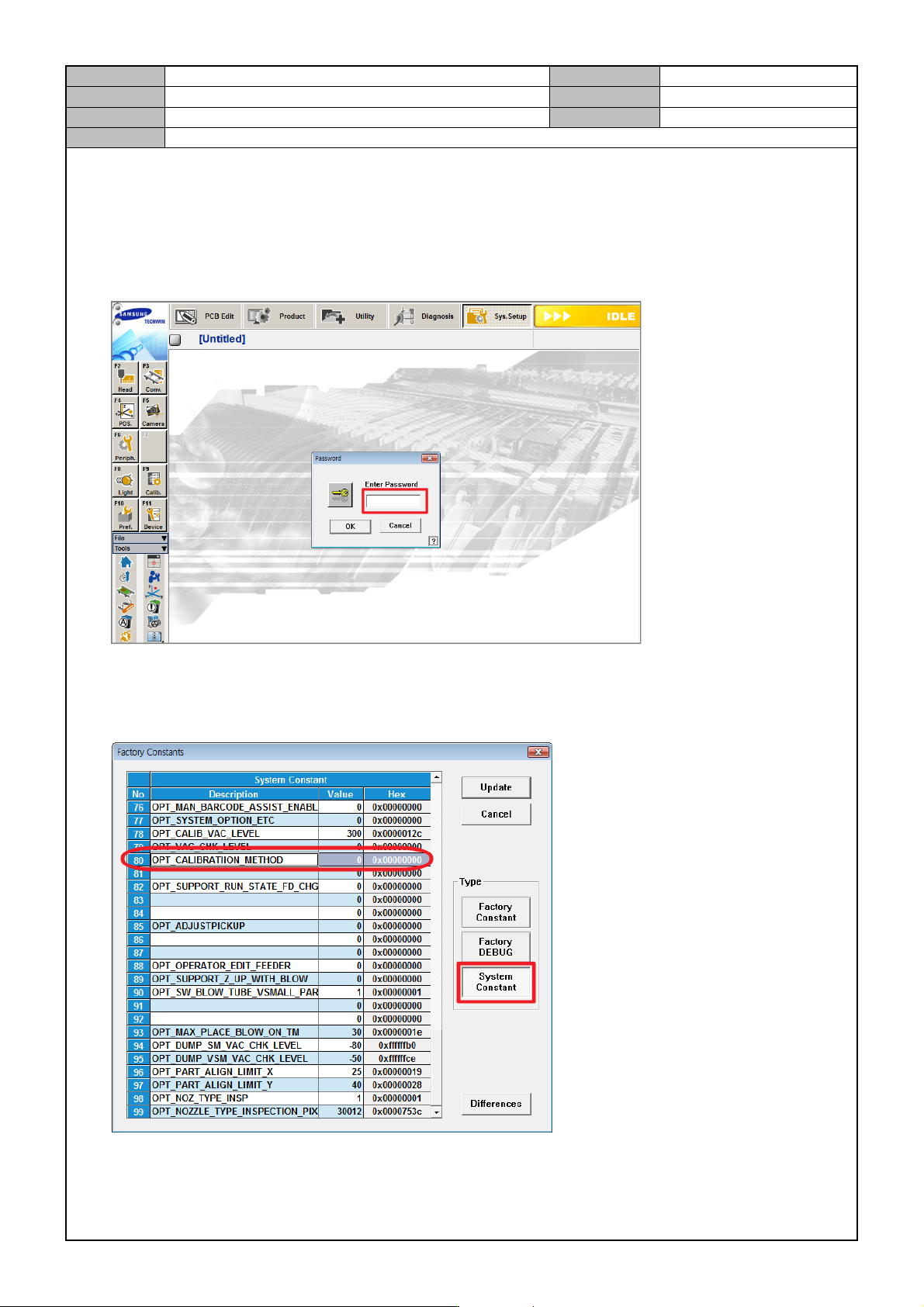
[STAGE CAMERA ENABLE]
If a Stage Camera is used, then set the following in the MMI.
1. In the MMI's <Sys. Setup> menu, access the Factory mode.
ID: MARKFAC, Password: MARKFACTORY
2. In <System Constant>, enable OPT_CALIBRATION_METHOD.
0: Stage Camera enabled.
1: Stage Camera disabled.
Model
DECAN Series
Company
SAMSUNG TECHWIN
Module
3.4 CAMERA
Version
01
Title
STAGE CAMERA ENABLE
Page
3-4-7
Note
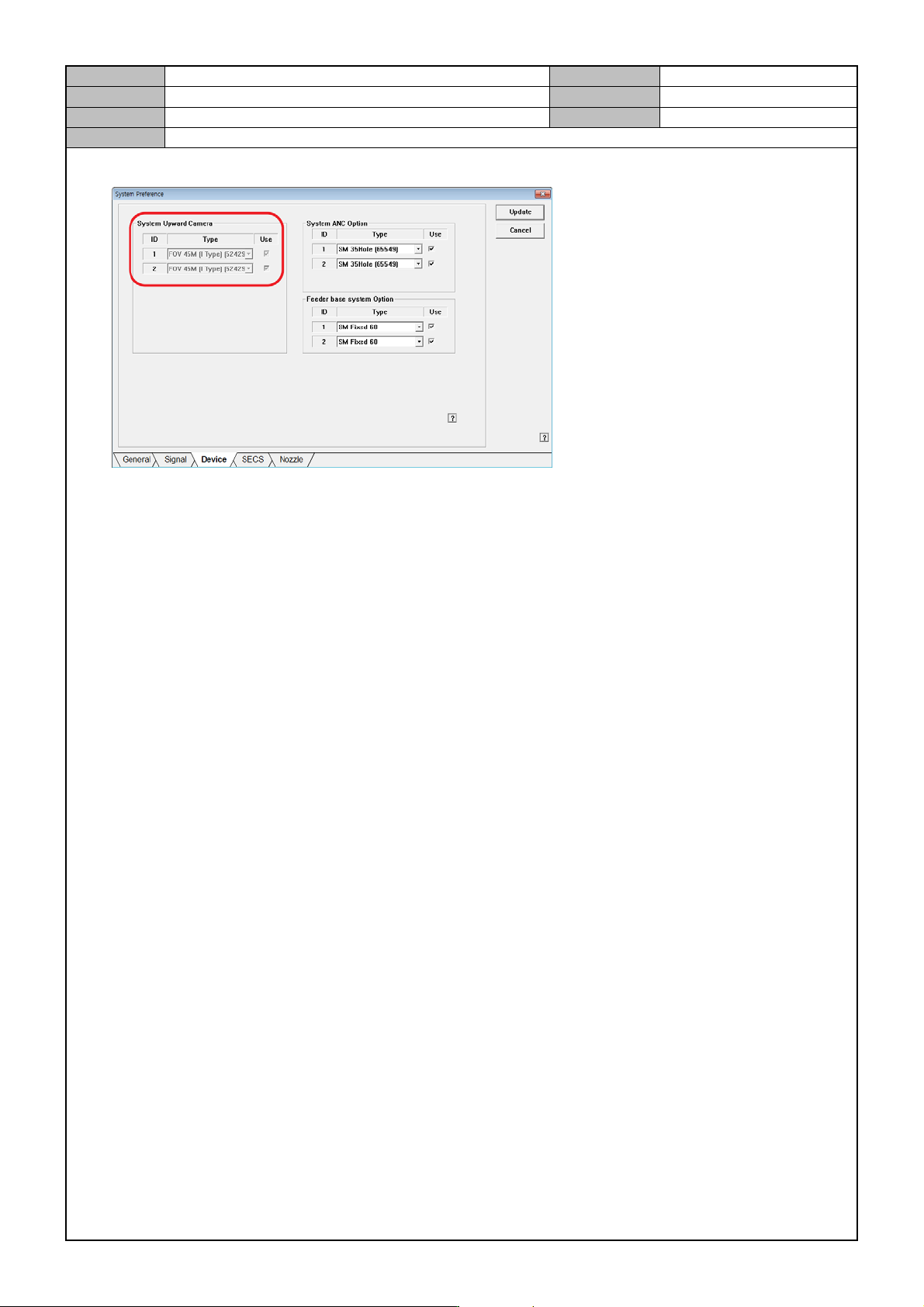
3. In the <System Preference> menu, go the Device selection tab and set the Stage Camera option.