EN 3.pdf - 第208页
Model DECAN Series Company SAMSUNG TECHWIN Module 3.1 1 HEAD V ersion 01 Tit le Z, R AXIS MOTOR PULLEY R EASSEMBL Y (F2) Page 3-1 1-48 Note 7. Separate the Spline by moving it downward. 8. Separate the Belt Clamp by rele…
Model
DECAN Series
Company
SAMSUNG TECHWIN
Module
3.11 HEAD
Version
01
Title
Z, R AXIS MOTOR PULLEY REASSEMBLY (F2)
Page
3-11-47
Note
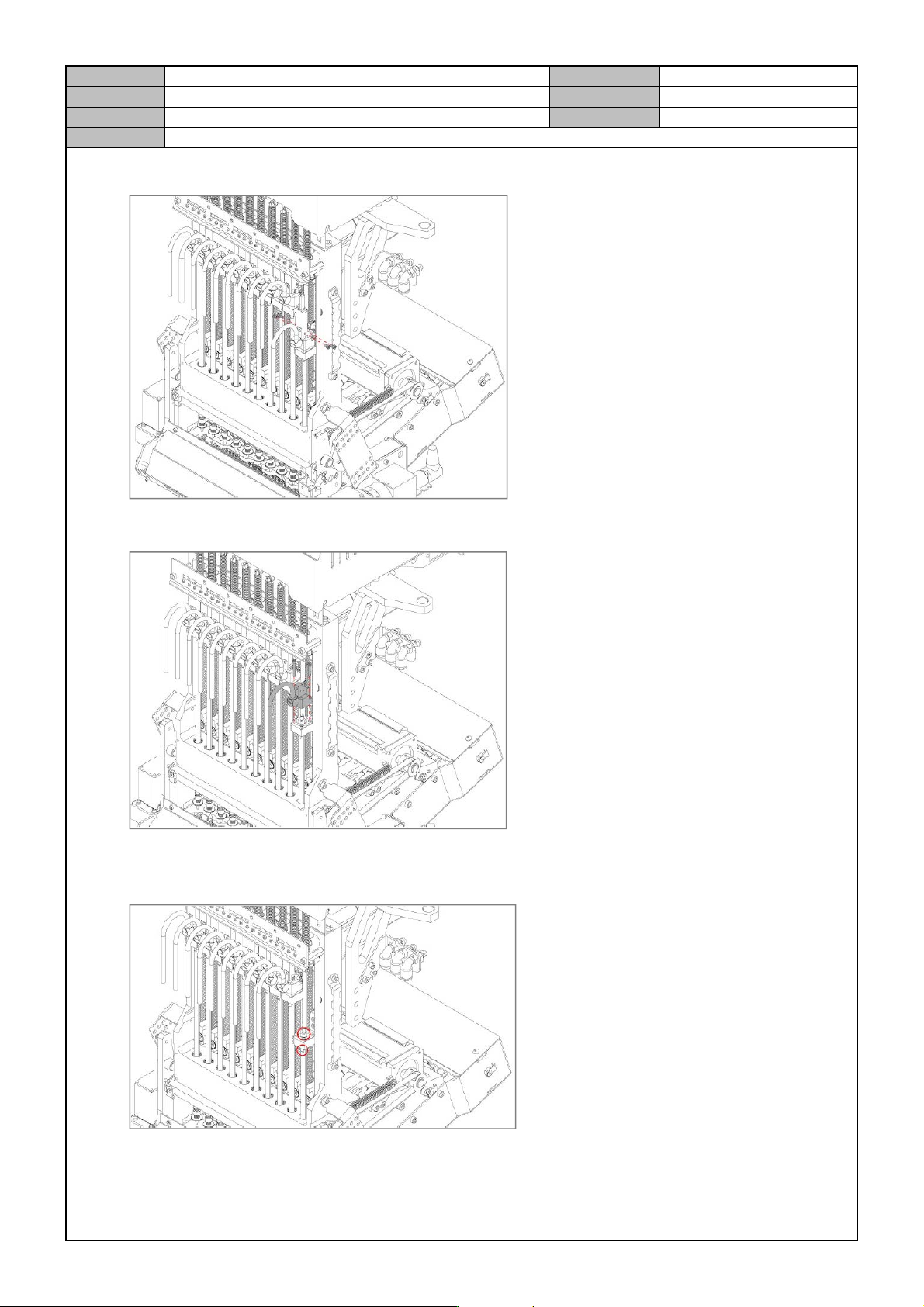
4. Separate the Z Sensor Dog by releasing the fixing bolts.
5. Separate the Z Cap by releasing the fixing bolts.
6. Using a spanner, fix the spanner location of the spline and then using another spanner, release and remove
the lock nuts.
Model
DECAN Series
Company
SAMSUNG TECHWIN
Module
3.11 HEAD
Version
01
Title
Z, R AXIS MOTOR PULLEY REASSEMBLY (F2)
Page
3-11-48
Note
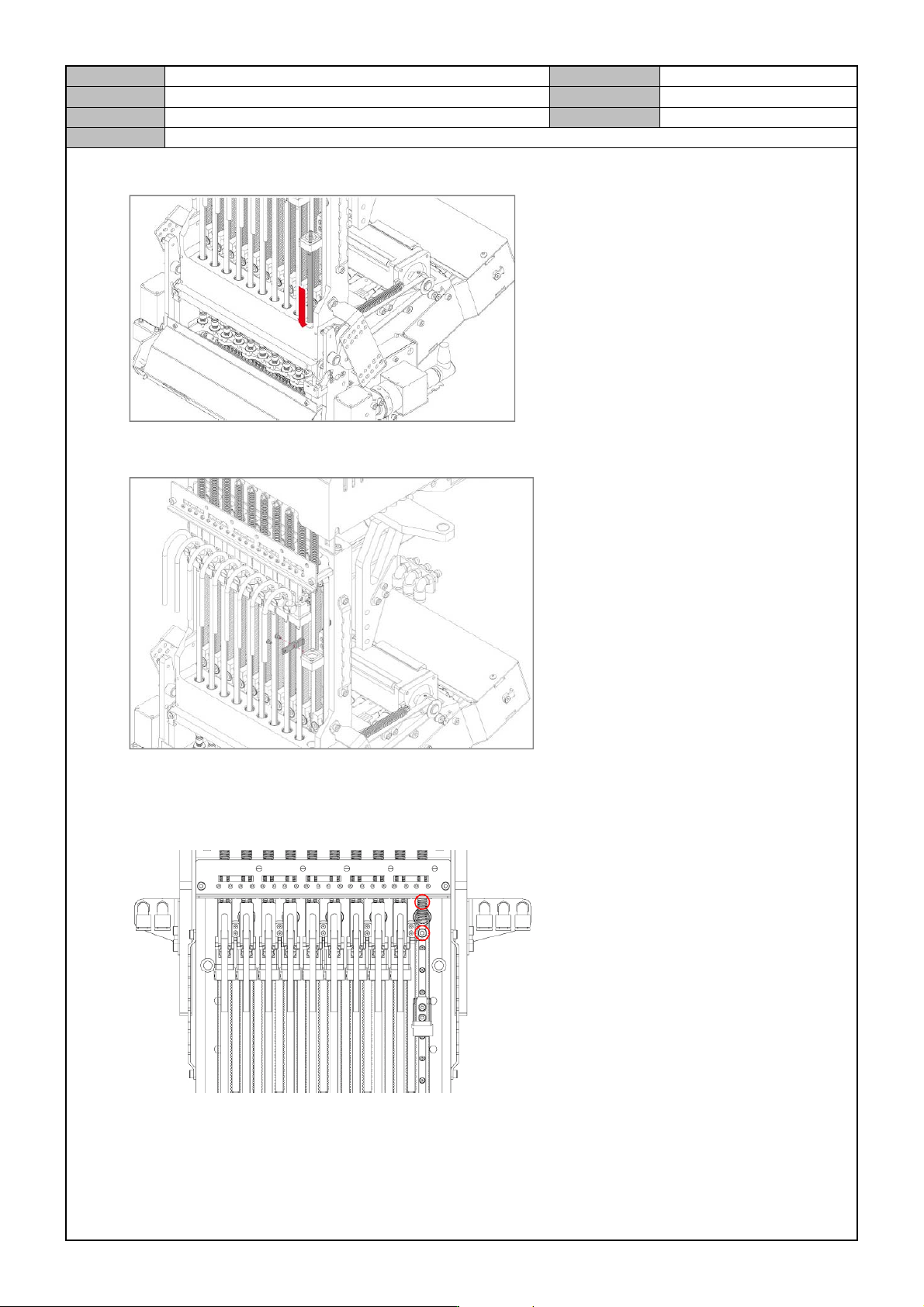
7. Separate the Spline by moving it downward.
8. Separate the Belt Clamp by releasing the fixing bolts.
9. Separate the cable connected to the motor.
10. Remove the fixing bolts for the motor to separate it.
Model
DECAN Series
Company
SAMSUNG TECHWIN
Module
3.11 HEAD
Version
01
Title
Z, R AXIS MOTOR PULLEY REASSEMBLY (F2)
Page
3-11-49
Note
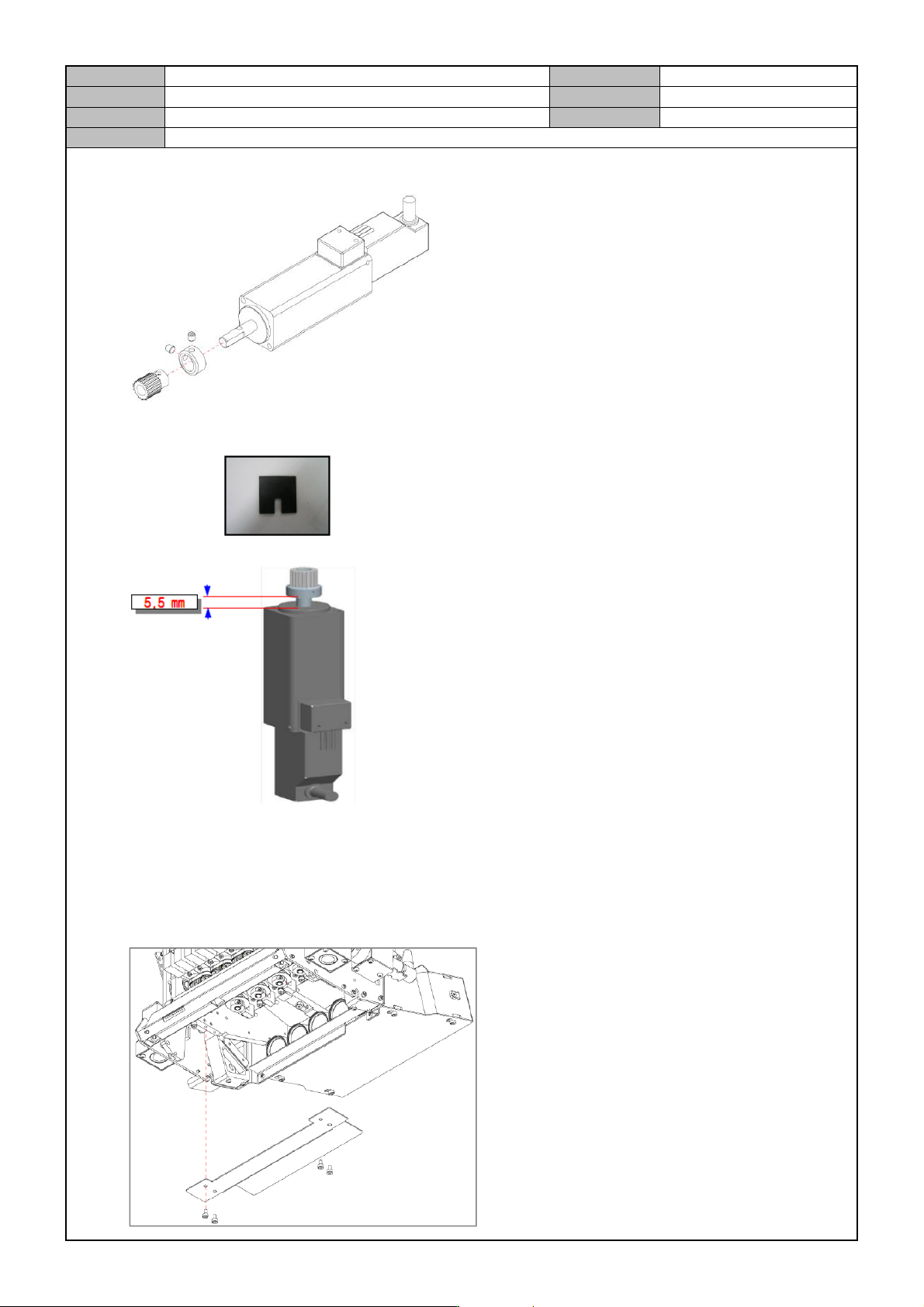
11. Separate the Pulley by releasing the Fixing Set Screws.
12. Using a gap jig, assemble the Pulley in the following order.
13. Assemble the Pulley in the reverse order of assembly and adjust the tension by referring to the Z axis Belt
Tension guides.
R axis Motor Pulley
1. Separate the Light Cover by releasing the fixing bolts.