EN 3.pdf - 第237页
Model DECAN Series Company SAMSUNG TECHWIN Module 3.12 MMI V ersion 01 Tit le MMI IO CHECK(INPU T) Page 3-12-15 Note Check air pressure operation. When the Main Air Pressure Gauge is below 0.4, an alar m occurs in the …
Model
DECAN Series
Company
SAMSUNG TECHWIN
Module
3.12 MMI
Version
01
Title
MMI IO CHECK(INPUT)
Page
3-12-14
Note
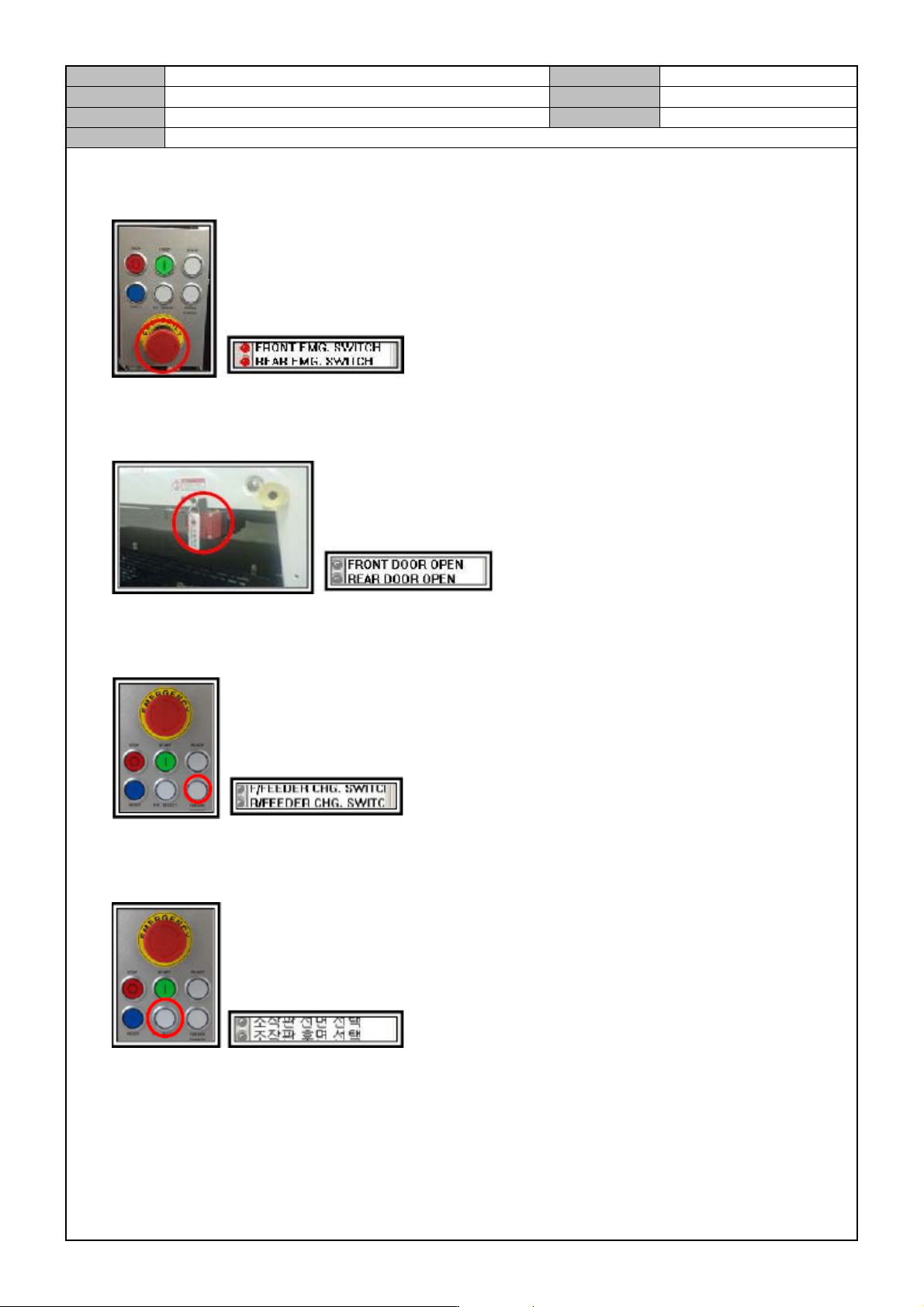
Check operation of the Front/Rear Emergency Stop Switch.
Press the Front/Rear Emergency Stop Switch to see if the input operates properly.
Check if the front/rear door opens.
When the front/rear door opens or closes, check if the I/O operates properly as well.
Check operation of the Front/Rear Feeder Change Switch.
Press the Front/Rear Feeder Exchange Switch to see if the input operates properly.
Check operation of the Front/Rear Selection Switch on the control panel.
Press the Front/Rear Selection Switch to see if the input operates properly.
Model
DECAN Series
Company
SAMSUNG TECHWIN
Module
3.12 MMI
Version
01
Title
MMI IO CHECK(INPUT)
Page
3-12-15
Note
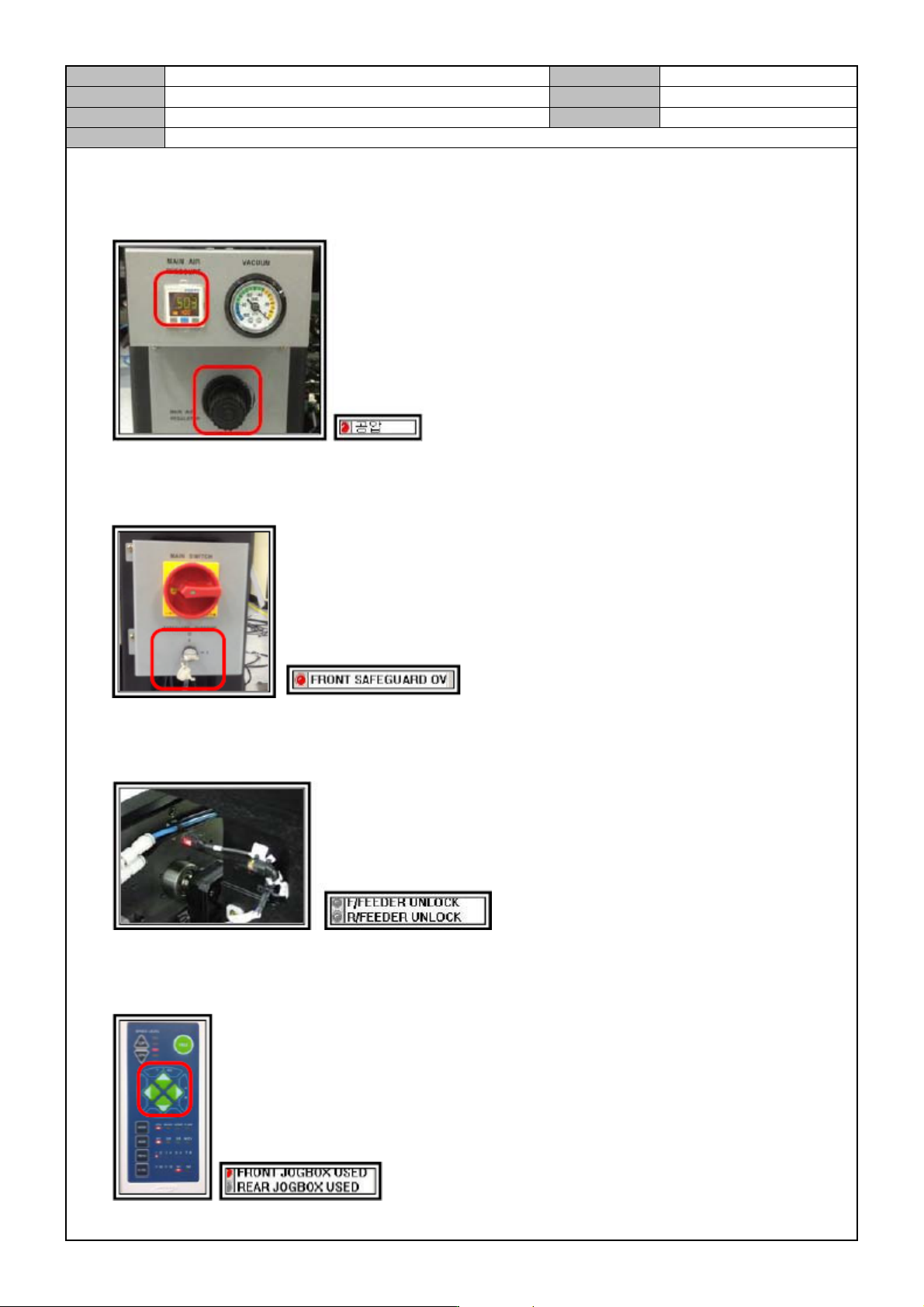
Check air pressure operation.
When the Main Air Pressure Gauge is below 0.4, an alarm occurs in the equipment. Now, check if the input
operates properly and when the value returns to 0.45, see if the I/O detection is released.
Check operation of the Front Safe Guard Key.
Press the Front Safe Guard Key and see if the input operates properly.
Check operation of the Feeder Gap Sensor.
Operate the Front/Rear Feeder Gap Sensor to see if the input operates properly.
Check operation of the Front/Rear Jog Box.
Attach the teaching box to the front/rear of the equipment and see if the input operates properly.
Model
DECAN Series
Company
SAMSUNG TECHWIN
Module
3.12 MMI
Version
01
Title
MMI IO CHECK(INPUT)
Page
3-12-16
Note
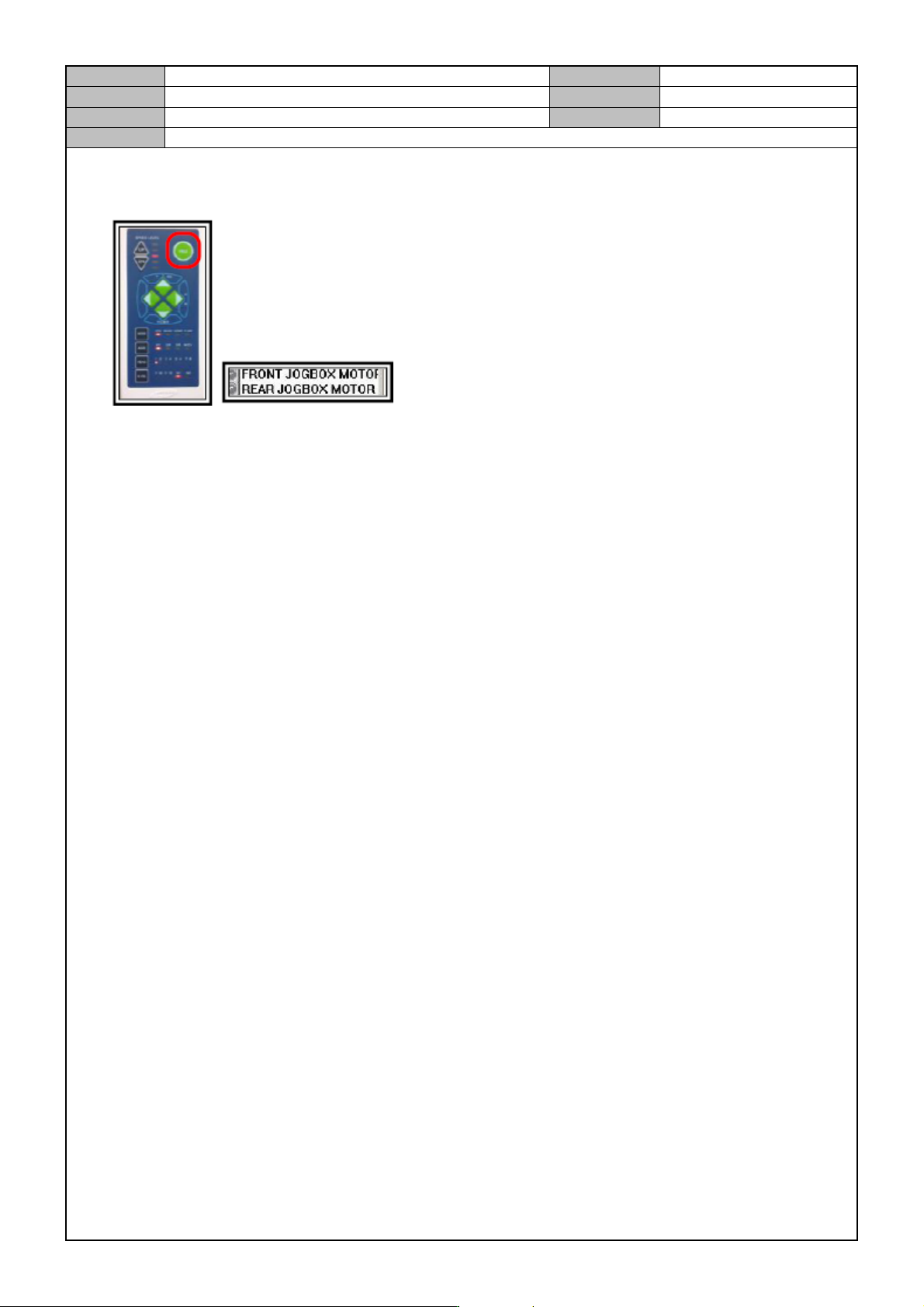
Check operation of the Front/Rear Jog Box Emergency Switch.
Press the Front/Rear Teaching box Emergency Stop Switch to see if the input operates properly.