EN 3.pdf - 第121页
Model DECAN Series Company SAMSUNG TECHWIN Module 3.8 IT , L TS V ersion 01 Tit le IT FUNCTION INST AL LA TION(MMI) Page 3-8-4 Note [IT FUNCTION INST ALLA TION(MMI)] 1. After installing the MMI, change the System Constan…
Model
DECAN Series
Company
SAMSUNG TECHWIN
Module
3.8 IT, LTS
Version
01
Title
2D BAR CODE SETTING
Page
3-8-3
Note
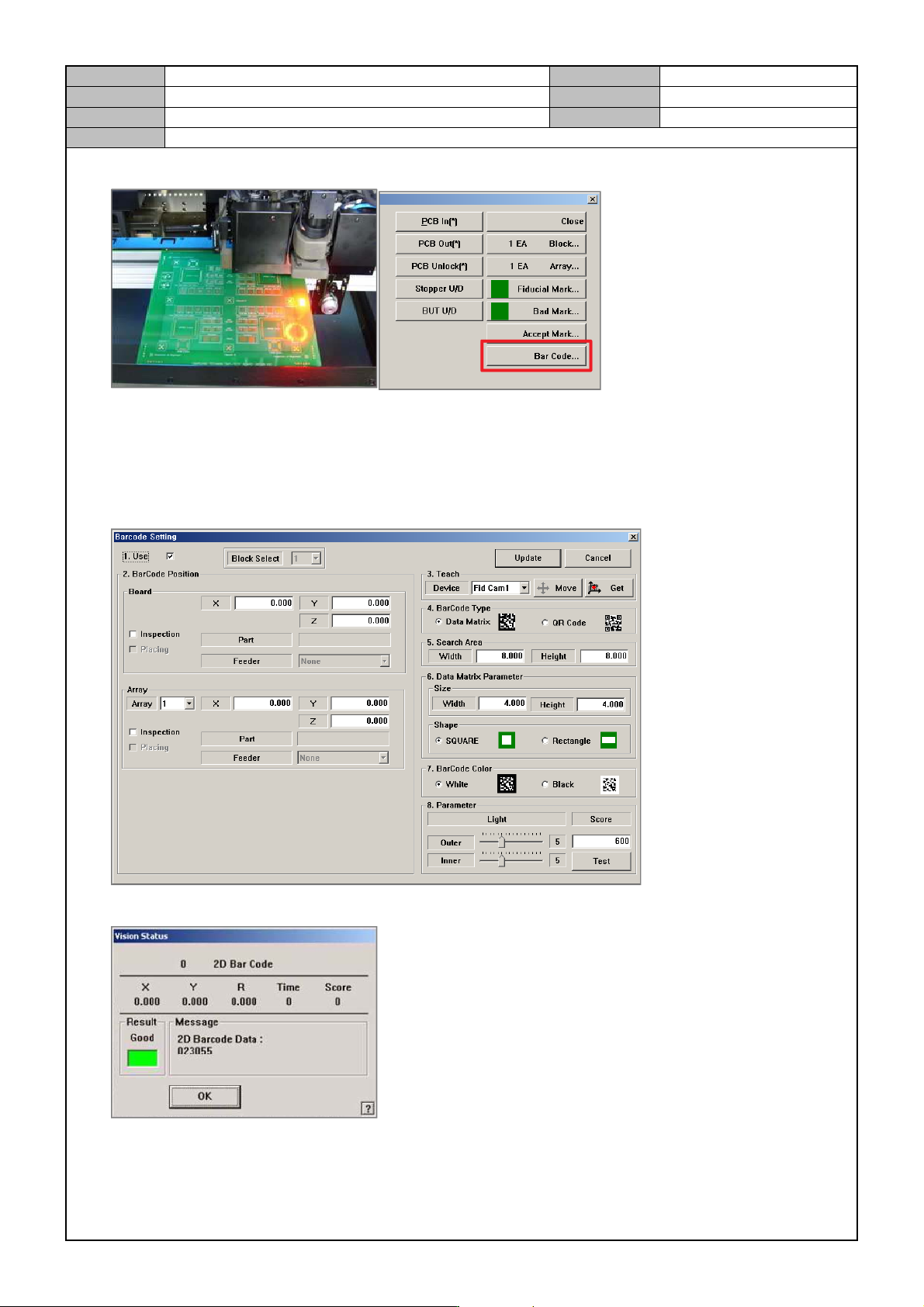
4. Load the PCB and clamp it in the Work Station and then select the [Bar Code] menu.
5. Barcode Setting
Use: check
Let the fiducial camera face the 2D barcode, press [Get].
Barcode Type setting
Shape setting
Barcode Color setting
6. Press [Test] to check barcode detection.
Model
DECAN Series
Company
SAMSUNG TECHWIN
Module
3.8 IT, LTS
Version
01
Title
IT FUNCTION INSTALLATION(MMI)
Page
3-8-4
Note
[IT FUNCTION INSTALLATION(MMI)]
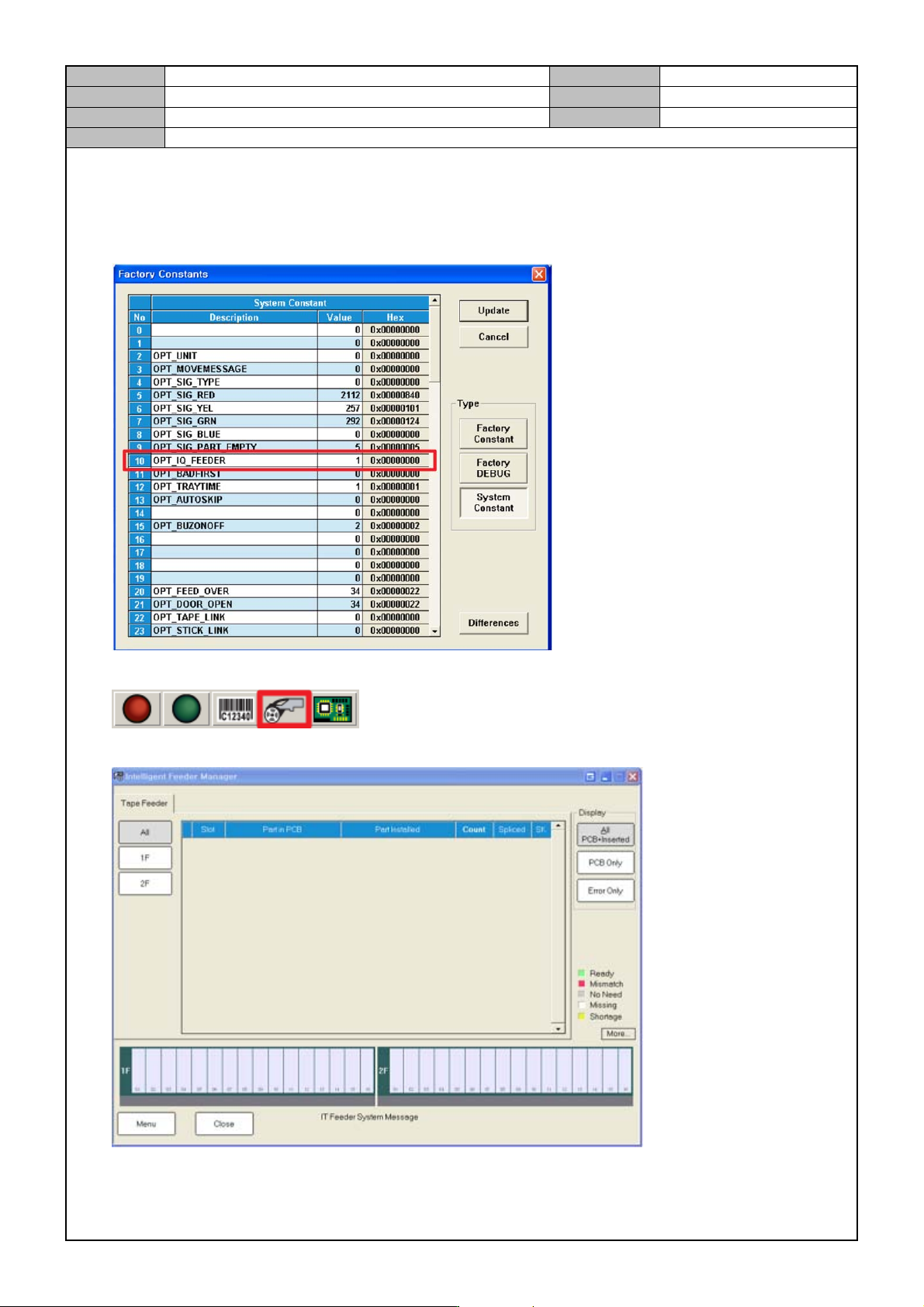
1. After installing the MMI, change the System Constant settings.
System Constant 10 <OPT IQ FEEDER> item: 0 → 1
2. In the upper right corner of the MMI, click the <IT Manager > button.
3. Select the Setup menu of <IT Manager>.
Model
DECAN Series
Company
SAMSUNG TECHWIN
Module
3.8 IT, LTS
Version
01
Title
IT FUNCTION INSTALLATION(MMI)
Page
3-8-5
Note
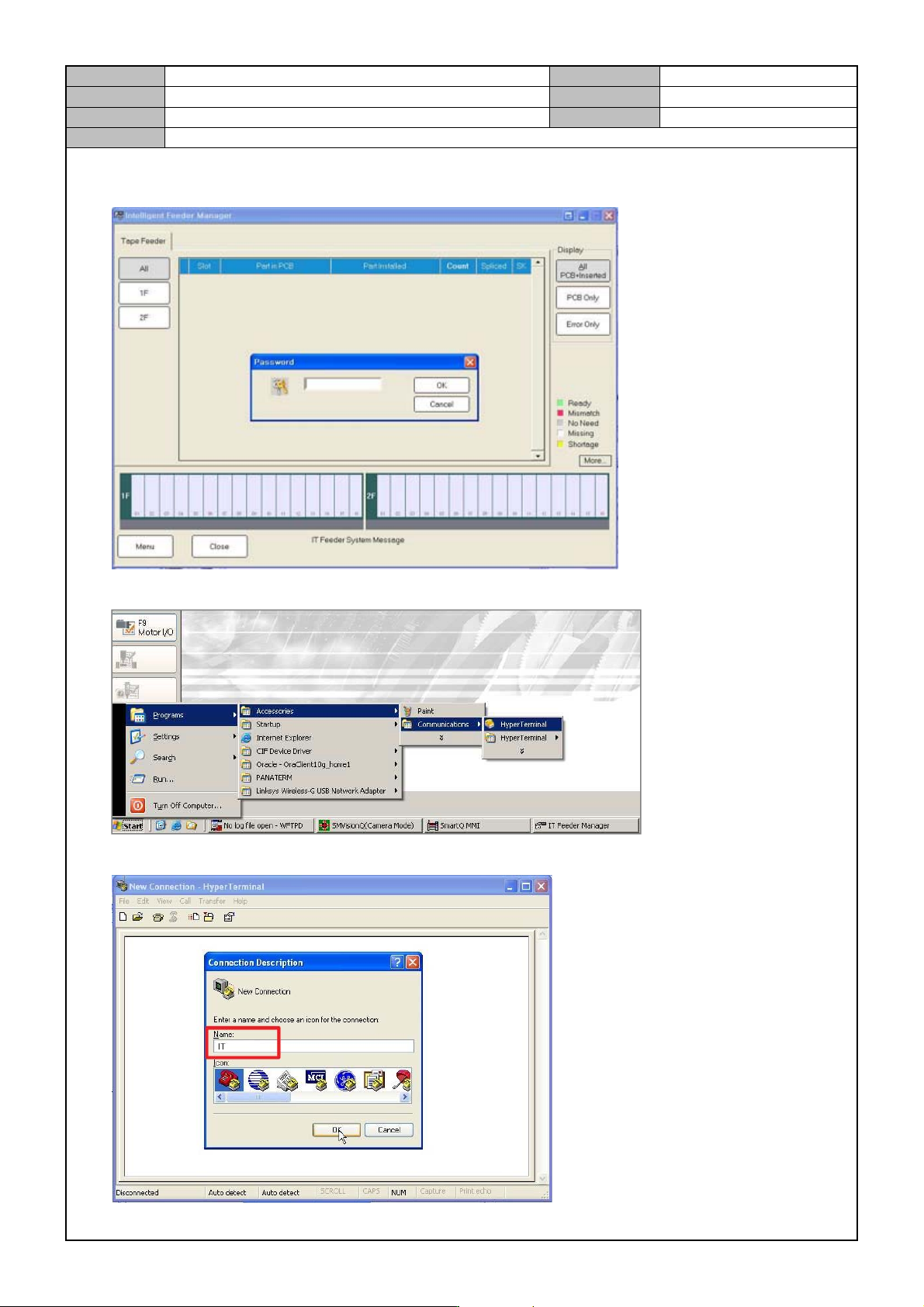
4. Enter the Setup password.
Password: 1
5. To check the Serial Port setting, connect to the Hyper terminal.
6. Enter “IT” in the <Name> field.