EN 3.pdf - 第148页
Model DECAN Series Company SAMSUNG TECHWIN Module 3.10 FEEDER V ersion 01 Tit le SPLICING SPROCKET CLEANING and REPLACEMENT Page 3-10-4 Note [SPLICING SPROCKET CLEANING and REPLACEMENT] 1. After removing the fixing bolts…
Model
DECAN Series
Company
SAMSUNG TECHWIN
Module
3.10 FEEDER
Version
01
Title
INDEX / LOADING SPROCKET CLEANING and
REPLACEMENT
Page
3-10-3
Note
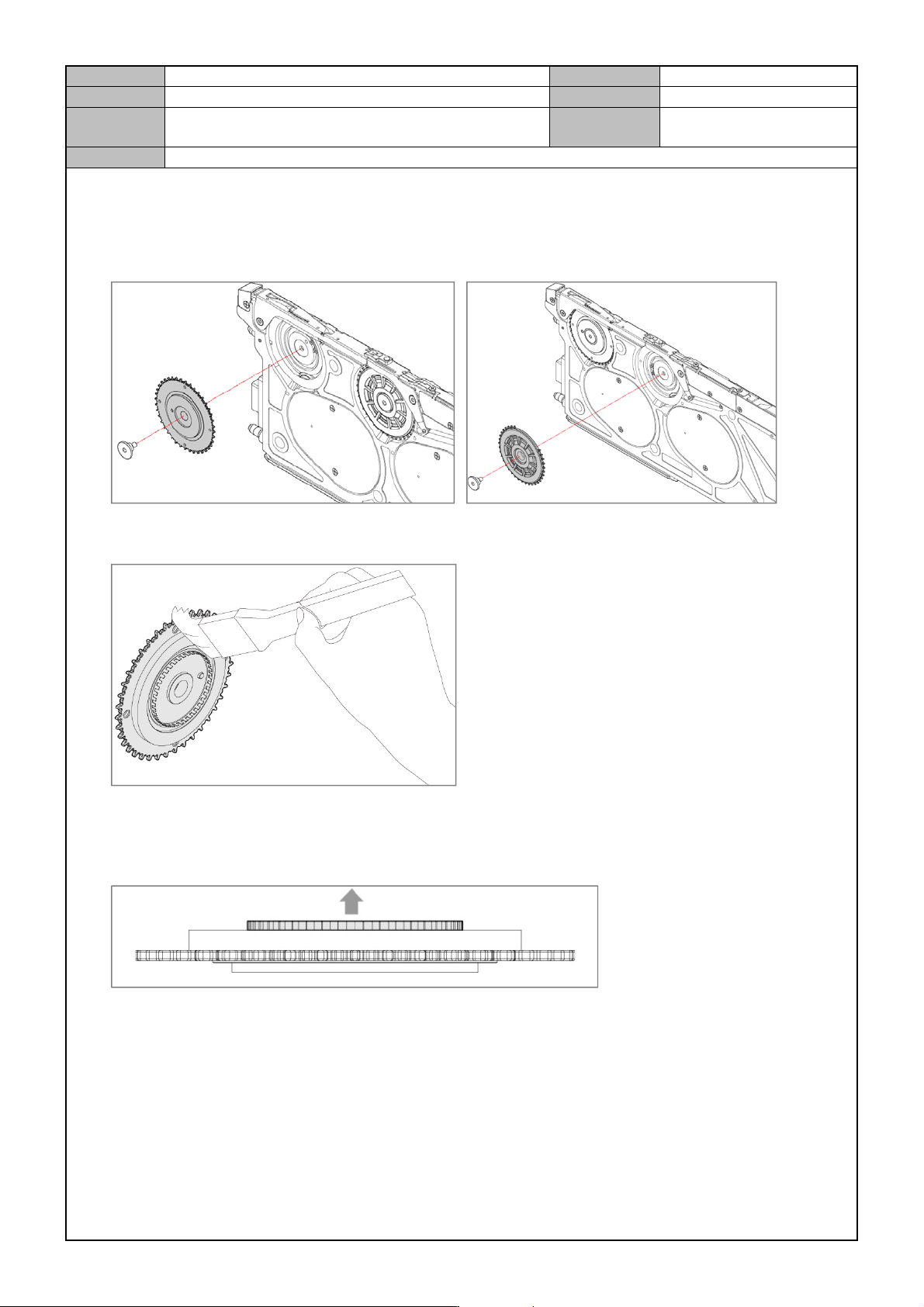
[INDEX / LOADING SPROCKET CLEANING and REPLACEMENT]
1. When replacing the index sprocket or loading sprocket, use a hexagonal wrench to remove the shaft that
fixes the sprocket and then separate the Index sprocket from the Feeder.
Index Sprocket Loading Sprocket
2. After wiping off the Sprocket Gear with a clean cloth, spray grease.
3. Spray LOCTITE 641 on the shaft.
* Make sure that the Sensor Dog is always faced upward and there is no alien substance left on it.
4. Set the home after assembling the Sprocket into the Feeder's main body.
- Home setting, Sensor initialization, Mapping
Model
DECAN Series
Company
SAMSUNG TECHWIN
Module
3.10 FEEDER
Version
01
Title
SPLICING SPROCKET CLEANING and
REPLACEMENT
Page
3-10-4
Note
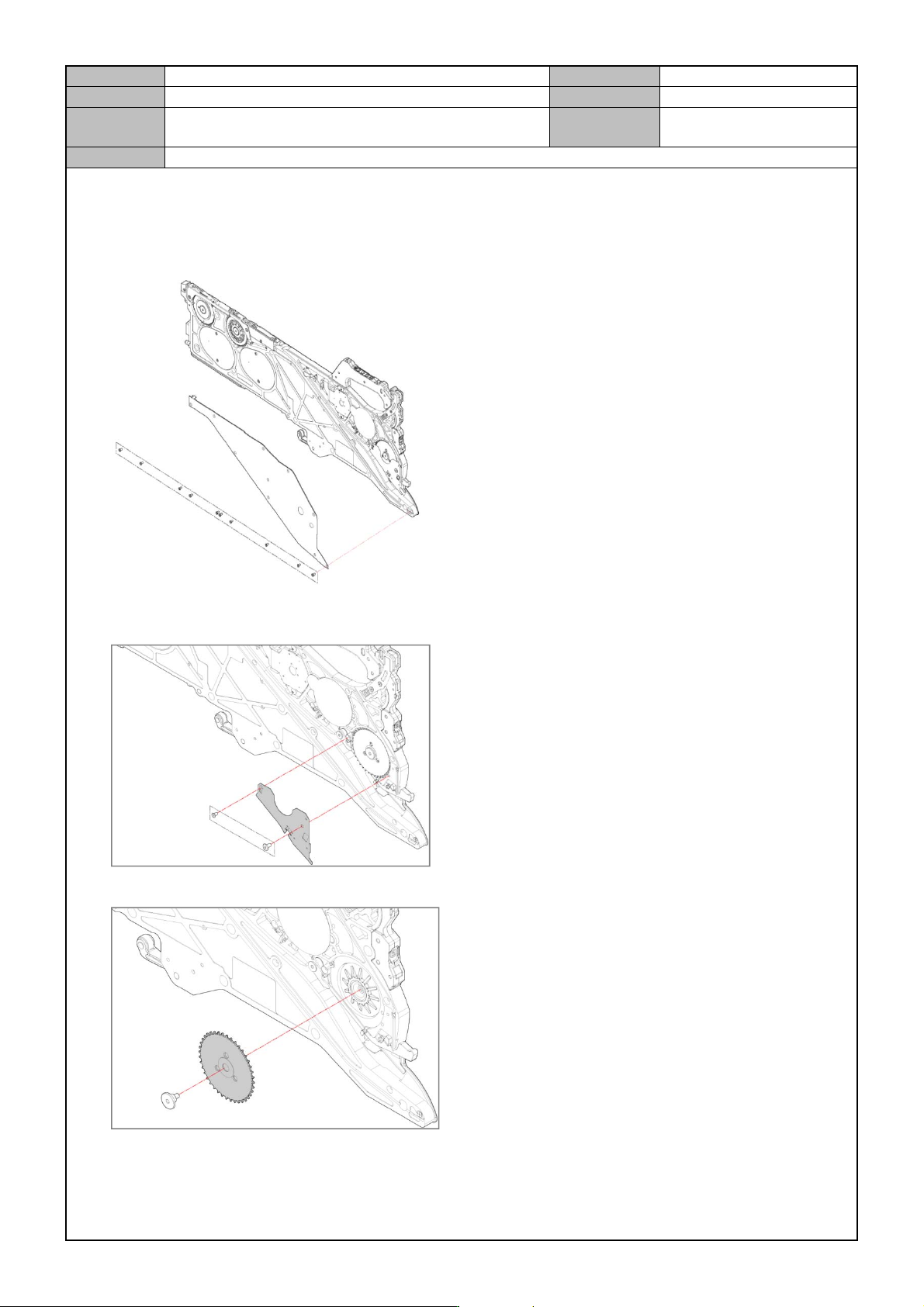
[SPLICING SPROCKET CLEANING and REPLACEMENT]
1. After removing the fixing bolts for the left cover(10-M2.5*0.45, 2-M25), separate the left cover from the
Feeder.
2. After removing the fixing bolts for the tape support left cover(2-M2.5*0.45), separate the tape support left
cover from the Feeder.
3. After removing the fixing shaft for the Splicing Sprocket, separate the Splicing Sprocket from the Feeder.
Model
DECAN Series
Company
SAMSUNG TECHWIN
Module
3.10 FEEDER
Version
01
Title
SPLICING SPROCKET CLEANING and
REPLACEMENT
Page
3-10-5
Note
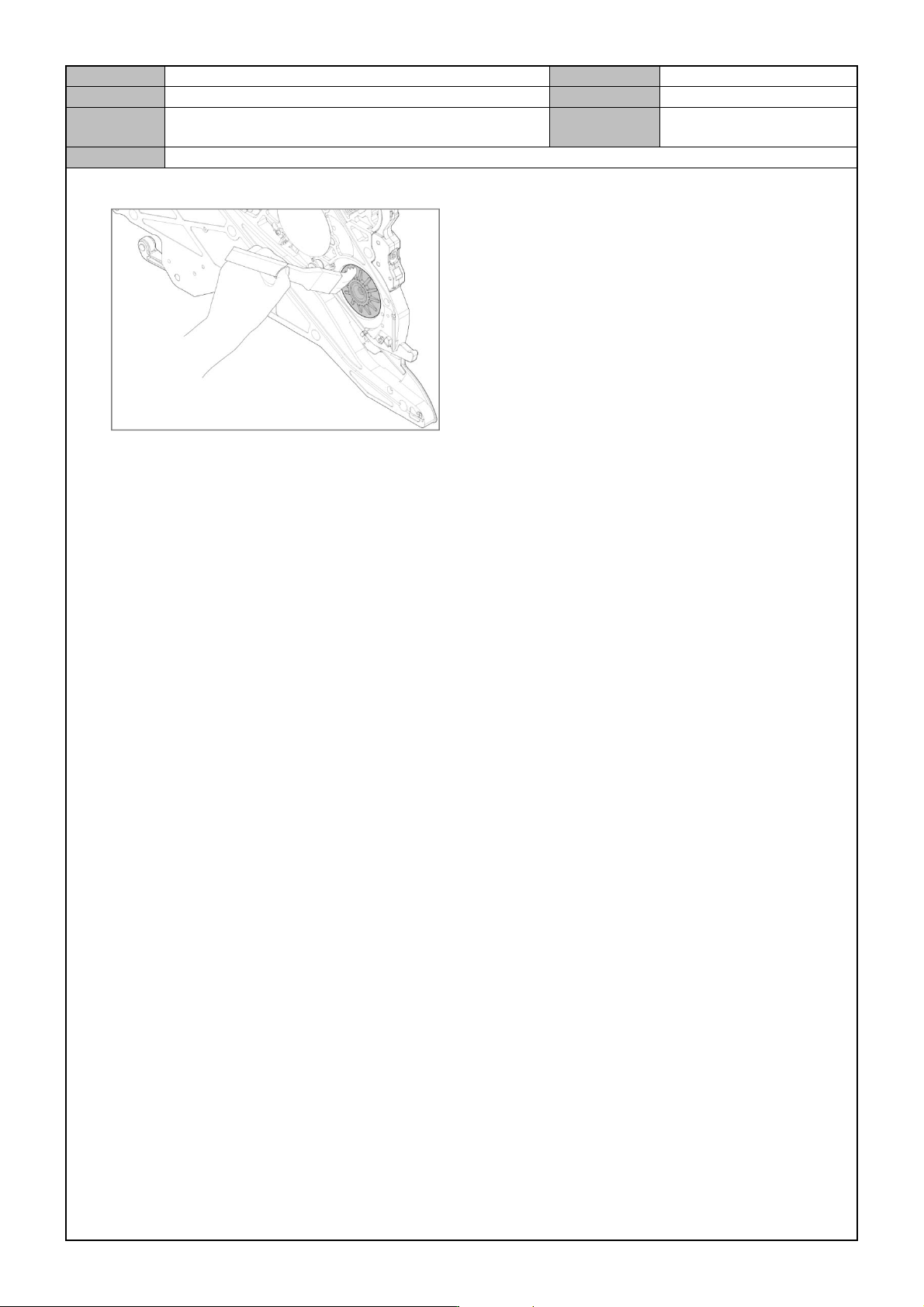
4. Apply lubricant to the gear of the Splicing sprocket assembly.
5. Spray LOCTITE 641 on the shaft.
6. Set it after assembling the Sprocket into the Feeder's main body.
- Home setting, Sensor initialization, Mapping