EN 3.pdf - 第271页
Model DECAN Series Company SAMSUNG TECHWIN Module 3.15 PC RACK V ersion 01 Tit le PC RACK ASSEMBL Y Page 3-15-2 Note [PC RACK ASSEMBL Y] 1. Prepare materials. Main CPU Box SBC Board NT A8 V ision Board IT Feeder Board 2.…

Model
DECAN Series
Company
SAMSUNG TECHWIN
Module
3.15 PC RACK
Total Pages
12
Table of Contents
[PC RACK ASSEMBLY] ...................................................................................... 2
[PC RACK CHECK] ............................................................................................. 9
[POWER SUPPLY REPLACEMENT] ................................................................ 10
[COOLING FAN CHANGE] ................................................................................ 11
[PC RACK DUMMY SLOT SEPARATION] ........................................................ 12
Model
DECAN Series
Company
SAMSUNG TECHWIN
Module
3.15 PC RACK
Version
01
Title
PC RACK ASSEMBLY
Page
3-15-2
Note
[PC RACK ASSEMBLY]
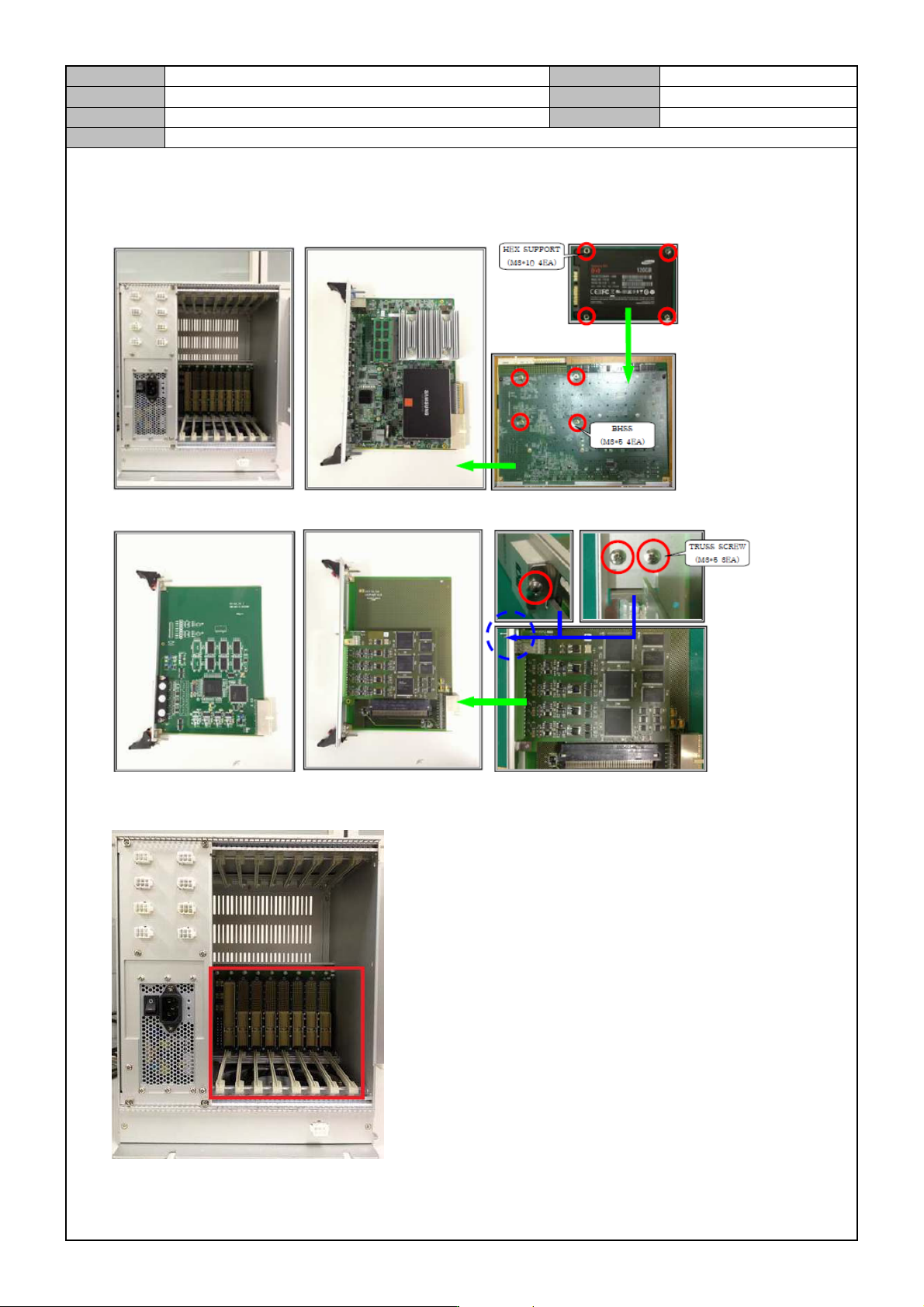
1. Prepare materials.
Main CPU Box SBC Board
NT A8 Vision Board IT Feeder Board
2. See if the Back Plane Board has missing or deformed pins.
Model
DECAN Series
Company
SAMSUNG TECHWIN
Module
3.15 PC RACK
Version
01
Title
PC RACK ASSEMBLY
Page
3-15-3
Note
3. Test the Back Plane Board's resistance and output voltage.
Test item Test item Criteria
Resistance
value
+5V < - > GND
Record the resistance.
(defect if it cannot be measured.)
+12V < - > GND
-12V < - > GND
Output voltage
+5V < - > GND 4.84V ~ 5.35V
+12V < - > GND 11.21V ~ 12.39V
-12V < - > GND -11.11V ~ -12.28V
3.3V < - > GND 3.13V ~ 3.46V
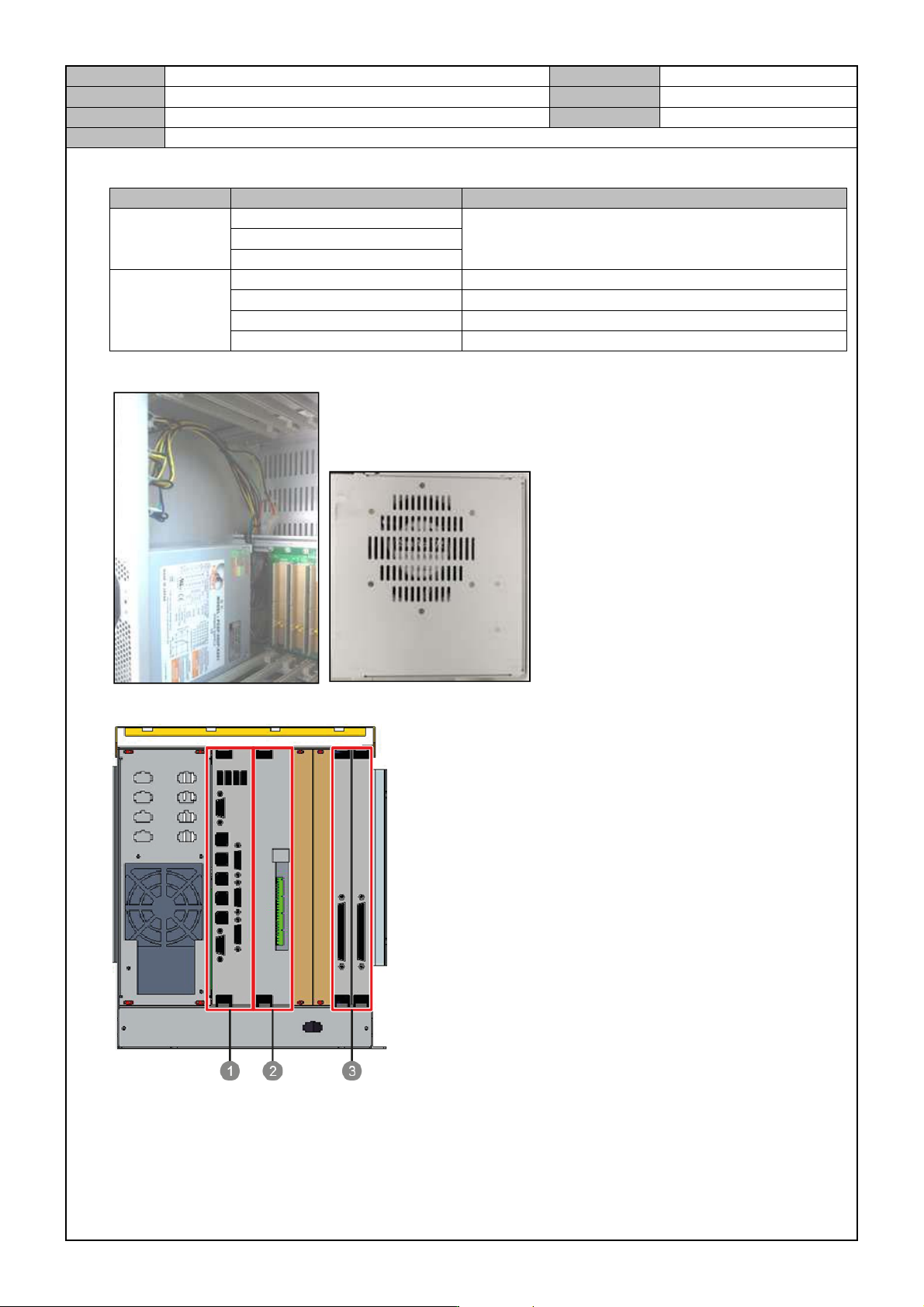
4. Arrange the power cable inside the Main CPU Box and check the fan assembly condition.
5. Assemble each board into the Main CPU Box.
① SBC Board
② IT Master Board
③ NT-A8 Board