EN 3.pdf - 第347页
Model DECAN Series Company SAMSUNG TECHWIN Module 3.19 ELECTRIC DEVICE V ersion 01 Tit le EQUIPMENT POWER AC380V CHANGE Page 3-19-21 Note [EQUIPMENT POWER AC380V CHANGE] 1. Disconnect the cover and the connector from the…
Model
DECAN Series
Company
SAMSUNG TECHWIN
Module
3.19 ELECTRIC DEVICE
Version
01
Title
VOLTAGE CHECK TEST
Page
3-19-20
Note
AC/DC power activated with Ready ON.
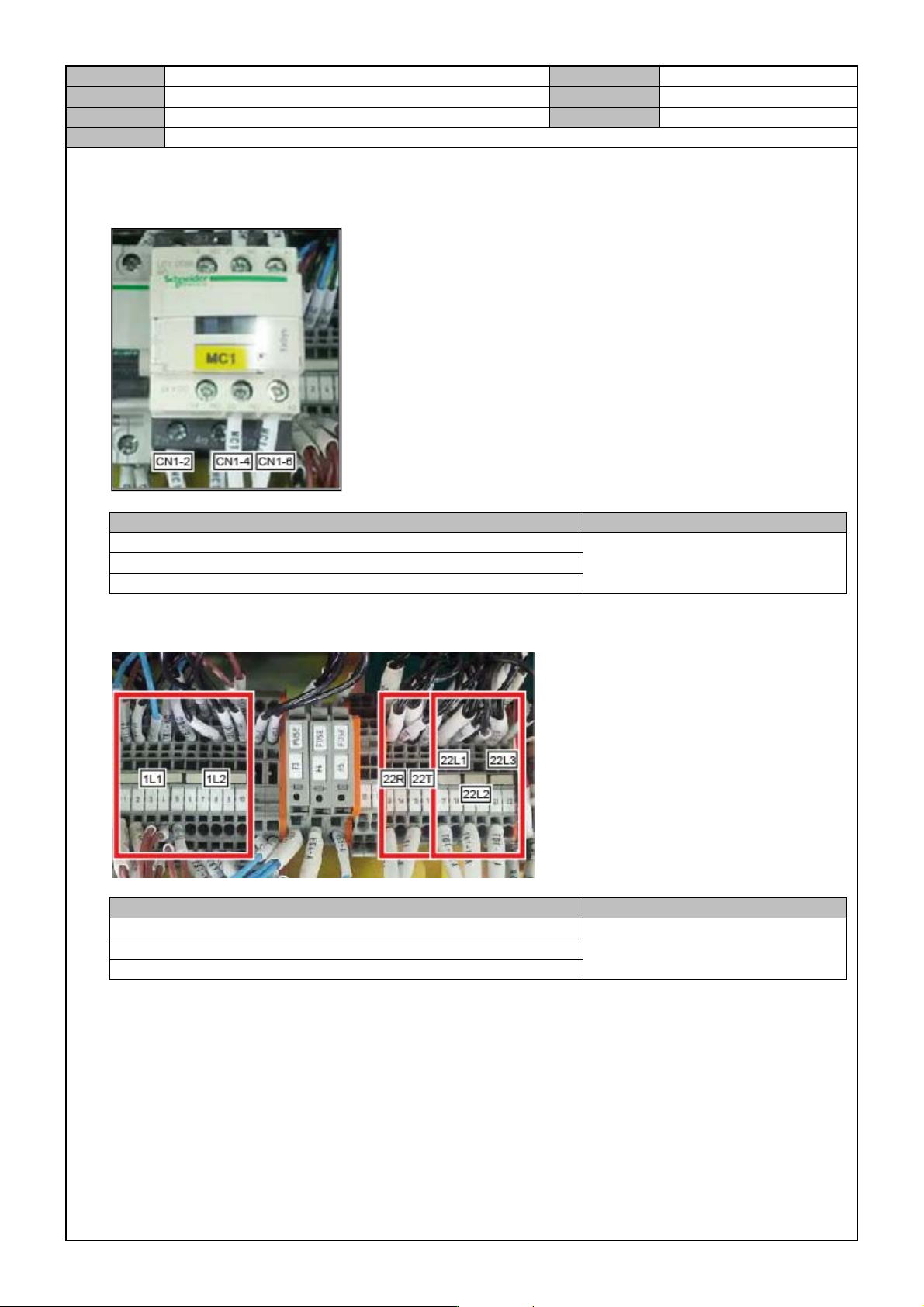
1. MC #1 power measurement
Inspection units Inspection criteria
MC#1 power CHECK : MC1-2 , MC1-4
AC 220V±10
MC#1 power CHECK : MC1-2 , MC1-6
MC#1 power CHECK : MC1-4 , MC1-6
*Condition : Press the contact of MC#1 to access.
2. Terminal Block#1 power measurement
Inspection units Inspection criteria
TB1 AC power CHECK : 22L1 , 22L2
AC 220V±10
TB1 AC power CHECK : 22L1 , 22L3
TB1 AC power CHECK : 22L2 , 22L3
*Condition : Press the contact of MC#1 to access.
3. Relay#1,11 LED ON status check.
4. CP#,1 2 OFF
5. Disconnect the tool cable from the Safety Control Board.
6. Connect the X,Y1,Y2,WD,SW Driver CONTROL POWER Connector.
Model
DECAN Series
Company
SAMSUNG TECHWIN
Module
3.19 ELECTRIC DEVICE
Version
01
Title
EQUIPMENT POWER AC380V CHANGE
Page
3-19-21
Note
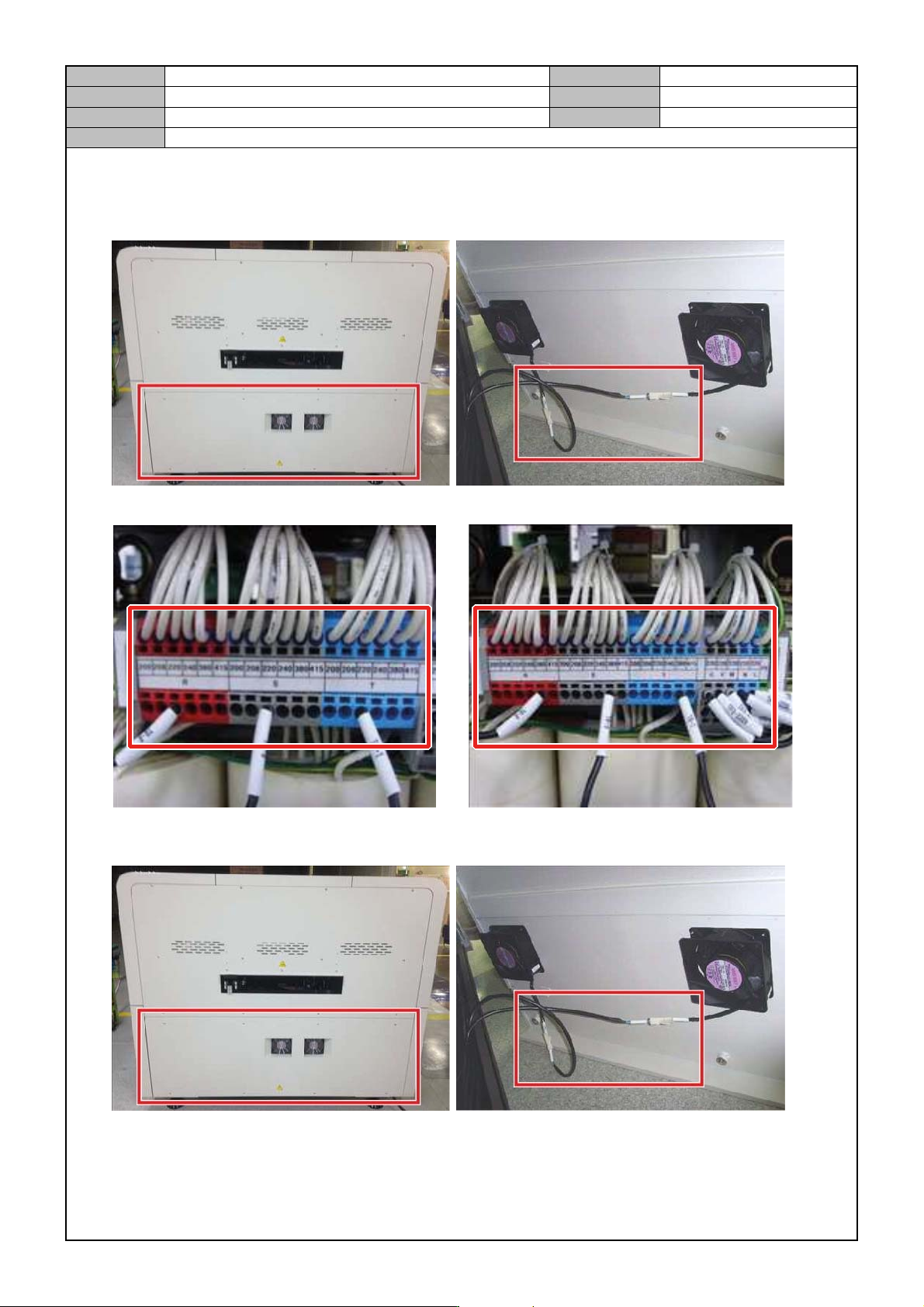
[EQUIPMENT POWER AC380V CHANGE]
1. Disconnect the cover and the connector from the right side of equipment.
2. In the Transformer, change the equipment power.
220V 380V
3. Assemble the cover and the connector on the right side of equipment.
Model
DECAN Series
Company
SAMSUNG TECHWIN
Module
3.19 ELECTRIC DEVICE
Version
01
Title
GROUND RESISTANCE MEASUREMENT
Page
3-19-22
Note
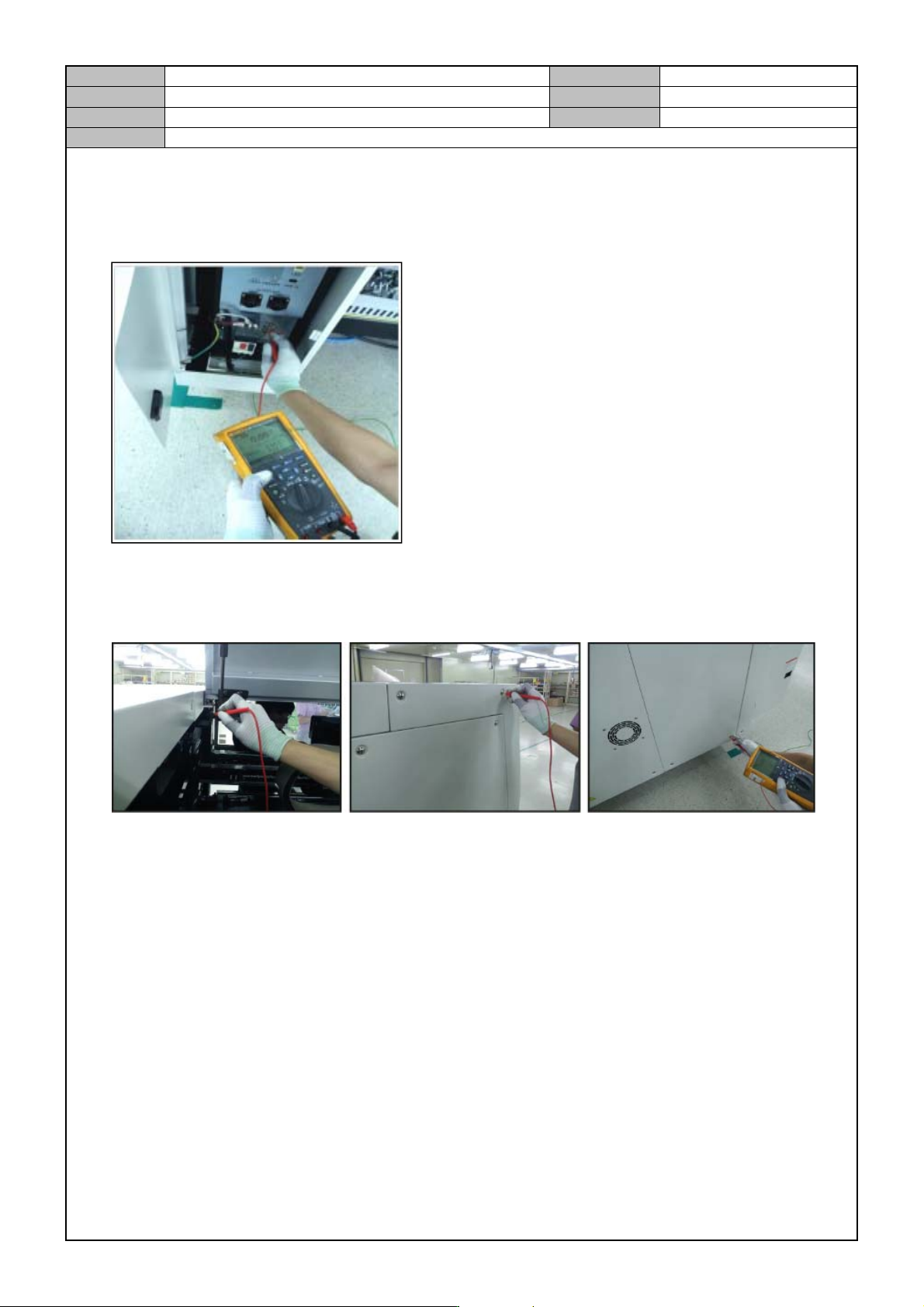
[GROUND RESISTANCE MEASUREMENT]
1. In the bottom left rear of equipment, connect the ground cable to the ground terminal measurement
instrument.
2. Set the zero point of ground resistance reading on the instrument.
3. Measure the ground resistances for the four locations in the bottom of the gas spring of the acryl cover and
the four screws in the left/right side of equipment.
*Resistance level : 0.1Ω or less.