EN 3.pdf - 第325页
Model DECAN Series Company SAMSUNG TECHWIN Module 3.18 V ACUUM DEVICE V ersion 01 Tit le V ACUUM PUMP(OPTION) REPLACEMENT Page 3-18-17 Note [V ACUUM PUMP(OPTION) REPLACEMENT] 1. Separate the air pressure tube connected t…
Model
DECAN Series
Company
SAMSUNG TECHWIN
Module
3.18 VACUUM DEVICE
Version
01
Title
VACUUM PUMP REPLACEMENT
Page
3-18-16
Note
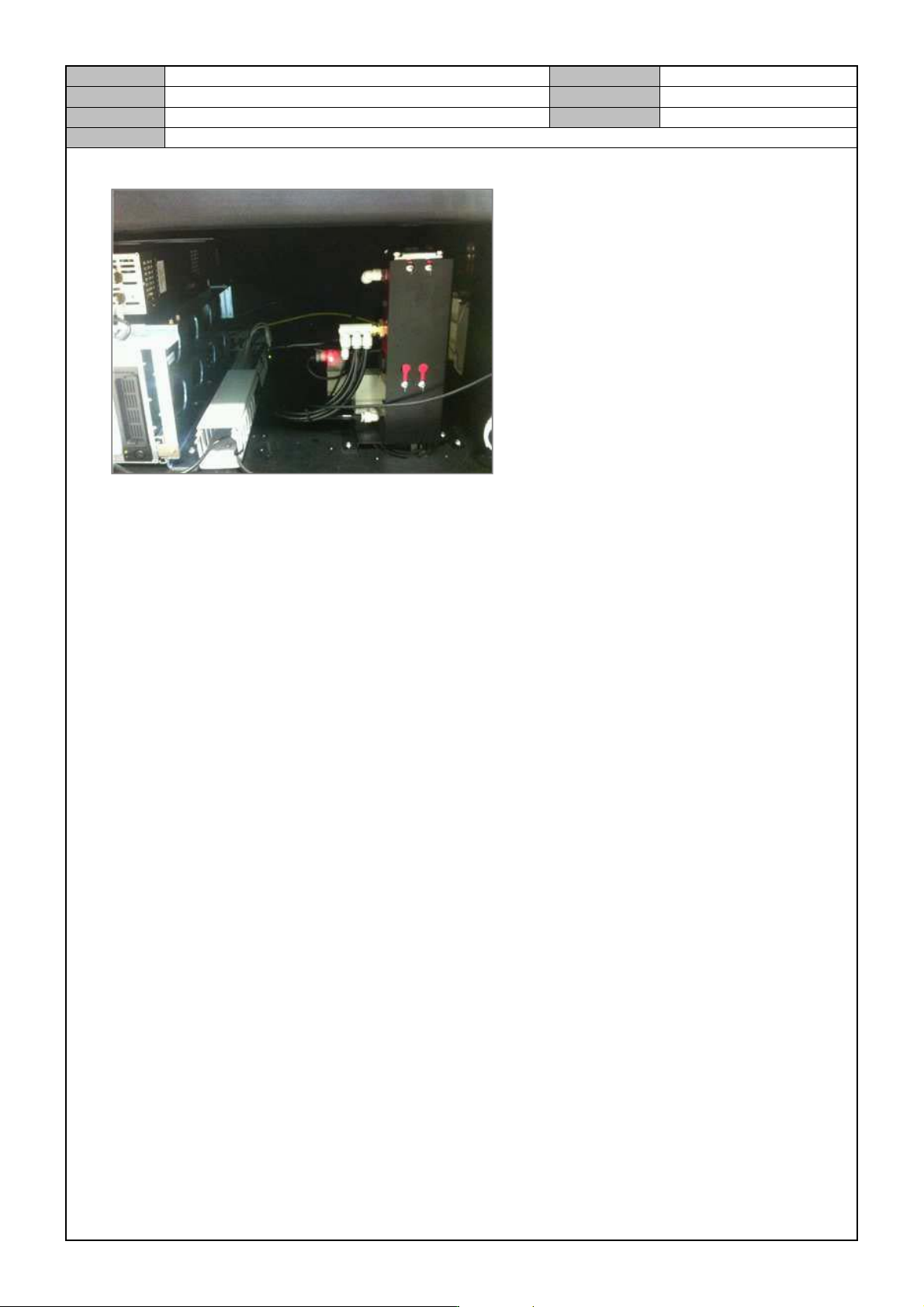
3. Replace it with a new Vacuum Pump and connect the air pressure tube.
Model
DECAN Series
Company
SAMSUNG TECHWIN
Module
3.18 VACUUM DEVICE
Version
01
Title
VACUUM PUMP(OPTION) REPLACEMENT
Page
3-18-17
Note
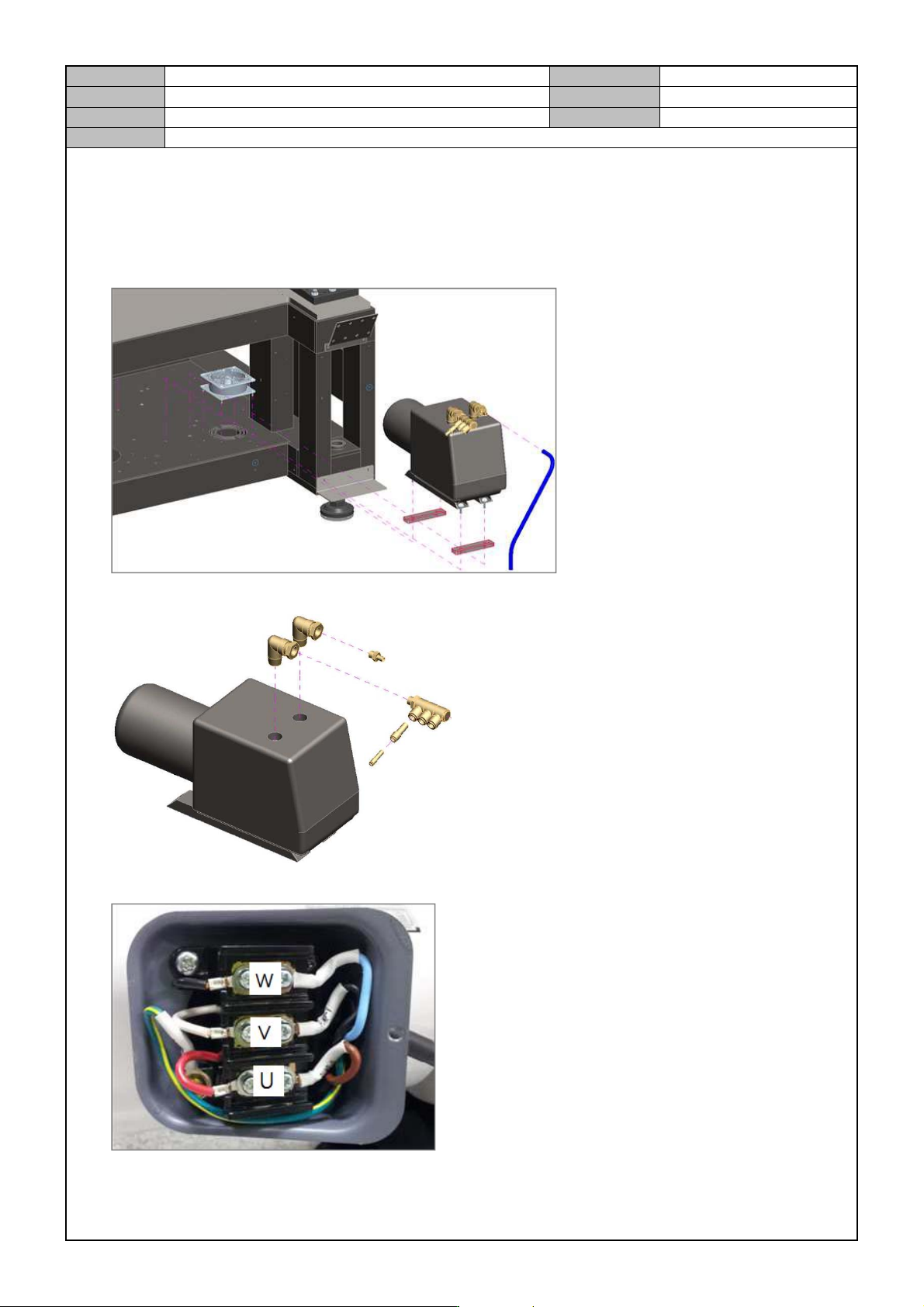
[VACUUM PUMP(OPTION) REPLACEMENT]
1. Separate the air pressure tube connected to the vacuum tube in the bottom front of equipment.
2. Remove the fixing bolts from the Vacuum Pump to separate it.
3. Separate the fitting connected to the Vacuum Pump.
4. Replace it with a new Vacuum Pump and open the power distribution panel to wire the cable as follows.
5. Assemble the Vacuum Pump into the equipment and connect the air pressure tube.
Model
DECAN Series
Company
SAMSUNG TECHWIN
Module
3.18 VACUUM DEVICE
Version
01
Title
SOLENOIDE VALVE CHECK
Page
3-18-18
Note
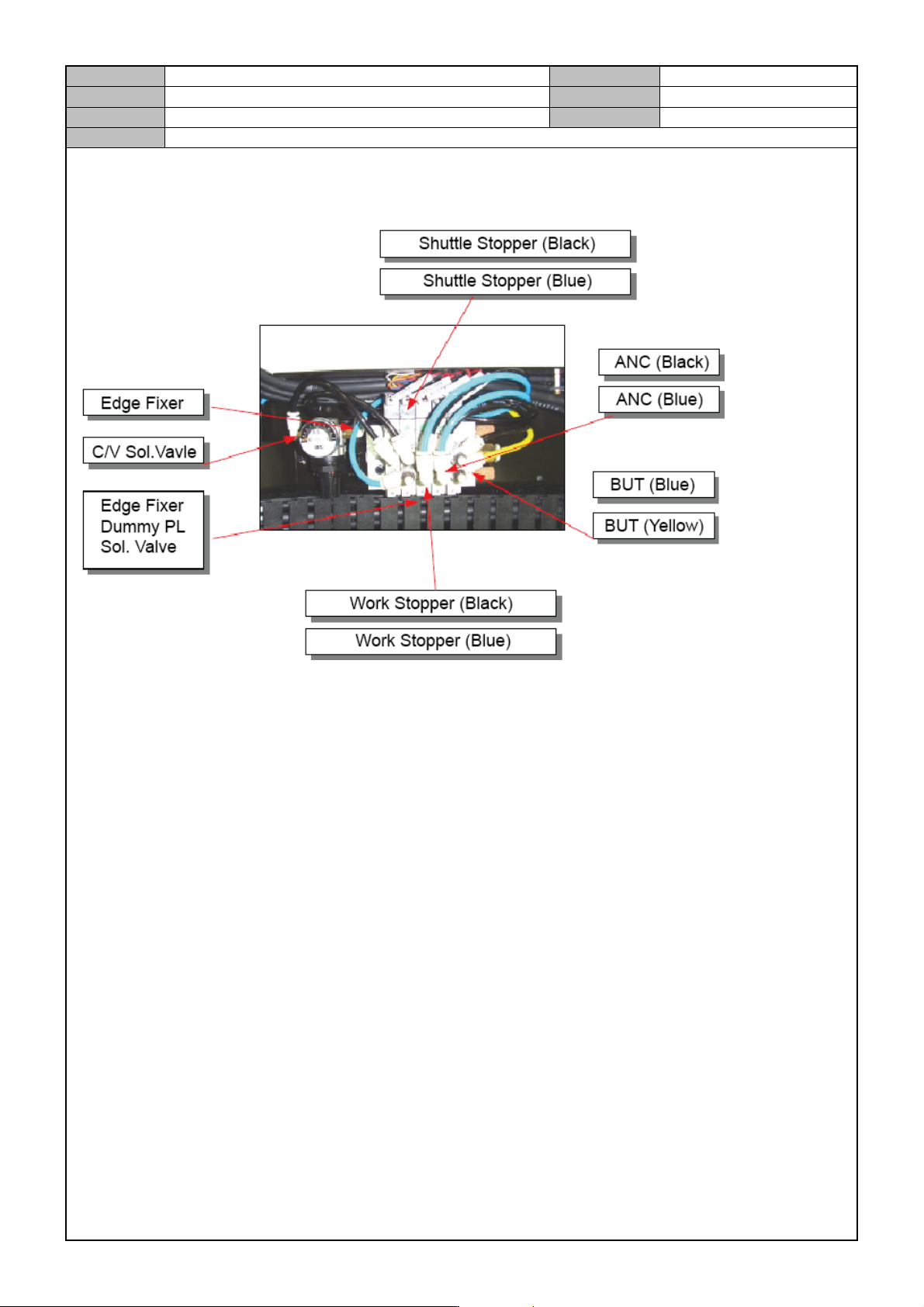
[SOLENOIDE VA LVE CHECK]
Check the fitting connected to the Solenoid Valve.
Reassemble the fitting connected to the Solenoid Valve.
Check the air pressure tube connected to the Solenoid Valve.