EN 3.pdf - 第265页
Model DECAN Series Company SAMSUNG TECHWIN Module 3.14 OS V ersion 01 Tit le MONITOR SETTING Page 3-14-15 Note Monitor screen frequency setting How to set frequencies Items Settings Remarks MONITOR 1024 × 768 Basic s…
Model
DECAN Series
Company
SAMSUNG TECHWIN
Module
3.14 OS
Version
01
Title
MONITOR SETTING
Page
3-14-14
Note
[MONITOR SETTING]
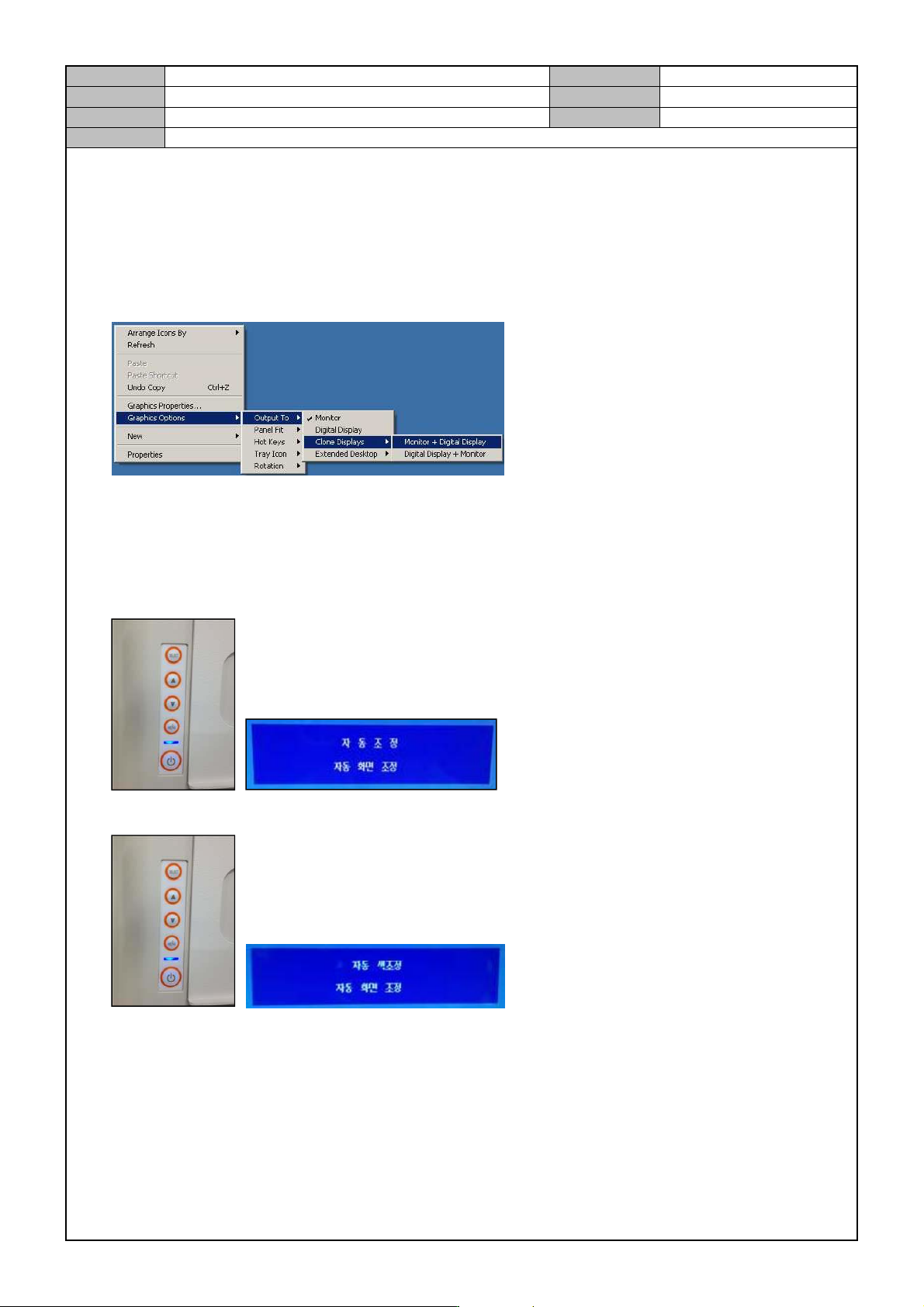
Clone Display Setting
1. In the background, right click with your mouse button.
2. Select <Graphics Options> → <Output To> → <Clone Displays> → <Monitor + Digital Display>.
3. Select <Graphics Options> → <Output To> → <Clone Displays> → <Monitor + Digital Display>.
Monitor Screen Adjustment
1. In the rear of the monitor, press the <▲> button to perform auto adjustment.
2. In the rear of the monitor, press the <▲> button to perform auto adjustment.
Model
DECAN Series
Company
SAMSUNG TECHWIN
Module
3.14 OS
Version
01
Title
MONITOR SETTING
Page
3-14-15
Note
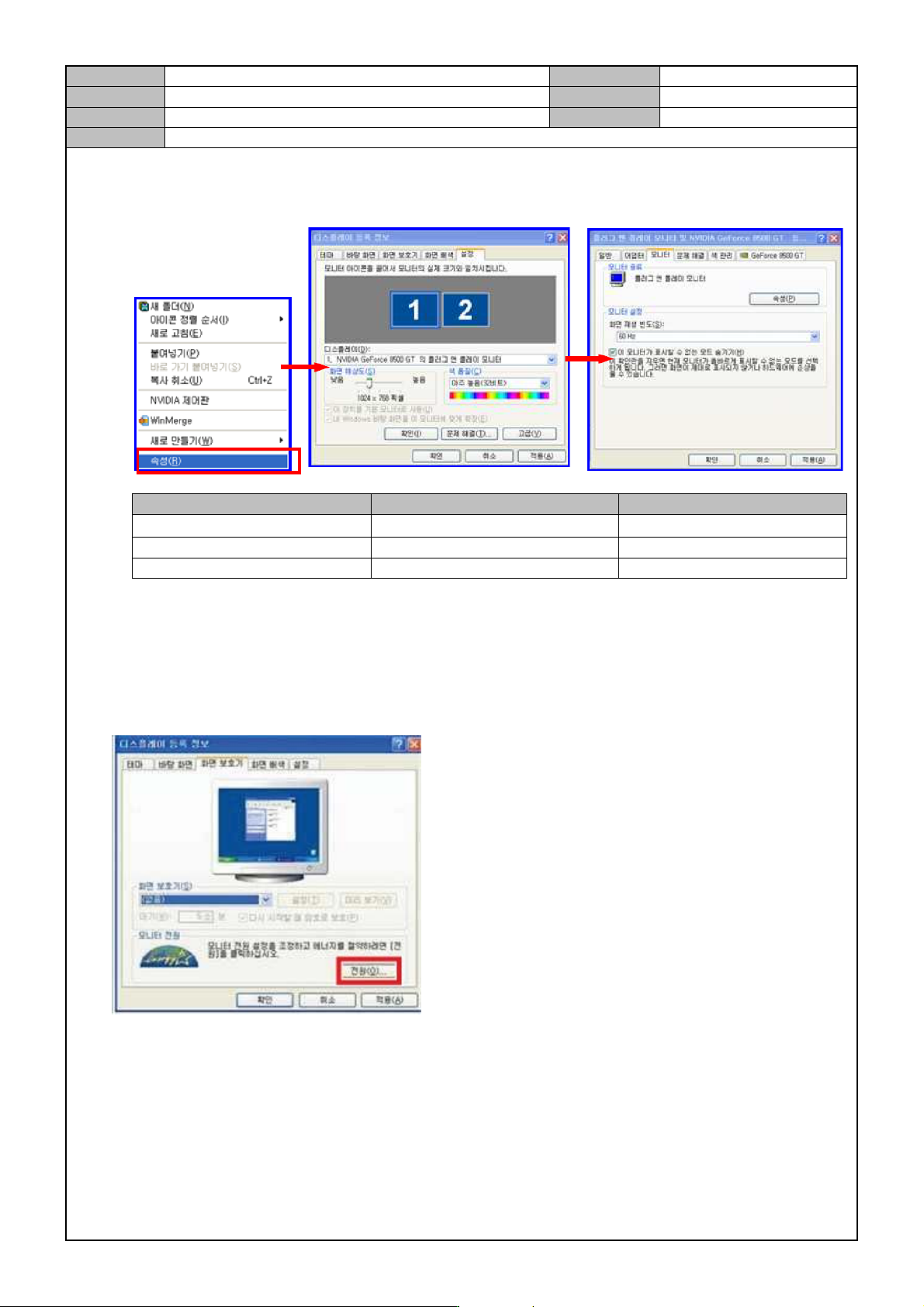
Monitor screen frequency setting
How to set frequencies
Items Settings Remarks
MONITOR
1024 × 768
Basic settings
Available frequencies 60Hz, 70Hz, 75Hz, 85Hz Select if noise is found
Prohibited frequencies 100Hz, 120Hz Out Of Range error occurs.
Check and set the monitor power.
1. Select the <Screen Saver> tab.
2. In <Monitor Power>, select <Power>.
Model
DECAN Series
Company
SAMSUNG TECHWIN
Module
3.14 OS
Version
01
Title
MONITOR SETTING
Page
3-14-16
Note
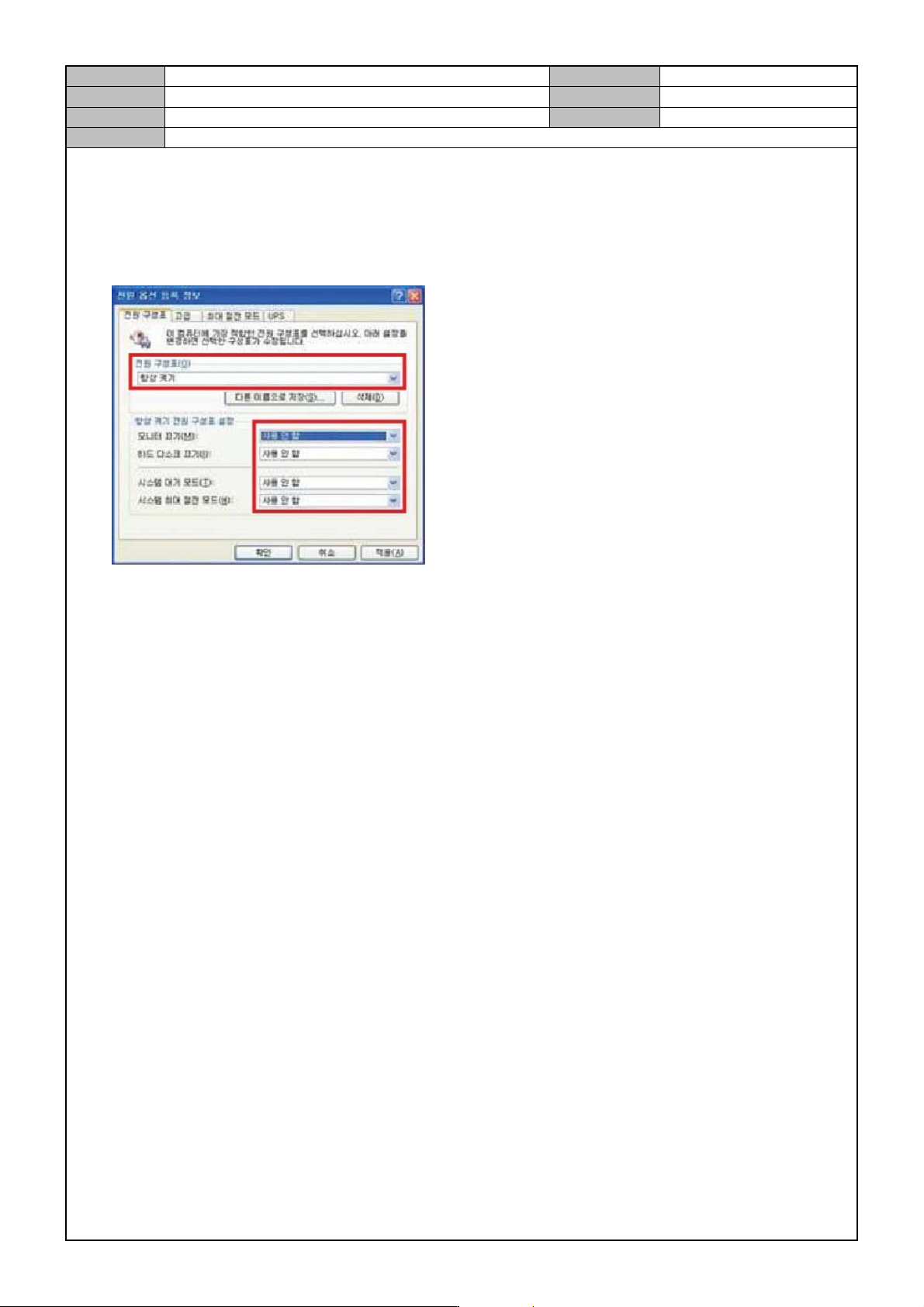
3. Check if the following is set and if not change settings.
Power chart: always on.
Monitor off: not used.
HD off: not used.
System standby mode: not used.
System max power saving mode: not used.