EN 3.pdf - 第257页
Model DECAN Series Company SAMSUNG TECHWIN Module 3.14 OS V ersion 01 Tit le EQUIPMENT/LAPTOP CONNECTION TO NETWORK Page 3-14-7 Note [EQUIPMENT/LAPTOP CONN ECTION TO NETWORK] 1. Connect the LAN cable to the LAN port of t…
Model
DECAN Series
Company
SAMSUNG TECHWIN
Module
3.14 OS
Version
01
Title
HDD RECOVERY(OS SETUP)
Page
3-14-6
Note
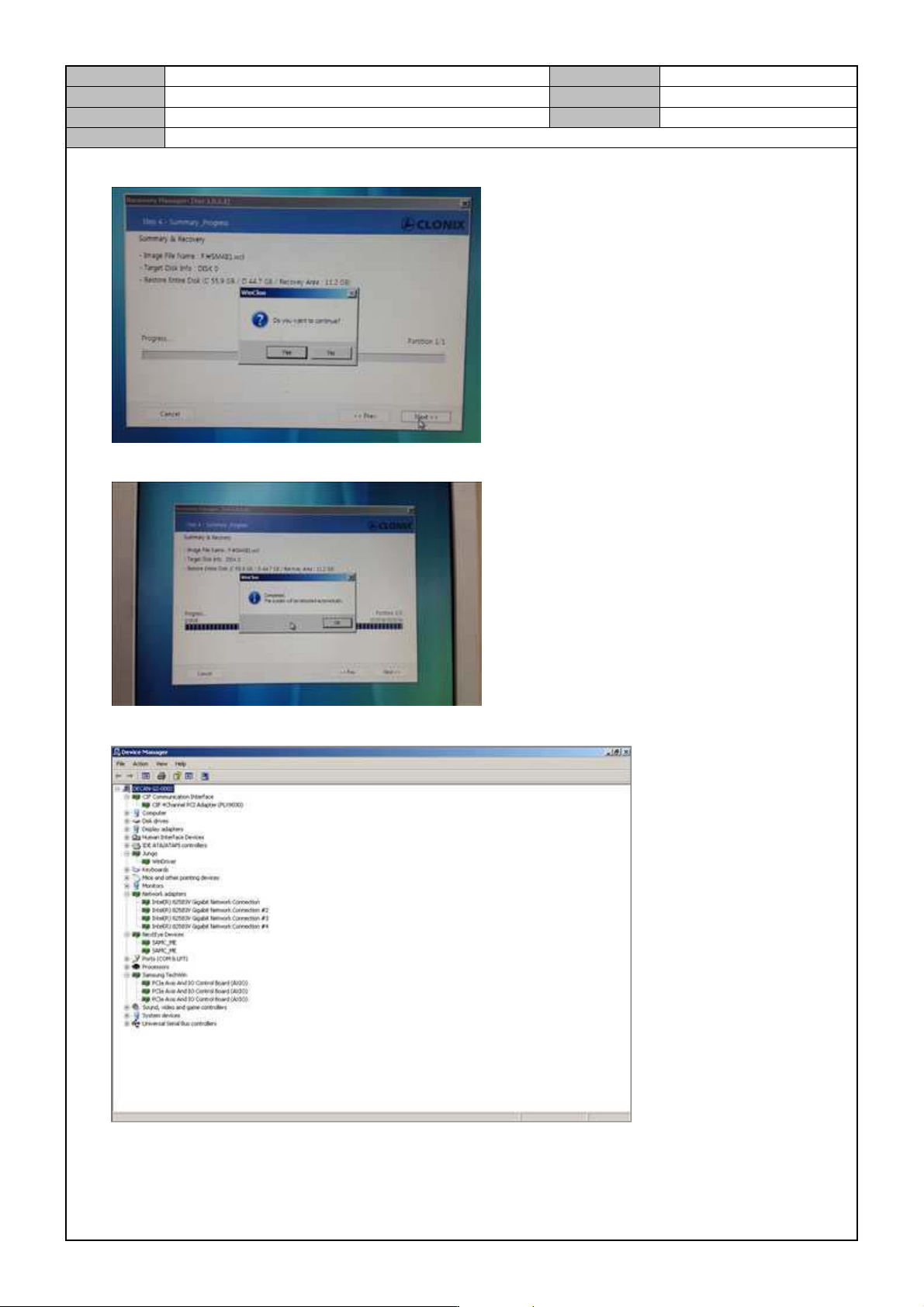
10. Press <Next> and click on <OK>.
11. When recovery is finished, click on <OK> to finish.
12. Reboot the PC and check the driver installation in Device Manager.
13. Set the windows time and date.
Model
DECAN Series
Company
SAMSUNG TECHWIN
Module
3.14 OS
Version
01
Title
EQUIPMENT/LAPTOP CONNECTION TO
NETWORK
Page
3-14-7
Note
[EQUIPMENT/LAPTOP CONNECTION TO NETWORK]
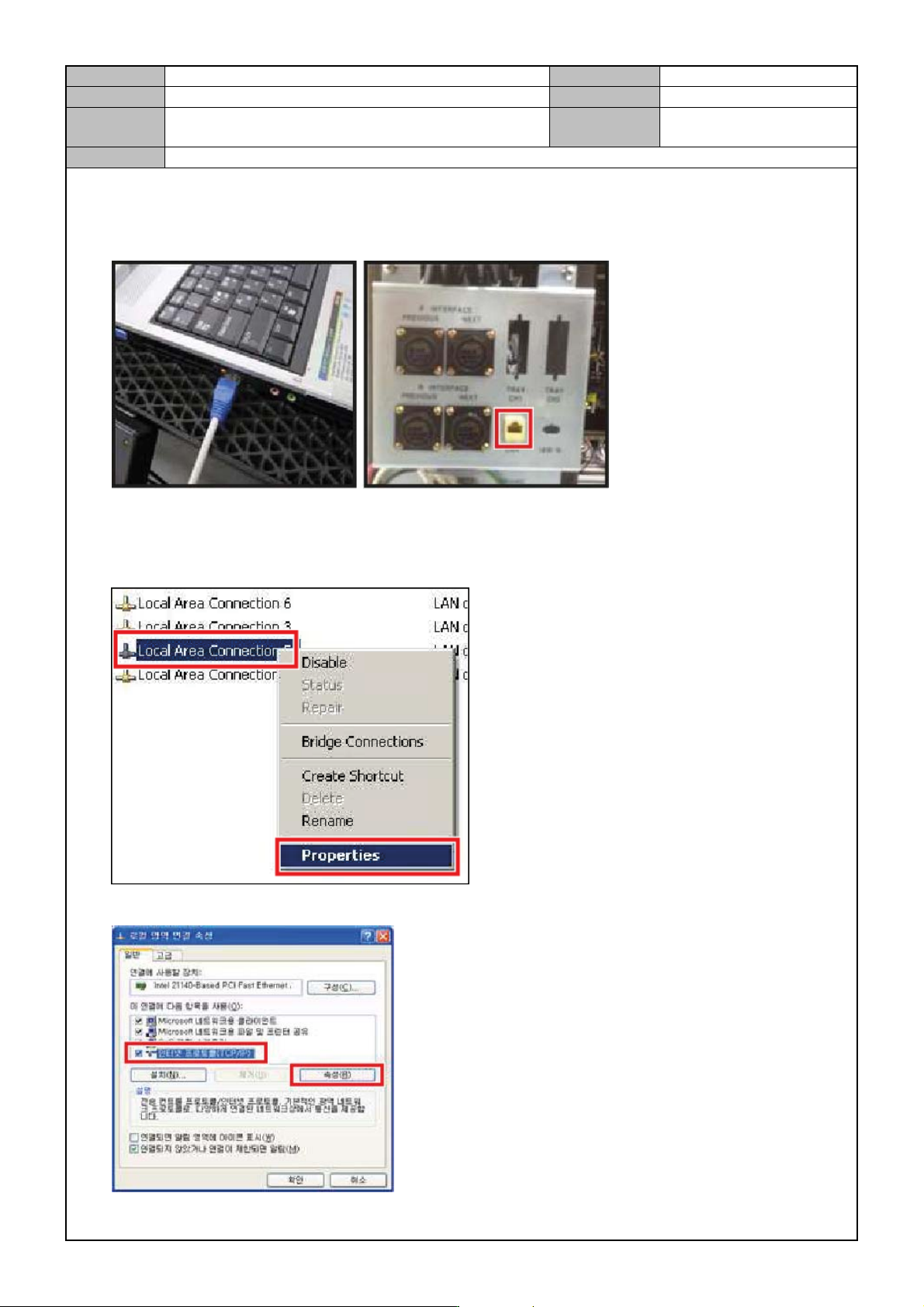
1. Connect the LAN cable to the LAN port of the laptop and the equipment rear.
2. In the Windows <Background>, right click with your mouse button on the <Network Environment> menu
and click on <Properties>.
3. Select <Local Network>,right click with your mouse button and click on <Properties>.
4. Select <TCP/IP> and click on the <Property> button.
Model
DECAN Series
Company
SAMSUNG TECHWIN
Module
3.14 OS
Version
01
Title
EQUIPMENT/LAPTOP CONNECTION TO
NETWORK
Page
3-14-8
Note
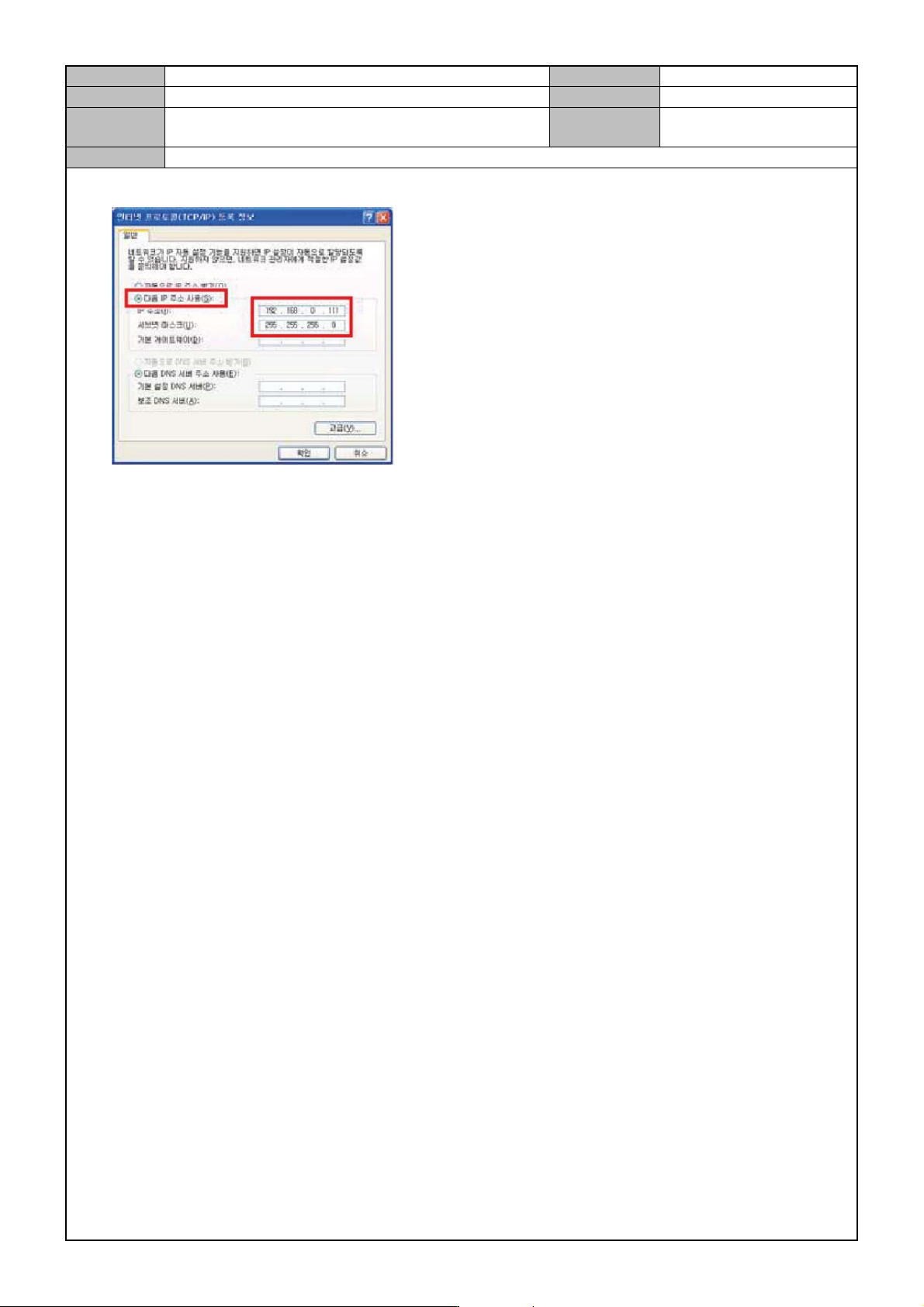
5. When the TCP/IP registration information is displayed, enter the IP address and the subnet mask.
6. Set the network for the laptop connected to the equipment in the same way.