EN 3.pdf - 第233页
Model DECAN Series Company SAMSUNG TECHWIN Module 3.12 MMI V ersion 01 Tit le MMI IO CHECK(OUTP UT) Page 3-12-1 1 Note 9. On the HyperT erminal screen, see if the following output is displayed. 10. Sy s.Setup → F6 Periph…
Model
DECAN Series
Company
SAMSUNG TECHWIN
Module
3.12 MMI
Version
01
Title
MMI IO CHECK(OUTP UT)
Page
3-12-10
Note
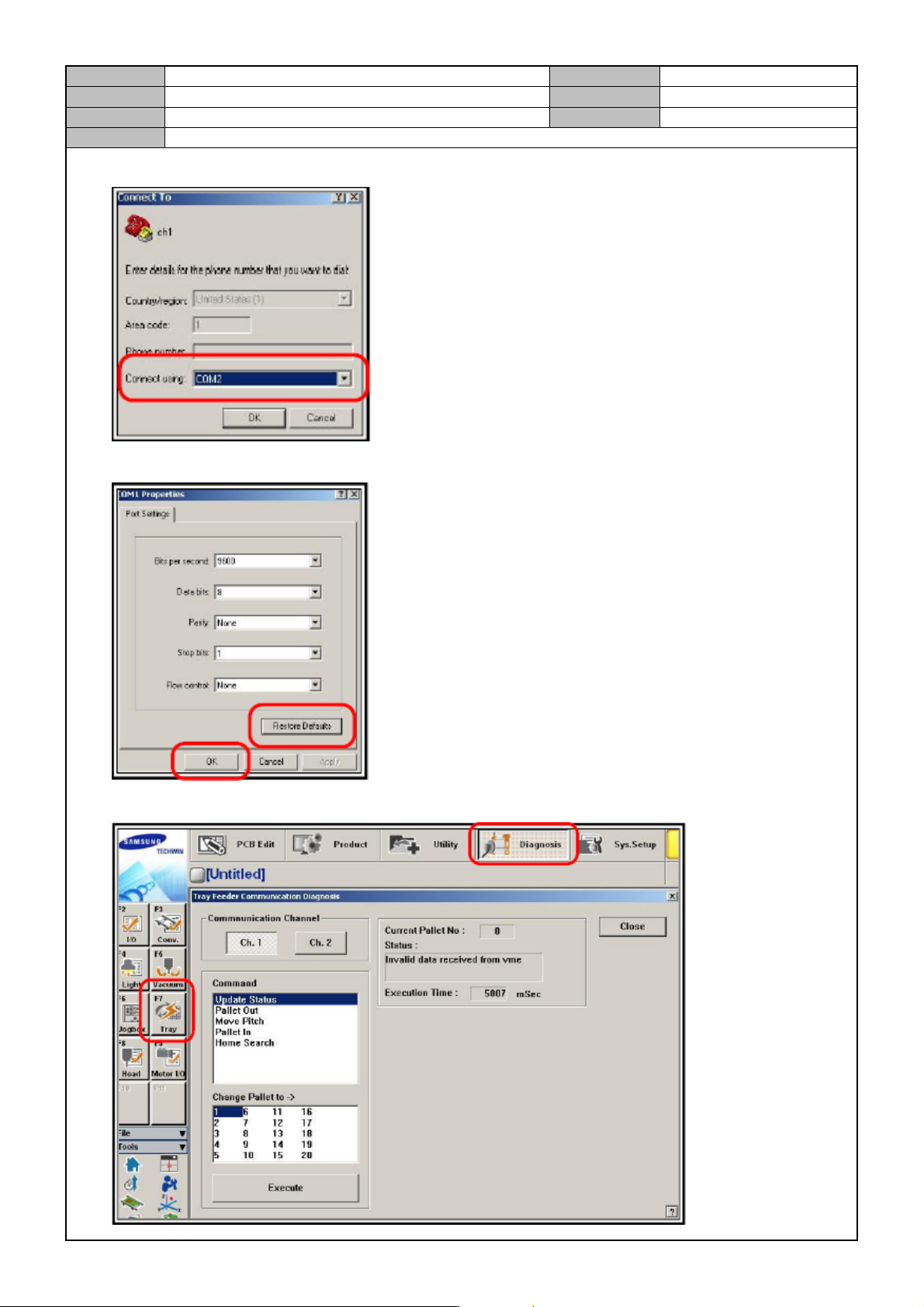
6. Select COM2.
7. Select <Restore Default> → <OK>.
8. Click on <Diagnosis> → <F7.Tray> → <Execute>.
Model
DECAN Series
Company
SAMSUNG TECHWIN
Module
3.12 MMI
Version
01
Title
MMI IO CHECK(OUTP UT)
Page
3-12-11
Note
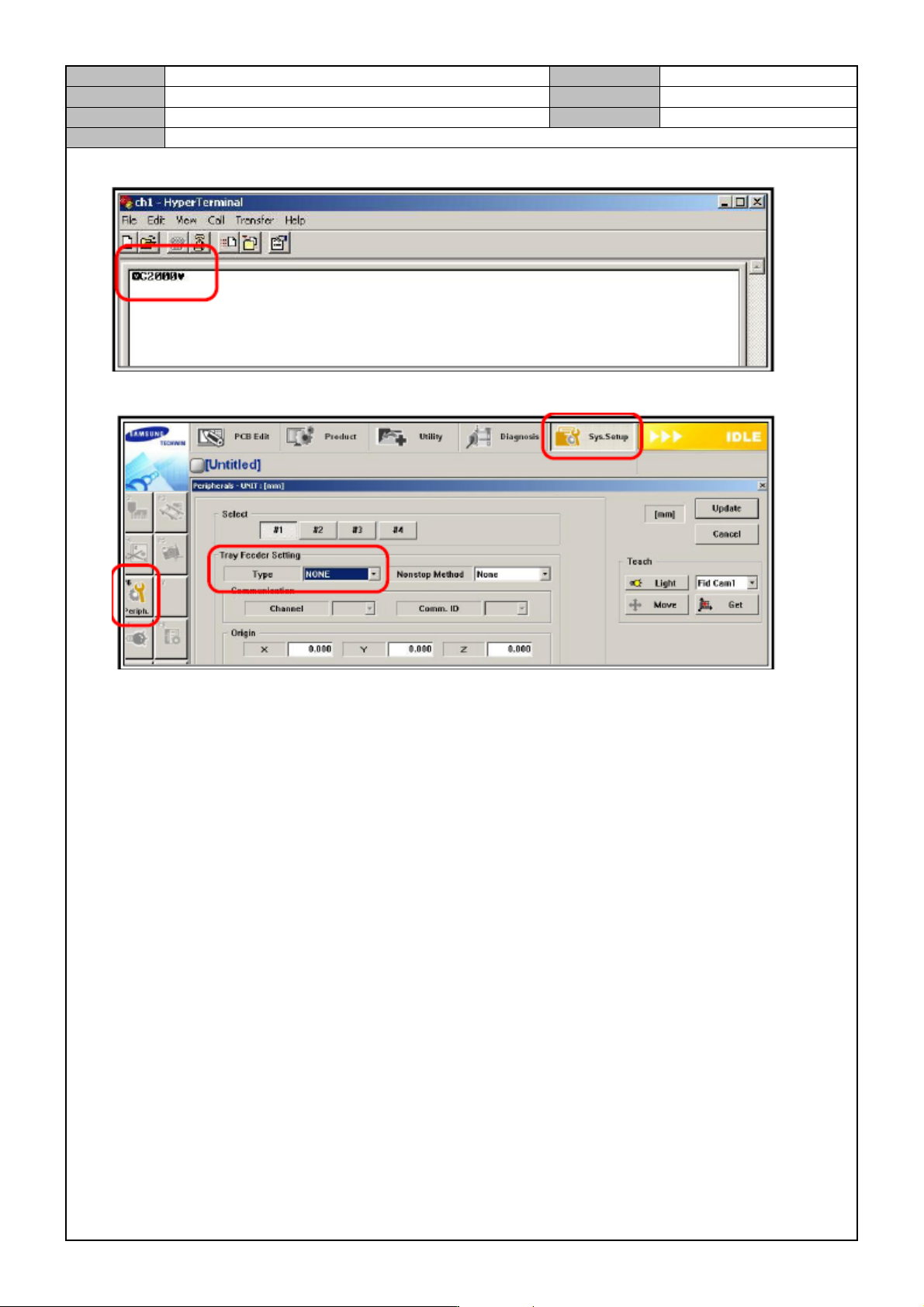
9. On the HyperTerminal screen, see if the following output is displayed.
10. Sys.Setup → F6 Periph. → Click on Tray Feeder → Tray Feeder Setting → Set TYPE to NONE.
11. Click on Update.
Model
DECAN Series
Company
SAMSUNG TECHWIN
Module
3.12 MMI
Version
01
Title
MMI IO CHECK(INPUT)
Page
3-12-12
Note
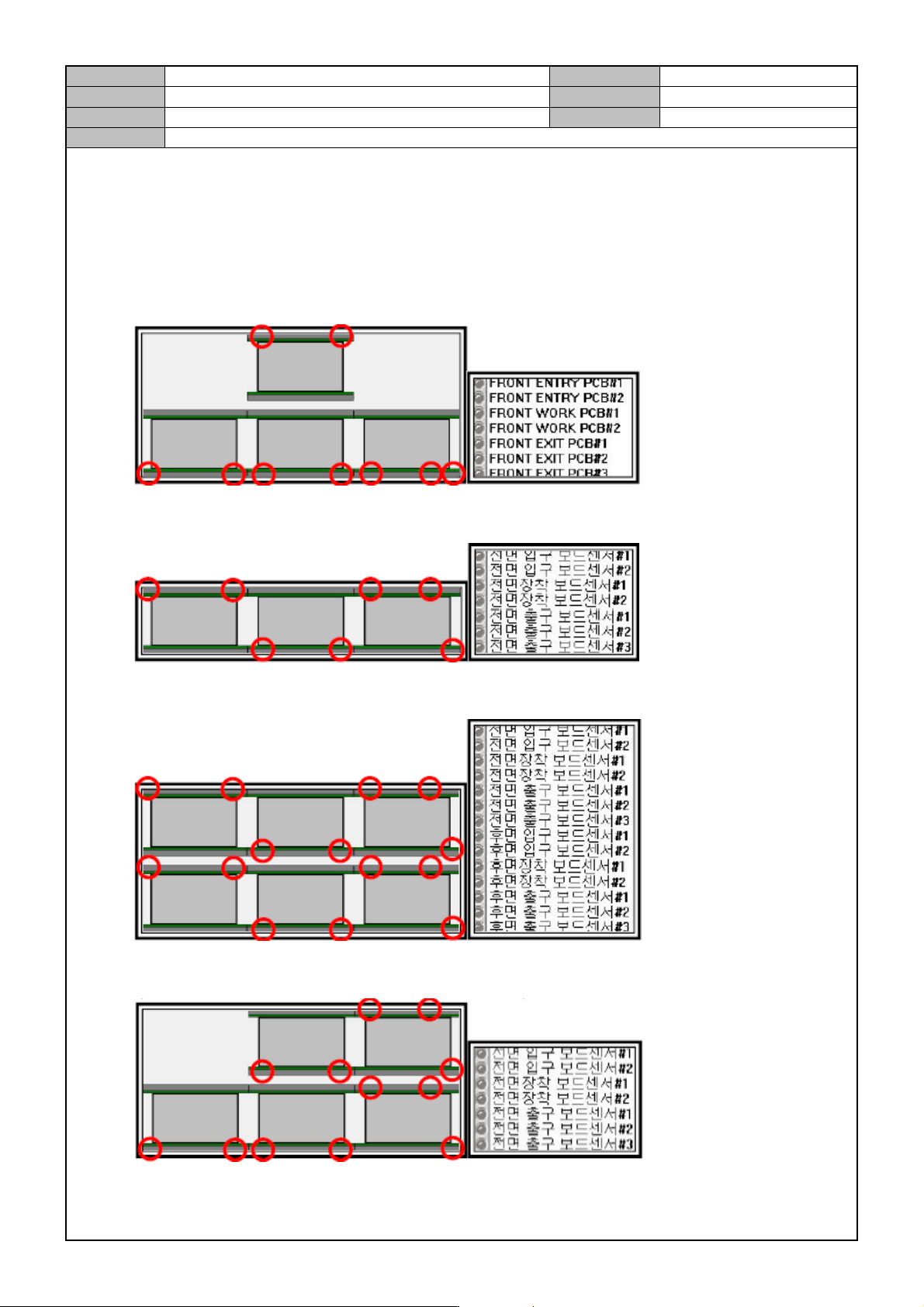
[MMI IO CHECK(INPUT)]
Check the input, standby, job finish and output locations.
Run the inlet/mounting/outlet sensors to see if the I/O screen displays it.
Shuttle Conveyor (Shuttle - Dual - Shuttle)
Full Single Conveyor (Single - Single - Single)
Full Dual Conveyor (Dual - Dual - Dual)
Left Only Shuttle Conveyor (Shuttle - Dual - Dual)