EN 3.pdf - 第59页
Model DECAN Series Company SAMSUNG TECHWIN Module 3.4 CAMERA V ersion 01 Tit le FIDUCIAL CAME RA REPLACEME N T Page 3-4-8 Note [FIDUCIAL CAMERA REPL ACE MENT] 1. T urn off the PC and the Main Switch in the front of the e…
Model
DECAN Series
Company
SAMSUNG TECHWIN
Module
3.4 CAMERA
Version
01
Title
STAGE CAMERA ENABLE
Page
3-4-7
Note
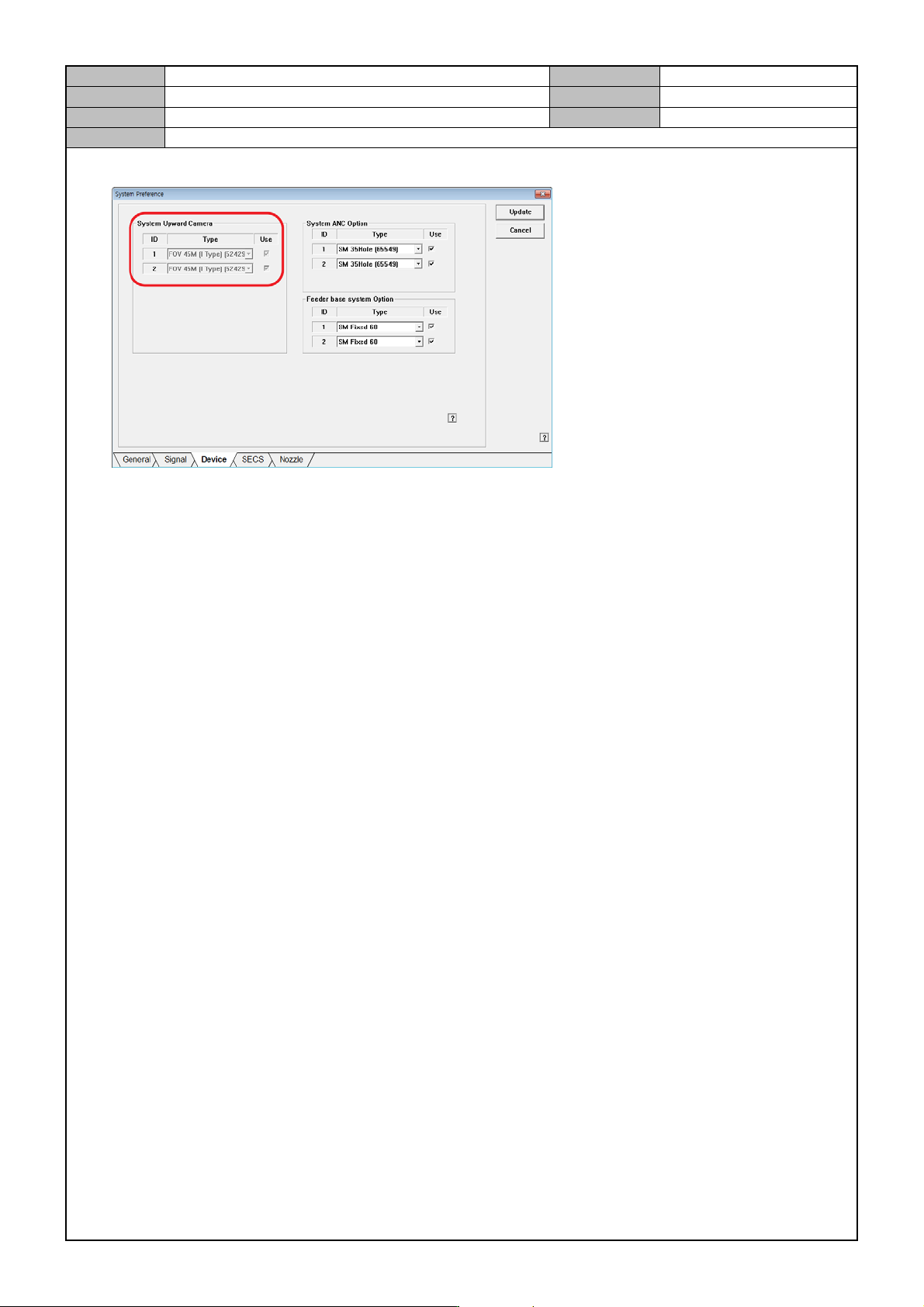
3. In the <System Preference> menu, go the Device selection tab and set the Stage Camera option.
Model
DECAN Series
Company
SAMSUNG TECHWIN
Module
3.4 CAMERA
Version
01
Title
FIDUCIAL CAME RA REPLACEME N T
Page
3-4-8
Note
[FIDUCIAL CAMERA REPL ACEMENT]
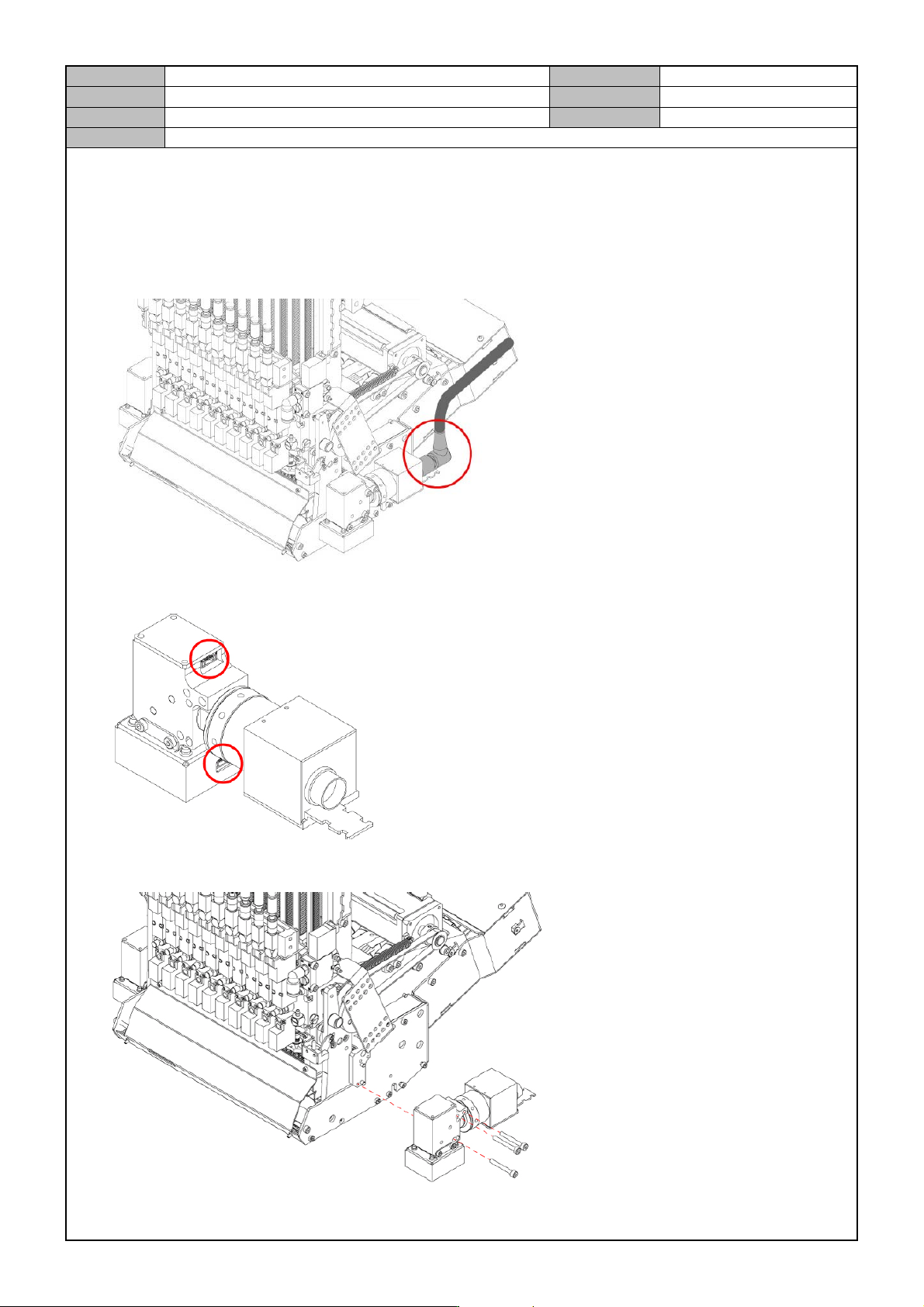
1. Turn off the PC and the Main Switch in the front of the equipment.
2. Disconnect the video cable connector from the Fiducial Camera.
3. Disconnect the cable from the Fiducial Camera.
4. Remove the fixing bolts from the Fiducial Camera to separate it.
Model
DECAN Series
Company
SAMSUNG TECHWIN
Module
3.4 CAMERA
Version
01
Title
FIDUCIAL CAME RA REPLACEME N T
Page
3-4-9
Note
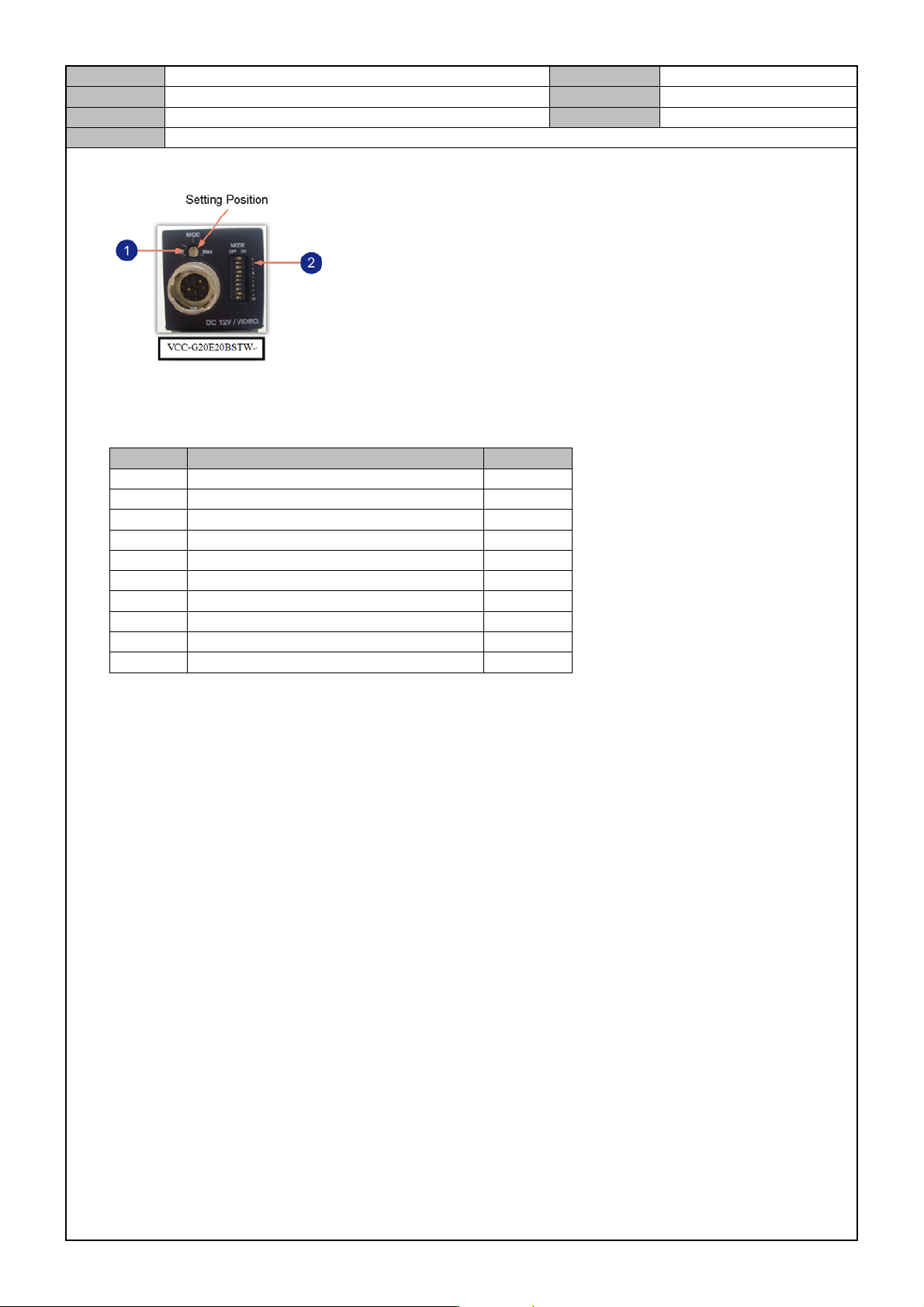
5. Replace it with a new Fiducial Camera and set the DIP switch as follows.
① Camera Gain Setting
② Dip Switch Setting
SW No SW Name Setting
1 Shutter speed On
2 Shutter speed Off
3 Shutter speed Off
4 Frame/Field On
5-7 Normal/Long Off
- Time/Trigger(Non-Reset, Reset) Off
8 Double Speed Off
9 In/Out (HD/VD) Off
10 75Ω Ermination Off
- Manual GAIN (M GAIN) control knob Middle