EN 3.pdf - 第226页
Model DECAN Series Company SAMSUNG TECHWIN Module 3.12 MMI V ersion 01 Tit le MMI IO CHECK PREP ARA TION Page 3-12-4 Note 2. Set the Main Air Pressure Digital Gauge to below 0.5 Mpa and set the V acuum Gauge to below-95k…
Model
DECAN Series
Company
SAMSUNG TECHWIN
Module
3.12 MMI
Version
01
Title
MMI IO CHECK PREPARATION
Page
3-12-3
Note
[MMI IO CHECK PREPARATION]
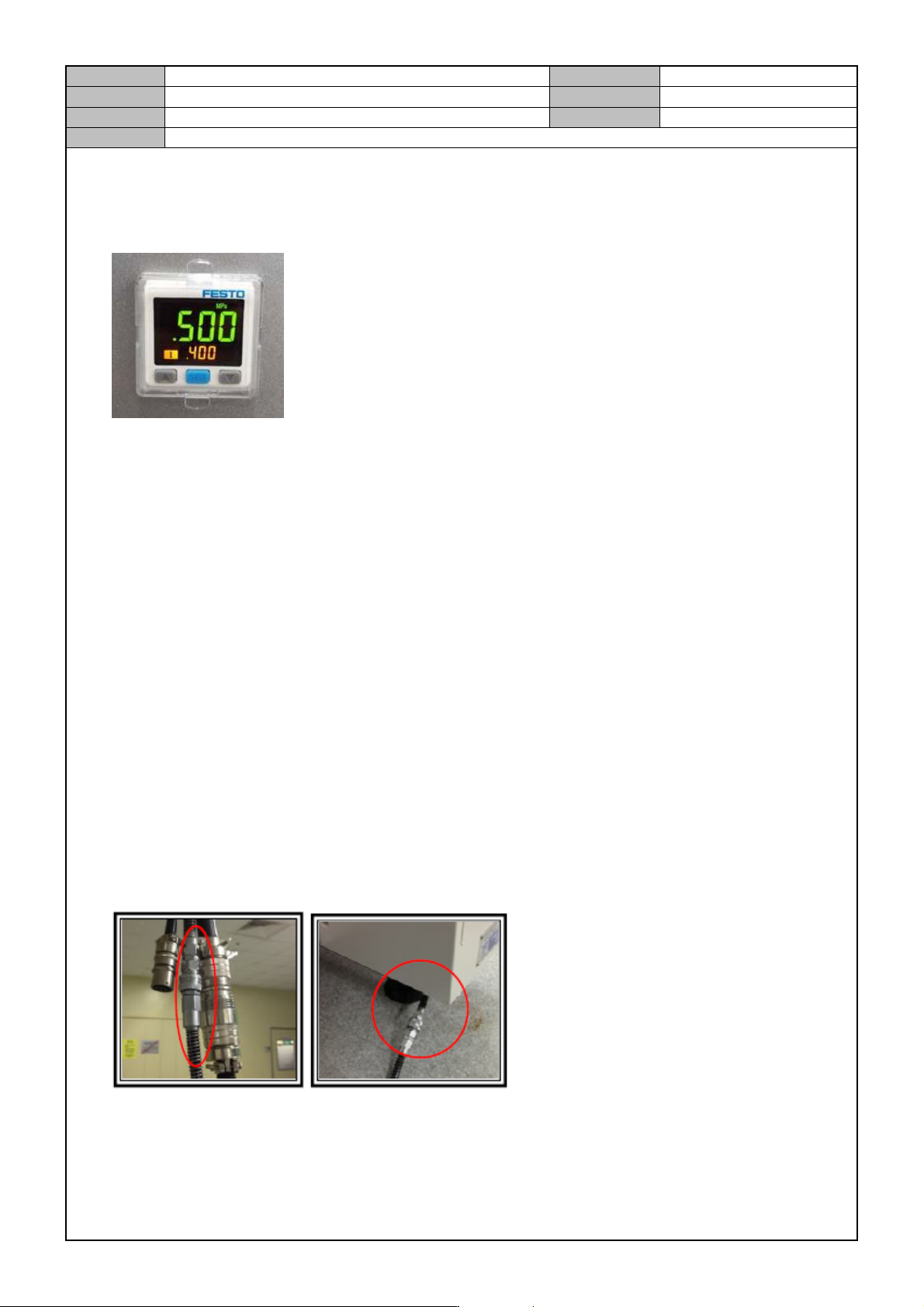
Digital Gauge Setting
1. Home setting
When the air pressure is not applied, press ▼ and ▲ at the same time until the display window displays
<00>.
2. Initial setting mode
① In the initial operation condition, press the [SET] button for three seconds.
② In <ot1>, press [▼] and [▲] to set <HYS> and then press the [SET] button.
③ In <ot1>, press [▼] and [▲] to set <no> and then press the [SET] button.
④ In <ot2>, press [▼] and [▲] to set <oFF> and then press the [SET] button.
⑤ In <rES>, press [▼] and [▲] to set <2.5> and then press the [SET] button.
⑥ In <cOL>, press [▼] and [▲] to set <SoG> and then press the [SET] button.
⑦ In <uni>, press [▼] and [▲] to set <Mpa> and then press the [SET] button.
3. Pressure setting mode
① Press the [SET] button once to see <L1> on the sub window. Then, press the [▼] and [▲] buttons to
set it to 0.4.
② When the sub window displays <H1>, press the [▼] and [▲] buttons to set it to 0.45.
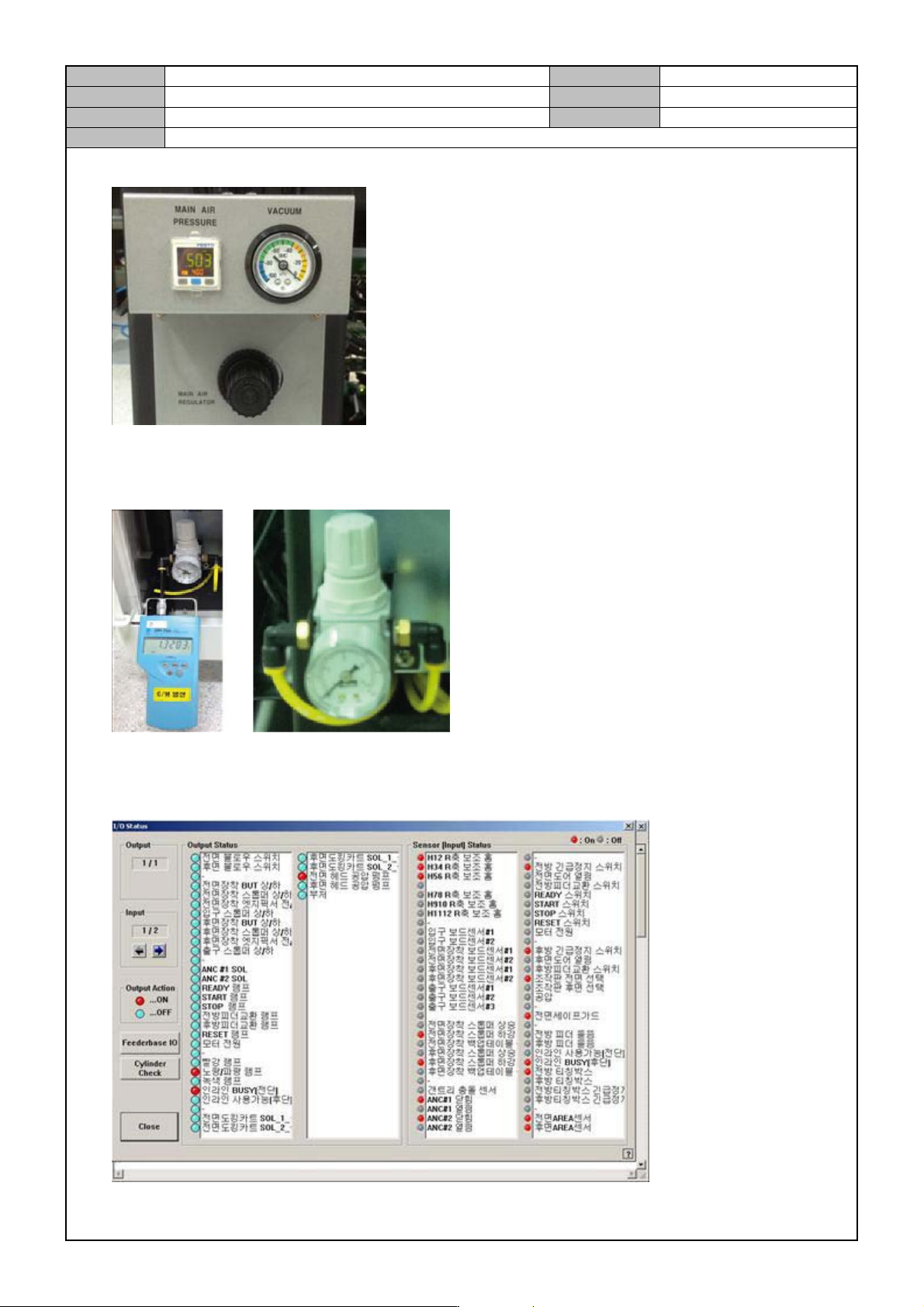
MAIN AIR PRESSURE SETTING
1. Connect the Main Air Pressure Cable.
Model
DECAN Series
Company
SAMSUNG TECHWIN
Module
3.12 MMI
Version
01
Title
MMI IO CHECK PREPARATION
Page
3-12-4
Note
2. Set the Main Air Pressure Digital Gauge to below 0.5 Mpa and set the Vacuum Gauge to below-95kPa.
Air Regulator Setting
1. Connect an air pressure tester to the Regulator and set it to 0.9 ~ 1.1 BAR.
MMI IO Check Preparation
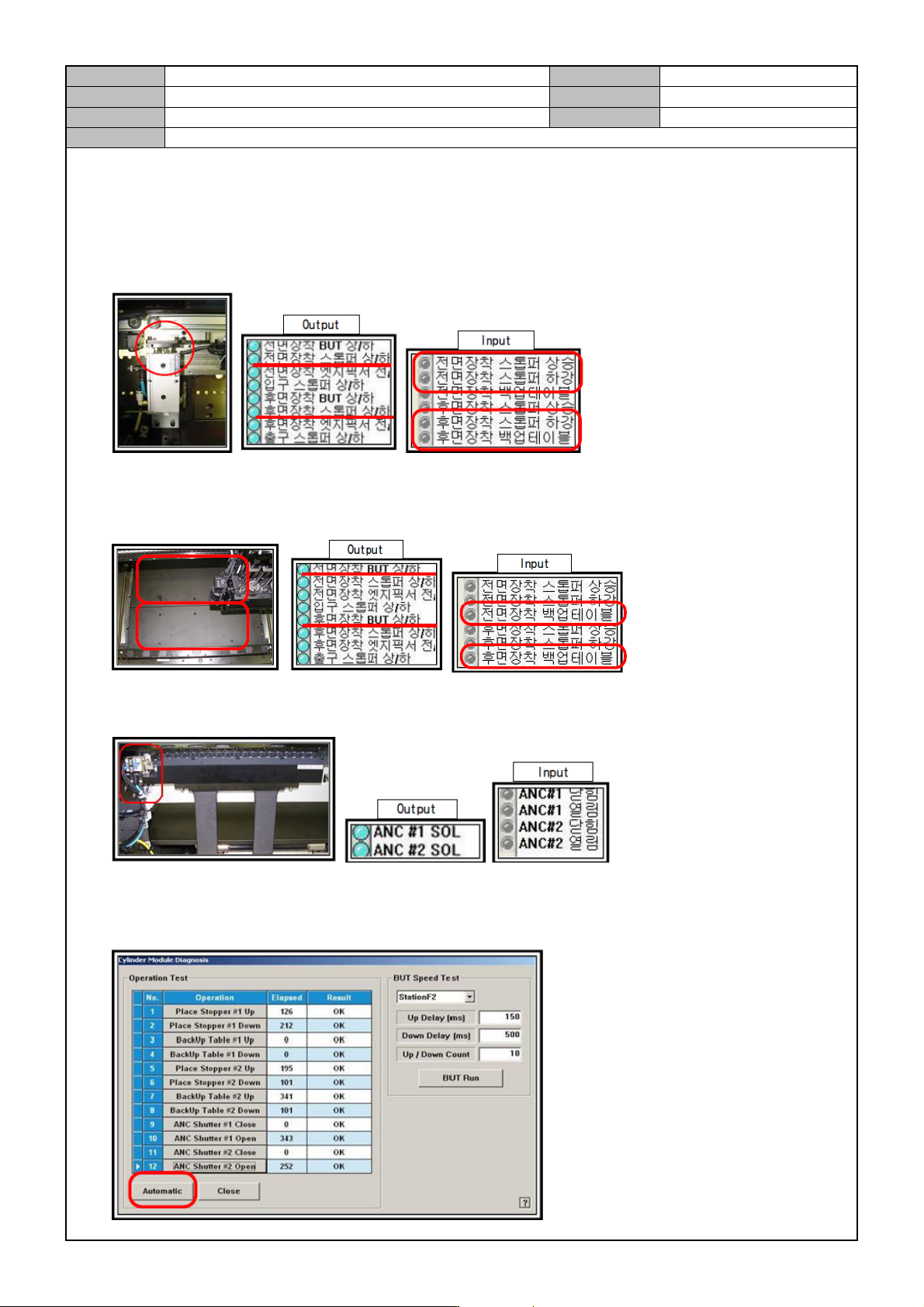
1. Select <Diagnosis> → <I/O>.
Model
DECAN Series
Company
SAMSUNG TECHWIN
Module
3.12 MMI
Version
01
Title
MMI IO CHECK(OUTP UT)
Page
3-12-5
Note
[MMI IO CHECK(OUTPUT)]
Check up/down operation of the stopper mounted in the rear/front.
In the IO window, click the <Front/Rear Mounted Stopper Up/Down> button to check operation and input
signal detection.
Check up/down operation of the BUT mounted in the rear/front.
In the IO window, click the <Front/Rear Mounted BUT Up/Down> button to check operation and input
signal detection.
Check operation of the ANC #1,#2 SOL.
In the IO windows, click on <ANC#1,#2> to check operation and input signal detection.
Check Speed Control operation.
In the IO windows, click on <Sys.Setup>→ <I/O>→ <Cylinder Check> and then <Automatic> to adjust
the speed controller to meet the reference value.