EN 3.pdf - 第47页
Model DECAN Series Company SAMSUNG TECHWIN Module 3.2 BOARD V ersion 01 Tit le CONVEYOR SUB IF BOARD REPLACE MENT Page 3-2-34 Note [CONVEYOR SUB IF BOARD REPLACEMENT] Conveyor Sub IF Board notifies the CAN Conveyo r Boar…
Model
DECAN Series
Company
SAMSUNG TECHWIN
Module
3.2 BOARD
Version
01
Title
CAN CONVEYOR BOARD REPLACEMENT
Page
3-2-33
Note
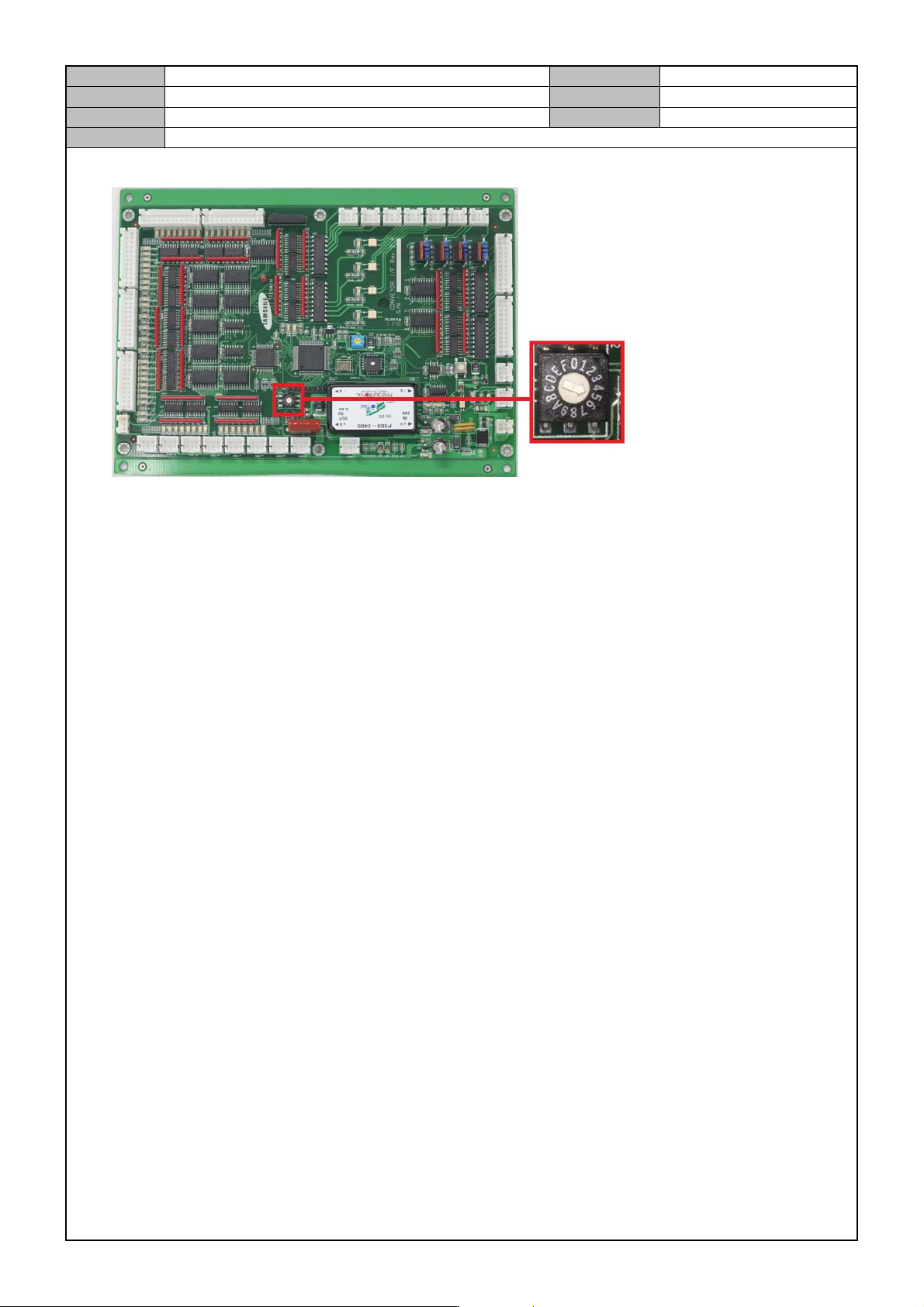
4. Before assembling the board, set the Rotary Switch SW2 to 5.
5. Operate the equipment after connecting the cable and see if the LED is lit.(normal operation)
On LED : +24VPF, +24VF
Off LED : CPU
Model
DECAN Series
Company
SAMSUNG TECHWIN
Module
3.2 BOARD
Version
01
Title
CONVEYOR SUB IF BOARD REPLACEMENT
Page
3-2-34
Note
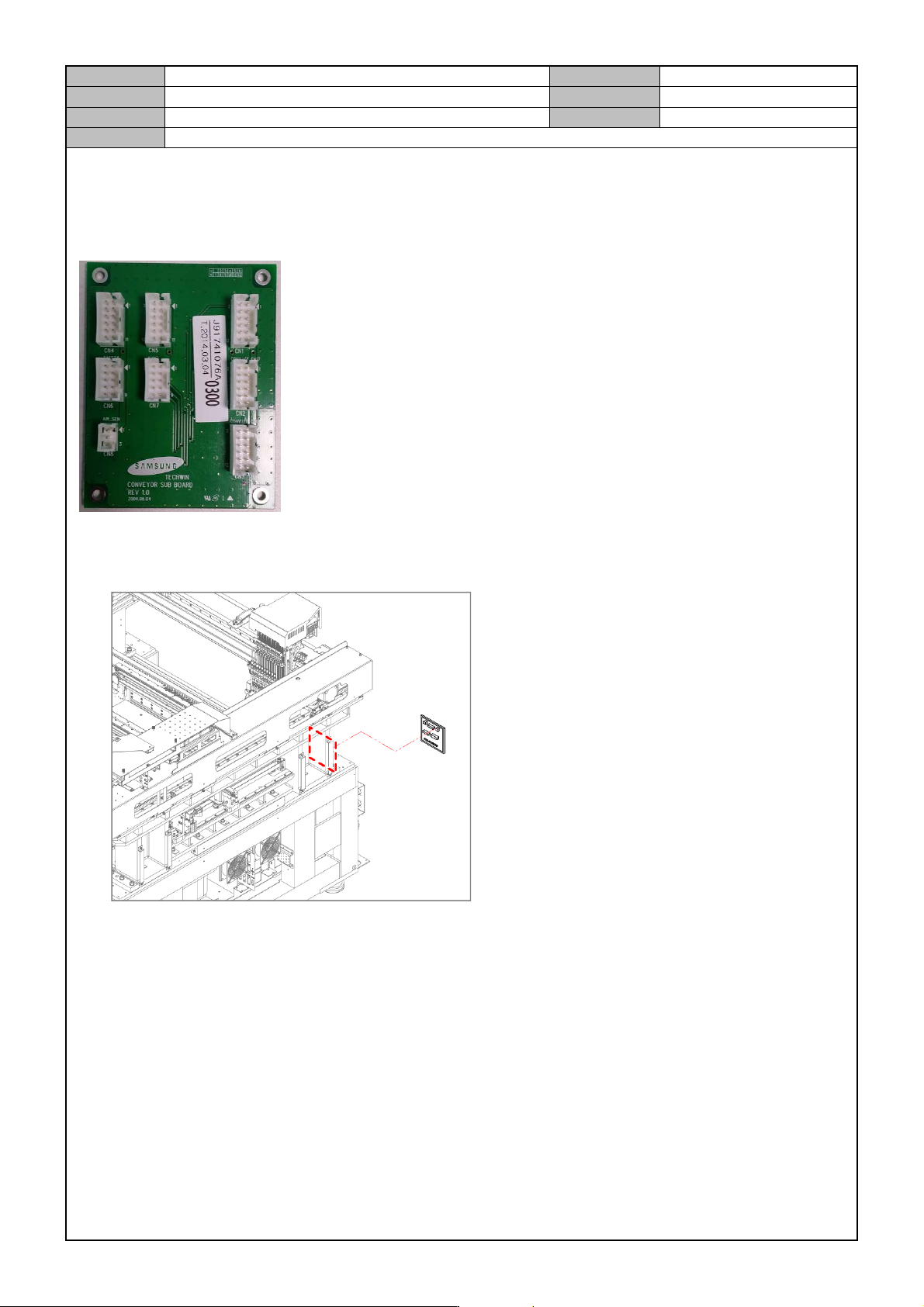
[CONVEYOR SUB IF BOARD REPLACEMENT]
Conveyor Sub IF Board notifies the CAN Conveyor Board and the Safety Frop Board of the OP panel status and
sends the digital outputs from the air pressure sensor to the CAN Conveyor.
1. Separate the cable connected to the board.
2. Remove the fixing bolts for the board and replace it with a new board.

Model
DECAN Series
Company
SAMSUNG TECHWIN
Module
3.3 BUT
Total Pages
4
Table of Contents
[BUT OPERATION CHECK] ................................................................................ 2
[BUT DETECTION SENSOR REPLACEMENT] .................................................. 3