EN 3.pdf - 第125页
Model DECAN Series Company SAMSUNG TECHWIN Module 3.8 IT , L TS V ersion 01 Tit le IT FUNCTION INST AL LA TION(ORACLE) Page 3-8-8 Note [IT FUNCTION INST ALLA TION(ORACLE)] 1. Insert the Oracle 10g Client CD and run <s…
Model
DECAN Series
Company
SAMSUNG TECHWIN
Module
3.8 IT, LTS
Version
01
Title
IT FUNCTION INSTALLATION(MMI)
Page
3-8-7
Note
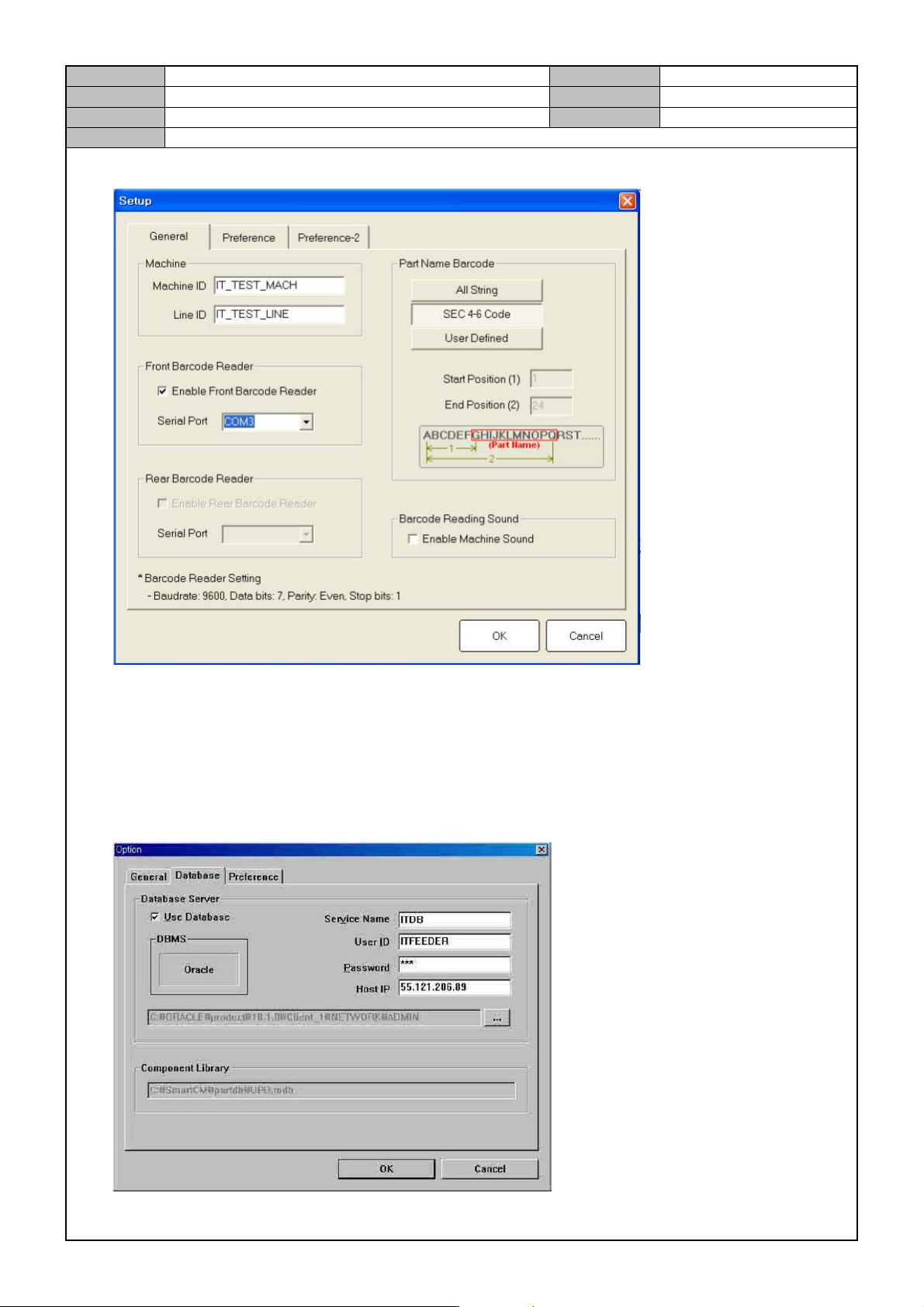
9. In the General tab, set the serial port for the front/rear barcode reader.
10. Enter the Database connection information.
Press the <Change> button to select the folder containing the <tnsname.ora> file of the installation path for
the oracle client.
(Genarlly, C:\oracle\product\10.1.0\Client_1\NETWORK\ADMIN)
Net Service: ITDB
User ID: ITFEEDER
Password: SCP
Host IP
Model
DECAN Series
Company
SAMSUNG TECHWIN
Module
3.8 IT, LTS
Version
01
Title
IT FUNCTION INSTALLATION(ORACLE)
Page
3-8-8
Note
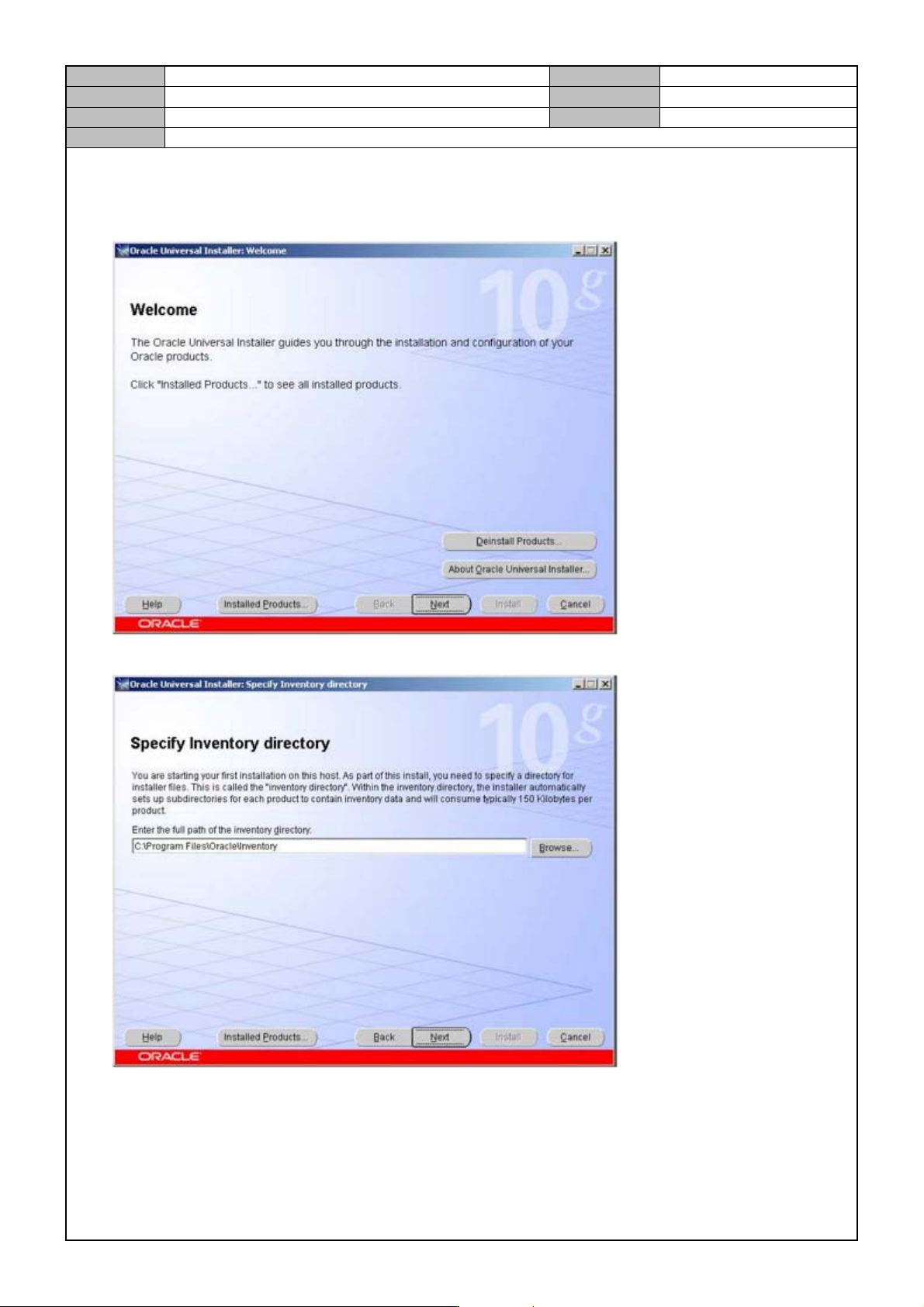
[IT FUNCTION INSTALLATION(ORACLE)]
1. Insert the Oracle 10g Client CD and run <setup.exe>.
2. Press [Next].
Model
DECAN Series
Company
SAMSUNG TECHWIN
Module
3.8 IT, LTS
Version
01
Title
IT FUNCTION INSTALLATION(ORACLE)
Page
3-8-9
Note
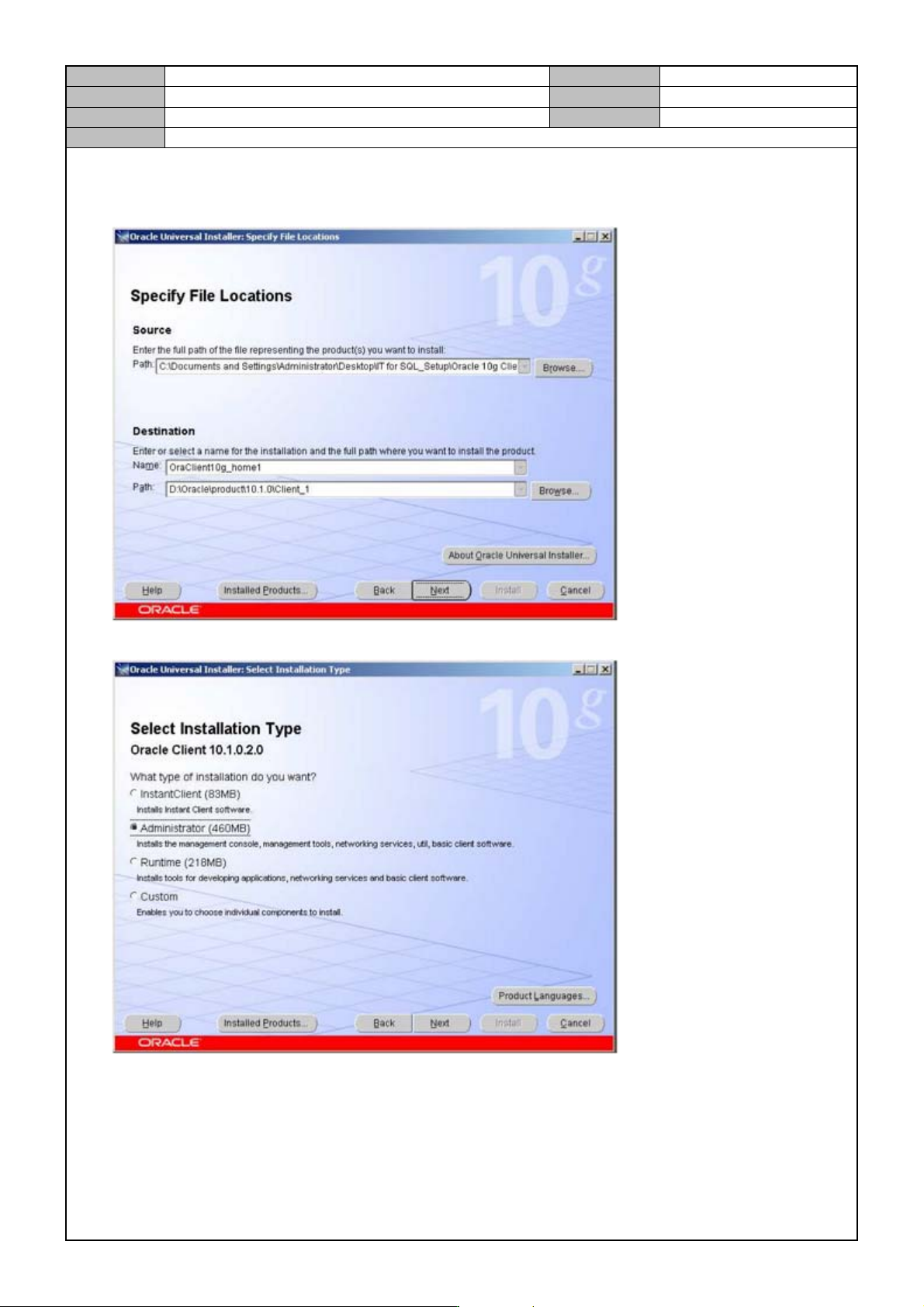
3. Deignate the installation path.
Change the Destination Path from D:\ to C:\.
Path : C:\Oracle\product\10.1.0\client_1
4. Select <Administrator> for the installation method and press [Next].