EN 3.pdf - 第62页
Model DECAN Series Company SAMSUNG TECHWIN Module 3.4 CAMERA V ersion 01 Tit le FIDUCIAL C AMERA OUTER LIGHTING LED REPLACEMENT Page 3-4-1 1 Note 5. Remove the fixing bolts from the Fiducial Camera to separate it. ① Axia…
Model
DECAN Series
Company
SAMSUNG TECHWIN
Module
3.4 CAMERA
Version
01
Title
FIDUCIAL CAMERA OUTER LIGHTING LED
REPLACEMENT
Page
3-4-10
Note
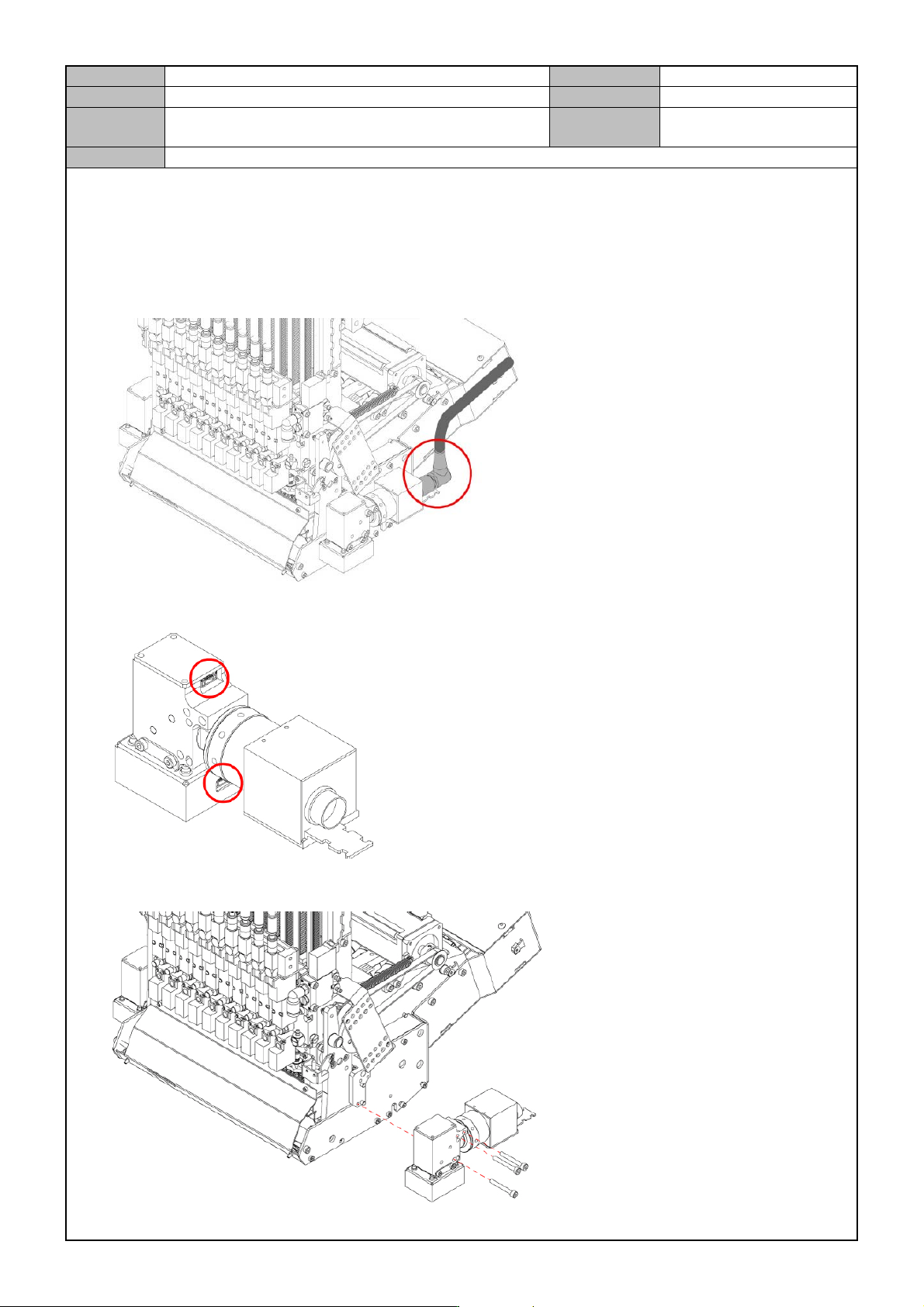
[FIDUCIAL CAMERA OUTER LIGHTING LED RE PLACEMENT]
1. Turn off the PC and the Main Switch in the front of the equipment.
2. Disconnect the video cable connector from the Fiducial Camera.
3. Disconnect the cable from the Fiducial Camera.
4. Remove the fixing bolts from the Fiducial Camera to separate it.
Model
DECAN Series
Company
SAMSUNG TECHWIN
Module
3.4 CAMERA
Version
01
Title
FIDUCIAL CAMERA OUTER LIGHTING LED
REPLACEMENT
Page
3-4-11
Note
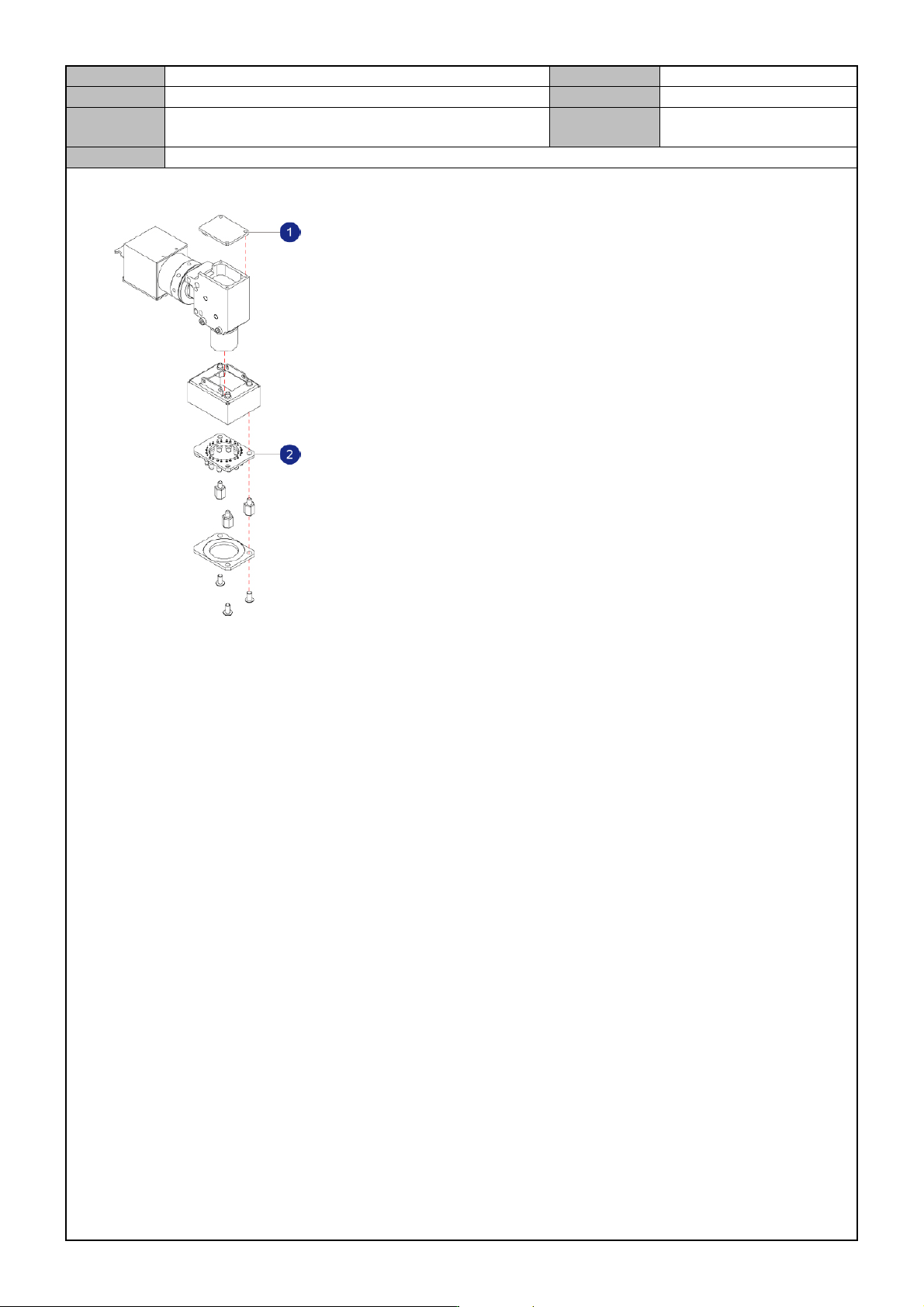
5. Remove the fixing bolts from the Fiducial Camera to separate it.
① Axial lighting LED
② Outer lighting LED
6. Replace with a new lighting LED.
Model
DECAN Series
Company
SAMSUNG TECHWIN
Module
3.4 CAMERA
Version
01
Title
STAGE CAMERA MOUNTING OPTION (L2)
Page
3-4-12
Note
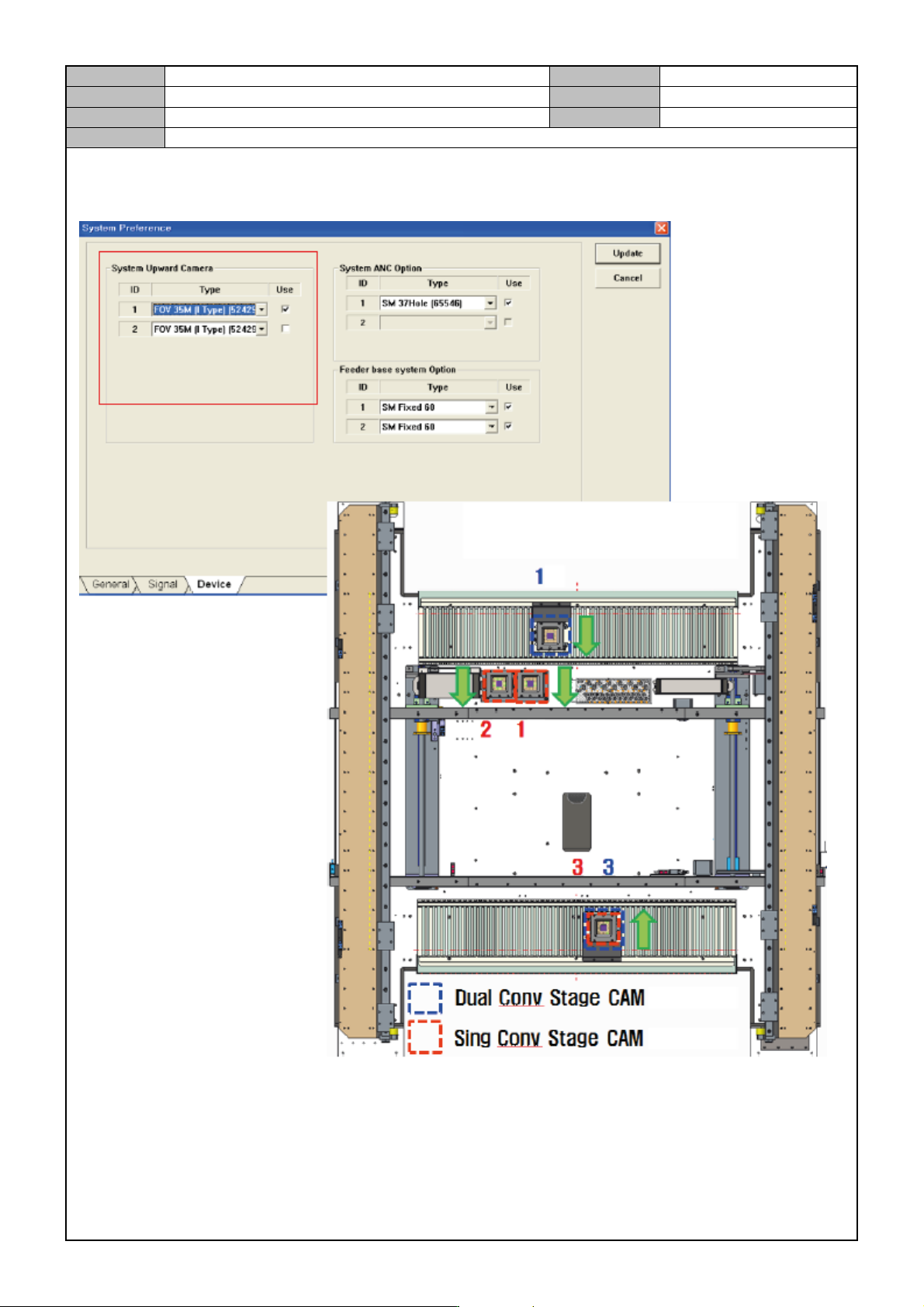
[STAGE CAMERA MOUNTING OPTION (L2)]