EN 3.pdf - 第27页
Model DECAN Series Company SAMSUNG TECHWIN Module 3.2 BOARD V ersion 01 Tit le HEAD AMP BOA RD REPLACEMENT Page 3-2-14 Note [HEAD AMP BOARD REPLACEMENT] Head AMP Board controls and supplies power to the Z axis servo moto…
Model
DECAN Series
Company
SAMSUNG TECHWIN
Module
3.2 BOARD
Version
01
Title
SAFETY FROP BORAD REPLACEMENT
Page
3-2-13
Note
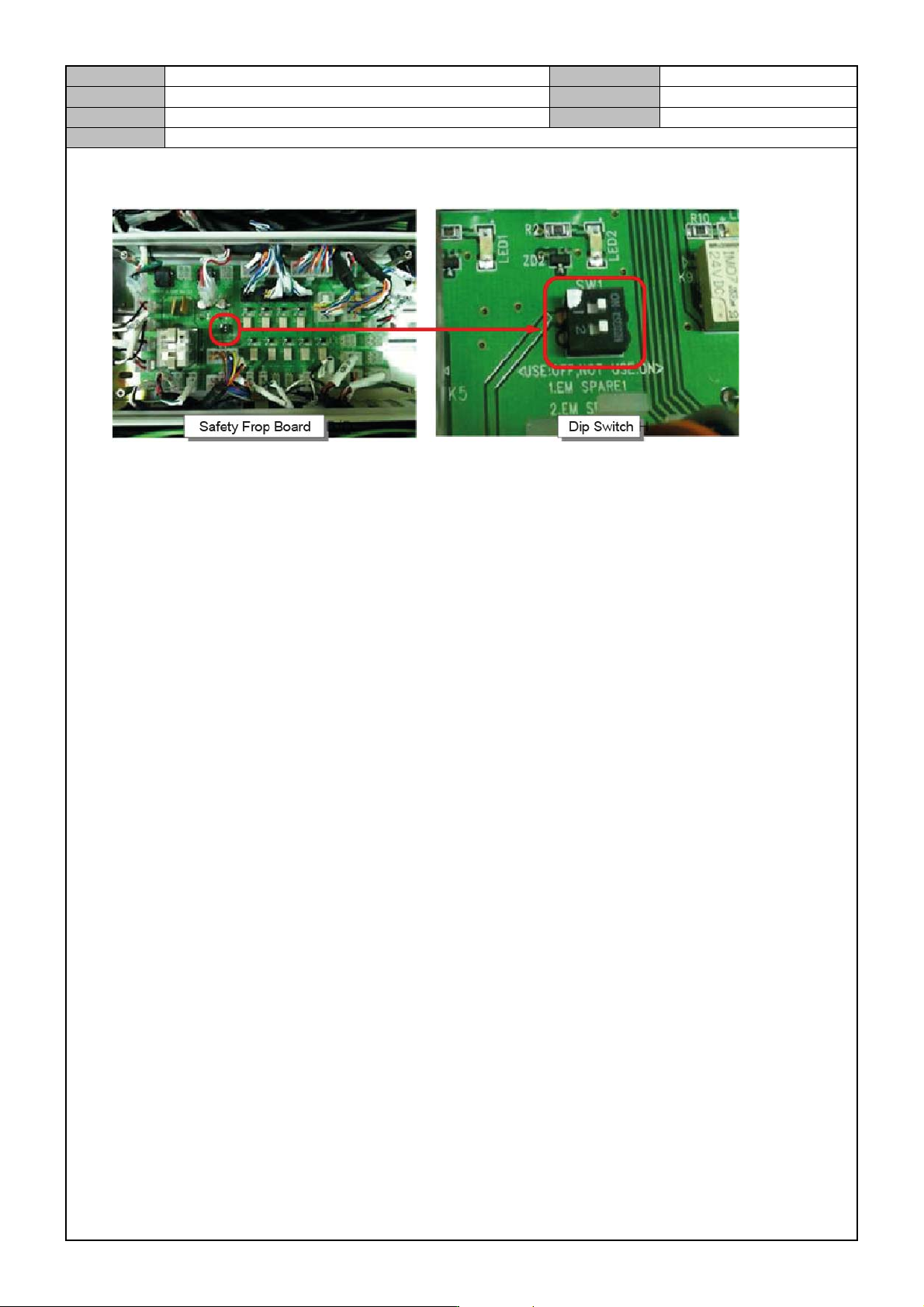
4. Set the DIP switch as follows before assembling the board.
1 SW : On, 2 SW : On
5. Connect the board cable while referring to the information below.
CN1 : DC24V power cable connector(connected to #1 DC POWER SUPPLY)
CN2 : DC24V power cable connector(connected to #1 DC POWER SUPPLY)
CN3 : Front control switch panel's READY S/W, EMO S/W, DOOR S/W cable connector
CN4 : Rear control switch panel's READY S/W, EMO S/W, DOOR S/W cable connector
CN5 : SAFETY OVERRIDE SWITCH connector
CN6 ~9 : Front/Rear FEEDER power cable connector
CN10 : R STEP power cable connector
CN11 : WORK STEP power cable connector
CN12 : CONVERYOR PACK BOARD power cable connector
CN13 : CONVEYOR I/F B/D ↔ EMG, RADY SW, POWER ON, DOOR, READY OUT FSO, READ
Y LAMP INTERFACE connector
CN14~17 : External INTERLOCK IF
CN18 : #1 MAGNETIC CONTACTOR cable connector
CN19 : #2 MAGNETIC CONTACTOR cable connector
CN20~CN29 : Control Board's DC24V Power Distribution Connector
CN30 : Front Control Switch Panel's I/O Signal cable connector
CN31 : Rear Control Switch Panel's I/O Signal cable connector
CN32 : Front/Rear FEEDER SELECT, START S/W I/O Signal cable connector
CN33 : CONVEYOR I/F B/D FRONT TEACHING BOX INTERFACE connector
CN35 : CONVEYOR I/F B/D REAR TEACHING BOX INTERFACE connector
CN34 : FRONT TEACHING BOX connector
CN36 : REAR TEACHING BOX connector
6. Operate the equipment and check if the Board's LED1, LED2 are lit.(normal operation)
Model
DECAN Series
Company
SAMSUNG TECHWIN
Module
3.2 BOARD
Version
01
Title
HEAD AMP BOARD REPLACEMENT
Page
3-2-14
Note
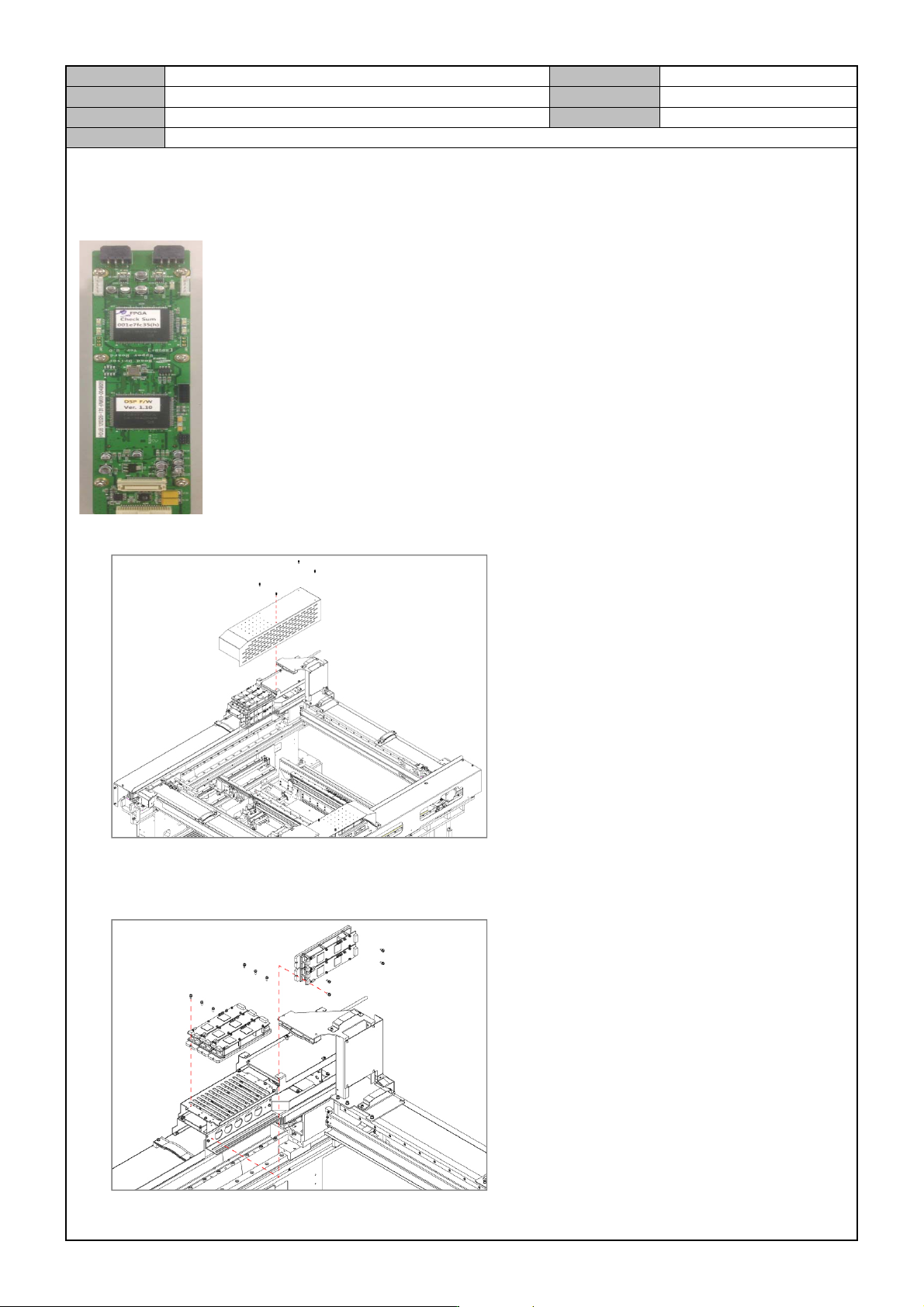
[HEAD AMP BOARD REPLACEMENT]
Head AMP Board controls and supplies power to the Z axis servo motor of the head.
1. Release the fastener for the Cover Driver Y and separate the cover.
2. Separate the cable connected to the board.
3. Remove the fixing bolts for the board and replace it with a new board.
Model
DECAN Series
Company
SAMSUNG TECHWIN
Module
3.2 BOARD
Version
01
Title
HEAD AMP BOARD REPLACEMENT
Page
3-2-15
Note
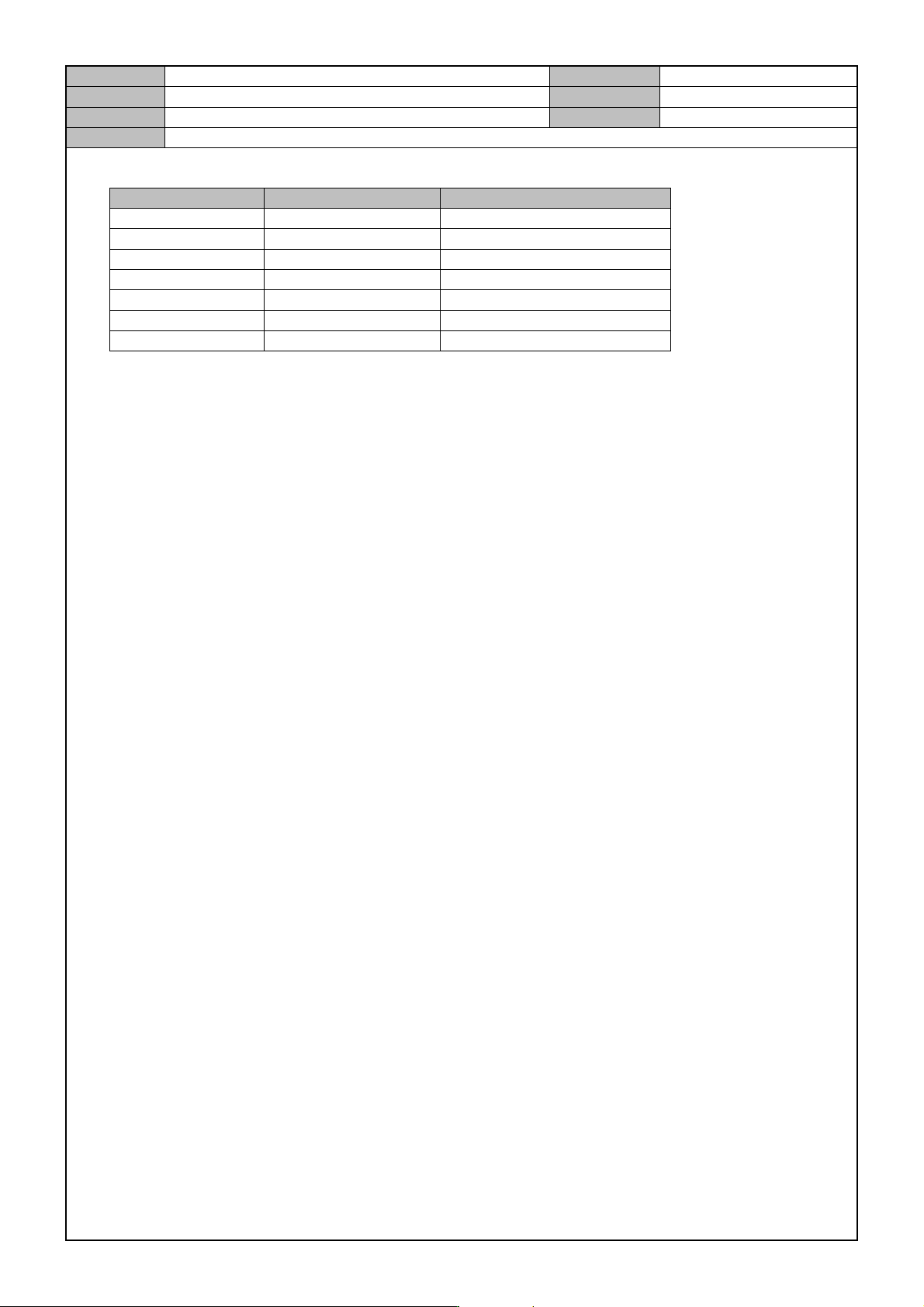
4. Operate the equipment after connecting the cable and see if the LED is lit.(normal operation)
Item :LED color for normal Remarks
CPU0 Orange Servo On: blinks.
CPU1 Orange Servo On: blinks.
SV EN M Orange Master Servo On: lit.
SV EN S Orange Slave Servo On:lit.
24V IN(HDLB) Orange 24V power supplied: on.
5V(HDLB) Green 5V power supplied: on.
5V(HDUB) Green 5V power supplied: on.