EN 3.pdf - 第88页
Model DECAN Series Company SAMSUNG TECHWIN Module 3.5 CONVEYOR V ersion 01 Tit le MOTOR REPLACEMENT Page 3-5-25 Note 5. Assemble the Motor into the Conveyor . 6. Adjust the Belt T ension. T ension: 160±10 Hz W ork Zo…
Model
DECAN Series
Company
SAMSUNG TECHWIN
Module
3.5 CONVEYOR
Version
01
Title
MOTOR REPLACEMENT
Page
3-5-24
Note
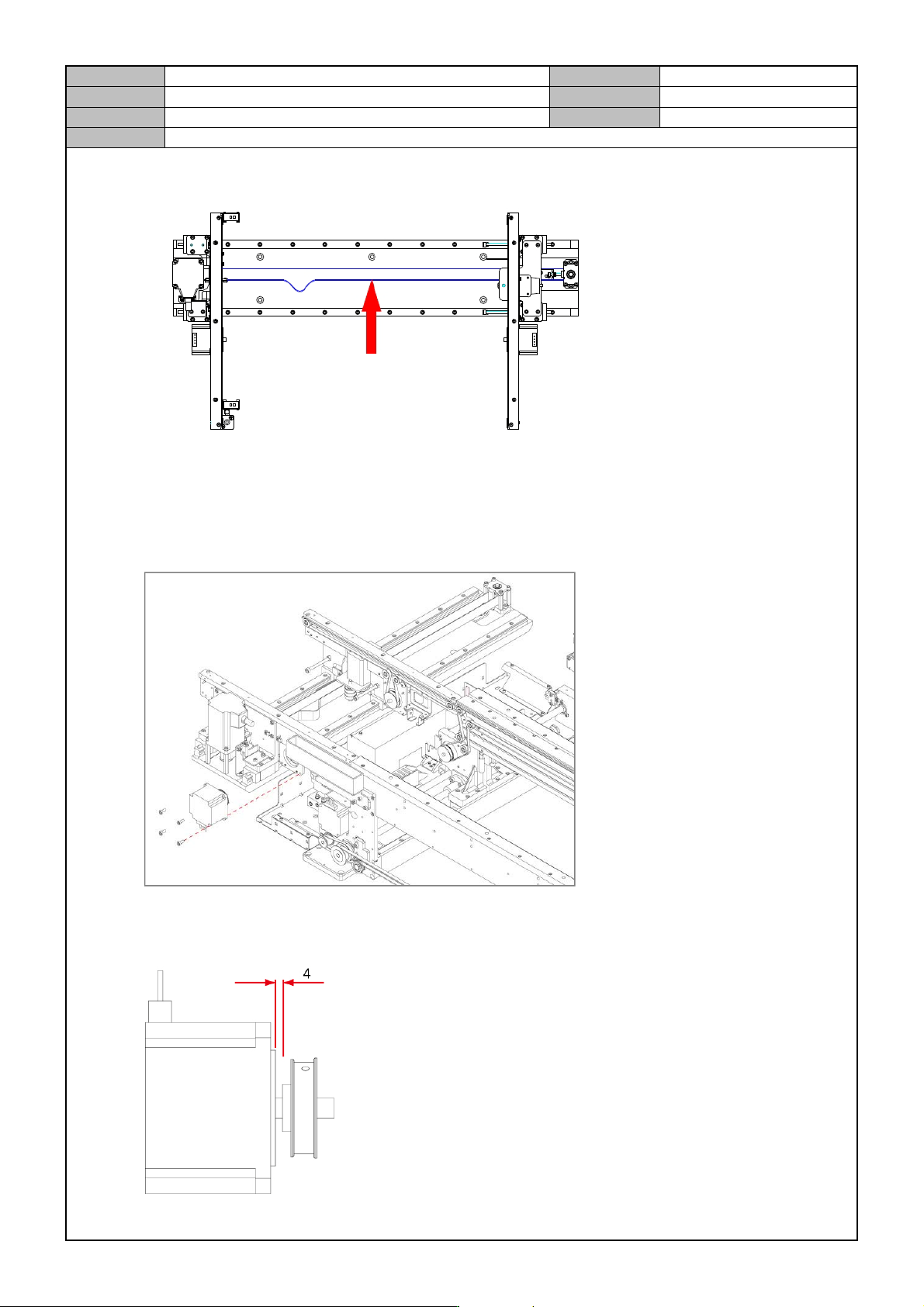
6. Adjust the Belt Tension.
Tension: 22±2 Hz
Entry / Exit Zone Front (Rear) PCB Conveyance Motor change
1. Separate the cable connected to the motor.
2. Remove the fixing bolts for the motor to separate it.
3. Replace with a new motor.
4. Assemble the Motor and the Pulley as follows.
Model
DECAN Series
Company
SAMSUNG TECHWIN
Module
3.5 CONVEYOR
Version
01
Title
MOTOR REPLACEMENT
Page
3-5-25
Note
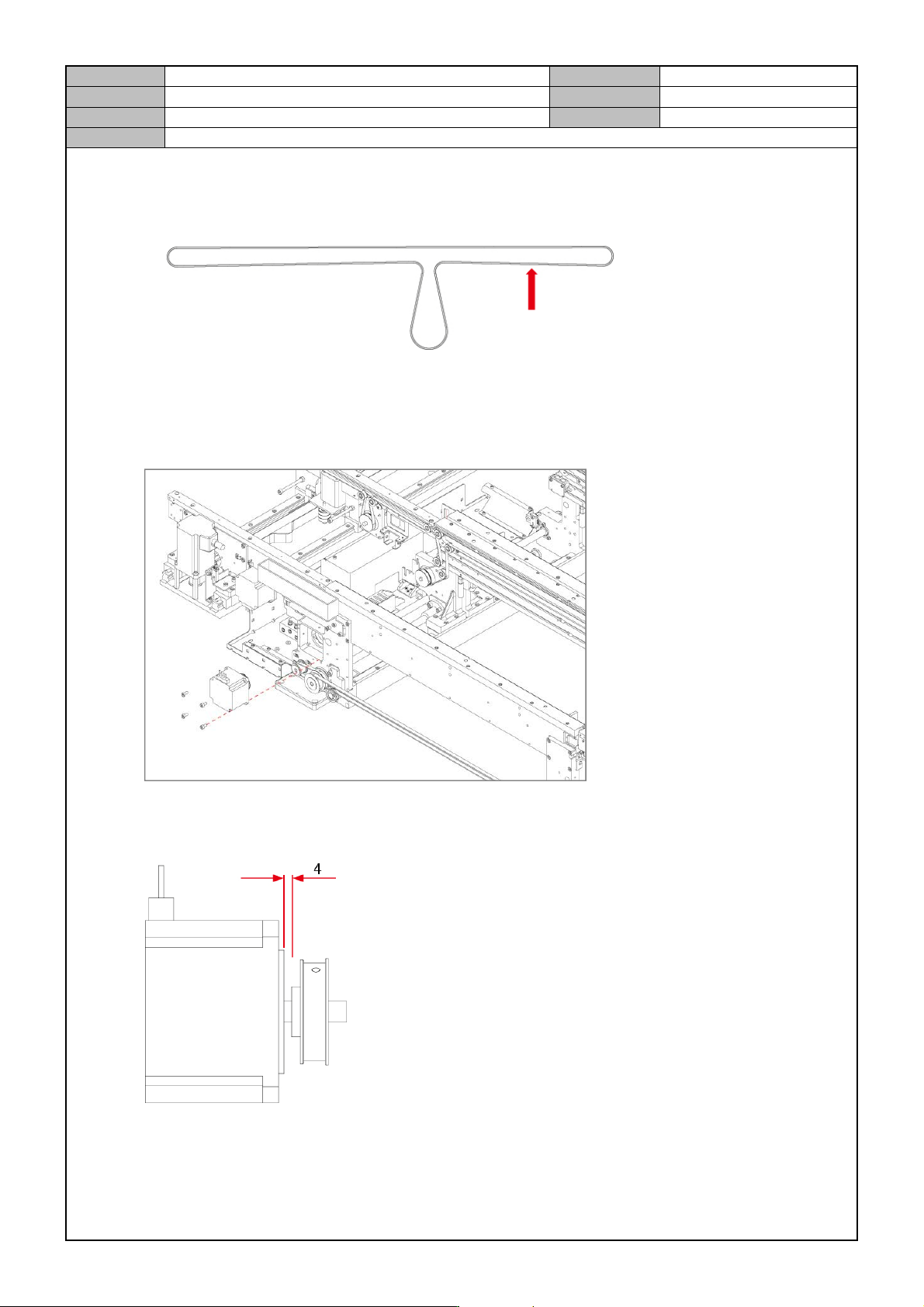
5. Assemble the Motor into the Conveyor.
6. Adjust the Belt Tension.
Tension: 160±10 Hz
Work Zone Front (Rear) / Fix (Move) PCB Conveyance Motor replacement.
1. Separate the cable connected to the motor.
2. Separate the motor by releasing the fixing bolts.
3. Replace with a new motor.
4. Assemble the Motor and the Pulley as follows.
Model
DECAN Series
Company
SAMSUNG TECHWIN
Module
3.5 CONVEYOR
Version
01
Title
MOTOR REPLACEMENT
Page
3-5-26
Note
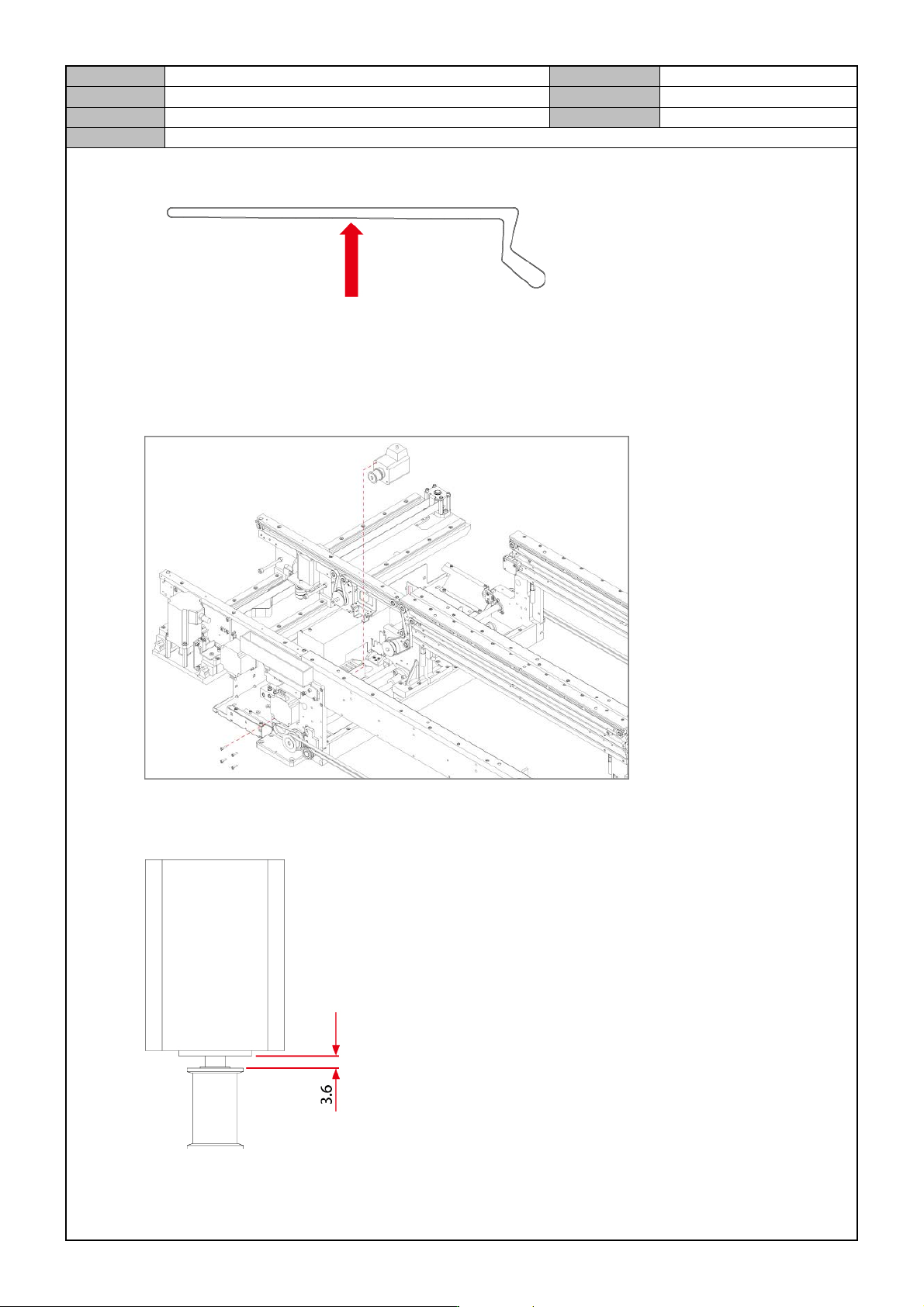
5. Adjust the Belt Tension.
Tension: 40±5 Hz
Work Zone Power Delivery Motor replacement.
1. Separate the cable connected to the motor.
2. Separate the motor by releasing the fixing bolts.
3. Replace with a new motor.
4. Assemble the Motor and the Pulley as follows.