EN 3.pdf - 第129页
Model DECAN Series Company SAMSUNG TECHWIN Module 3.8 IT , L TS V ersion 01 Tit le IT FUNCTION INST AL LA TION(ORACLE) Page 3-8-12 Note 9. After selecting a communication method, press [Next]. 10. After enterin g the ser…
Model
DECAN Series
Company
SAMSUNG TECHWIN
Module
3.8 IT, LTS
Version
01
Title
IT FUNCTION INSTALLATION(ORACLE)
Page
3-8-11
Note
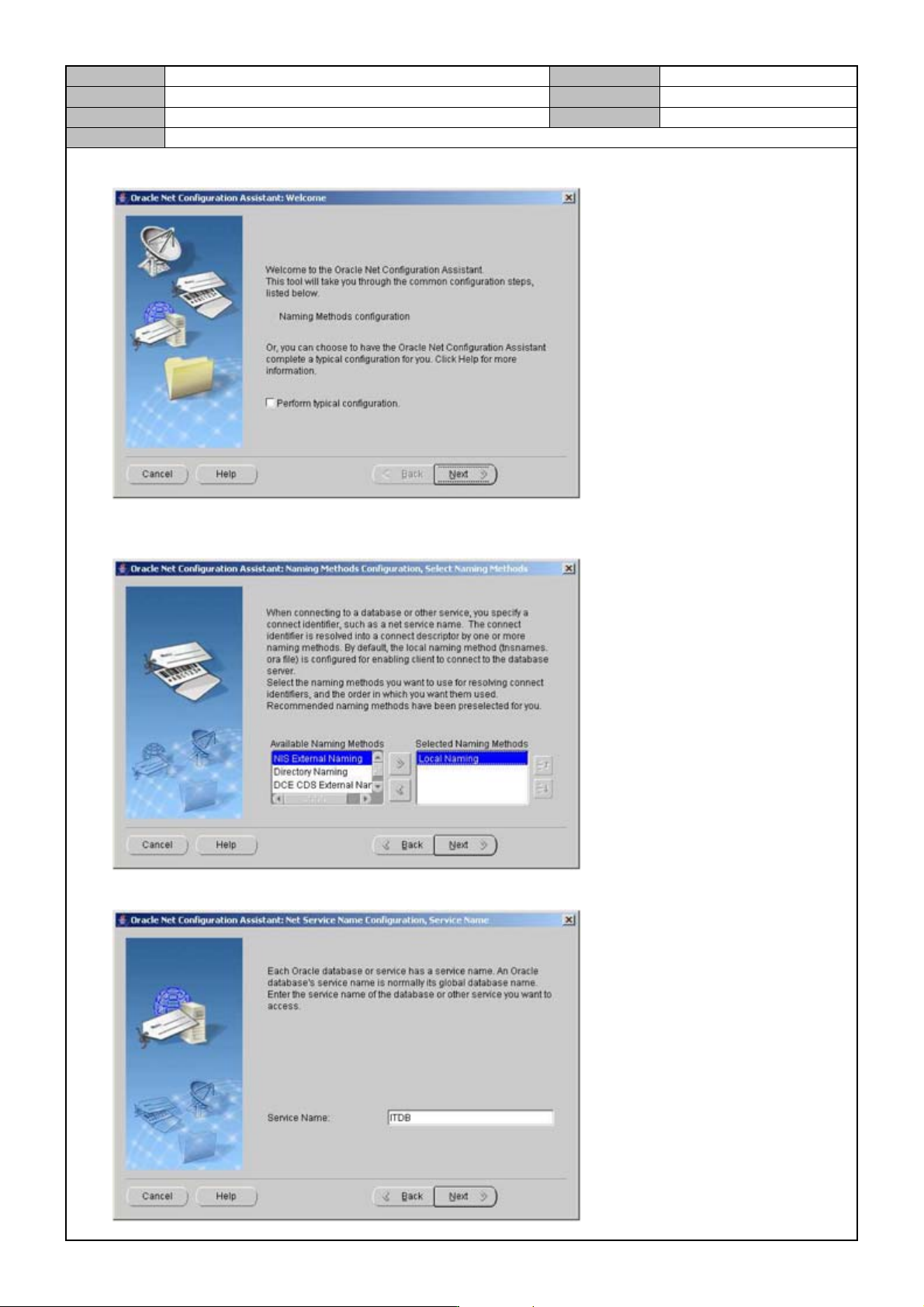
6. Press [Next].
7. After selecting a DB naming method, press [Next].
NIS External Naming, Local Naming
8. Enter the Service Name.
Model
DECAN Series
Company
SAMSUNG TECHWIN
Module
3.8 IT, LTS
Version
01
Title
IT FUNCTION INSTALLATION(ORACLE)
Page
3-8-12
Note
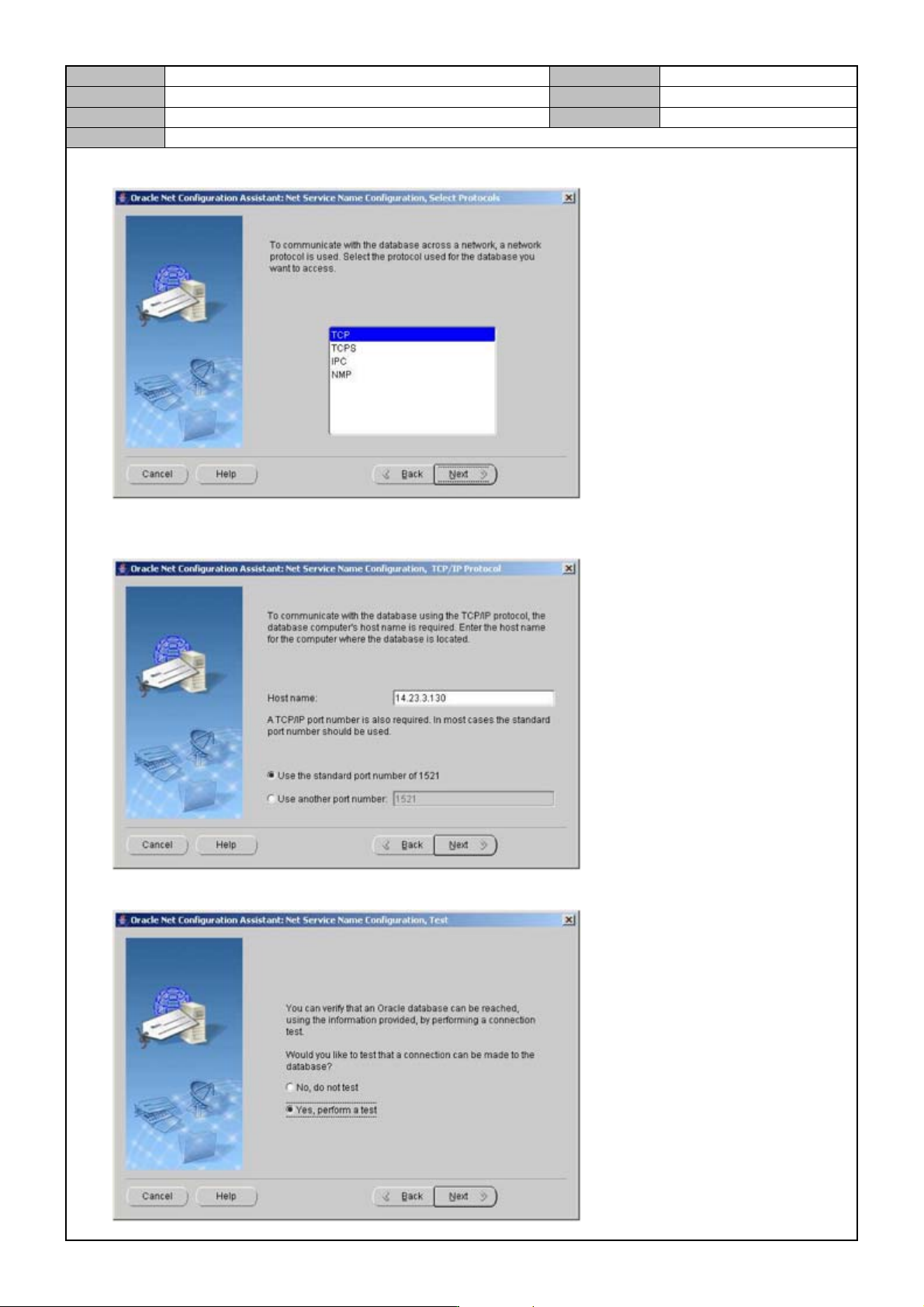
9. After selecting a communication method, press [Next].
10. After entering the server PC's IP Address, press [Next].
Port used: 1521
11. After selecting <Yes, perform a test>, press [Next].
Model
DECAN Series
Company
SAMSUNG TECHWIN
Module
3.8 IT, LTS
Version
01
Title
IT FUNCTION INSTALLATION(ORACLE)
Page
3-8-13
Note
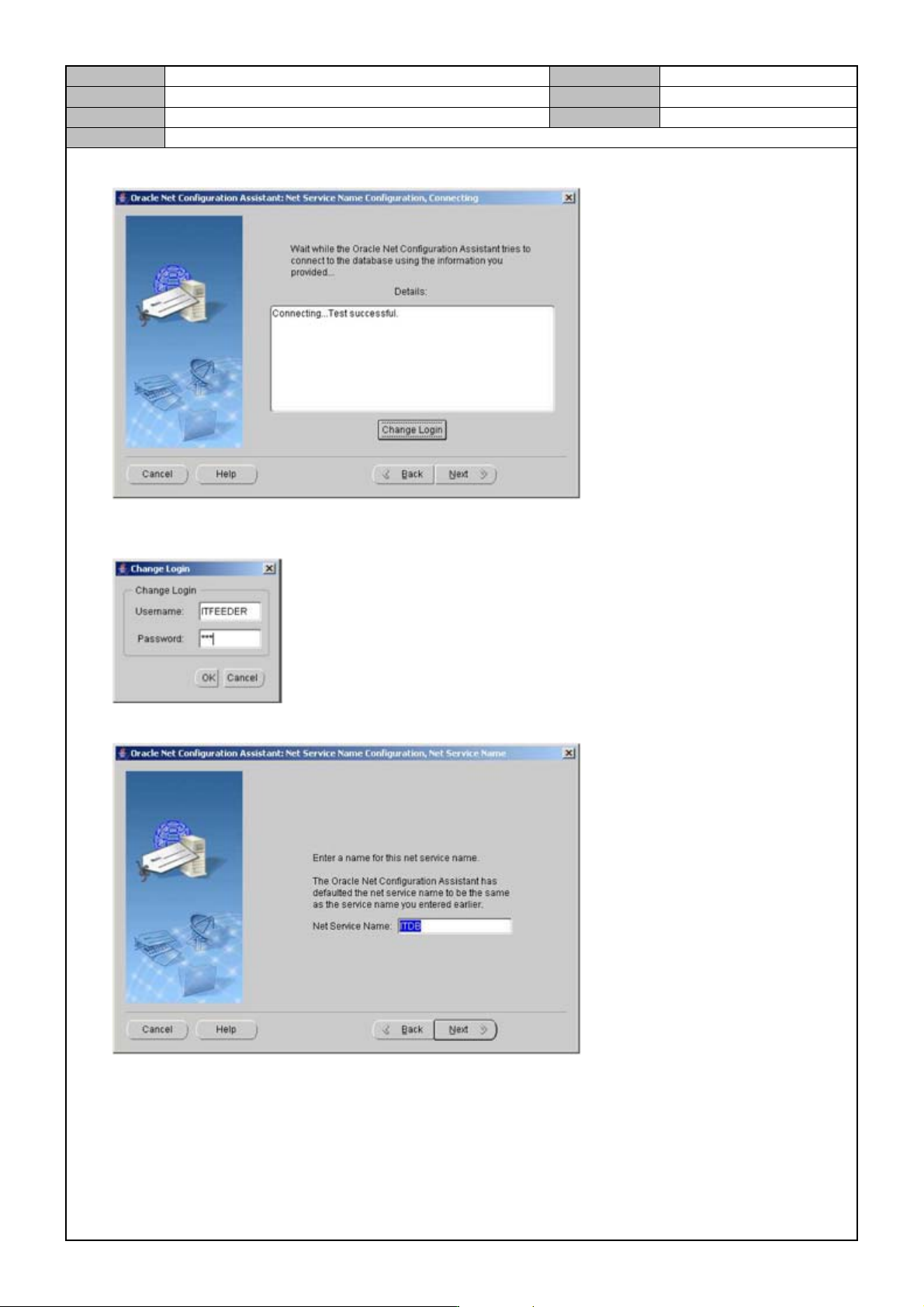
12. Press [Chang e Login].
User Name : ITFEEDER
Password : SCP
13. After entering <Net Service Name>, press [Next].