EN 3.pdf - 第142页
Model DECAN Series Company SAMSUNG TECHWIN Module 3.9 DOCKING CART & FEEDER BASE V ersion 01 Tit le FEEDER UNLOCK SESNOR SETTING Page 3-9-9 Note 5. Mount the Feeder Origin tool in number 1 and 26 an d then check if t…
Model
DECAN Series
Company
SAMSUNG TECHWIN
Module
3.9 DOCKING CART & FEEDER BASE
Version
01
Title
FEEDER UNLOCK SESNOR SETTING
Page
3-9-8
Note
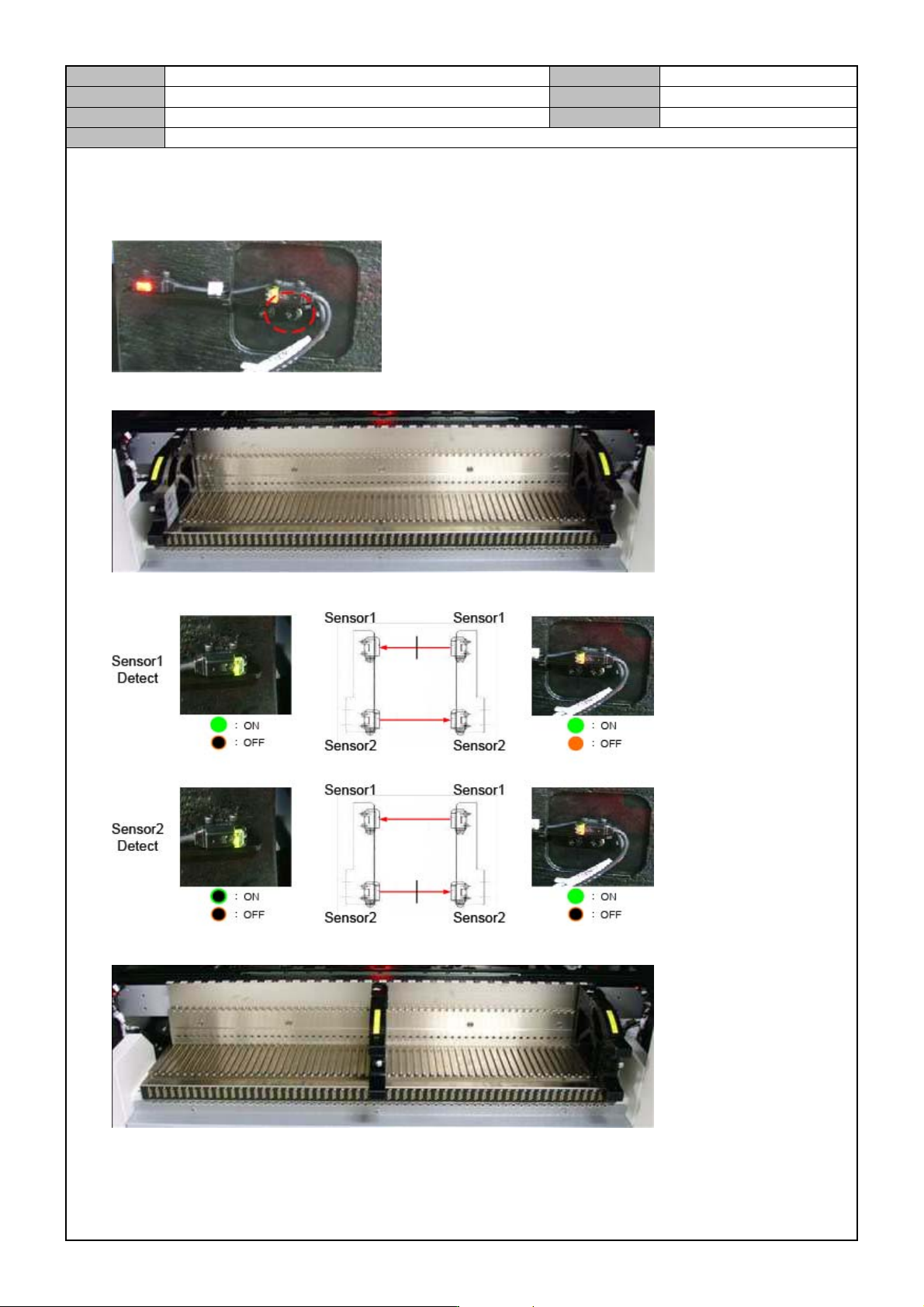
[FEEDER UNLOCK SESNOR SETTING]
1. Temporarily fix the Feeder Gap Sensor.
2. Mount the Feeder Origin tool in Feeder Base Slot 1 and 59.
3. While moving the front plate of the Feeder Origin tool back and forth, check if the sensor detects it.
4. Mount the Feeder Origin tool in number 30 and 59 and then check if the sensor detects them.
Model
DECAN Series
Company
SAMSUNG TECHWIN
Module
3.9 DOCKING CART & FEEDER BASE
Version
01
Title
FEEDER UNLOCK SESNOR SETTING
Page
3-9-9
Note
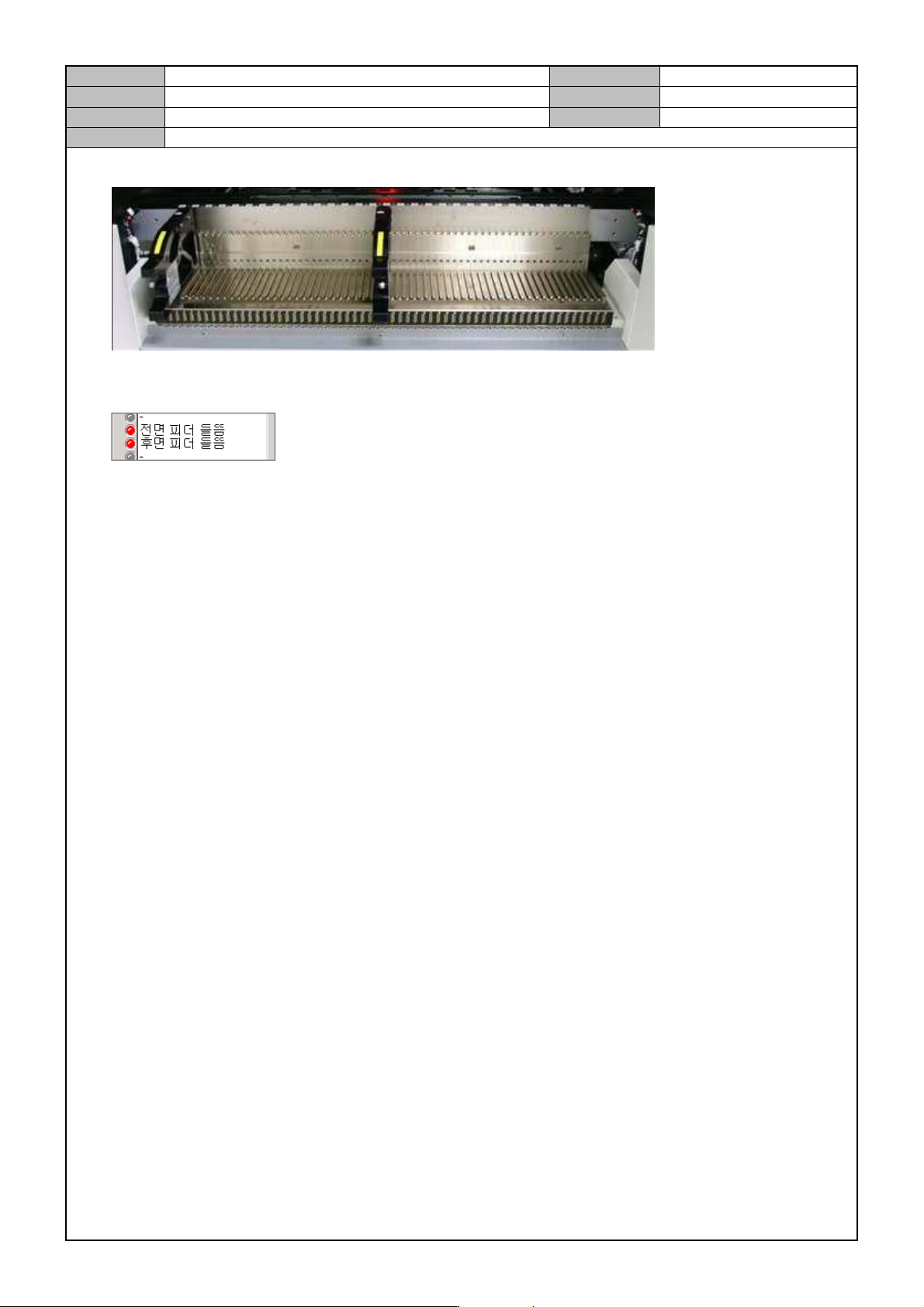
5. Mount the Feeder Origin tool in number 1 and 26 and then check if the sensor detects them.
6. Check the MMI's <Diagnosis> → <I/O State> → <Sensor State> menu to see if the Feeder Gap Sensor
operates properly.
7. If the setting is finished, completely fix the Feeder Gap Sensor.
Model
DECAN Series
Company
SAMSUNG TECHWIN
Module
3.9 DOCKING CART & FEEDER BASE
Version
01
Title
FEEDER BASE ASSEMBLY
Page
3-9-10
Note
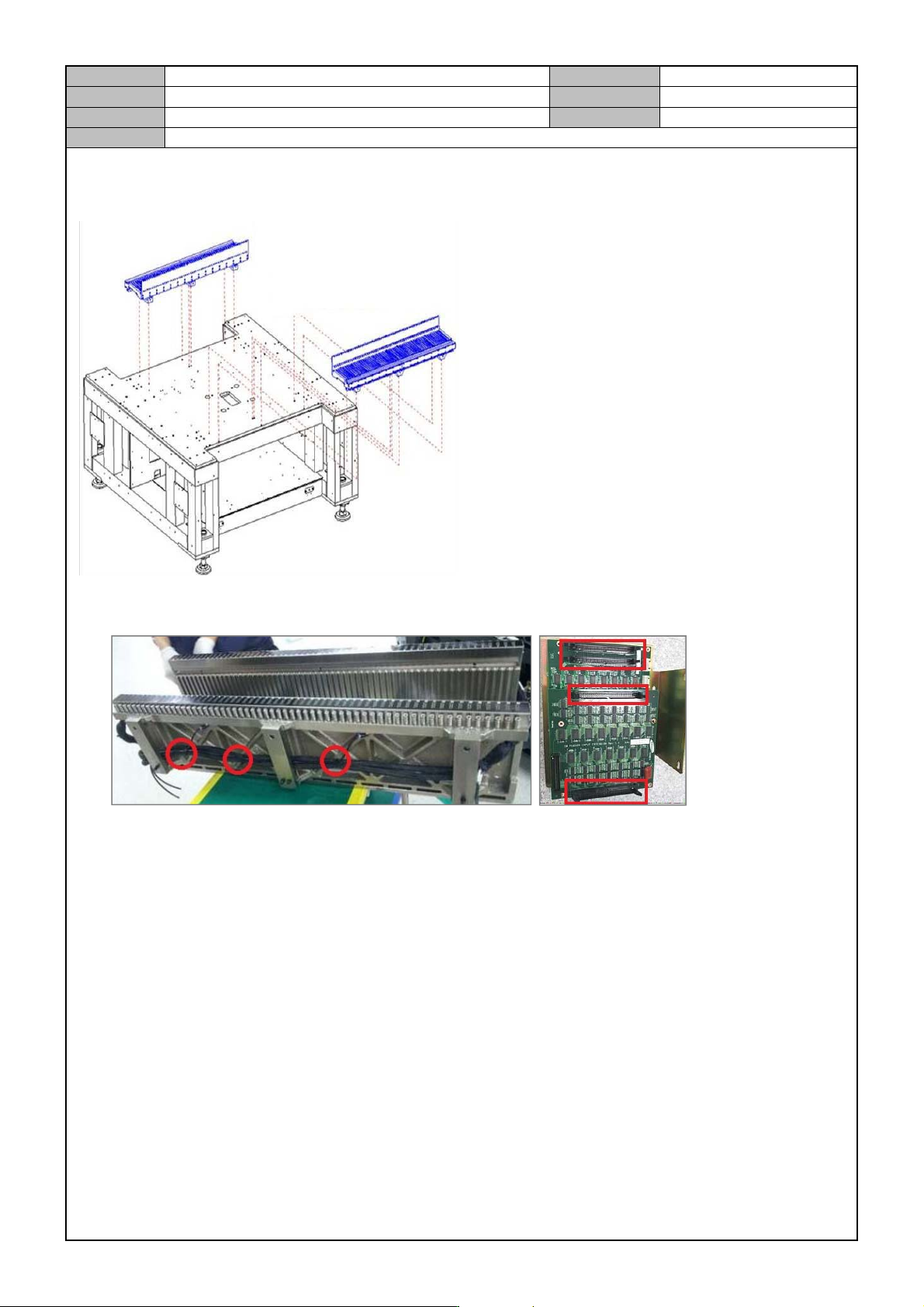
[FEEDER BASE ASSEMBLY]
Feeder Base wiring/air pressure line works
Cut and wire the air pressure tube.
After connecting the cable and the air pressure cable, tie them up.
Cable Tie should be used to fix three places.
Connect the feeder and the power cable to the Feeder Input EXT Board.
Connect the Feeder Base Cable.(Cable and Right Cable separately.)
Left Cable : BD-CW, CA N-CH, FD-CN5, FD-CN6, FD-EXT-CN3, FD-EXT-CN2
Right Cable : CAN-CH, PB-PW