1OM-1626-001_w.pdf - 第105页
1OM-1610 2-6 2. Operation Screen : Chap.2 091 1-001 2.2 Common Menu Bar When the window is logged in using the [Product] or [Set-up] button, the following common menu bar is displayed. [1] [2] [3] [4] [5] Common Menu Bar…
1OM-1610
2-5
2. Operation Screen : Chap.2
0911-001
2. Operation Screen
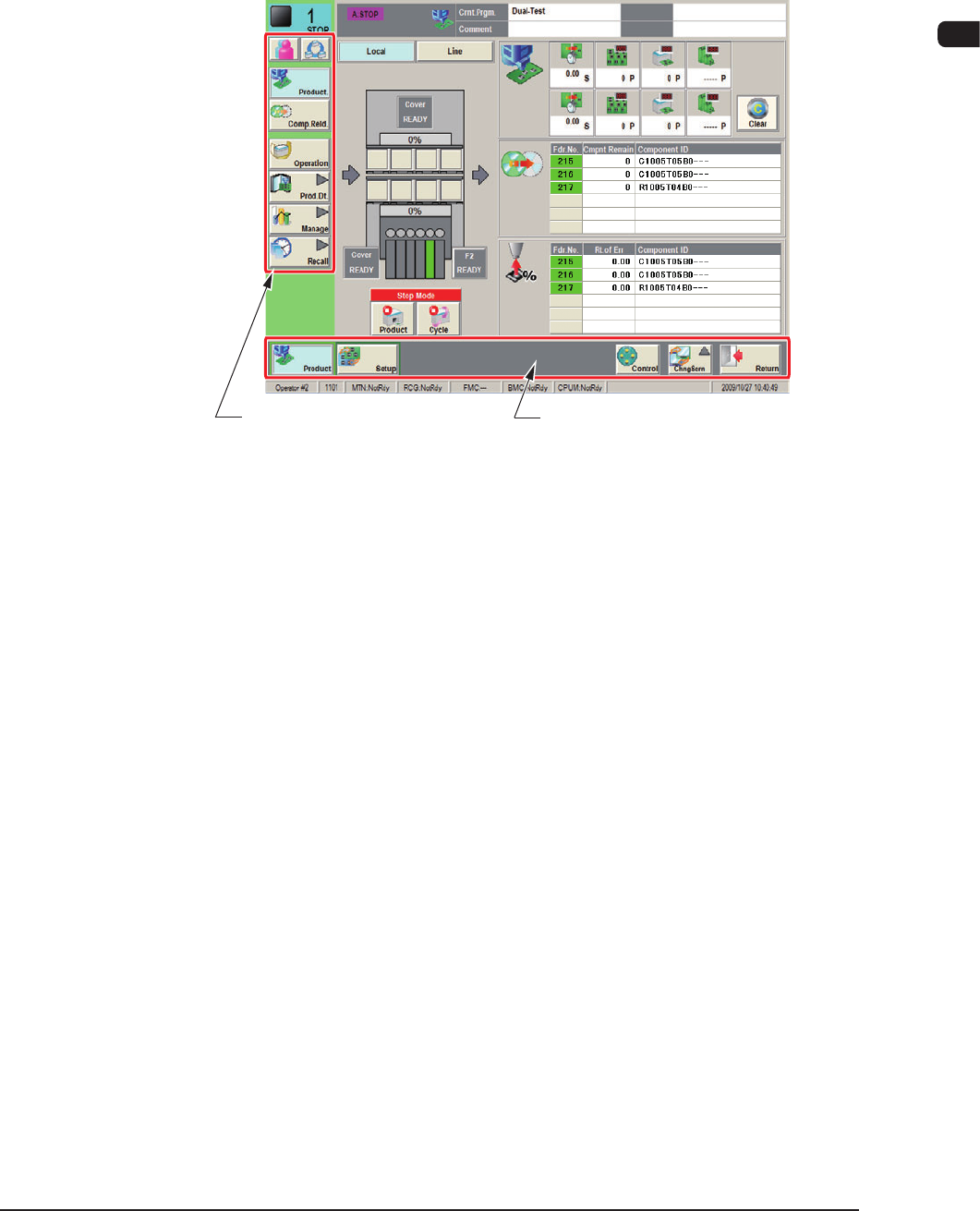
2.1 Main Menu Bar
The buttons selected in the common menu bar are displayed in this window.
Main Menu Bar Common Menu Bar
F1B5
1OM-1610
2-6
2. Operation Screen : Chap.2
0911-001
2.2 Common Menu Bar
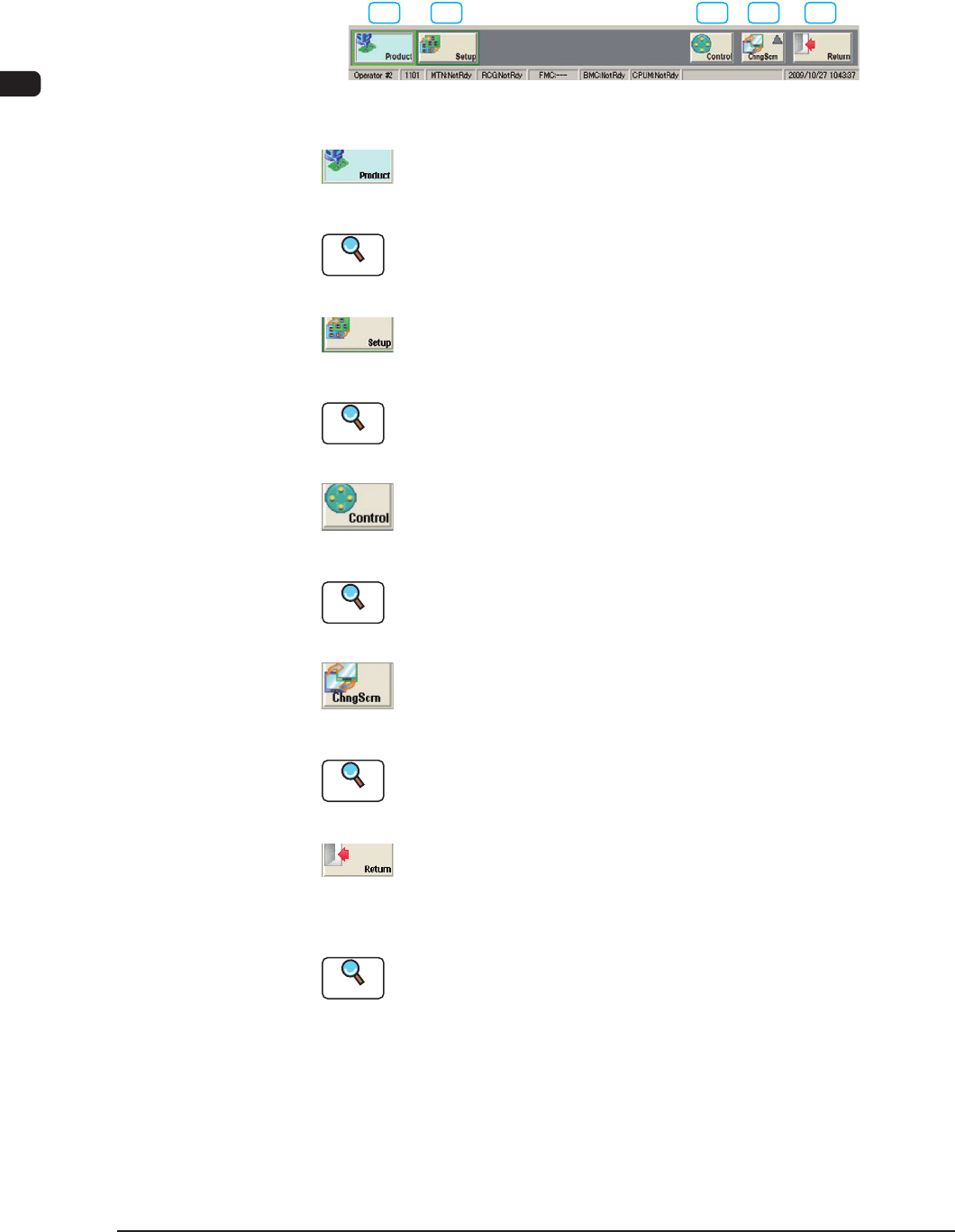
When the window is logged in using the [Product] or [Set-up] button, the
following common menu bar is displayed.
[1] [2] [3] [4] [5]
Common Menu Bar F1B6
[1] [Product] Button
When this button is pressed, the "Product" window is displayed.
Reference
Refer to "Menus for Automatic Operation" in "Chapter1 (Volume 2)" for
the detailed information on the "Product" window.
[2] [Setup] Button
When this button is pressed, the "Set-up" window is displayed.
Reference
Refer to "Menus for Setup Operation" in "Chapter2 (Volume 2)" for the
detailed information on the "Set-up" window.
[3] [Control] Button
When pressed, this button opens the "Cont. Prgm" window.
Reference
Refer to "2.3 Control Menu" for the detailed information on the "Control"
window.
[4] [Chng Scrn] Button
When this button is pressed, the "Chng Scrn" window is displayed.
Reference
Refer to "2.4 Chng Scrn" for the detailed information on the "Chng Scrn"
window.
[5] [Return] Button
When this button is pressed, the operation window is closed and the "TOP"
window is returned.
Reference
Refer to "Exiting from the System Program" for the detailed information
on the "LOGOUT " window.
1OM-1610
2-7
2. Operation Screen : Chap.2
2.3 Control Menu
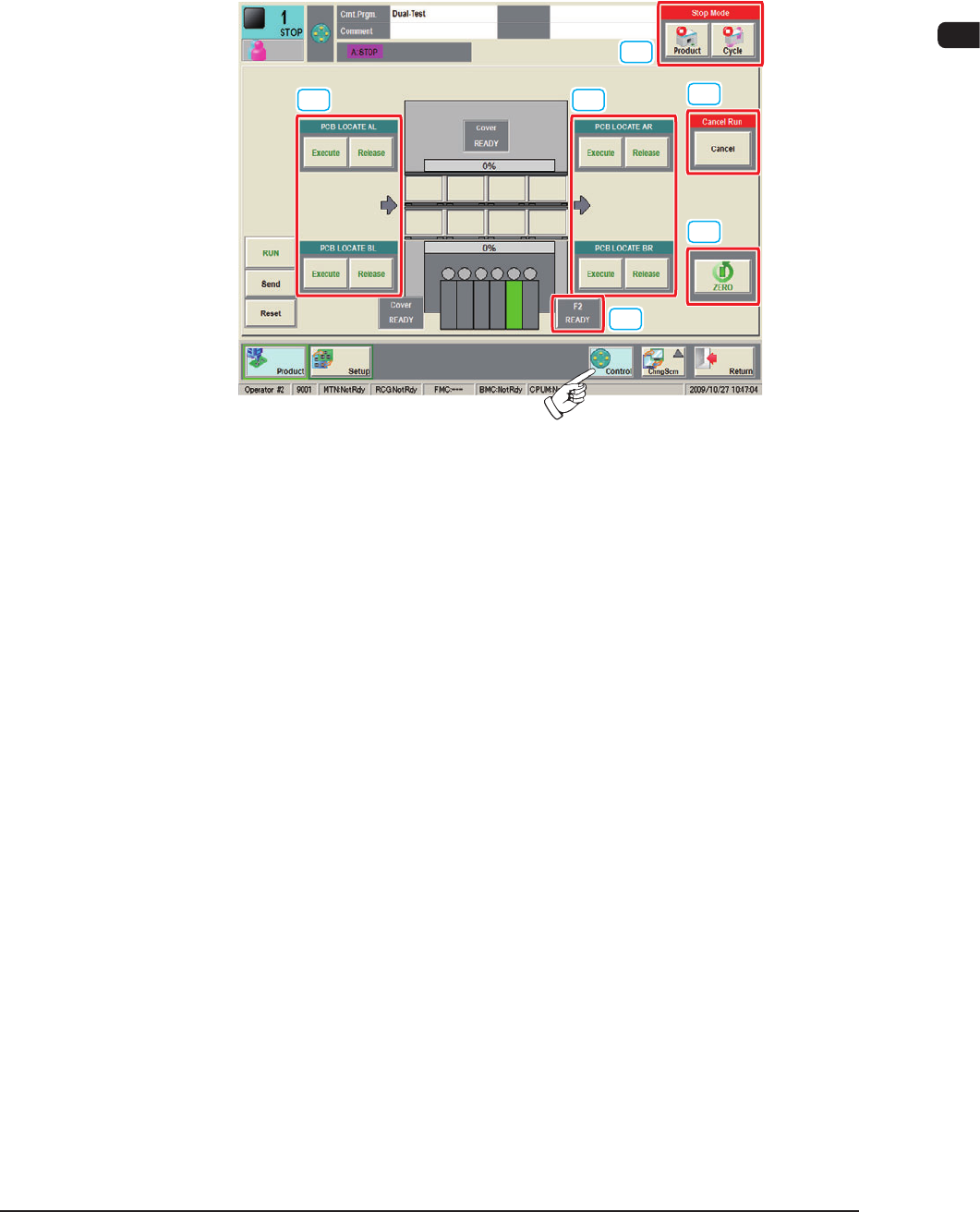
When the [Control] button is pressed on the common menu bar, the "Control
menu" window appears.
In the "Control menu" window, groups of the basic operation buttons are arranged.
[1] [1]
[3]
[4]
[5]
[2]
F1B6-1
[1] PCB LOCATE
AL, AR, BL, BR
[Execute] Button
When the [Execute] button is pressed and within 10 seconds, the [START]
button on the operation panel is pressed, the backup base and clamp are lifted
and the PCB on the PCB positioning unit is positioned.
[Release] Button
When the [Release] button is pressed and within 10 seconds, the [START]
button on the operation panel is pressed, the backup base and clamp are
lowered and the positioned PCB is released.
0911-001