1OM-1626-001_w.pdf - 第171页
1OM-1610 4-14 3. Program Change Operation : Chap.4 (3) While holding the nozzle stocker by hand, push down the lever of the nozzle stocker section and det ach the nozzle stocker from the nozzle st ocker section. Stocker …
1OM-1610
4-13
3. Program Change Operation : Chap.4
3.4.1 Procedure of Vacuum Nozzles Replacement
Procedure
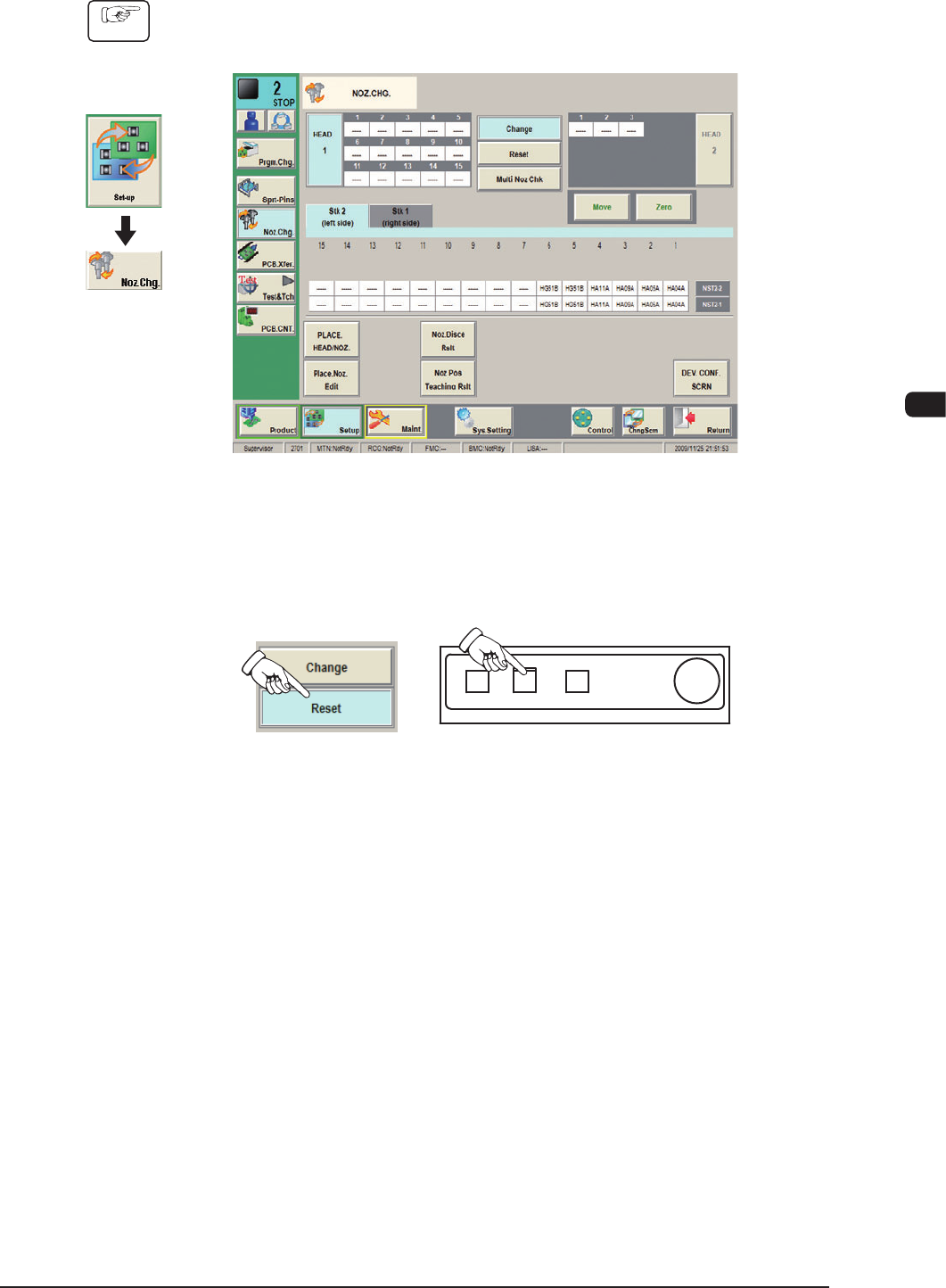
(1) Display the "NOZ.CHG" window using the following icon procedure.
F1D14
(2) Press the [Reset] button in the "NOZ.CHG." window.
In 10 seconds, press the [START] button to store the vacuum nozzles on the
placement heads in the nozzle stocker.
F1D15
Graphic
Development
0911-001
1OM-1610
4-14
3. Program Change Operation : Chap.4
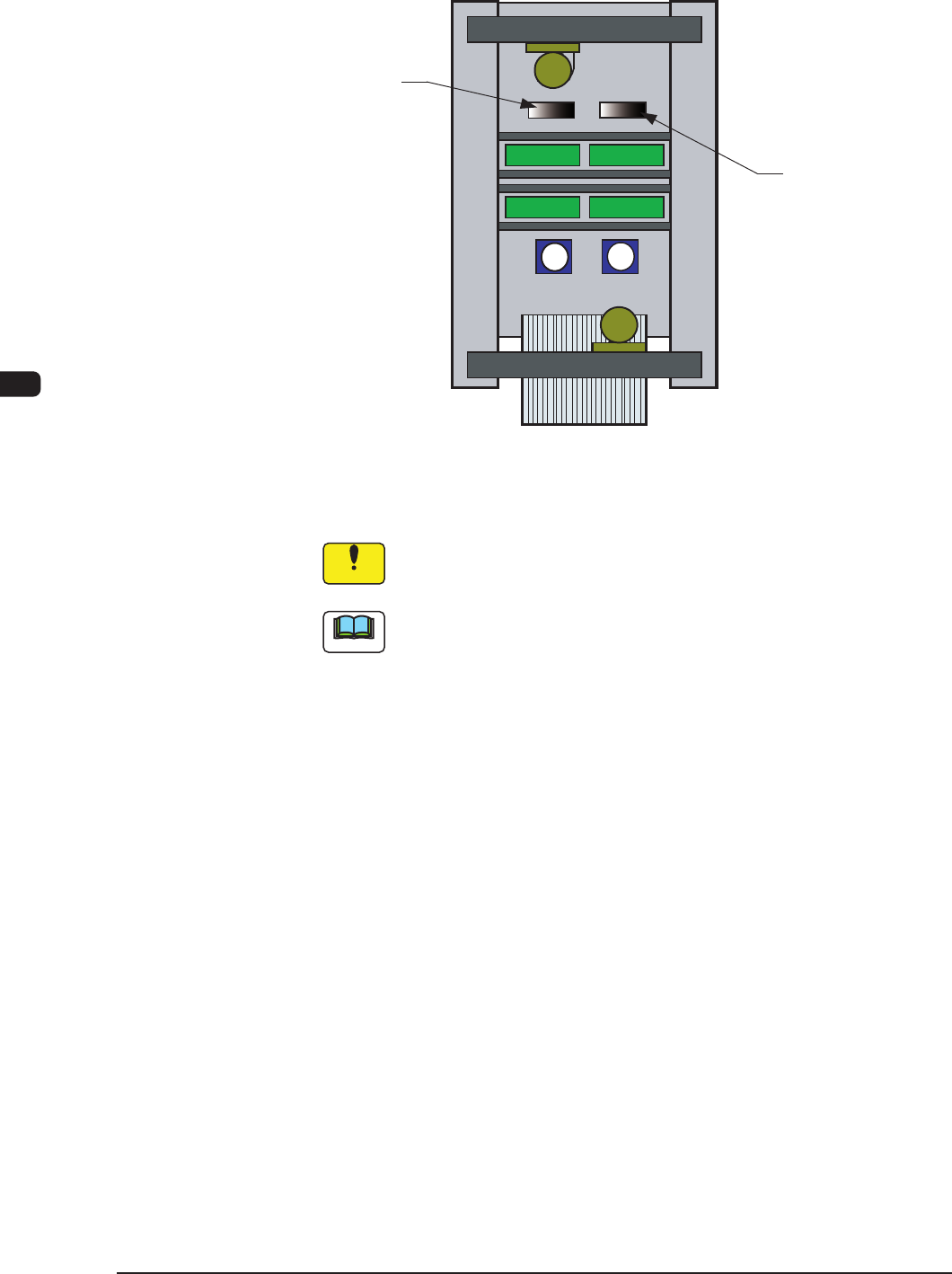
(3) While holding the nozzle stocker by hand, push down the lever of the nozzle
stocker section and detach the nozzle stocker from the nozzle stocker section.
Stocker Section
Stocker Section
F1D16
(4) Slide the nozzle stocker shutter and detach all vacuum nozzles.
Notice
Whenever the vacuum nozzles are stored in or picked up from the
nozzle stocker, be sure to slide the nozzle stocker shutter.
Note
It is advisable that the vacuum nozzles required after a program change
operation be prepared beforehand in the nozzle stocker change unit
(accessory part) because the time for vacuum nozzle change operation can
be shortened.
0911-001
1OM-1610
4-15
3. Program Change Operation : Chap.4
(5) Slide the nozzle stocker shutter and set all vacuum nozzles to be used in the
nozzle stocker.
Notice
(a) Attach the vacuum nozzles correctly in the nozzle stockers.
Do not operate the machine with a vacuum nozzle being left on the
nozzle stocker shutter. Otherwise, the machine will break down.
(b) When a middle-size odd-shaped nozzle must be set in a nozzle
stocker, the mark on the nozzle must face the right side (viewed
from the feeder side).
If the nozzle is set in a wrong direction, an "ERROR" window will
openduringthenozzleidentication,causingthe
machinetostop
running.
(6) Attach the nozzle stocker to the machine.
(7) Press the [Change] button in the "NOZ.CHG." window.
In 10 seconds, press the [START] button on the operation panel to attach the
vacuum nozzle to the placement head.
Note
When the machine is provided with an extended nozzle stocker (option)
and vacuum nozzles (to be used after a program change operation) are
prepared in the extended stocker, the nozzles are stored and attached in
succession.
(8) Select the [Conrm] button in the "NOZ.CHG." window and press the
[START] button on the operation panel to check if the correct nozzles are
attached or not.
0911-001