1OM-1626-001_w.pdf - 第162页
1OM-1610 4-5 3. Program Change Operation : Chap.4 091 1-001 3. Program Change Operation 3.1 Selection of Run Mode Set the "Run Mode" on the "Opn. Mode" tab sheet in th e "OPERATION" window .…
1OM-1610
4-4
2. Preparation for Program Change Operation : Chap.4
0911-001
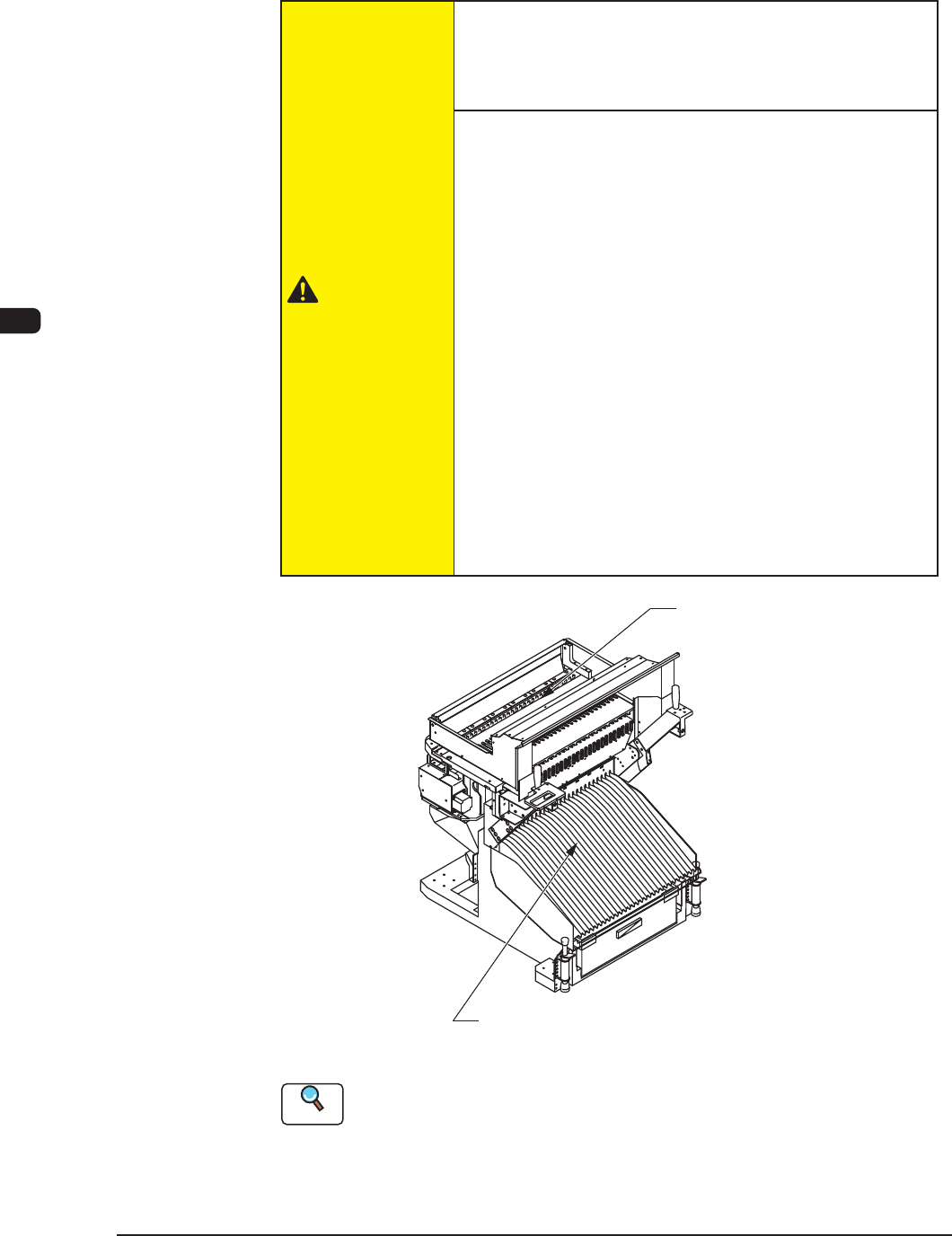
(4) Attach the bank feeder change cart to the machine.
(5) When the components are reloaded on a single tape feeder, attach the tape
feeder on the feeder workbench.
CAUTION
Hazardoustoyourhandsandngers!
•
Be sure to hold the handle to move the bank feeder
change cart.
Watch
yourstep!
•
Be careful not to hit your foot against the cart while
moving the bank feeder change cart.
Especially, the resistance against cart movement may
change rapidly when the oor is ragged and the cart
gets caught on the oor or a sheet is used and the cart
gets caught at the edge or a slackened portion of the
sheet.
•
Be sure to insert the feeder deep inside.
When the tape feeder is attached to the workbench,
conrm that the tape feeder has been inserted to the end
and xed.
If not xed appropriately, the tape feeder might fall
down and it might cause an injury to your foot or
damage to the feeder.
Bank Feeder Change Cart
Feeder Base
F1D2
Reference
(a) Refer to "Attachment and Detachment of Tape Feeders" in the instruction
manual of the tape feeders for how to install the tape feeders on the bank
feeder change cart.
(b) Refer to "3.8 Cart Installation Section" in "Chapter 1" for how to attach the
bank feeder change cart.
1OM-1610
4-5
3. Program Change Operation : Chap.4
0911-001
3. Program Change Operation
3.1 Selection of Run Mode
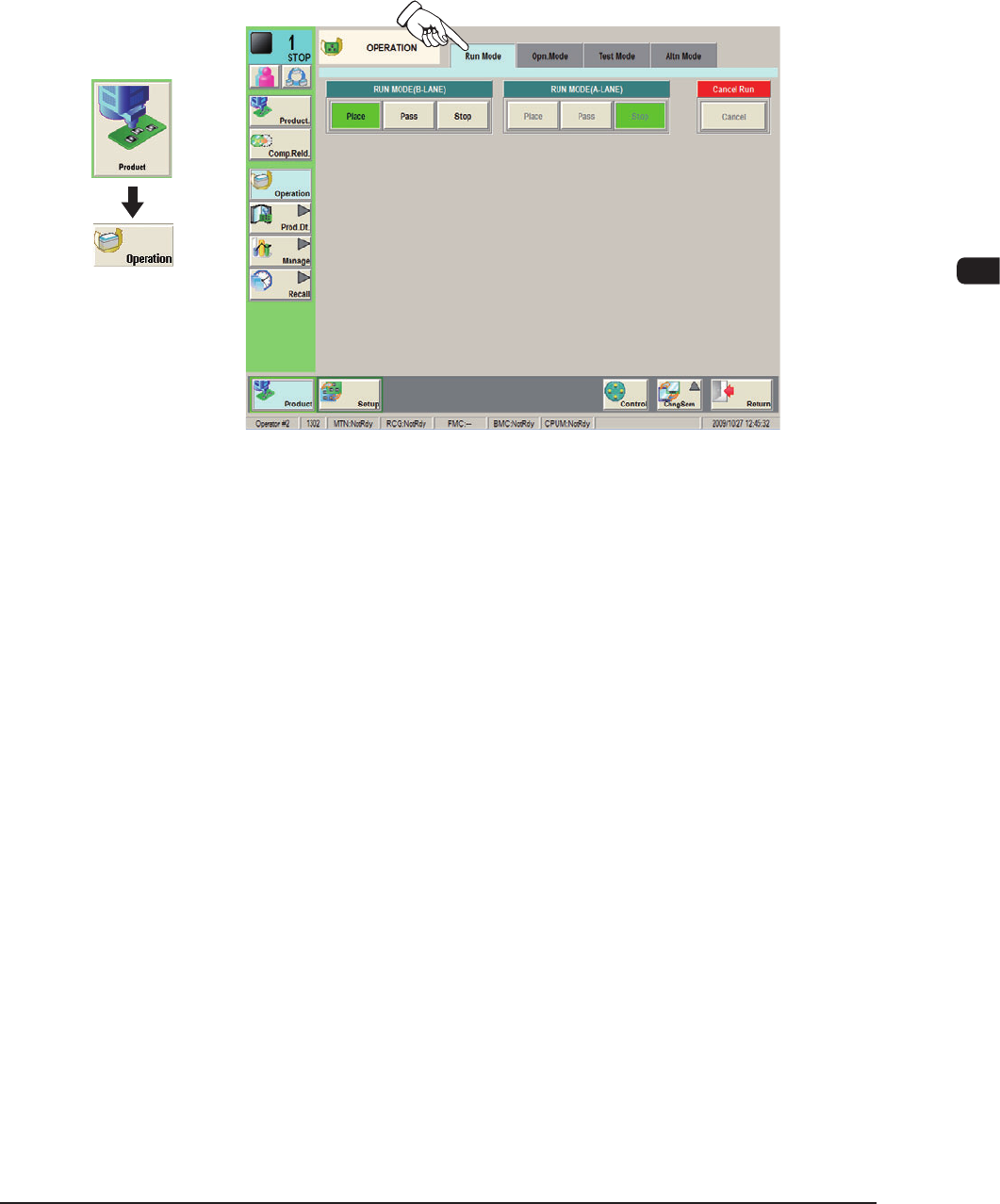
Set the "Run Mode" on the "Opn. Mode" tab sheet in the "OPERATION" window.
Normally, select "Place".
F1D3
Graphic
Development
1OM-1610
4-6
3. Program Change Operation : Chap.4
0911-001
3.2 Selection of Operation Mode
Procedure
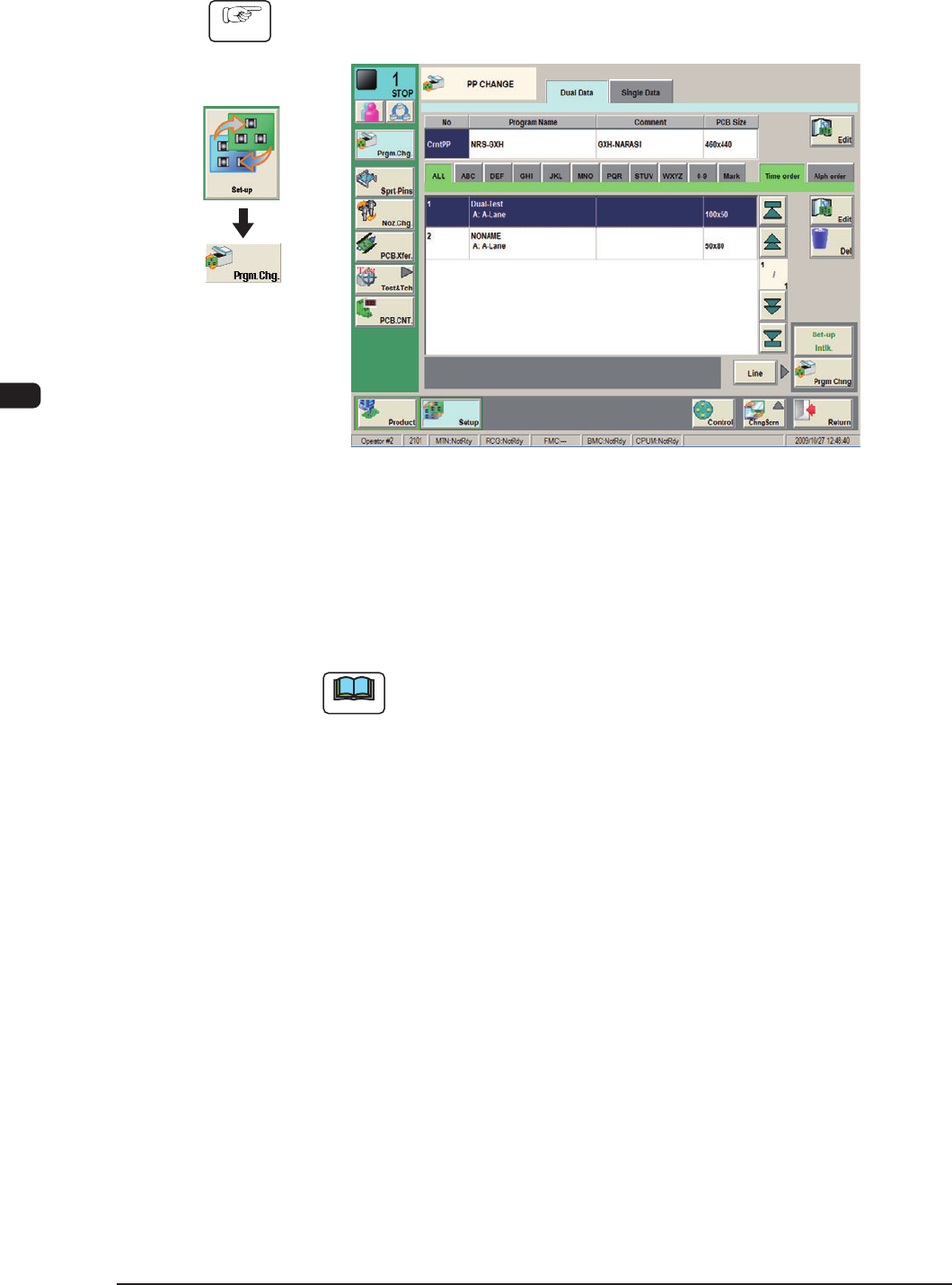
(1) Display the "PP CHANGE" window.
F1D4
(2) Select the program name to be specied as a current one (production model).
The corresponding pattern program is selected and the line turns blue.
(3) Press the [Prgm. Chng] button.
The current pattern program is changed to the selected one.
Note
If an error is found in the pattern program, the program change operation
is not executed.
In this case, correct the pattern program and perform the program change
operation again.
Graphic
Development