1OM-1626-001_w.pdf - 第72页
1OM-1610 2. Name and Function of Each Section : Chap.1 1-15 091 1-001 2.7 Operation Section The machine is equipped with touch screens and operation panels for machine operations. [EMERGENCY STOP] Switches Operation Pane…
1OM-1610
1-14
2. Name and Function of Each Section : Chap.1
0911-001
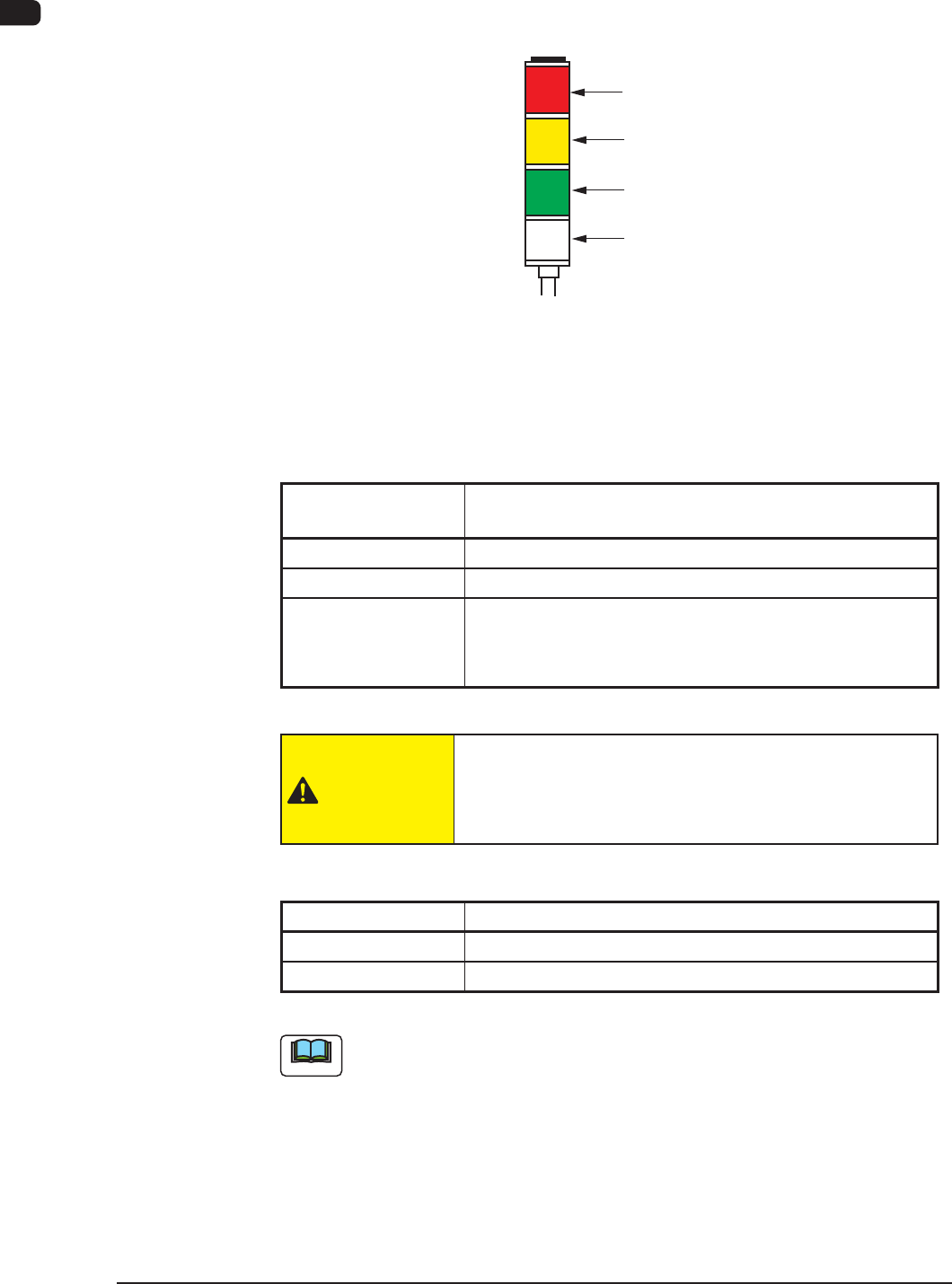
2.6 Light Tower
The light tower indicates the condition of the machine with the lamps and buzzer
sounds.
Red
Yellow
Green
Buzzer
Light Tower
F1A11
•
Lamp Colors (ON Mode)
The machine is factory-adjusted upon shipment.
Lamp Colors
(ON Mode)
Machine Condition
Red
Error (Operation Stopped)
Yellow
Component Shortage (Warning)
Green
Automatic Operation
When the machine is in the standby mode, this lamp
ickers.
T1A3
CAUTION
When the green lamp of the light tower is ON or
ickering(ONandOFF),itindicatesthatthestatic
machine is in the "Automatic" mode (standby mode).
•
Buzzer
Buzzer Machine Condition
Continuous Sound
Emergency Stop
Intermittent Sound
Error
T1A4
Note
The condition of the machine corresponding to the parameters specied for each
lamp color and buzzer sound can be changed in the "Machine Setup" window.
1OM-1610
2. Name and Function of Each Section : Chap.1
1-150911-001
2.7 Operation Section
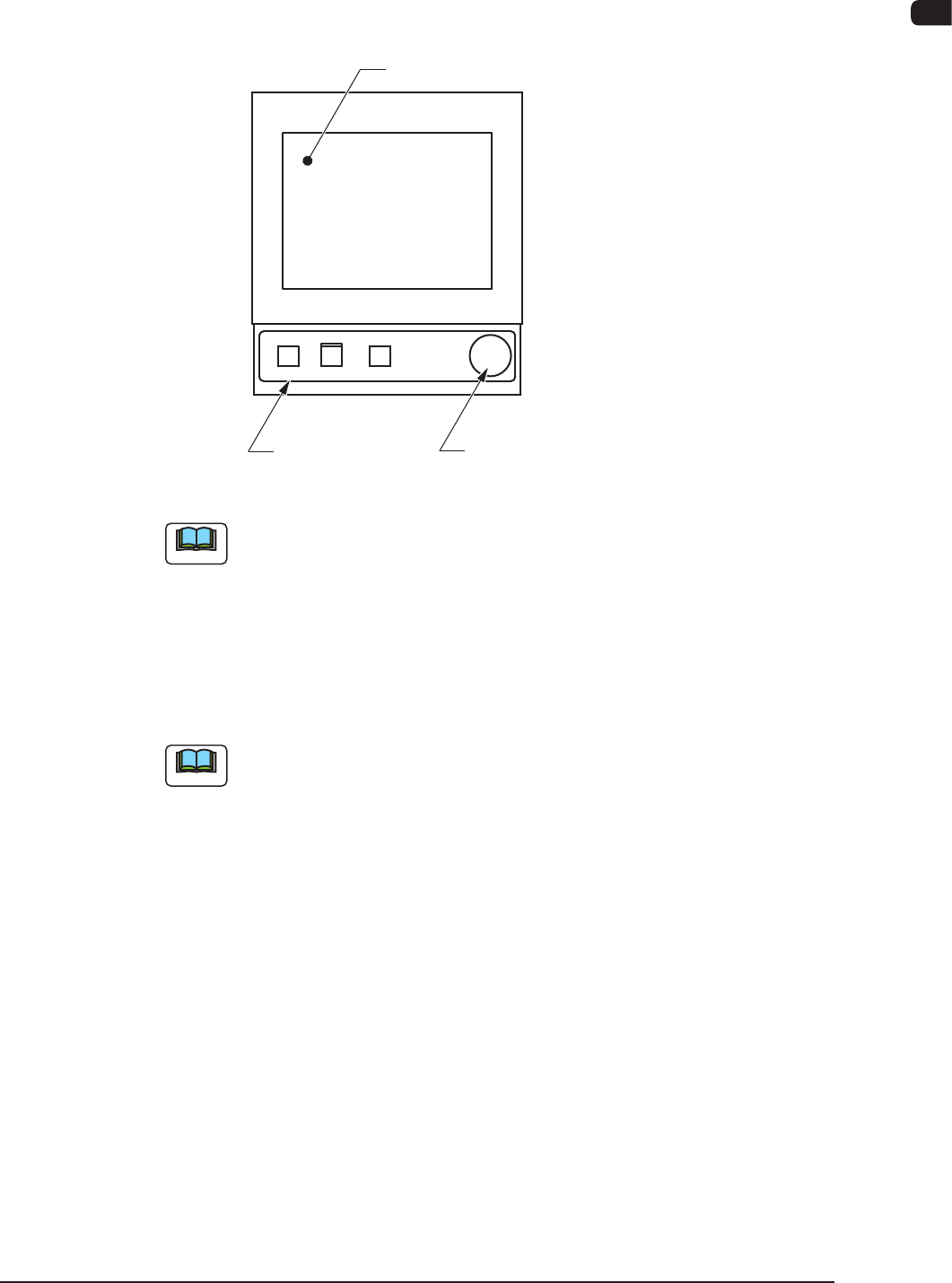
The machine is equipped with touch screens and operation panels for machine
operations.
[EMERGENCY STOP] SwitchesOperation Panels
Touch Screens
F1A12
Note
The keyboard and track ball are not attached, but they can be attached as
options.
2.7.1 Touch Screens
The windows for operations are displayed on the touch screens.
Various operations can be performed by nger-touching the buttons that appear
on the screen.
Note
Refer to "Short Appendix : Operation Panels and Touch Screens" for how to
handle the touch screens.
1OM-1610
1-16
2. Name and Function of Each Section : Chap.1
0911-001
2.7.2 Operation Panel
[1] [2] [3] [4]
F1A13
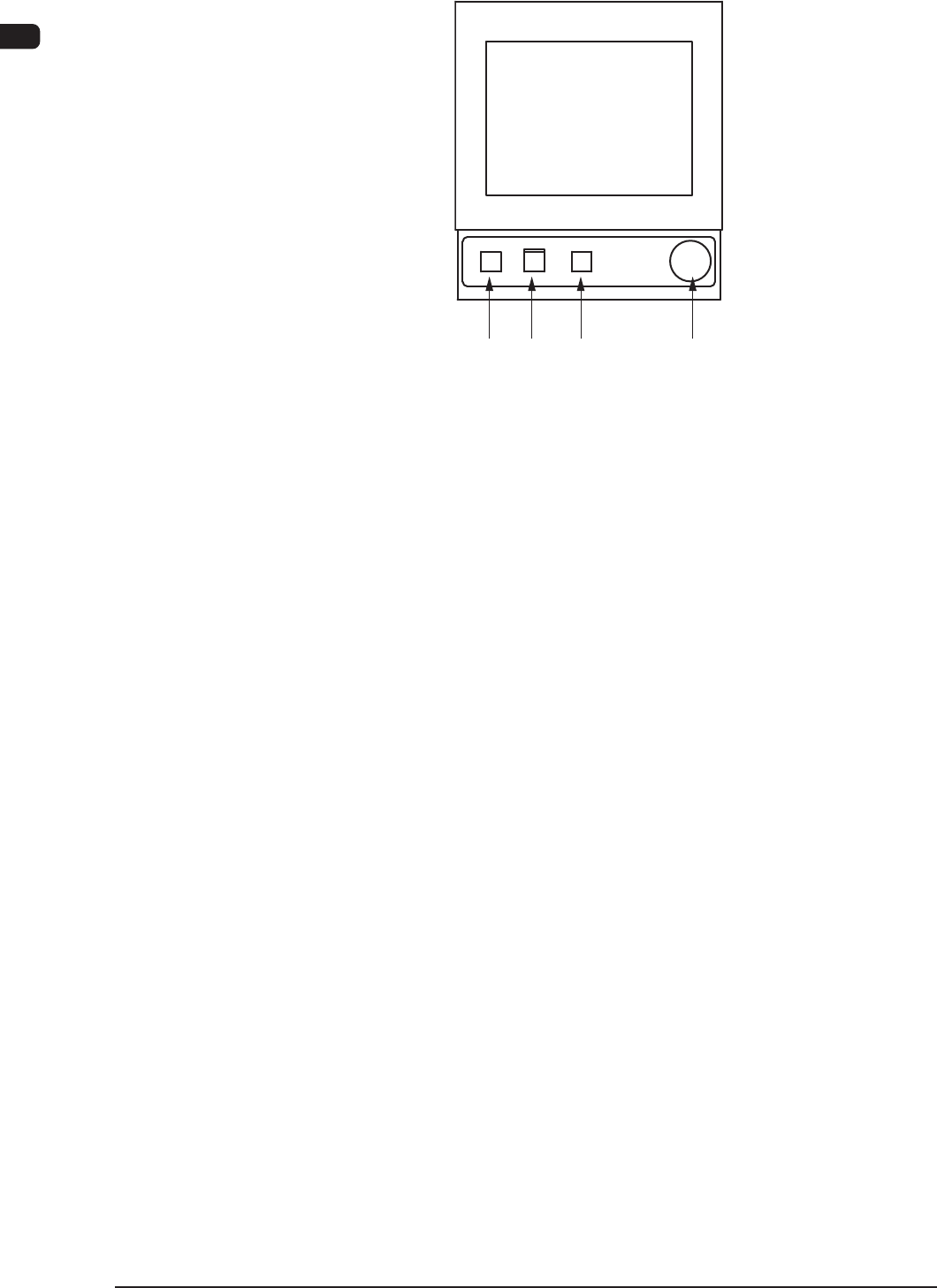
The following operation buttons and switches are arranged in the operation panel.
[1] [POWER ON] Button
Turning ON or OFF this button supplies or intercepts the power for
operations.
When the [POWER ON] button is pressed and the power for operations is
supplied, the LED of the [START] button ickers.
[2] [START] Button
When the [START] button is pressed while the lamp is ickering after the
machine is
powered, the automatic operation starts and the LED of the button
turns green.
While the LED is ON, it indicates that the automatic operation is being
performed.
When the [STOP] button is pressed during the automatic operation, the
automatic operation stops temporarily and the lamp of the [START] button
extinguishes.
While each device is being zeroed, the LED is kept ON.
[3] [STOP] Button
When this button is pressed, the machine stops running temporarily.
When the machine is running automatically, it stops temporarily after all the
picked components are placed.
When the [STOP] button is pressed during the zeroing operation, the zeroing
operation of each device is interrupted.
[4] [EMERGENCY STOP] Switch
Press this switch to immediately stop the machine in an emergency.
When this switch is pressed, the machine stops running immediately and the
[POWER ON] button on the operation panel illuminates in red.