1OM-1626-001_w.pdf - 第123页
1OM-1610 3-4 1. Automatic Operation : Chap.3 091 1-001 1.1.4 SafetyConrmationofMachineSurroundings Check the surroundings of the machine and conrm safety before starting the automatic operation. CAUTION Before sta…
1OM-1610
3-3
1. Automatic Operation : Chap.3
0911-001
1.1.3 ConrmationofCoverSection
DANGER
There are strong motorized and high-voltage areas
inside the machine. Special caution should be paid
not to touch them.
Doing otherwise will cause personal injury (serious
accident).
•
Onlyqualiedmaintenancepersonnelshould
detach the covers.
•
The machine should be operated with the covers
being attached.
•
If a cover is detached, be sure to reattach it.
•
Be sure to close the transparent covers (door type)
before operating the machine.
•
Do not disengage the interlock mechanism of the
transparent covers (door type).
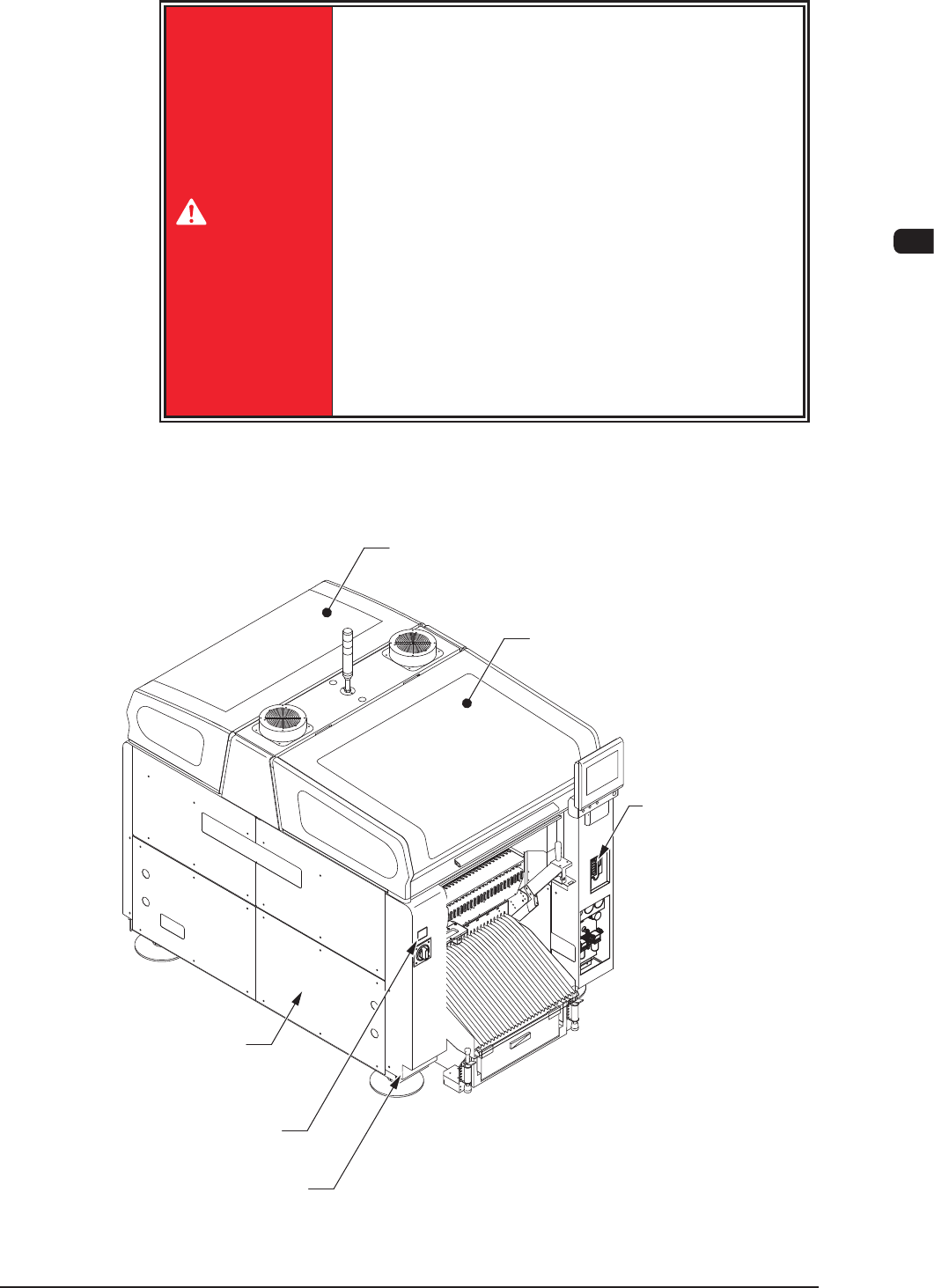
Conrm that the transparent covers above the beams, the safety covers around the
frame, the trans carent covers in the electrical parts storage sections (located under
both ends of and the conveyors) are closed.
Transparent Covers
(Door Type, located over the beams)
Transparent Covers
(Door Type, located over
the beams)
Safety Cover
(locatd around frame)
Safety Cover
(locatd around frame)
Front Side of Machine
Storage Cover of Electrical
Part Storage Box
(located on the lower area
of both conveyor ends)
Cover Lock Switch
(Stage Ready Switch)
F1C3

1OM-1610
3-4
1. Automatic Operation : Chap.3
0911-001
1.1.4 SafetyConrmationofMachineSurroundings
Check the surroundings of the machine and conrm safety before starting the
automatic operation.
CAUTION
Before starting the automatic operation, check
carefully that there is no person around the machine
(especially on the other side of the machine
operation).
Make sure that no objects (tools, parts, etc.) are left
behind.
1OM-1610
3-5
1. Automatic Operation : Chap.3
0911-001
1.2 Preparation before Automatic Operation
1.2.1 Power ON
Procedure
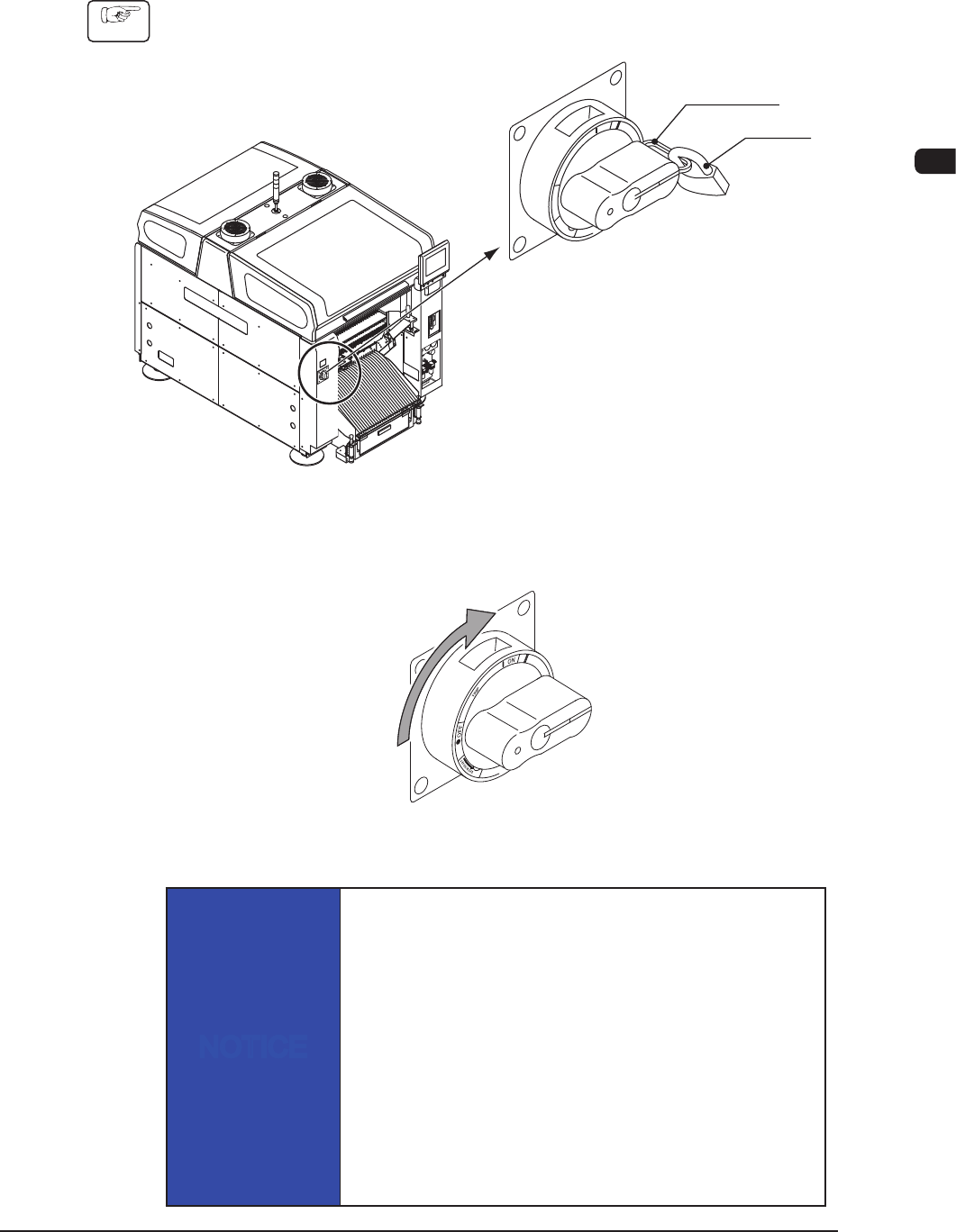
(1) Remove the padlock from the lock lever of the power breaker located on the
front side of the machine.
Lock Lever
Padlock
Power Breaker
F1C4
(2) Set the power breaker to "ON".
(Power is supplied to the machine.)
Power Supply
F1C5
NOTICE
When the power must be supplied again, wait for
approximately
10 seconds after the power breaker is set to "OFF",
then set the
breaker to "ON".
If the power breaker is set to "ON" soon after being set to
"OFF", the
data collected before the power is turned off will not be
reset, causing
the machine to malfunction occasionally.