1OM-1626-001_w.pdf - 第163页
1OM-1610 4-6 3. Program Change Operation : Chap.4 091 1-001 3.2 Selection of Operation Mode Procedure (1) Display the "PP CHANGE" window . F1D4 (2) Select the program name to be specied as a current one (produ…
1OM-1610
4-5
3. Program Change Operation : Chap.4
0911-001
3. Program Change Operation
3.1 Selection of Run Mode
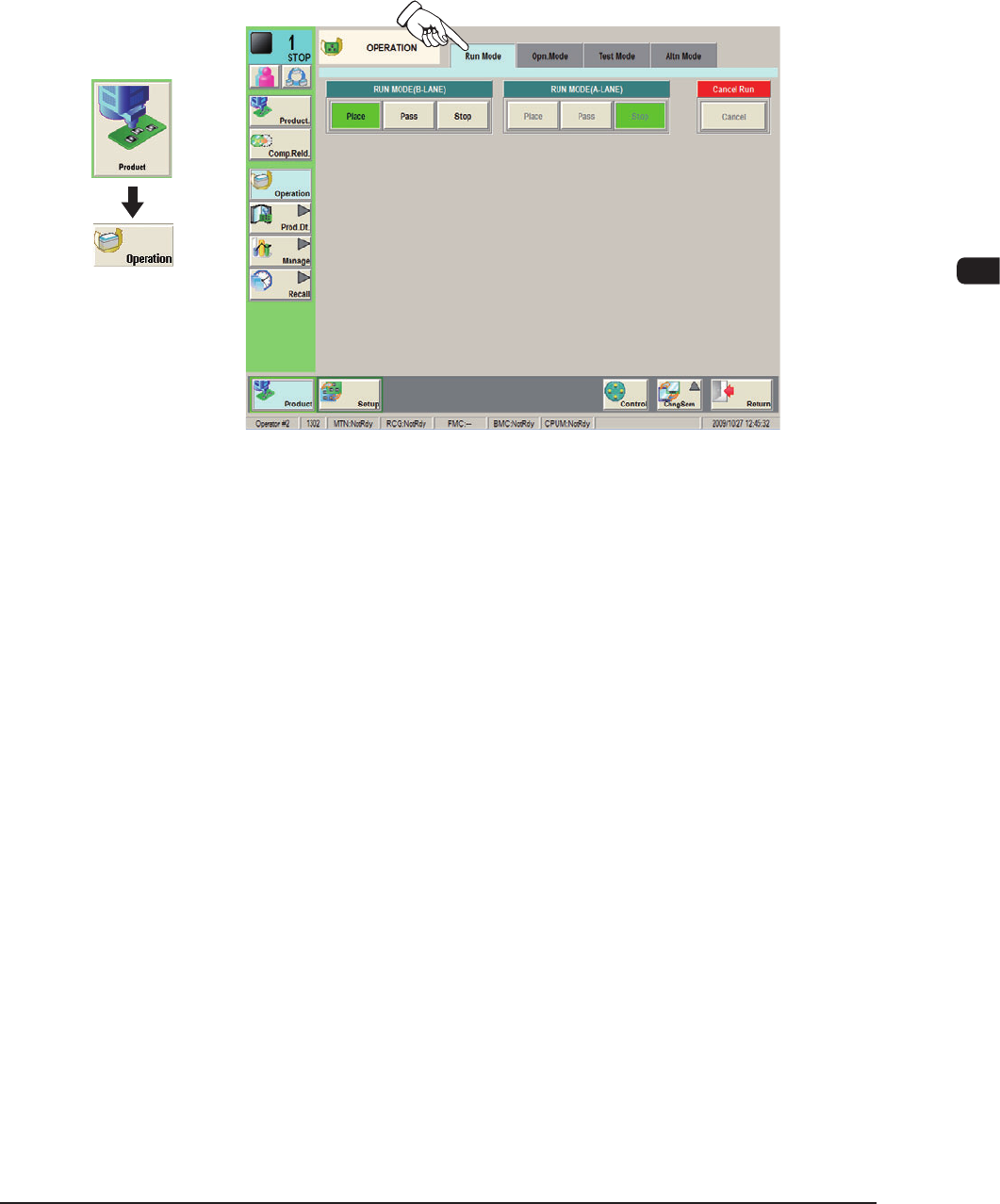
Set the "Run Mode" on the "Opn. Mode" tab sheet in the "OPERATION" window.
Normally, select "Place".
F1D3
Graphic
Development
1OM-1610
4-6
3. Program Change Operation : Chap.4
0911-001
3.2 Selection of Operation Mode
Procedure
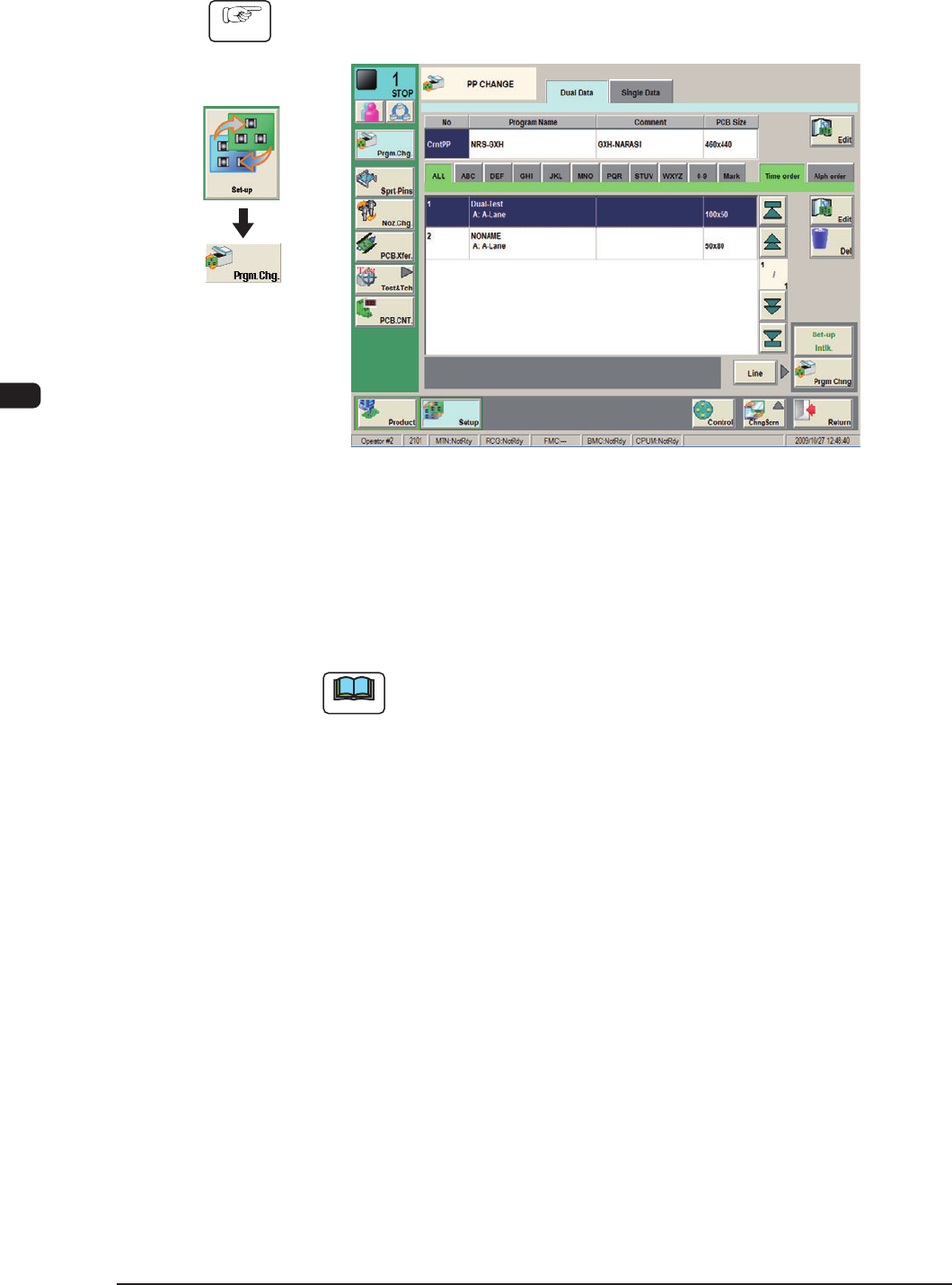
(1) Display the "PP CHANGE" window.
F1D4
(2) Select the program name to be specied as a current one (production model).
The corresponding pattern program is selected and the line turns blue.
(3) Press the [Prgm. Chng] button.
The current pattern program is changed to the selected one.
Note
If an error is found in the pattern program, the program change operation
is not executed.
In this case, correct the pattern program and perform the program change
operation again.
Graphic
Development
1OM-1610
4-7
3. Program Change Operation : Chap.4
0911-001
3.3 Setups for PCB Support Pins and Conveyor Width
If the conveyor width is not correctly set, the PCBs cannot be transferred.
Note
Before starting the setup work, compare the status of PCBs (size, thickness,
existence of components placed previously on the back of PCB, etc.) to be
handled in the previous pattern program (the production model before the
program change operation) with that of PCBs to be handled after the program
change operation. After conrming the difference, determine whether or not the
conveyor width and PCB support pins should be set up.
3.3.1 Collection of PCB Support Pins and Setup Operation of Conveyor
Width
Procedure
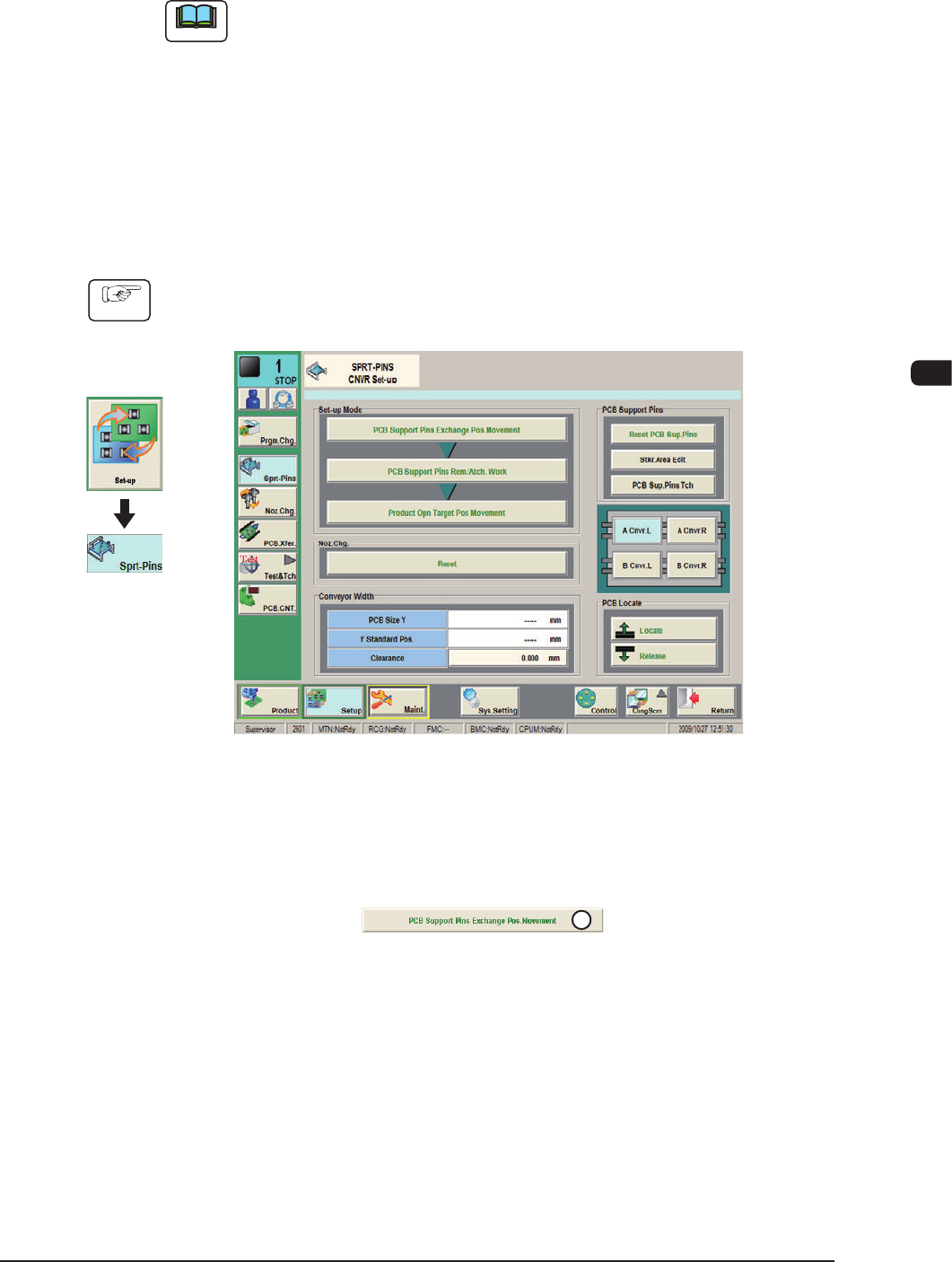
(1) Display the "SPRT-PINS CNVR Set-up" window using the following icon
procedure.
F1D5
(2) Press the [PCB Support Pins Exchange Pos. Movement] button.
After that, press the [START] button on the operation panel in 10 sec.
(The machine retracts the head and maximizes the conveyor width.)
1
F1D6
Graphic
Development