1OM-1626-001_w.pdf - 第186页
1OM-1610 5-5 1. Specications : Chap.5 091 1-001 Item Description 10. Conditions of PCB before Placement (Regulation of Component Height) Dual Mode Single Mode Height of Previ ously-Pl aced Component Upper Surface 12.7 m…
1OM-1610
5-4
1. Specications : Chap.5
0911-001
Item Description
Example :
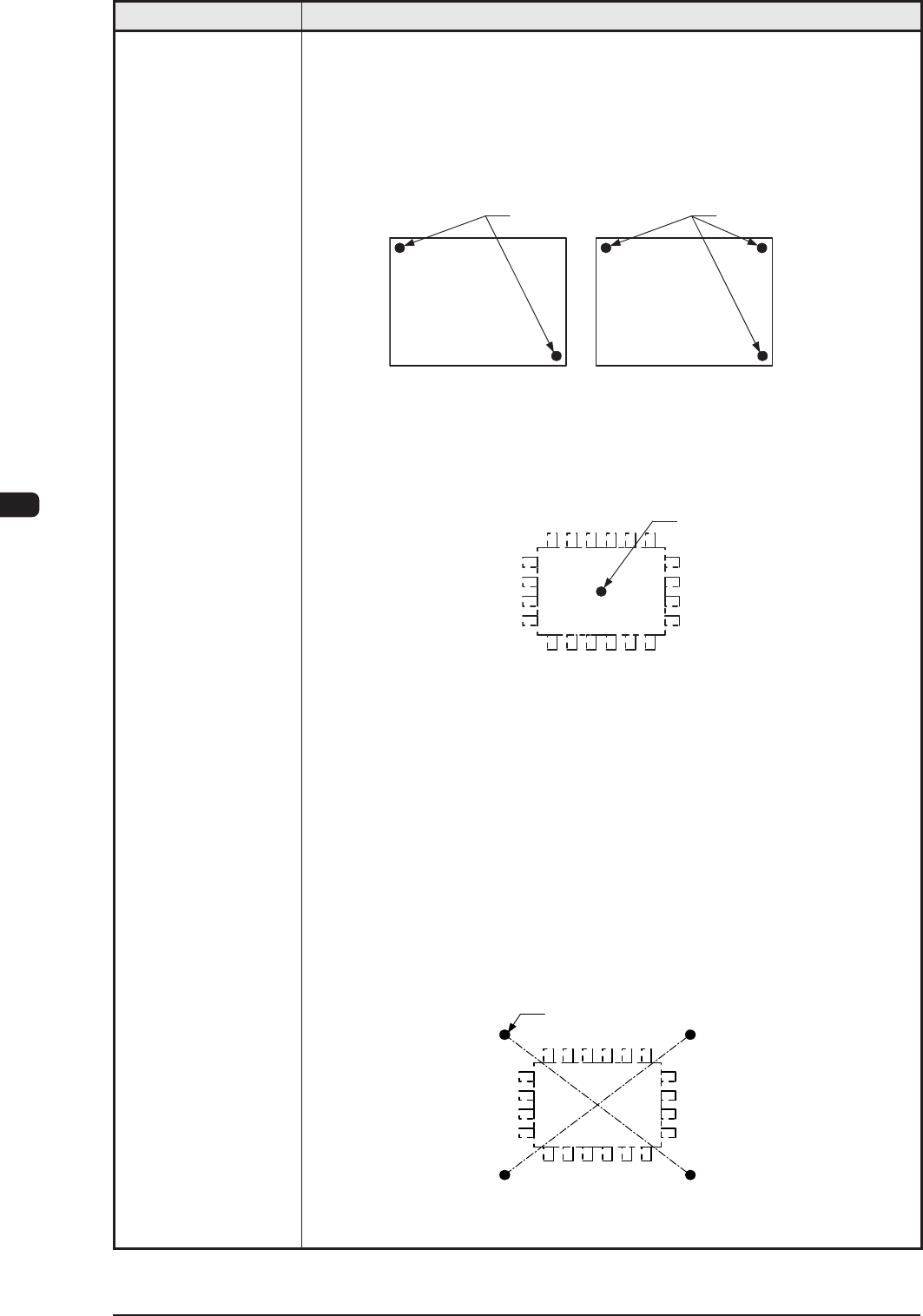
To correct the positional deviation covering the whole area of PCB (PCB
Overall Correction)
To improve recognition accuracy, put ducial marks diagonally on two
places of PCB when the 2-point recognition mode is selected. In the case of
3-point recognition mode, put two ducial marks diagonally and one ducial
mark close to one of the remaining corners.
PCB
Fiducial Mark
PCB
Fiducial Mark
Example 1 : To correct the positional deviation of component placement
points (1-point recognition)
Put a ducial mark on the center of component placement point
or a desired point around the center.
Recommended Position : Center of Component Placement Point
Fiducial Mark
Example 2 : To correct the component placement point
(2-point recognition)
Put ducial marks on the desired two points around the center of
component placement point.
Recommended Position
:
Point Symmetry
It is recommended that two points
(ducial marks) should be located
symmetrically on both sides of the
center of the placement position.
(A-A'/B-B')
•
These ducial marks are used to correct the component position and the
theta (angle).
The 2-point recognition is effective to correct deviated and distorted part
of the printing patterns.
Fiducial Mark
A
A'B
B'
T1E1-4
1OM-1610
5-5
1. Specications : Chap.5
0911-001
Item Description
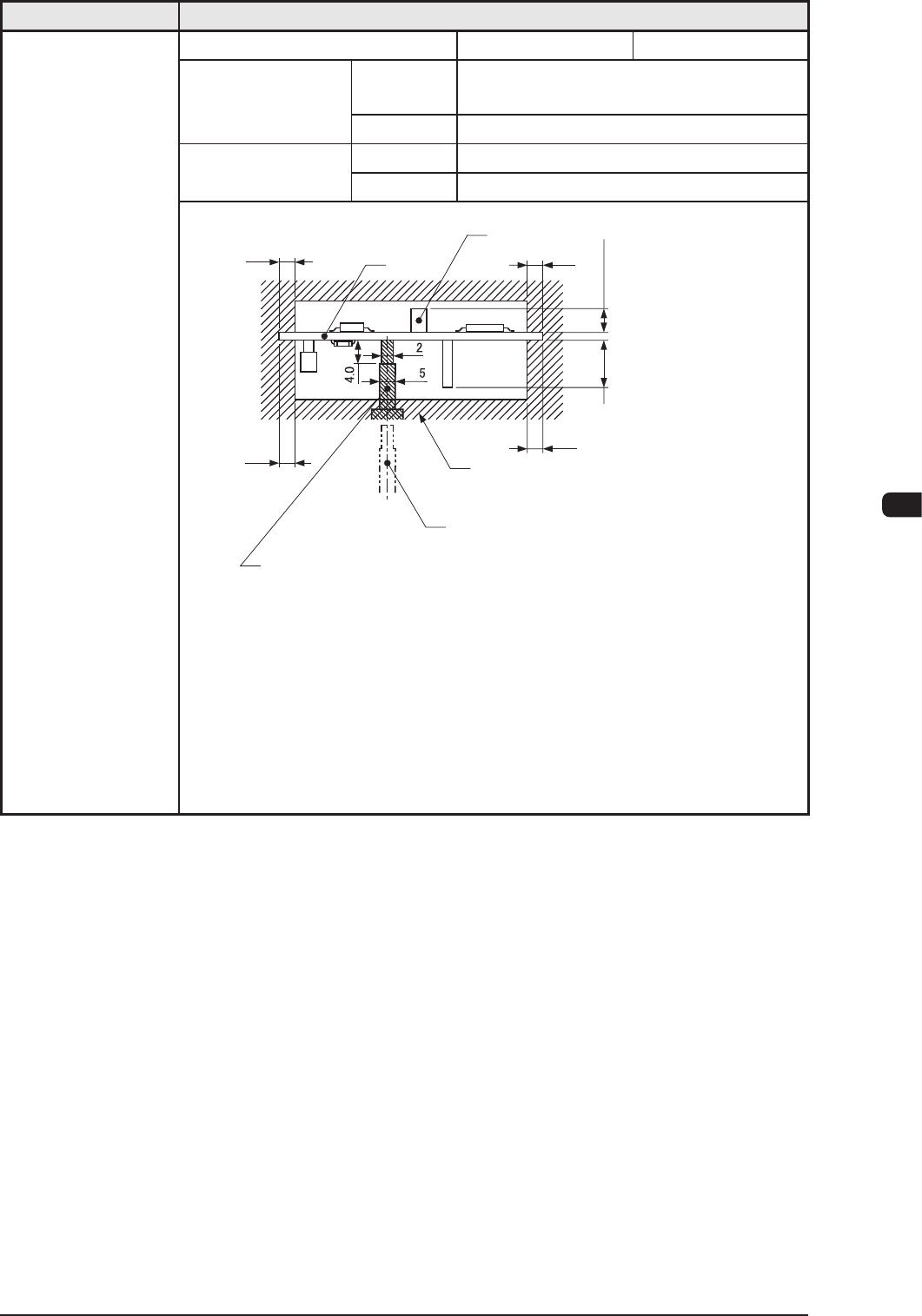
10. Conditions of
PCB before
Placement
(Regulation
of Component
Height)
Dual Mode Single Mode
Height of
Previously-Placed
Component
Upper Surface
12.7 mm / High-Speed Head
25.4 mm / Multifunctions Head
Lower Surface
30 mm
Dead Space
Upper Surface
3.0 mm
Lower Surface
3.0 mm
3.0
3.0
φ
φ
3.0
3.0
PCB
Component
(Front Side of Machine)
Previously-placed
Components Unallowed
Range
PCB Support Pin (At this position
when PCB is transfered.)
PCB Support Pin (Several Places)
Max. 30.0
When the High-Speed
Head is used:
Max. 12.7
When the Multi-Functional
Head is used:
Max. 25.4
Unit : mm
Notes
: (a) PCB support pin position can be moved "10mm" by "10mm" .
(b) Set the PCB support pin on the position where it does not touch
the already placed component.
(c) The gure shows that the PCB is being supported.
(d) The dimensions are those for design reference.
Leave some room for the actual setting.
T1E1-5
1OM-1610
5-6
1. Specications : Chap.5
0911-001
Item Description
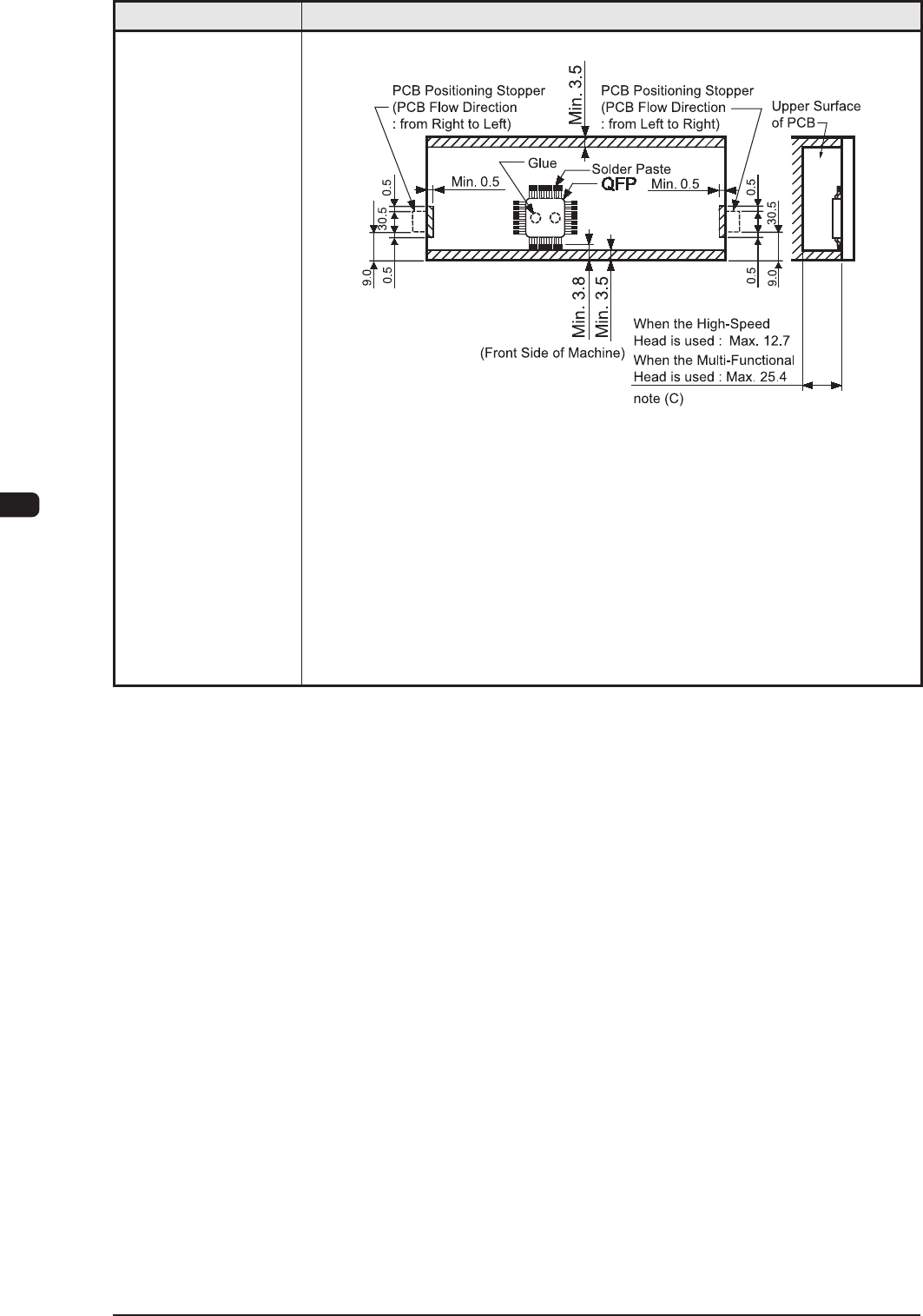
11. Component
Placeable Range
Unit : mm
Notes :
(a) The above gure shows that the vacuum nozzles are not
protruding from the outer shapes of components.
(b) Comp
onents cannot be placed in the shadowed area.
Components cannot be placed in the range (0.5 mm) around the
opening such as a hole.
(c)
This size is the max. possible placement height including the
placed component height from the PCB.
T1E1-6