1OM-1626-001_w.pdf - 第146页
1OM-1610 3-27 4. Stop, Interruption, and Restart of Operation : Chap.3 4.3 Resumption of Production through W arm Start Procedure Through the warm start procedure, the machine can be started to resume the production from…
1OM-1610
3-26
4. Stop, Interruption, and Restart of Operation : Chap.3
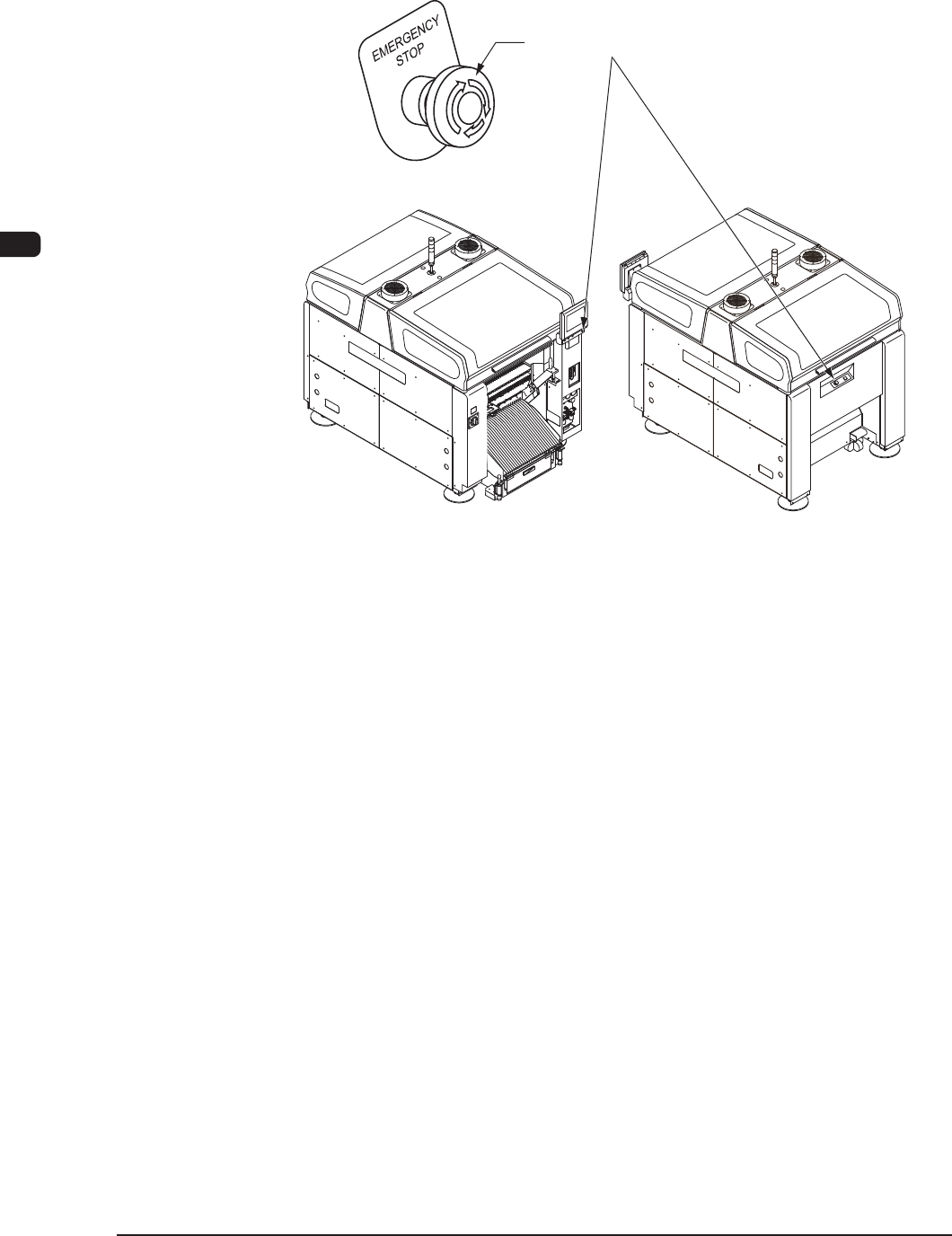
4.2.2 Interruption with [EMERGENCY STOP] Switch
To stop the machine immediately in an emergency, press the [EMERGENCY
STOP] switch.
[EMERGENCY STOP] Switches
F1C23
An alarm is issued and the [POWER ON] button illuminates in red.
0911-001
1OM-1610
3-27
4. Stop, Interruption, and Restart of Operation : Chap.3
4.3 Resumption of Production through Warm Start Procedure
Through the warm start procedure, the machine can be started to resume the
production from the step in which the machine has stopped, that is, no defective
PCB will be produced.
Notice
When the warm start sequence is interrupted, some components may
not be placed on the PCB currently in the course of the production. It is
advisable that the production should be started through the warm start
procedure.
Procedure
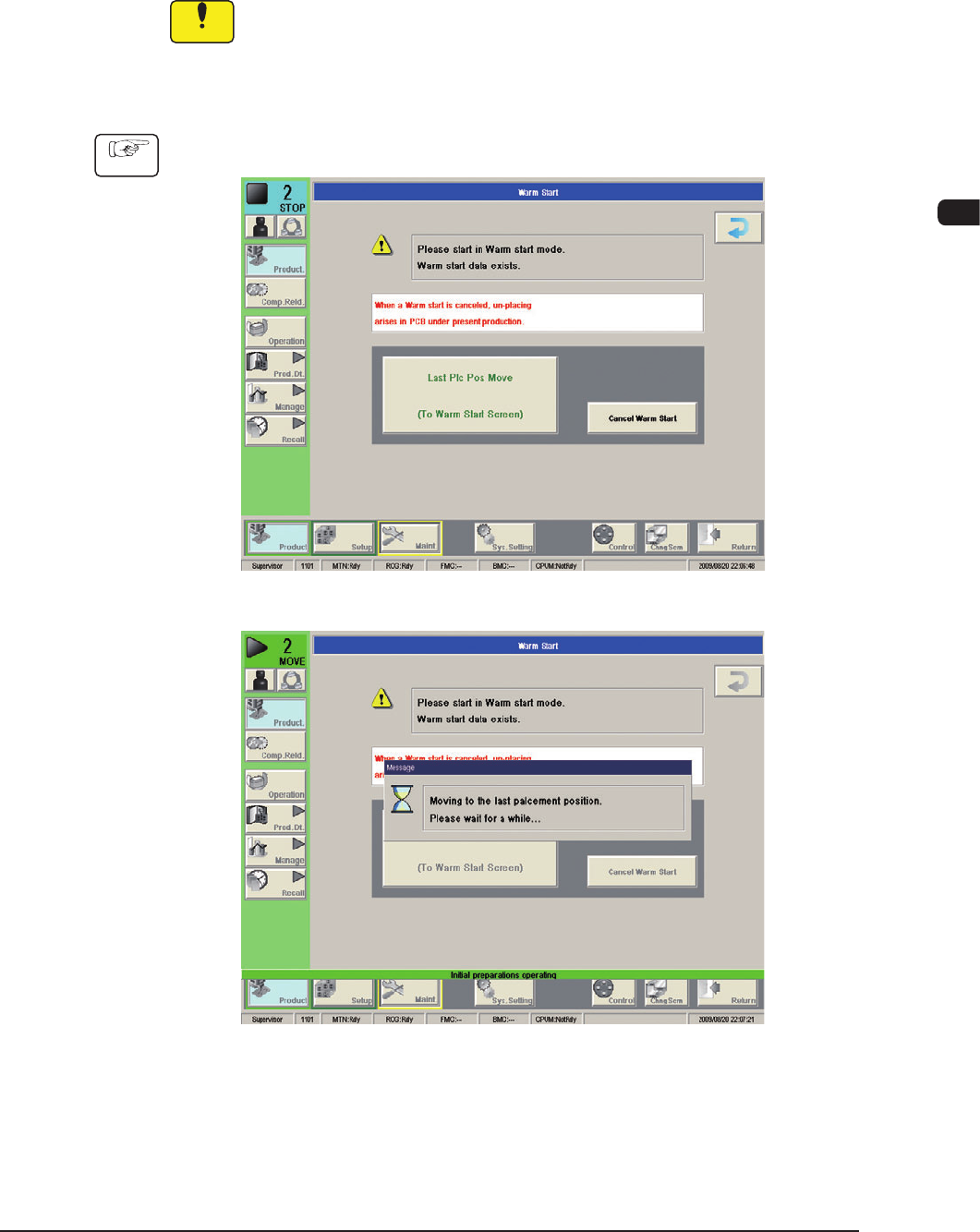
(1) Press the [Last Component Placement Position Move/Check] button.
F1C24
F1C25
0911-001
1OM-1610
3-28
4. Stop, Interruption, and Restart of Operation : Chap.3
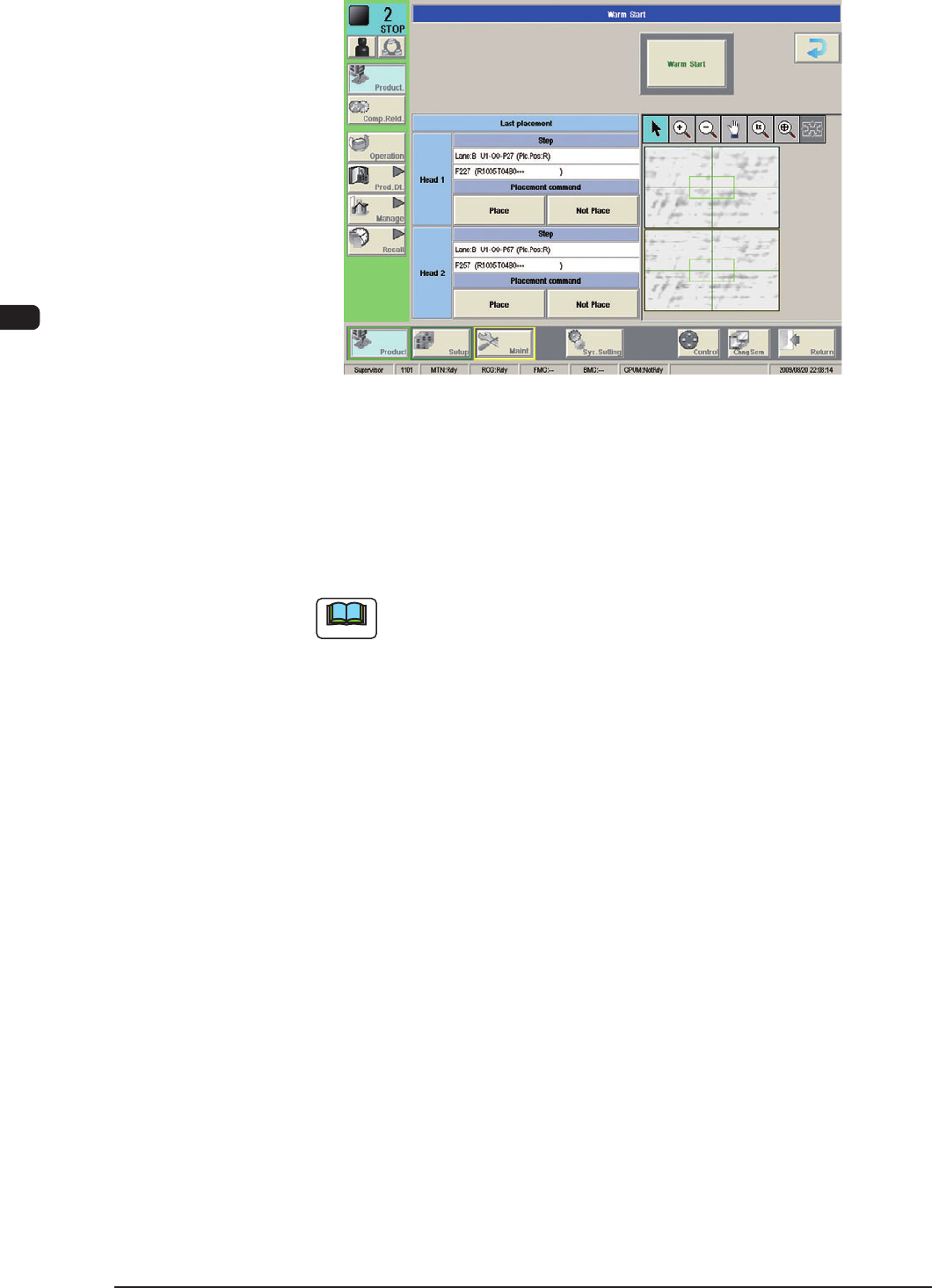
(2) Check if the last component (component placed last) on each head is placed.
F1C26
(3) Select one of the buttons entitled "Placement command".
Select the [Not Place] button when components are placed on the PCB.
When no components are placed, select the [Place] button.
(4) Press the [Warm Start] button to start the warm start sequence.
Note
If there is a head for which no button under "Placement command" is
selected, the warm start sequence cannot be started.
(5) As for the PCB produced through "Warm Start" sequence, be sure to conrm
that all components are correctly placed.
0911-001