1OM-1626-001_w.pdf - 第149页
1OM-1610 3-30 4. Stop, Interruption, and Restart of Operation : Chap.3 (2) Press the [Placement Position Movement] button. The "Placement Position" window will be displayed. F1C29 091 1-001
1OM-1610
3-29
4. Stop, Interruption, and Restart of Operation : Chap.3
4.4 Restart of Automatic Operation with Placement Step
Recovery Function
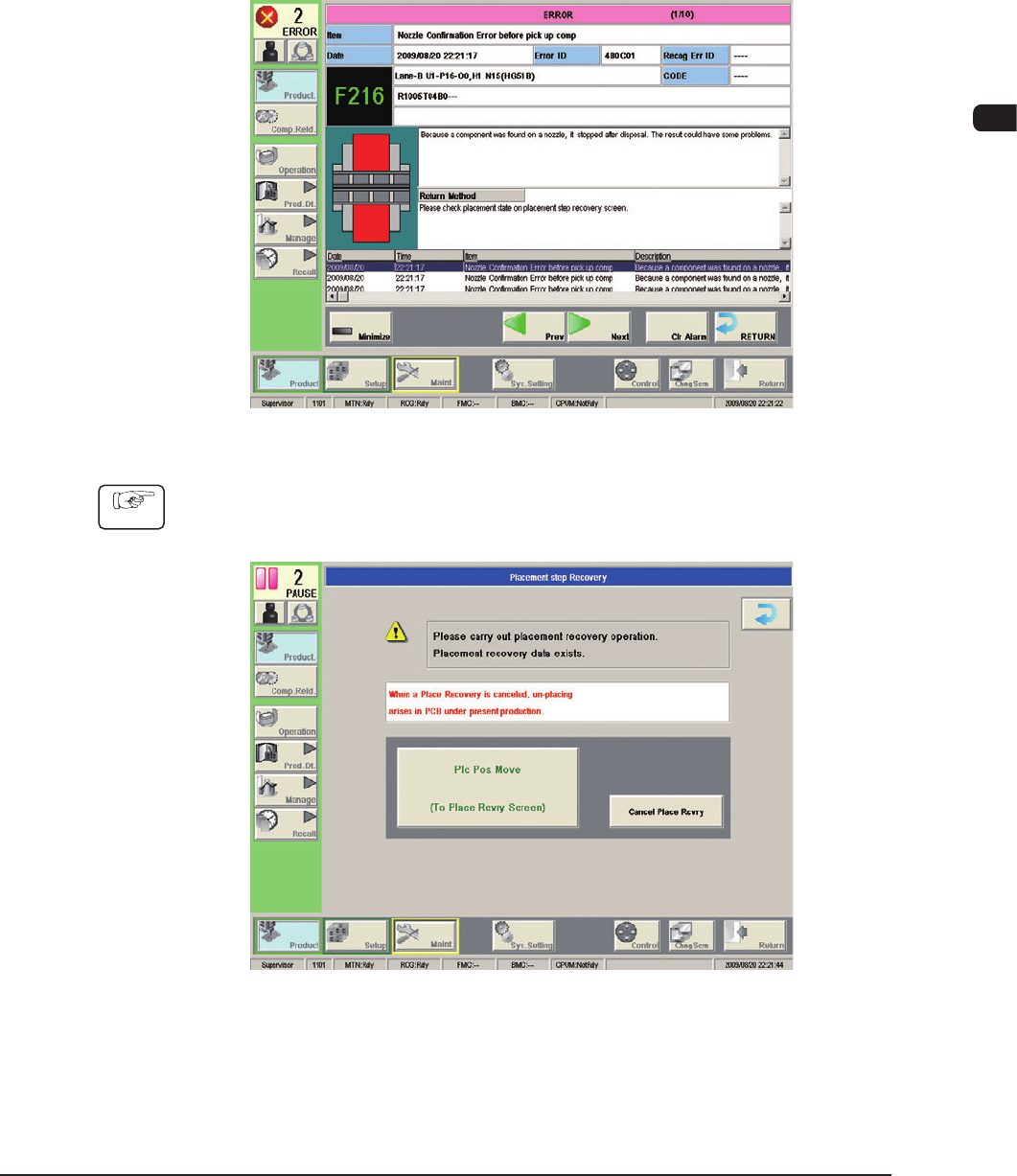
When the nozzle conrmation function is used and a foreign substance or a
component is detected in the nozzle point before component pickup,
an "ERROR" window appears, issuing a message "Nozzle Conrmation Error
before pick up comp" and making it possible to perform a placement recovery
operation.
F1C27
Procedure
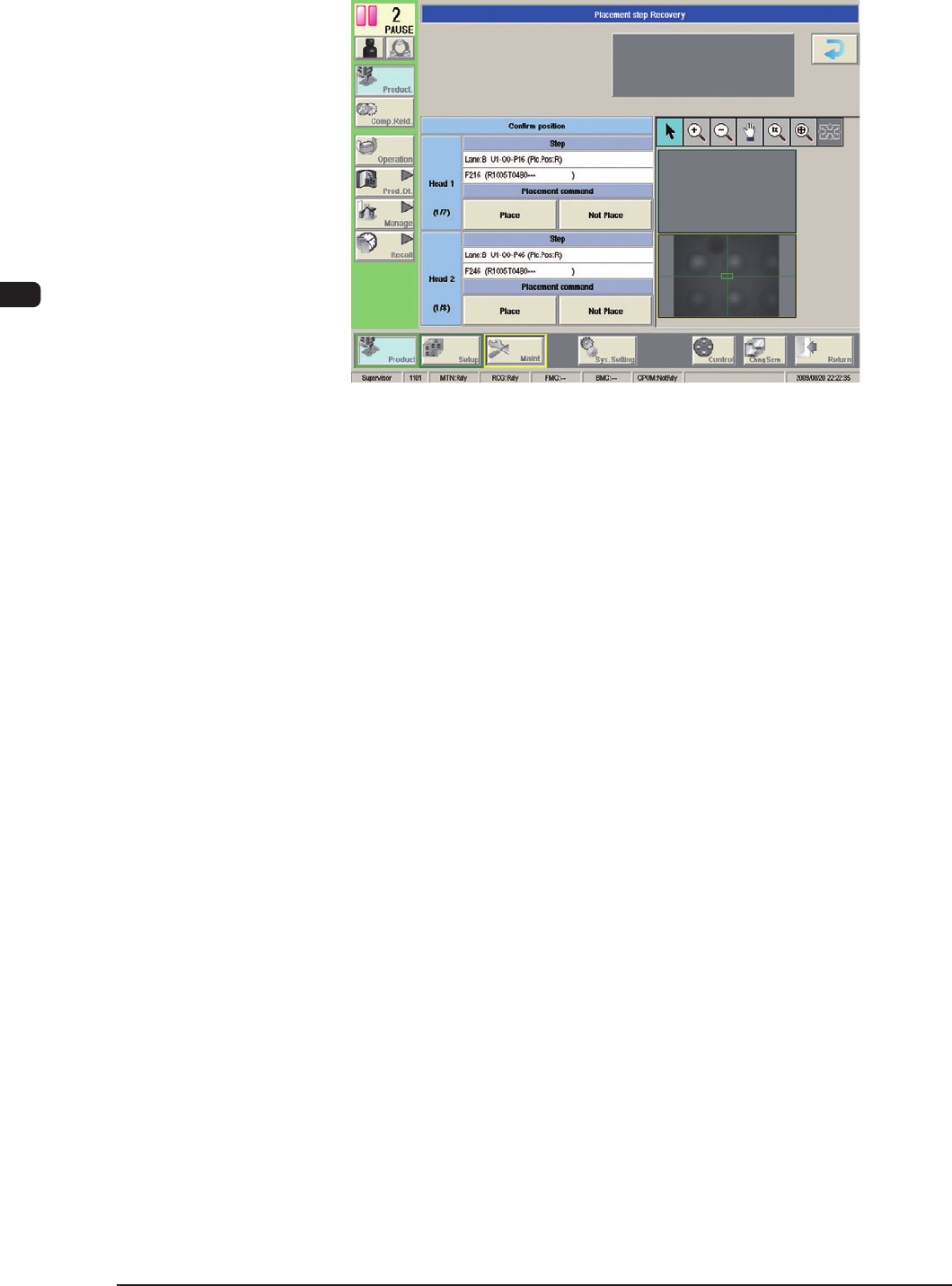
(1) Press the [RETURN] button.
The "Placement step Recovery" window will be displayed.
F1C28
0911-001
1OM-1610
3-30
4. Stop, Interruption, and Restart of Operation : Chap.3
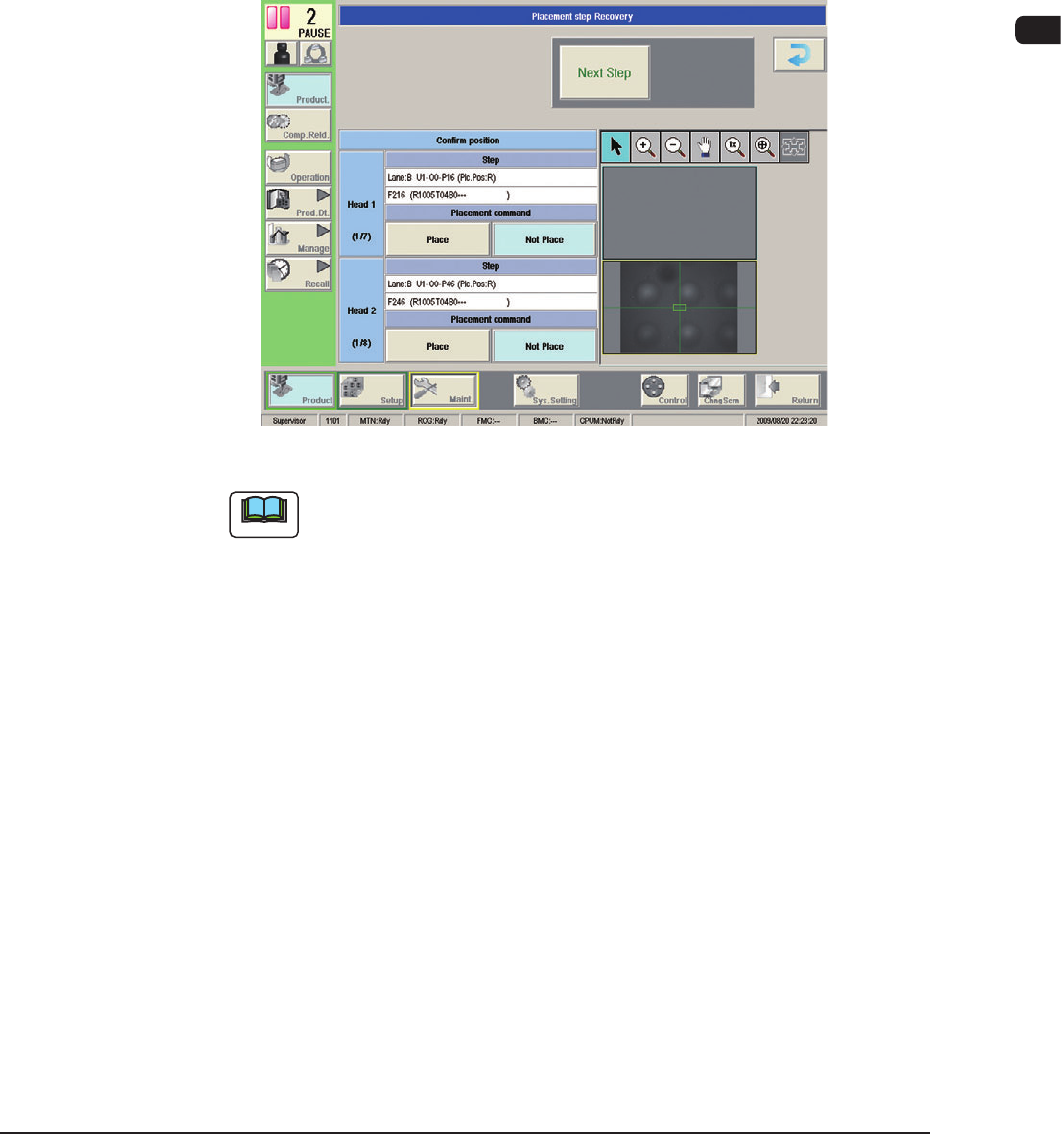
(2) Press the [Placement Position Movement] button.
The "Placement Position" window will be displayed.
F1C29
0911-001
1OM-1610
3-31
4. Stop, Interruption, and Restart of Operation : Chap.3
(3) When the component is placed on the PCB, select the [Place Check OK]
button. Otherwise, select the [Place 1 Part Comp] button.
•
When the [Place Check OK] button is pressed, "Check OK" appears in the
"Status" eld of the "Placement step Recovery" window.
•
When the [START]
button on the operation panel is pressed in ten seconds
after the [Place 1 Part Comp] button, the machine discards the component
and performs a one-component placement operation. "Placing" appears
in the "Status" eld. After the component is placed, "Under Placement"
appears. Follow Steps (2), and (3) to recheck how the component is
placed.
F1C30
Note
(a) When an error occurs during the component placement, an "ERROR"
window appears.
Check the contents in the "ERROR" window and remove the cause
of the error. After that, perform a placement step recovery operation
again.
(b) To open the "Placement step Recovery" window again after
the "AUTO OPN" window (the window that appears after the
[PRODUCT] button is pressed), follow the steps below.
•
Press the [Placement Recovery] button in the "Run Mode" window.
(Operation Sequence: [AUTO OPN] Button → [OPERATION]
Button → [Run Mode] Button)
•
When "RECOVERY START ENABLE" is displayed in the
"Operator Message" eld, press the [START] button on the
operation panel.
0911-001