1OM-1626-001_w.pdf - 第99页
1OM-1610 091 1-001 2-B

1OM-1610
0911-001 2-A
Chapter 2
Operation Windows
In this chapter, the basic items necessary to operate the machine, such
as the system start-up and shut-down procedures, operation window
configuration, operation environments and main menu bar, etc., are
described.
It is recommended that the person who operates this machine has learned the basic
operation procedures of the Windows. There are many guidebooks to Windows. It
is recommended that operators familiarize themselves with the proper procedures.
1. Starting
2. Operation Screen
3. Entry of Each Paramenter
4. Exiting from the System Program
Chapter 2 Operation Windows

1OM-1610
0911-001 2-B
1OM-1610
2-1
1. Starting : Chap.2
0911-001
1. Starting
Conrm that the machine is powered. After the con rmation, hold down the
[POWER ON] button for more than 1 second.
The [POWER ON] button illuminates in red, the system program starts, and the
machine executes the self-diagnostics program.
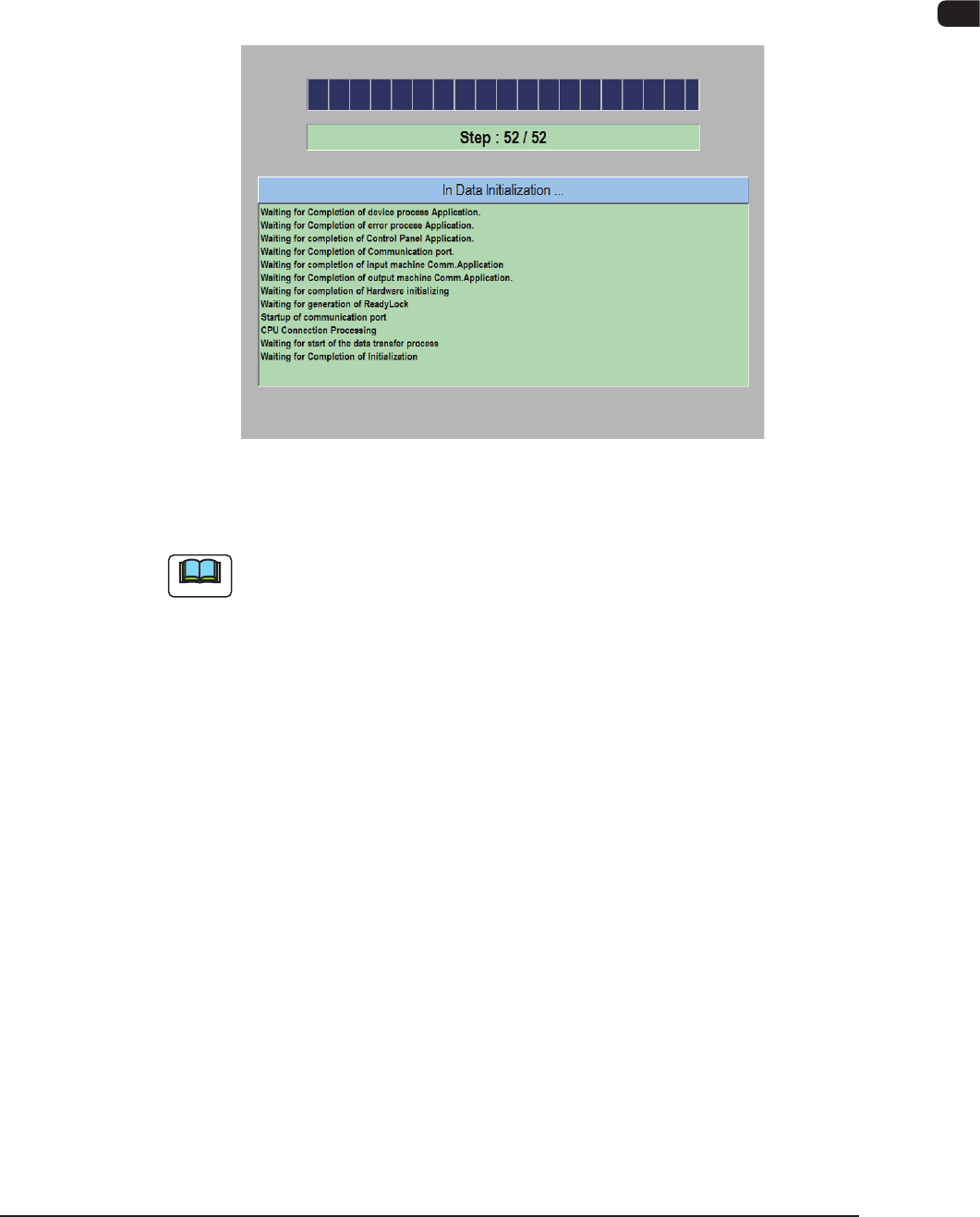
Self -Diagnostics (Data Initializing...) Window
F1B1
Note
It takes about 2 to 3 minutes for the machine to make a self-diagnostics.
Please wait until another window appears.