1OM-1626-001_w.pdf - 第154页
1OM-1610 3-35 5. Running-In Operation : Chap.3 (5) Press the [MODE SET] button. The "MODE SET" window opens. 1 Select the pattern 3 Determine the pattern 2 Select the operation F1C34 (6) Select one of the patte…
1OM-1610
3-34
5. Running-In Operation : Chap.3
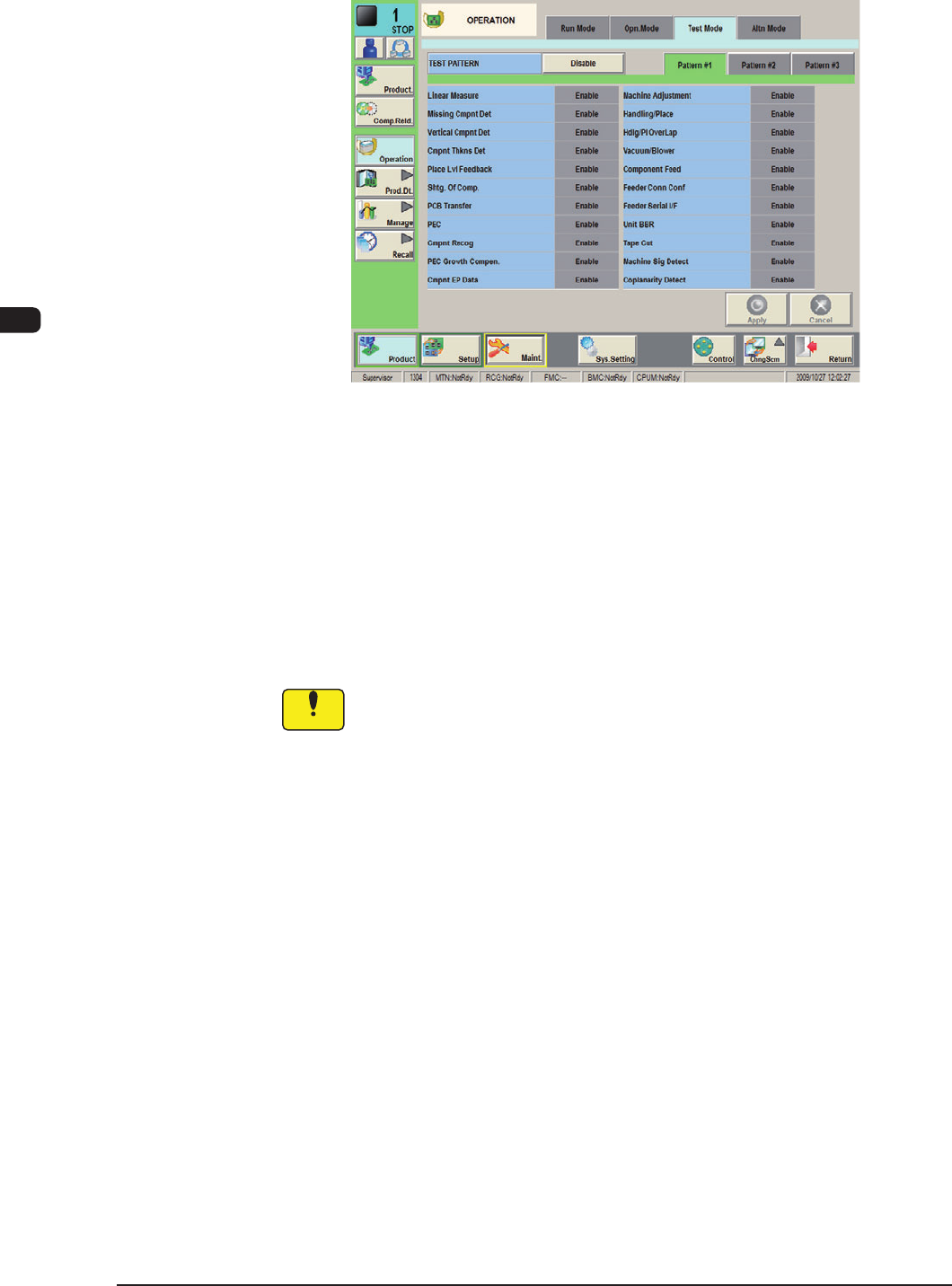
(2) Display the "Test Mode" tab sheet by pressing the [Test Mode] tab on the
"OPERATION" window.
F1C33
(3) Press one of the pattern buttons for a test run on running-in operation.
(Example: [Pattem #3] Button)
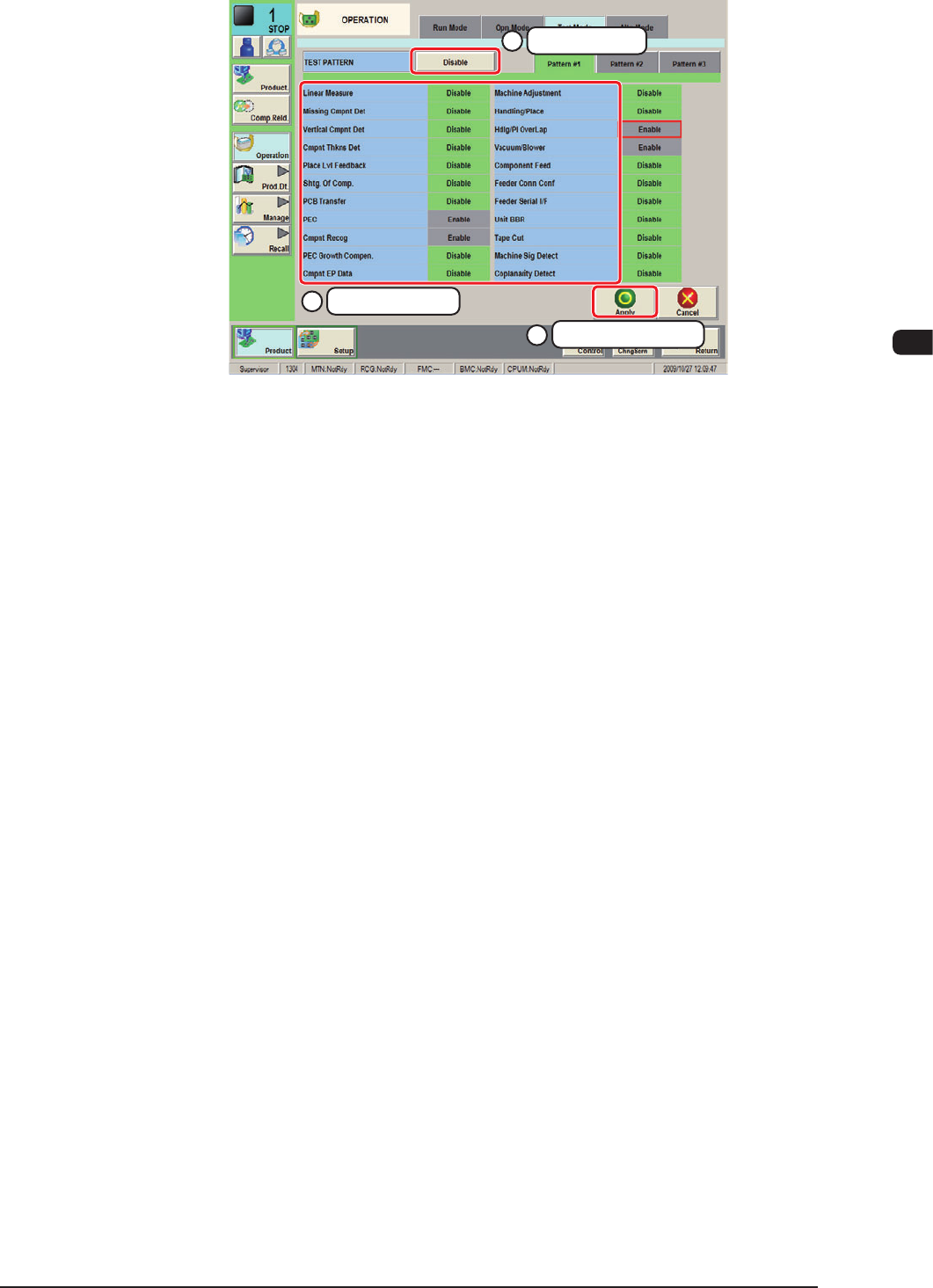
(4) Specify the test mode for the running-in operation by selecting the options
(located under the pattern selection buttons) and press the [Apply] button.
The specied test pattern is applied to the running-in operation.
Recommended Selection :
Turn all the items to be "Green".
Notice
Wrong selections (test run in wrong modes) will cause various
decienciessuchascomponentpicksbyvacuumnozzles,scatteringof
components, or collision with the chute, etc.
0911-001
1OM-1610
3-35
5. Running-In Operation : Chap.3
(5) Press the [MODE SET] button. The "MODE SET" window opens.
1
Select the pattern
3
Determine the pattern
2
Select the operation
F1C34
(6) Select one of the pattern buttons for a test run on running-in operation and
press the [APPLY] button. (Example: [Pattem #3] Button) "TEST RUN: #
(Pattern No.)" appears beside the current status of each stage in the "Status
Indicator" eld located at the upper area of the window.
(7) To use the specied test mode stop function, it is required to set up the
specic time after pressing the [Specied time] button in the "Stop at
specied time of test mode" group box.
(8) Press the [START] button on the operation panel.
The running-in operation starts.
(9) To stop the running-in operation, press the [STOP] button on the operation
panel.
(10) To exit from the test mode, press the [DISABLE] and
the [APPLY] buttons
in the "MODE SET" window. "TEST
RUN: # (Pattern No.)" disappears from
the "Status Indicator" eld located at the upper area of the window and the
normal mode resumes.
0911-001

1OM-1610
3-36
5. Running-In Operation : Chap.3
0911-001