1OM-1626-001_w.pdf - 第115页
1OM-1610 2-16 4. Exiting from the System Program : Chap.2 091 1-001 4.2 Power OFF The following explains how to shut down the power to the machine. NOTICE Be sure to log out from an operation window to open the "TOP…
1OM-1610
2-15
4. Exiting from the System Program : Chap.2
0911-001
4. Exiting from the System Program
4.1 Logout
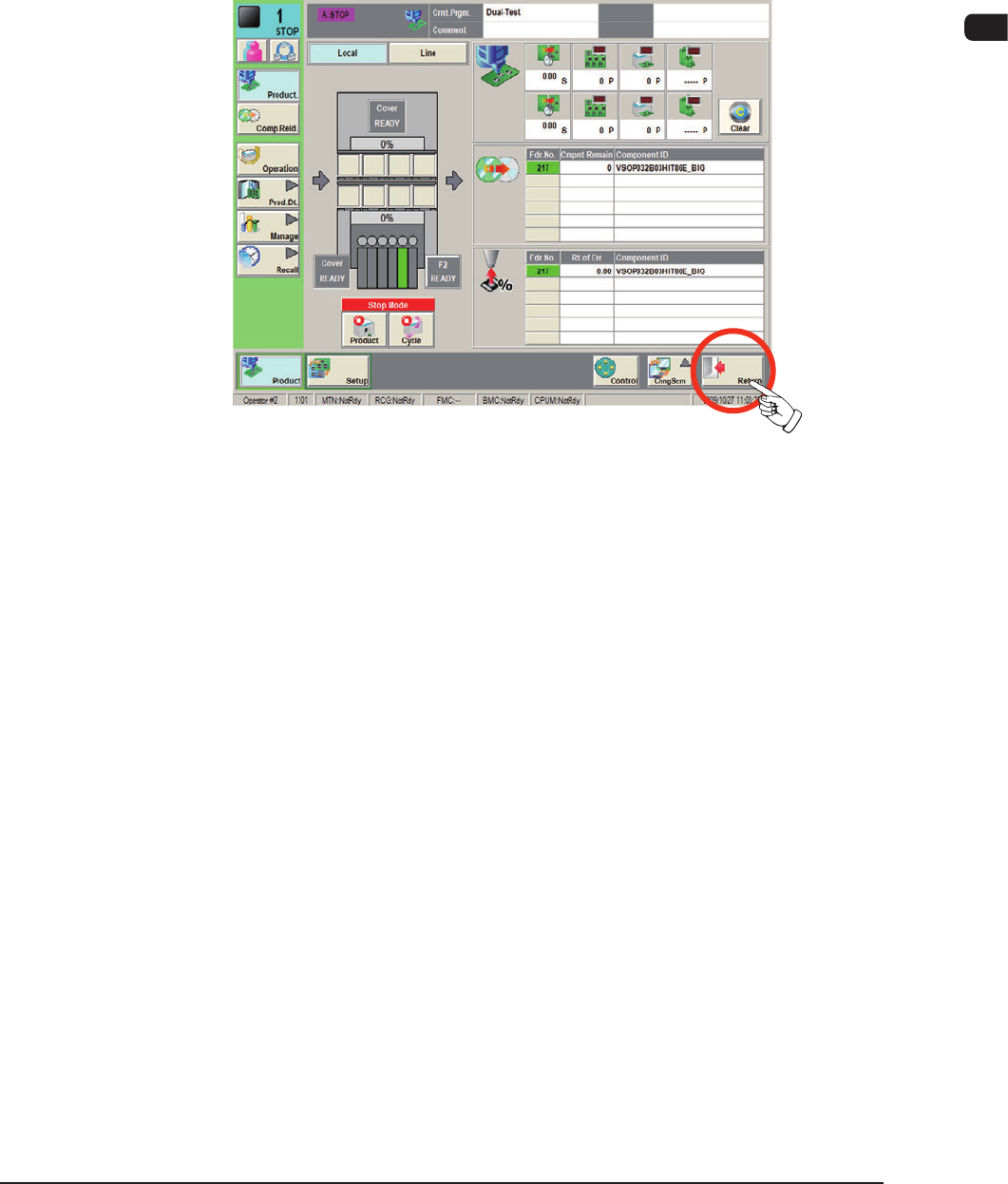
Press the [Return] button on the main menu bar to log out of the system.
The active operation window closes and the "Login Type Selection" window
resumes.
F1B9
1OM-1610
2-16
4. Exiting from the System Program : Chap.2
0911-001
4.2 Power OFF
The following explains how to shut down the power to the machine.
NOTICE
Be sure to log out from an operation window to open
the "TOP" window and go through the shutdown
procedure by pressing the [Shutdown] button before
turning off the power to the machine.
When the power is turned off without going through the
shutdown procedure, the saved data may be deleted and/or
the hard disk and the main body of the machine may be
damaged.
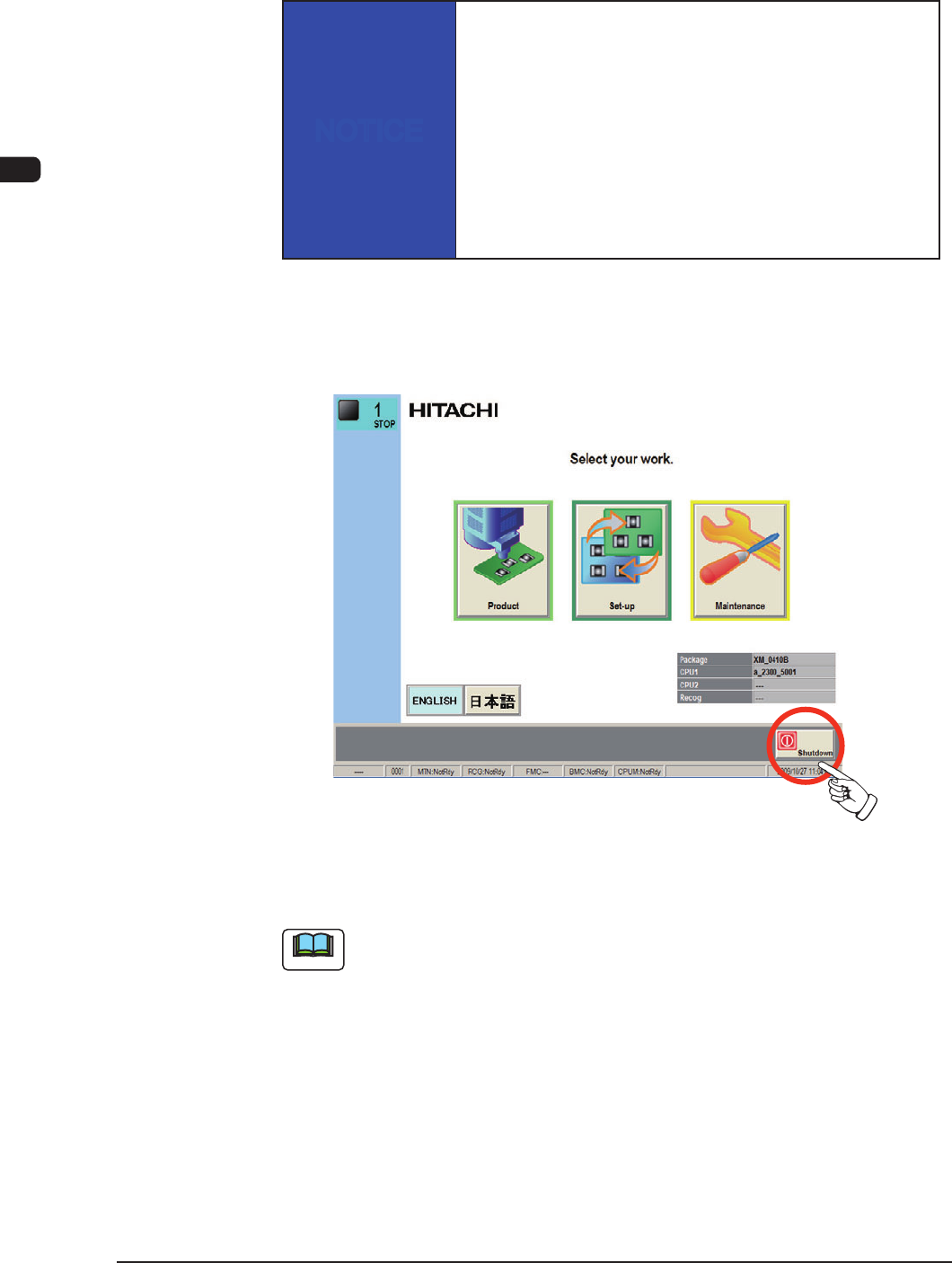
(1) When the operation window is closed, press the [Return] button in the
common menu. When the [Return] button is pressed, the operation window
is closed and the "TOP" window is returned.
"Logout" window
F1B10
Note
Whenever an edit window such as the "Pattern Program Data" window is active,
follow the speci ed steps to close the window before the [Return] button is
pressed.
1OM-1610
2-17
4. Exiting from the System Program : Chap.2
0911-001
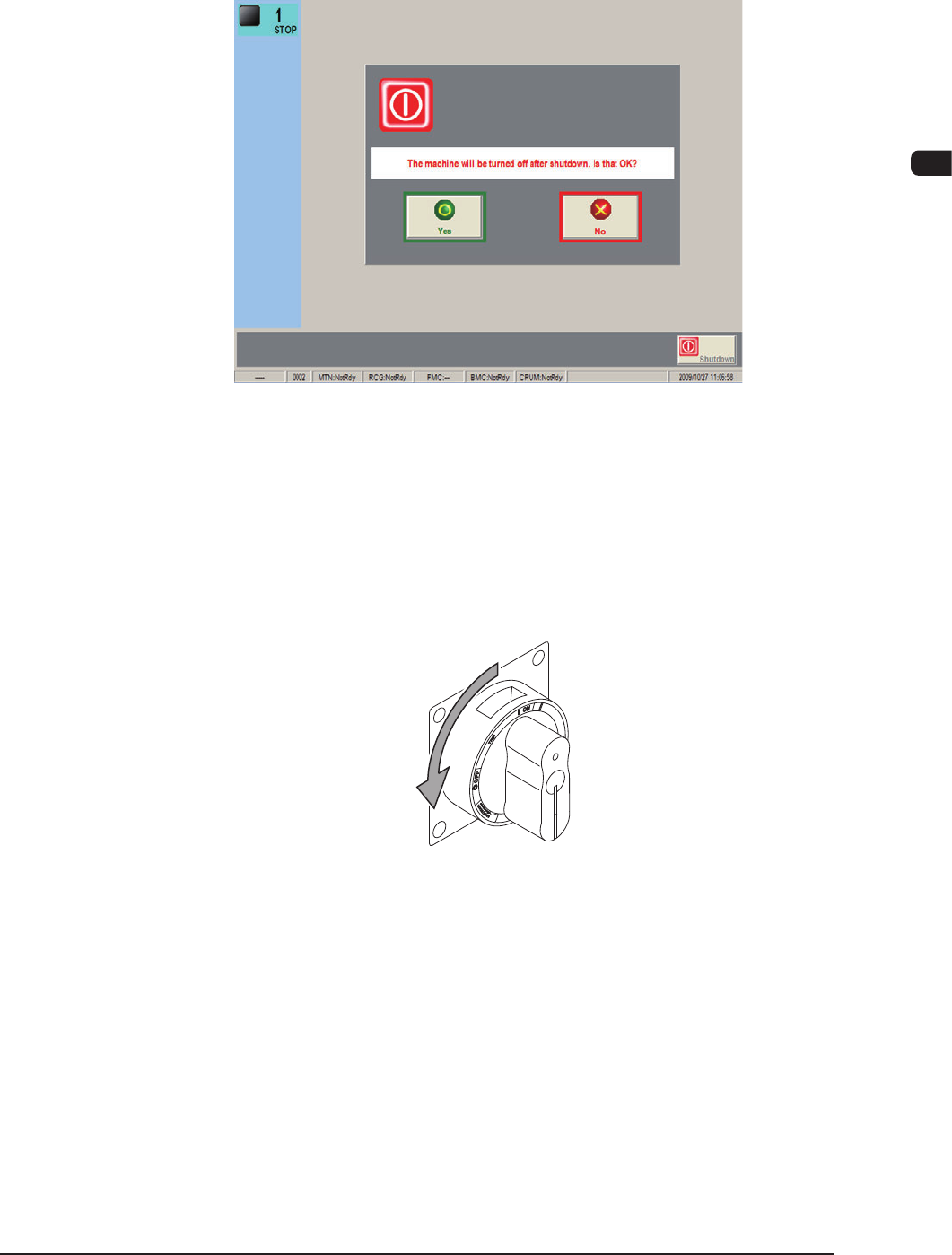
(2) Press the [Shutdown] button in the "TOP" window.
The conrmation dialog box opens, asking the operator if the power to the
machine must really be shut down or not.
F1B11
(3) When the [Yes] button is pressed, the power to the machine is turned off.
When the [No] button is pressed, the shutdown operation is canceled and the
dailog box closes.
(4) Set the lever of the power breaker to the "OFF" position. The lever of the
power breaker is located on the front side of the machine.
F1B12