1OM-1626-001_w.pdf - 第63页
1OM-1610 1-6 2. Name and Function of Each Section : Chap.1 091 1-001 2.2 [EMERGENCY STOP] Switches The [EMERGENCY STOP] switches can be used to stop the machine in an emergency. When one of the [EMERGENCY STOP] switches …
1OM-1610
2. Name and Function of Each Section : Chap.1
1-50911-001
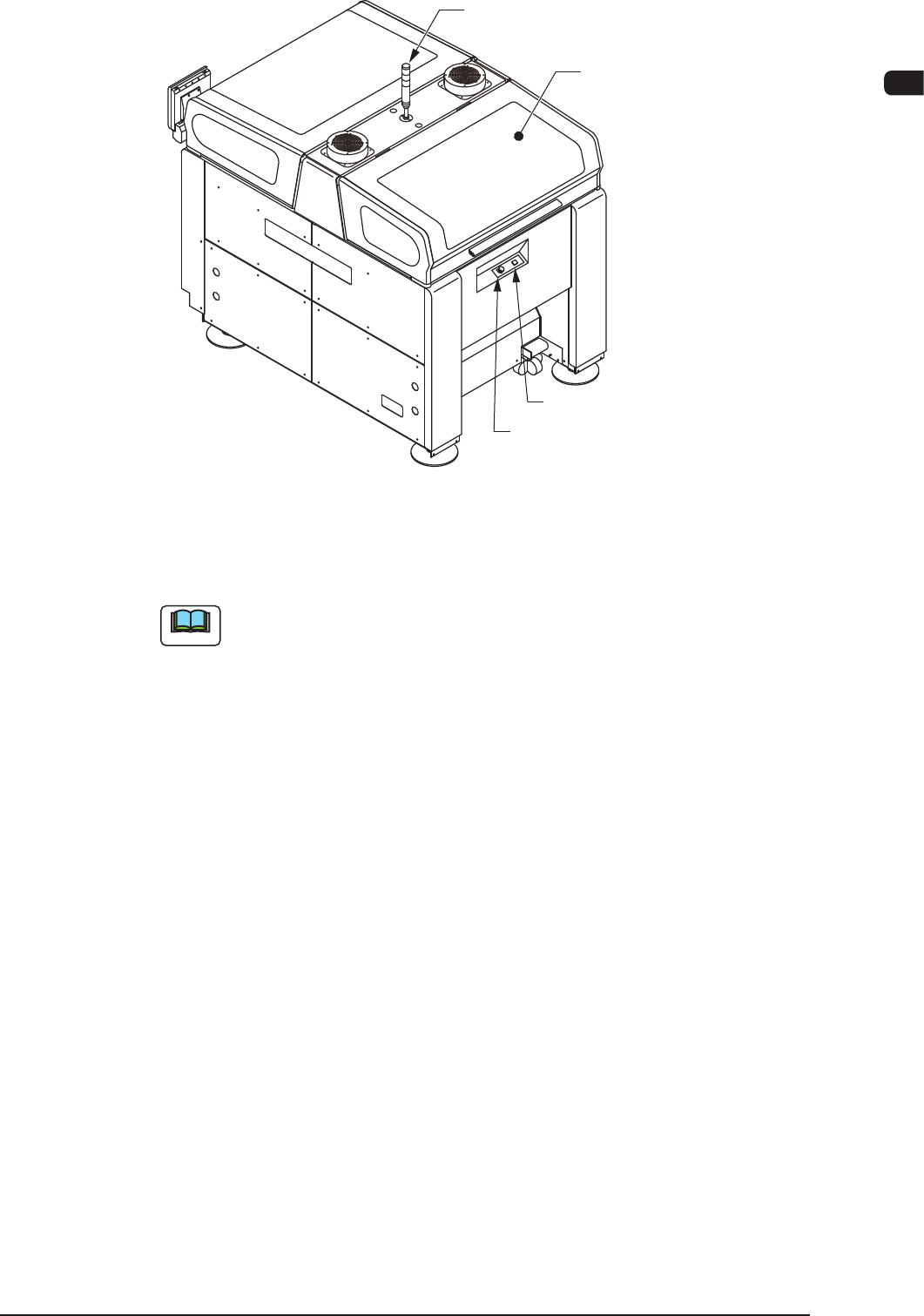
Light Tower
(2.6)
Transparent Cover
(2.4)
Cover Lock Switch
Rear Side of Machine
[EMERGENCY STOP] Switch
F1A3
Note
The gures in brackets show the item No.
1OM-1610
1-6
2. Name and Function of Each Section : Chap.1
0911-001
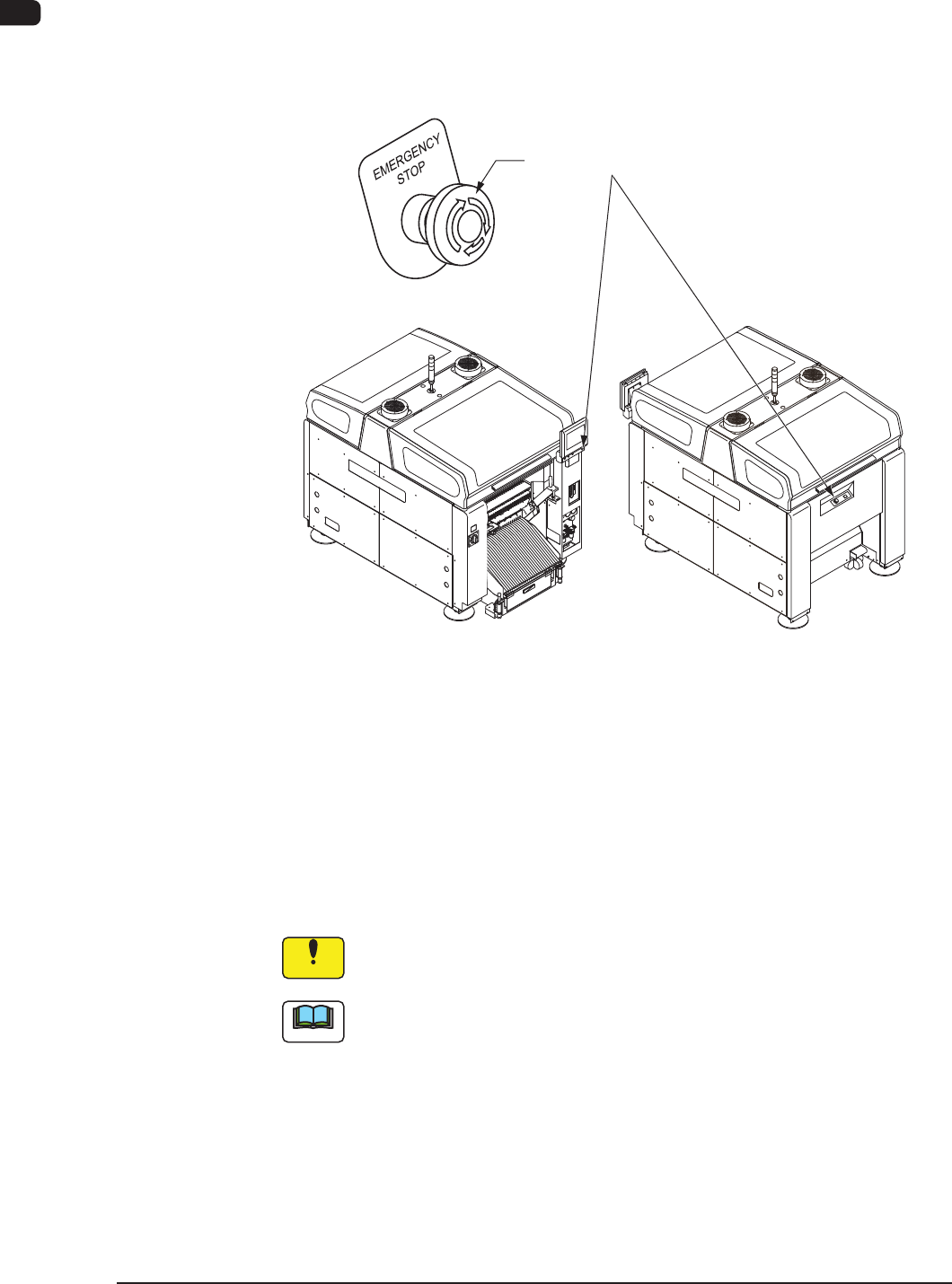
2.2 [EMERGENCY STOP] Switches
The [EMERGENCY STOP] switches can be used to stop the machine in an
emergency.
When one of the [EMERGENCY STOP] switches is pressed, the machine stops
immediately and the [POWER ON] button on the operation panel turns red.
[EMERGENCY STOP] Switches
F1A4
•
Locking the [EMERGENCY STOP] Switch
When one of the [EMERGENCY STOP] switches is pressed, the machine stops
and the switch is locked.
•
Unlocking the [EMERGENCY STOP] Switch
When one of the [EMERGENCY STOP] switch is pressed (locked), check and
remove the cause of the emergency stop. After that, recheck each section and
turn the switch clockwise to unlock.
Notice
The [EMERGENCY STOP] switches are used to intercept the controlled
power supply in an emergency.
Note
This machine is not provided with any emergency stop off function that can be
used to intercept the power supply to all loads in an emergency.
When "Emergency Switch Off" is required, it must be prepared outside the
machine on the customer side.

1OM-1610
2. Name and Function of Each Section : Chap.1
1-70911-001
2.3 Feeder Ready Switches and Cover Lock Switches
Cover Lock Switches
[Cover READY] Button
(Cover Lock Switches)
Operation Panel
F1A5
2.3.1 Feeder Ready Switches
The feeder ready switches are used to indicate that the feeder bases are set ready
and each switch is employed in each feeder block.
When the "START" button is pressed, the feeder clamp is activated and when the
machine is stopped or paused, the feeder clamp is released.
Also, this function enables the operator to perform operations while checking the
feeder pickup sections.
2.3.2 Cover Lock Switches
The cover lock switch is used to allow the automatic operation and located on the
operation side.
While the LED of the switch is ON, the transparent cover (door type) on the
selected stage cannot be opened because it is locked electromagnetically.
The LED cannot be turned on with the transparent cover kept open.
In addition, no power is supplied to the main circuit of the beam when the LED of
the [Cover Lock] Switches are turned ON.
The main circuit is powered only when the LEDs of both related stage and Feeder
Ready switches are turned ON.