1OM-1626-001_w.pdf - 第178页
1OM-1610 4-21 4.ConrmationofPlacement:Chap.4 4.2 ConrmationofComponentPlacement Conrm whether the components can be placed correctly or not. Procedure (1) Input the PCB from the input machine. Reference When …
1OM-1610
4-20
4.ConrmationofPlacement:Chap.4
F1D20
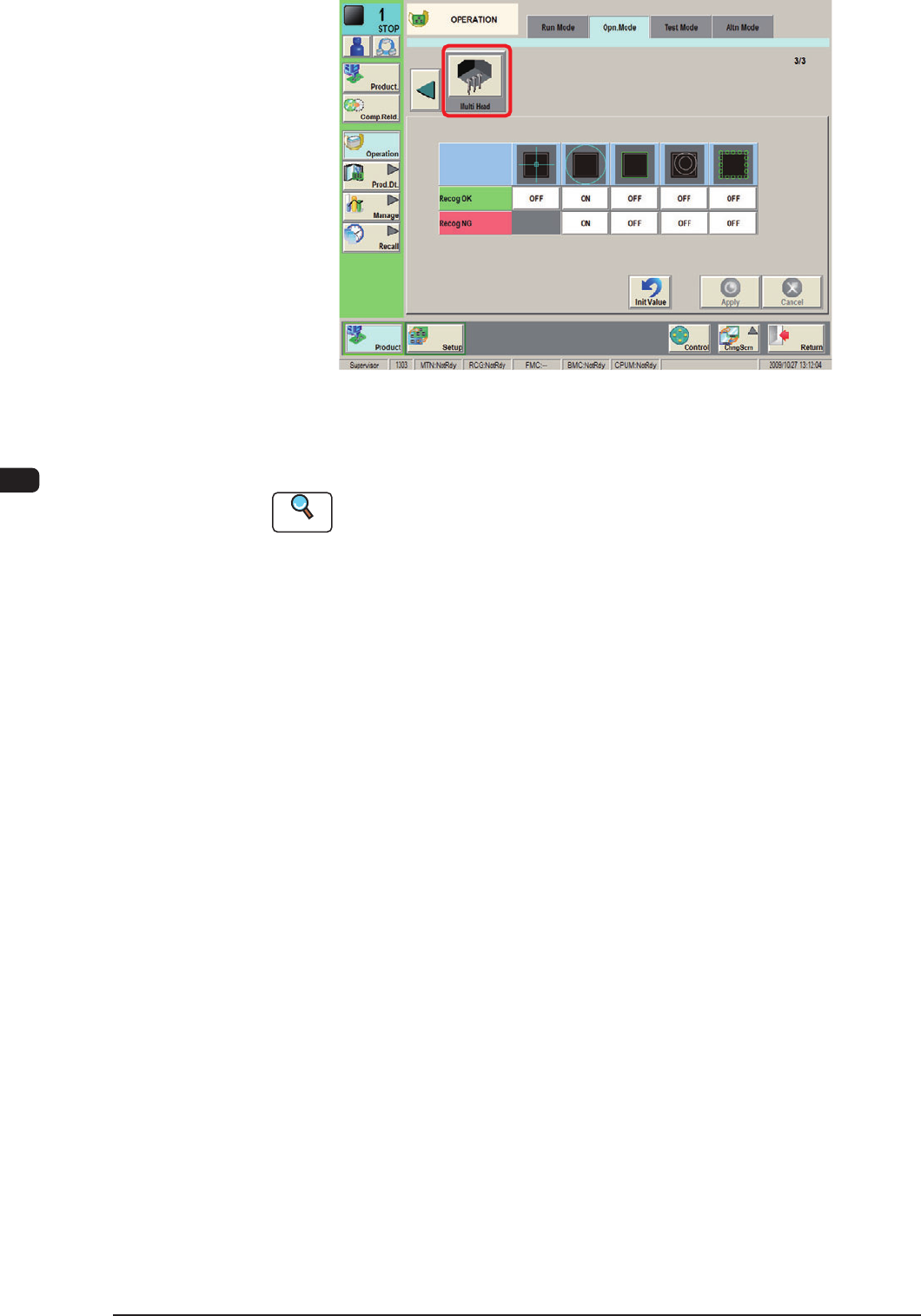
Using each icon, the check and setting of the corresponding function are
performed.
Reference
Refer to "4.2 Operation Mode" in "Chapter 2 (Volume 2)" for details.
0911-001

1OM-1610
4-21
4.ConrmationofPlacement:Chap.4
4.2 ConrmationofComponentPlacement
Conrm whether the components can be placed correctly or not.
Procedure
(1) Input the PCB from the input machine.
Reference
When the PCB is to be input manually, refer to "3.2 PCB Manual Input
Procedure", in Chapter 3.
(2) Press the [START] button on the operation panel.
The placement operation starts.
(3) Press the [Product STOP] button.
(4) Conrm whether the placement position, angle, and component types of the
processed PCB are correct or not.
0911-001

1OM-1610
4-22
4.ConrmationofPlacement:Chap.4
0911-001