MAN00000772_SI-G200BB_SVCPDFA.pdf - 第103页
Install Tray Unit (Including machine modification) SHEET 64/73 WKGB-10104-03 Installing Tray Unit (Including machine modificat ion) [Setup of VU, VL axis p art s re placement st andby height] 1 Return the unit to the ori…
Install Tray Unit (Including machine modification)
SHEET
63/73
WKGB-10104-03
Installing Tray Unit
(Including machine modification)
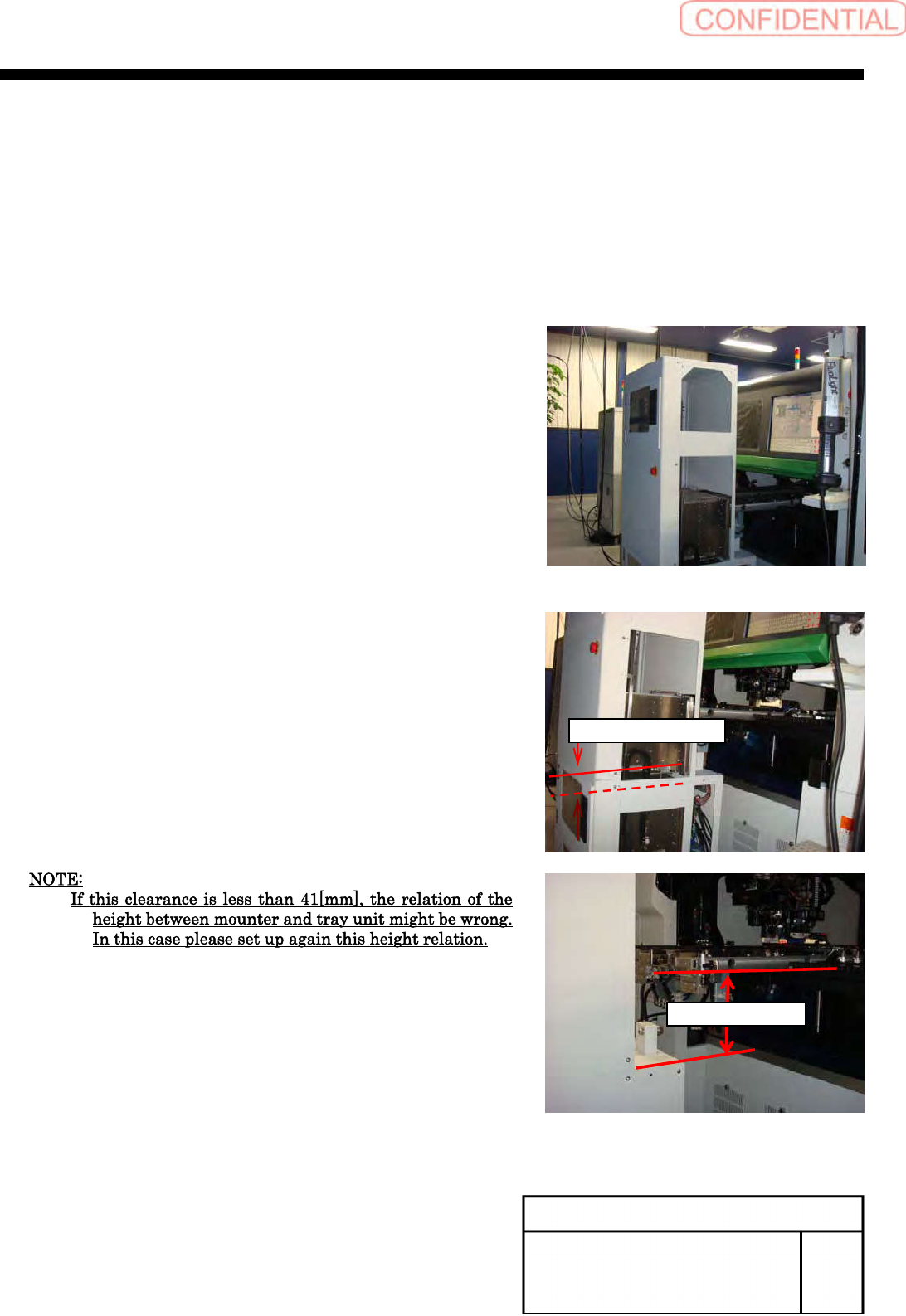
[Checking VU, VL closest reaching distance]
1
Return the unit to the origin.
2
Move the VU axis to the Z501 by manual V
axis operation.
3
Open the tray unit side cover.
4
Check that interval between the VU rack and
the VL rack is 41[mm] or more.
5
Install the removed side cover to the
previous state.
41[mm] or more
204±2[mm]
Install Tray Unit (Including machine modification)
SHEET
64/73
WKGB-10104-03
Installing Tray Unit
(Including machine modification)
[Setup of VU, VL axis parts replacement standby height]
1
Return the unit to the origin.
2
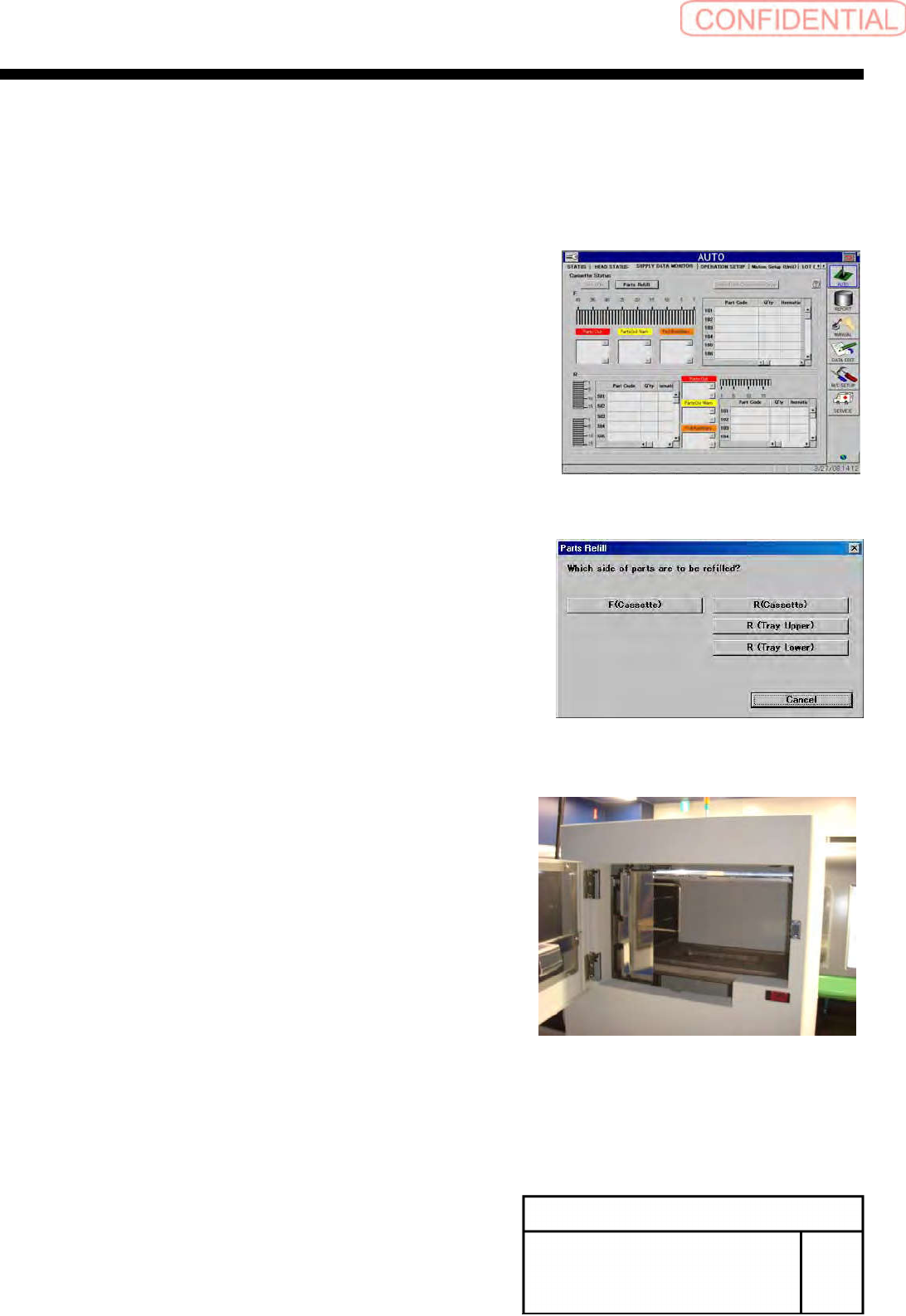
Press the Parts replace button on the
AUTO/PARTS SUPPLY STATUS screen.
3
Select the R (Tray upper) button.
4
Open the tray upper door.
Install Tray Unit (Including machine modification)
SHEET
65/73
WKGB-10104-03
Installing Tray Unit
(Including machine modification)
5
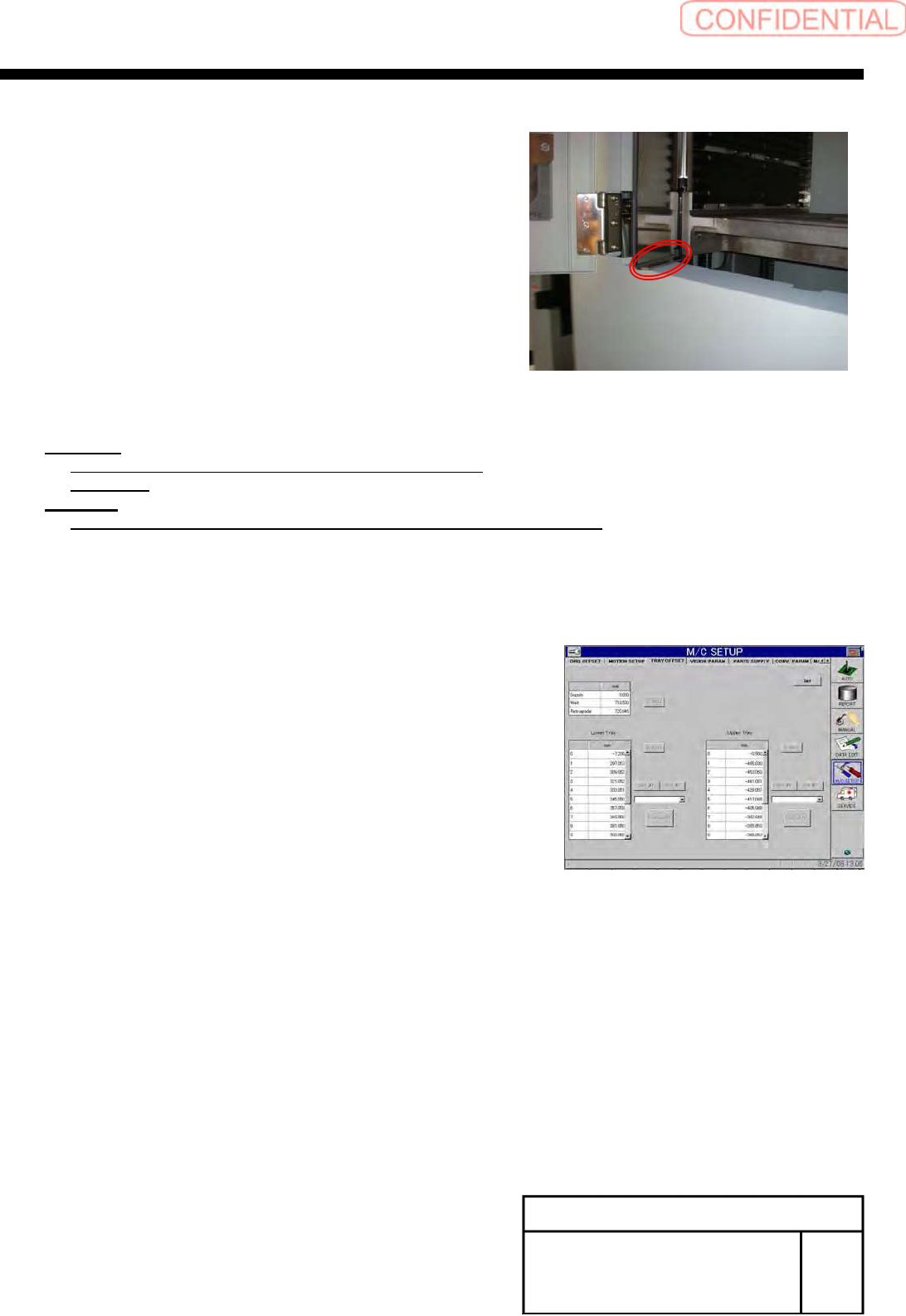
Check clearance between the tray inside
door and the tray cover.
6
Calculate the standby height.
Equation:
Parts replace standby height = 1.0[mm] –
Clearance
Example:
Parts replace standby height = 1.0[mm] – 3.0[mm] =-2.0[mm]
7
Close the door of the tray.
8
Display the M/C SETUP/tray Offset screen.
9
Input the calculated standby height into the O on
the upper tray.
10
Press the Set button to reflect the Setup.
11
Again, perform parts replacement on the R
(Tray upper) to check that the door is
completely opened.
12
Set the standby height of the lower tray by
the same procedure.