MAN00000772_SI-G200BB_SVCPDFA.pdf - 第8页
WKGB-10101-01 Inst alling System Sof tw are 3 This working is a risk measure when install is failed. Del ete the shortcut in the moving des- tination after version up. 1. Move the “AutoSta rt er” file to the other folder…
WKGB-10101-01
Installing System Software
[Procedure]
1
1.
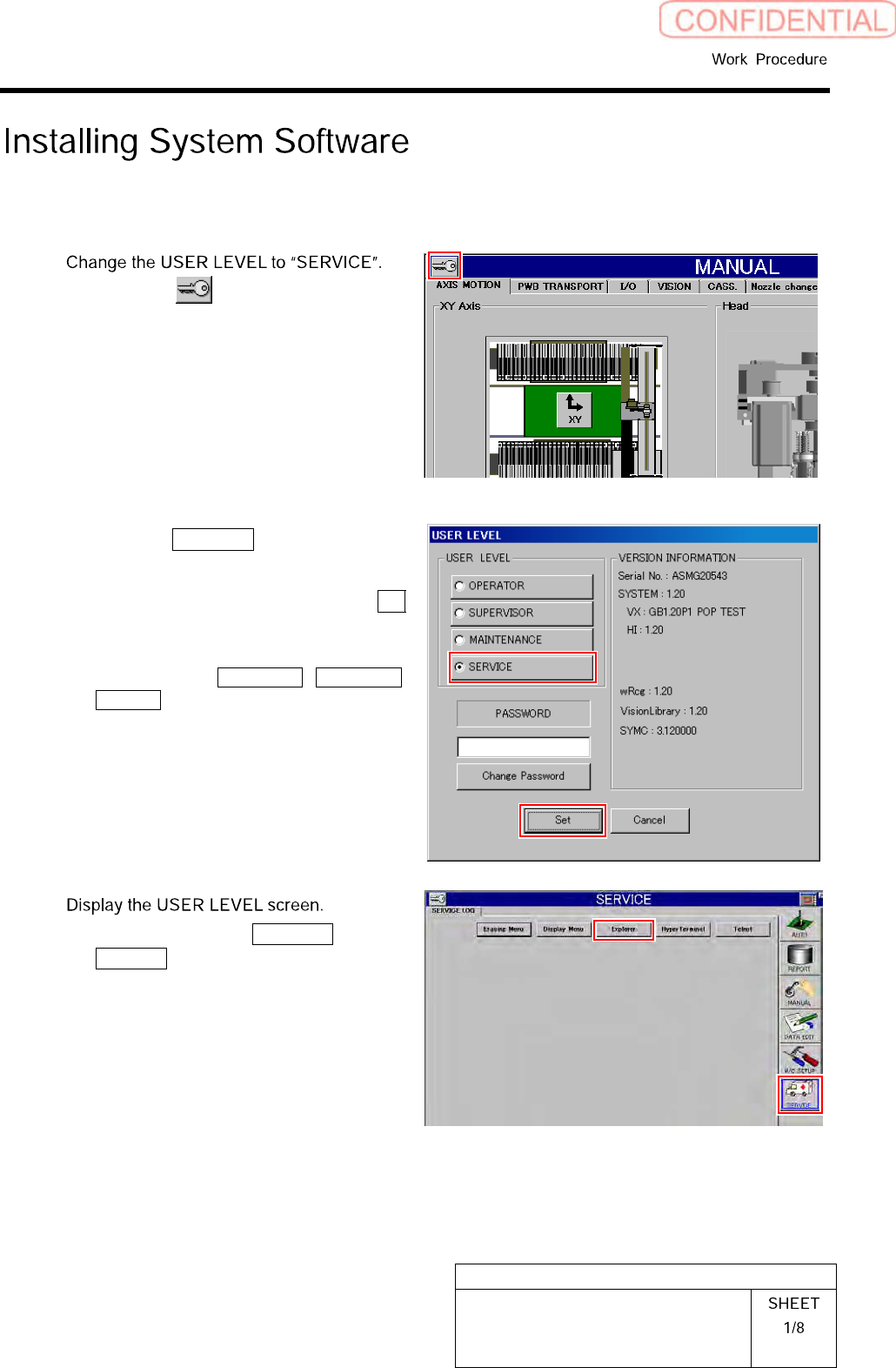
Click the button on the left up-
per of the screen.
USER LEVEL screen is displayed.
2.
Click the SERVICE button.
A cursor appears on a PASSWORD entry space.
3.
Enter the password and click the Set
button.
The screen returns to HI screen and respective
menu buttons of DATA EDIT, M/C SETUP,
SERVICE appear on the right of the screen.
2
1.
Click in an order of SERVICE menu
Explorer button.
Explorer screen is displayed.
WKGB-10101-01
Installing System Software
3
This working is a risk measure when install is
failed. Delete the shortcut in the moving des-
tination after version up.
1.
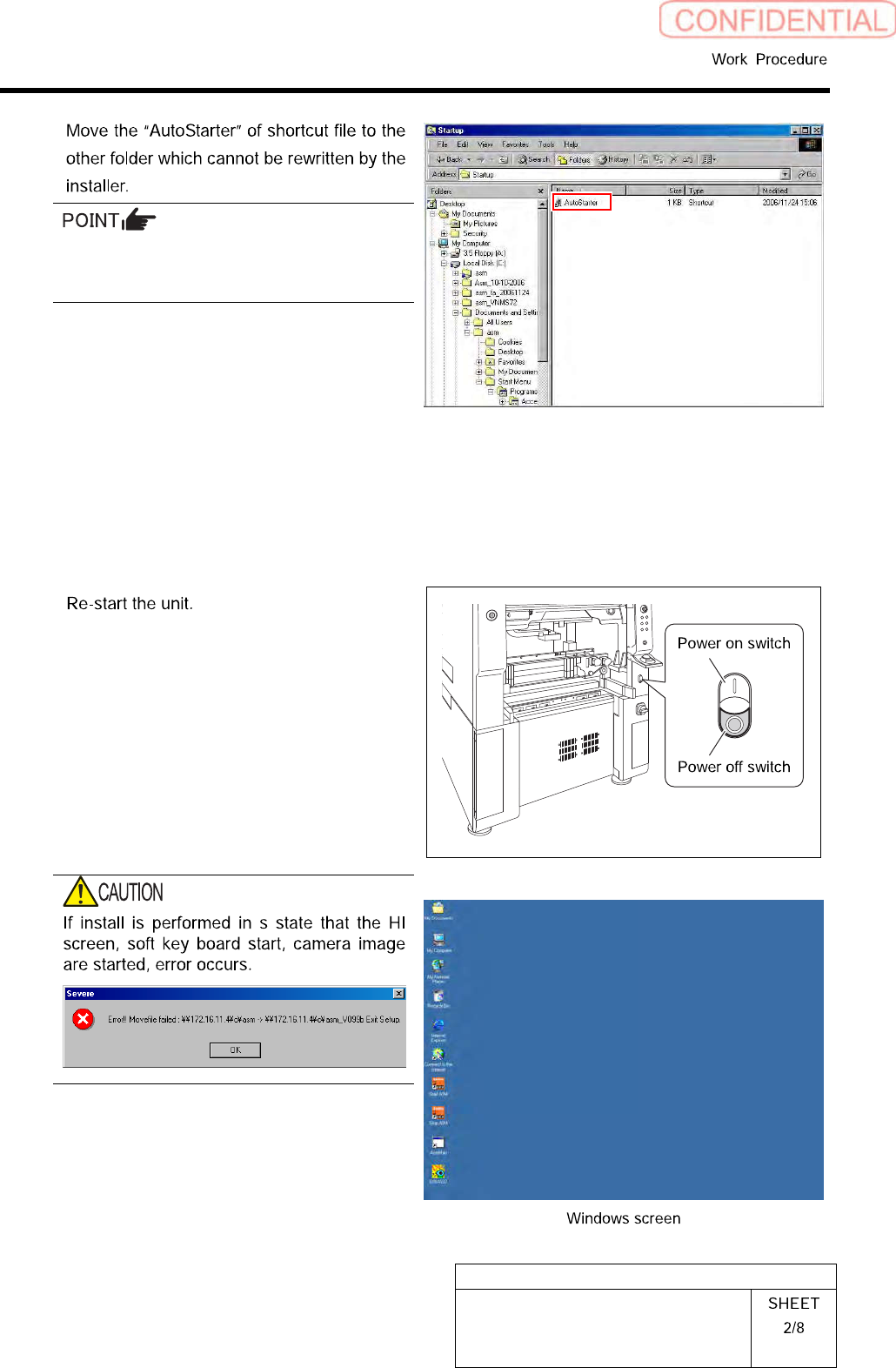
Move the “AutoStarter” file to the
other folder which cannot be rewritten
by the installer from the C:¥Document
andSetting¥asm¥StartMenu
¥Programs¥startup in the front PC.
2.
Move the “AutoStarter” file to the
other folder which cannot be rewritten
by the installer from the C:¥Document
andSetting¥asm¥StartMenu
¥Programs¥startup in the rear PC.
4
1.
Close the explorer window.
2.
Press the power off switch.
Shutting down of the system starts and the power
is automatically shut off.
3.
Press the power on switch.
OnlyWindowsscreenisstarted.
If the HI screen, soft key board start, camera im-
age is not moved. Move the “AutoStarter” file to
the other folder to restart the unit.
WKGB-10101-01
Installing System Software
5
In an environment in which PC cannot be
brought in, put installer file into the USB
memory, and connect to the USB port in the
front side PC.
In this case, use the USB memory only for the
installer, and do not put the other files into the
USB memory.
6
1.
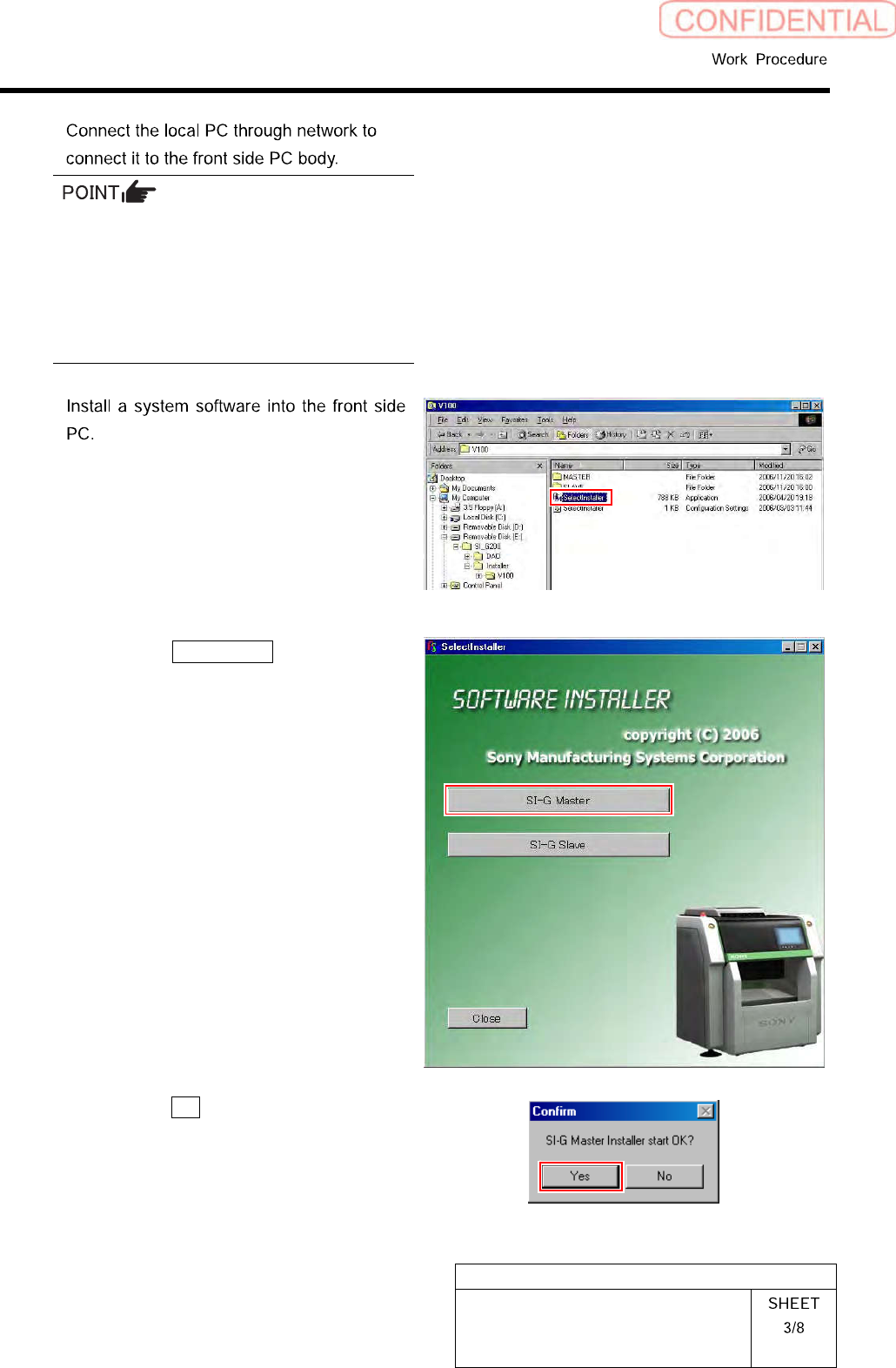
Double-click the “SerectInstaller” file.
An installer screen appears.
2.
Click the SI-G Master button.
Confirm dialog box is displayed.
3.
Click the Yes button on the Confirm
dialog box.