MAN00000772_SI-G200BB_SVCPDFA.pdf - 第234页
HLGB-10308-01 Pickup Check Camera Calibration “ ” Again set the pickup check resolut ion inspection jig onto the calibrat ion plate jig and p ress the [S T ART] button on the operation panel. Perform operations from nozz…
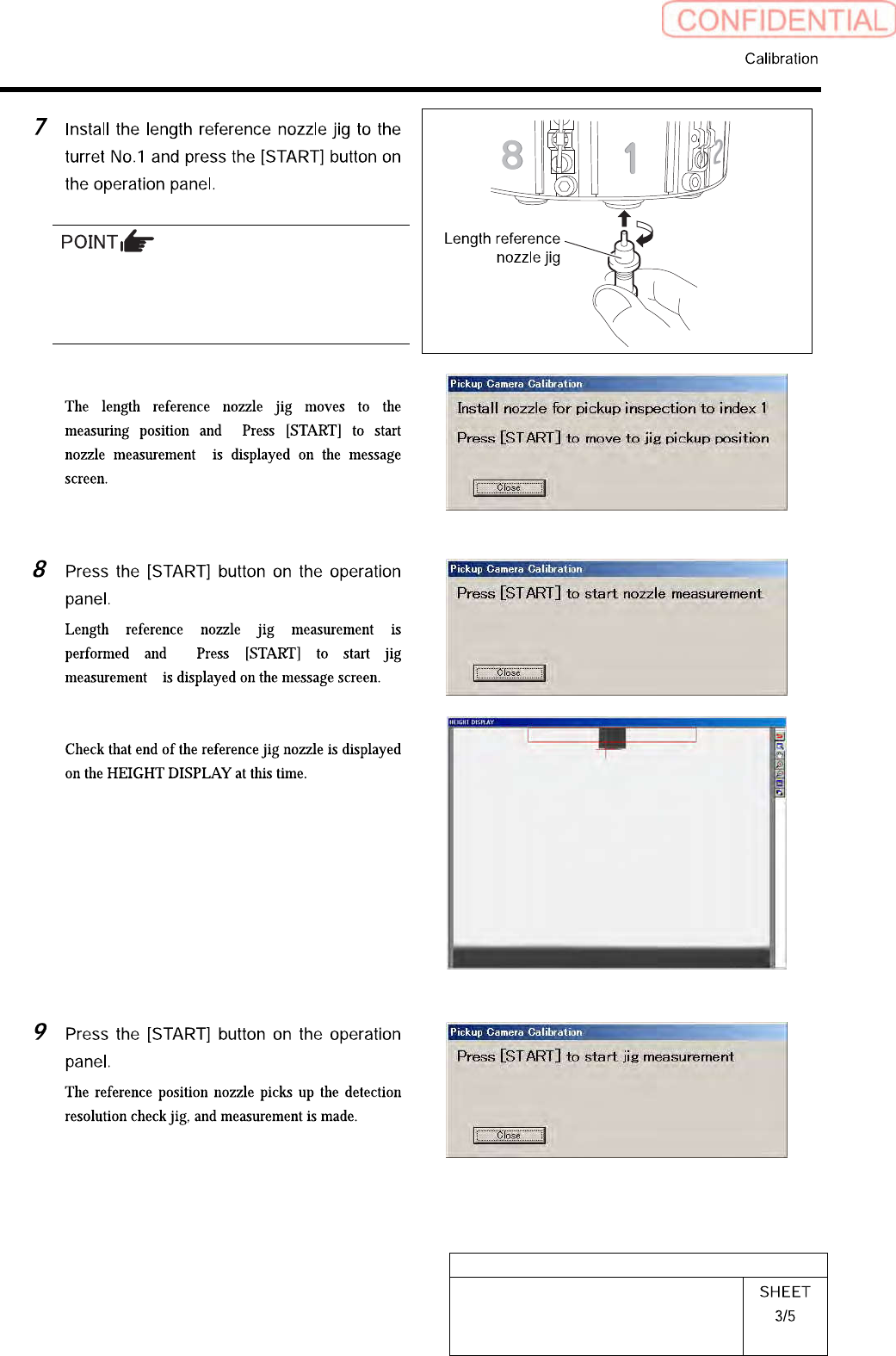
HLGB-10308-01
Pickup Check Camera Calibration
When installing the nozzle, insert it while
slowly turning.
After inserting the nozzle, check that it is not
drawn out by pulling downward.
“
”
“
”
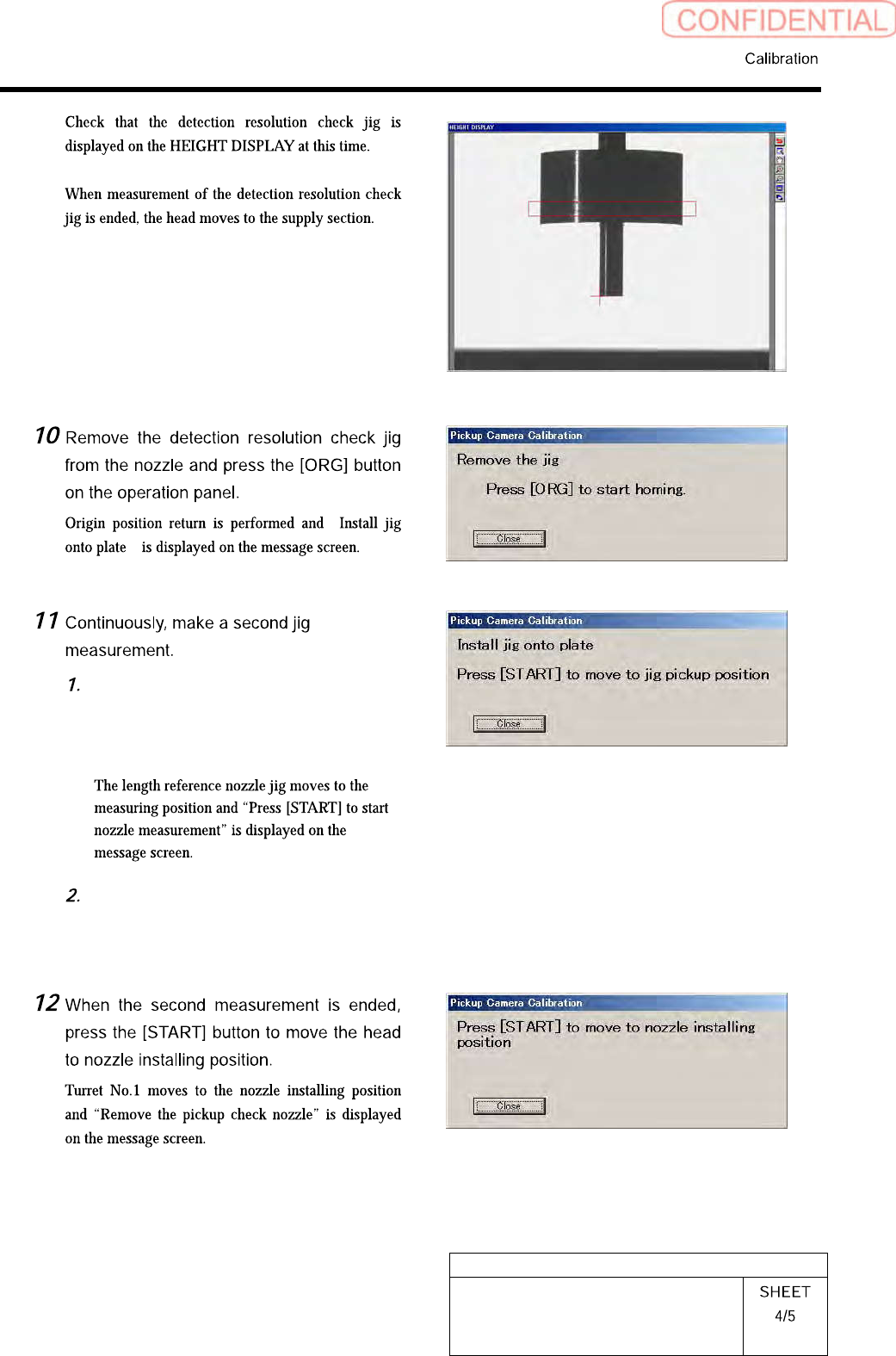
HLGB-10308-01
Pickup Check Camera Calibration
“
”
Again set the pickup check resolution
inspection jig onto the calibration
plate jig and press the [START] button
on the operation panel.
Perform operations from nozzle
recognition to jig measurement
similarly to the procedure 8 to 9.
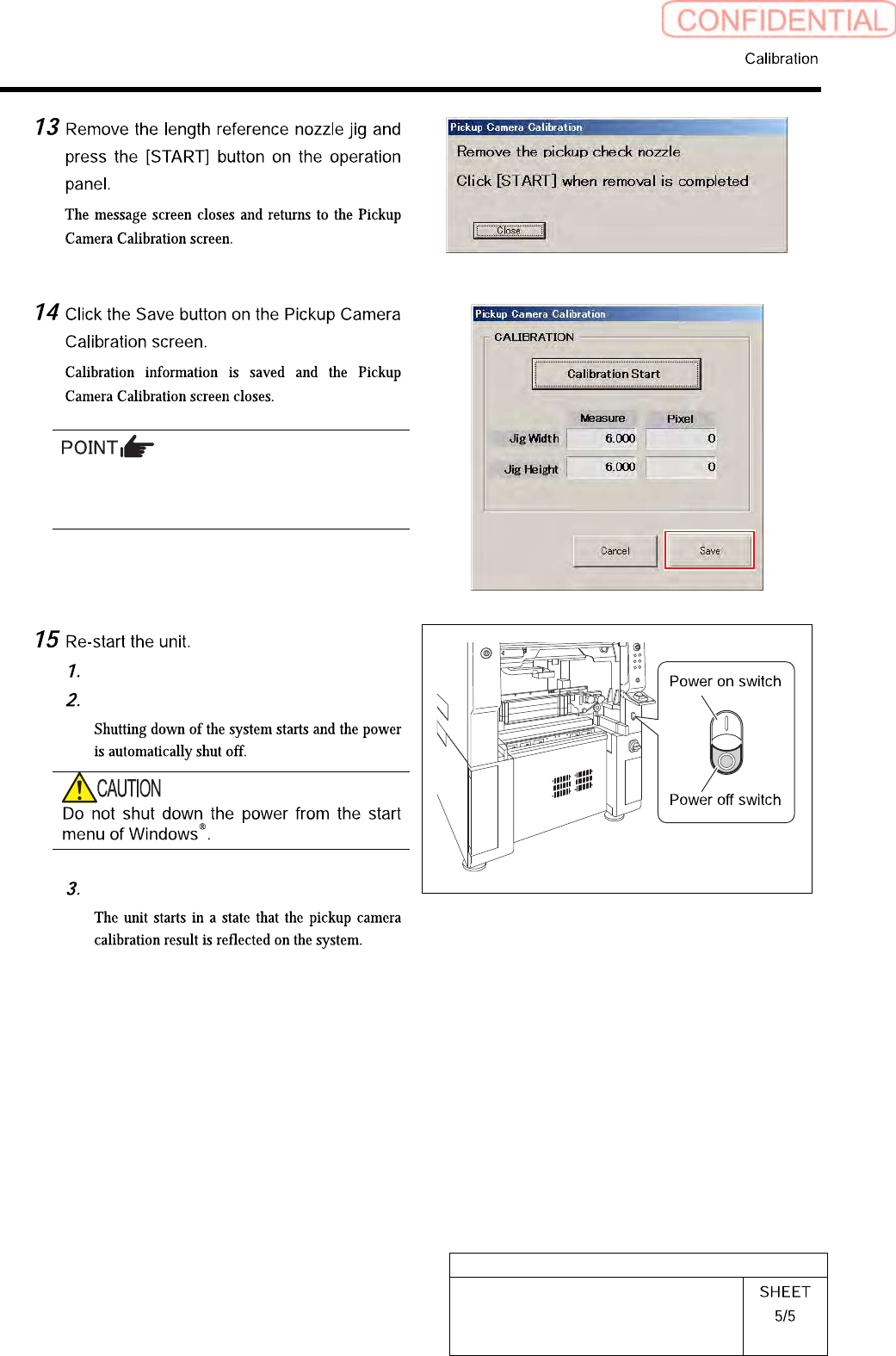
HLGB-10308-01
Pickup Check Camera Calibration
In order to store the calibration result in the
unit, be sure to re-start the unit before
operating the unit.
Close the Calibration screen.
Press the power off switch.
Press the power on switch.