MAN00000772_SI-G200BB_SVCPDFA.pdf - 第303页
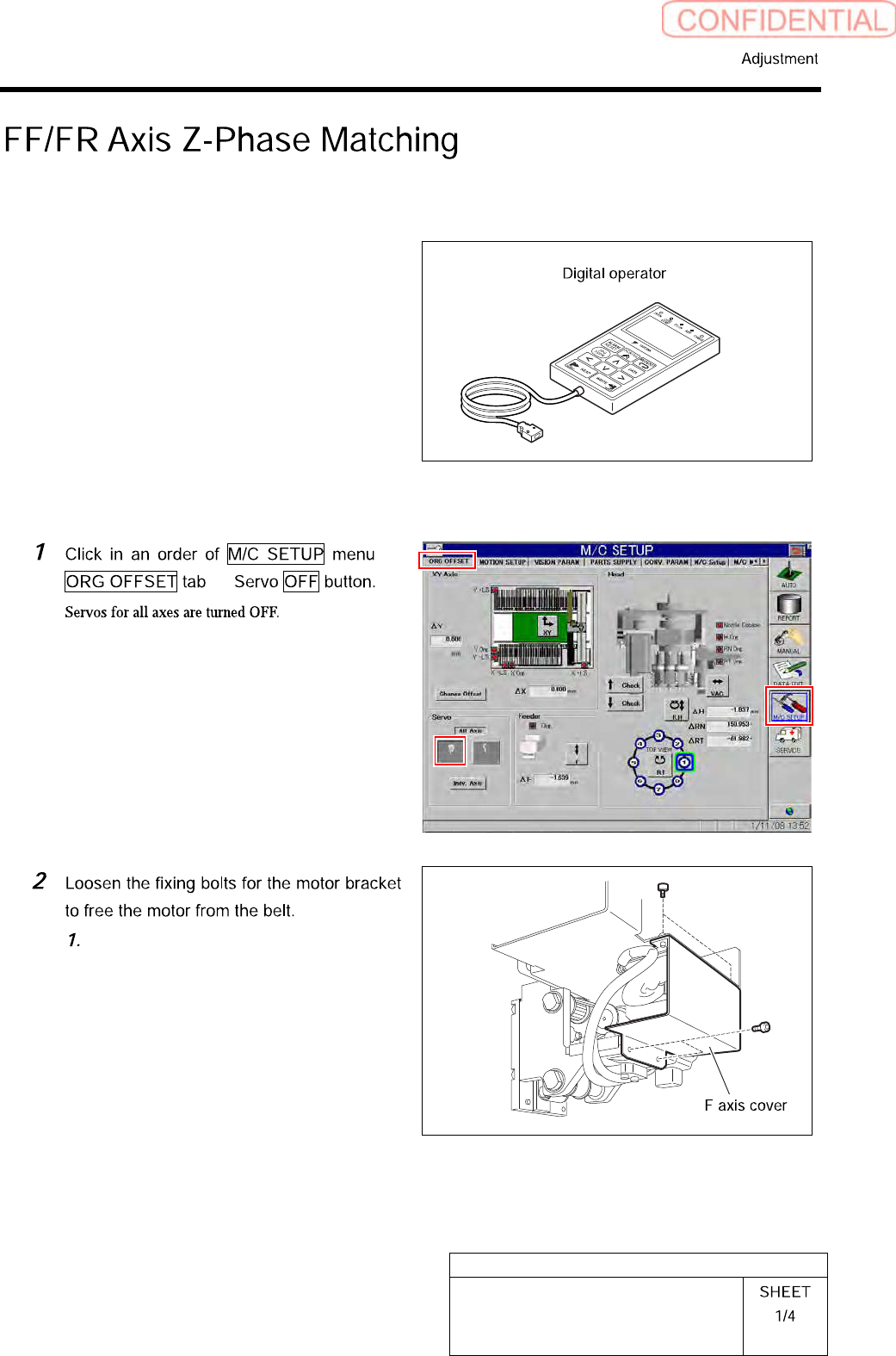
HLGB-10406-01 FF/FR Axis Z-Phase Matching [Necessary jigs] • Digital operator [Procedure] Loosen th e four screws to remove the F axis cover .
HLGB-10405-01
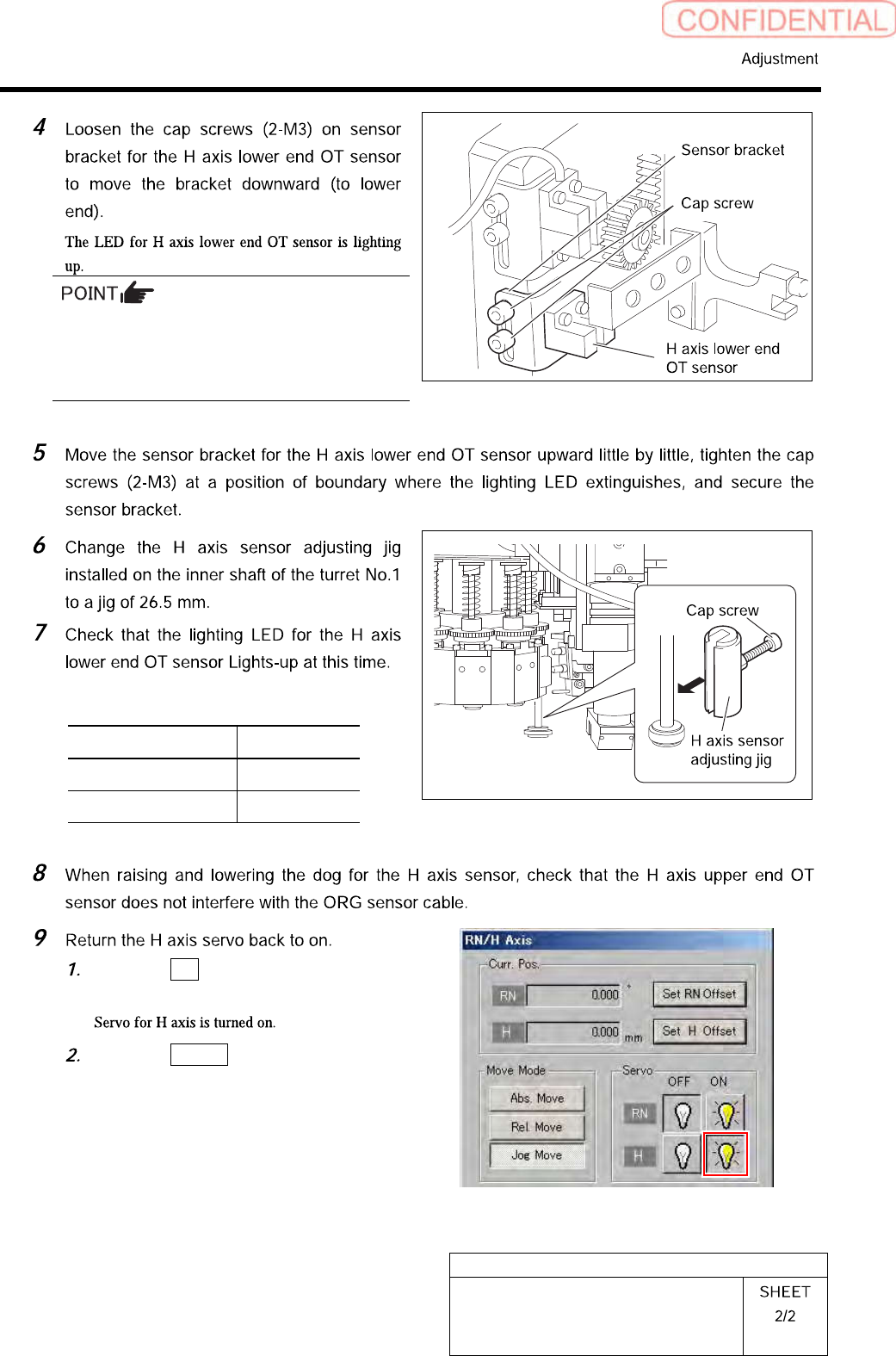
Adjustment of H Axis Lower End OT
Sensor (H-CW)
・ Keep the cap screws (2-M3) in temporarily
tightened state.
・ When the H Axis lower end OT sensor is
obstructed, the LED lights off.
Sensor setting: Dark ON
Jig used State of LED
Jig 1 (L=26.6 mm) Extinguish
Jig 2 (L=26.5 mm) Lights-up
Click the ON button for the H axis
servo on the RN/H Axis screen.
Click the Return button to close the
RN/H Axis screen.
HLGB-10406-01
FF/FR Axis Z-Phase Matching
[Necessary jigs]
• Digital operator
[Procedure]
Loosen the four screws to remove the F
axis cover.
HLGB-10406-01
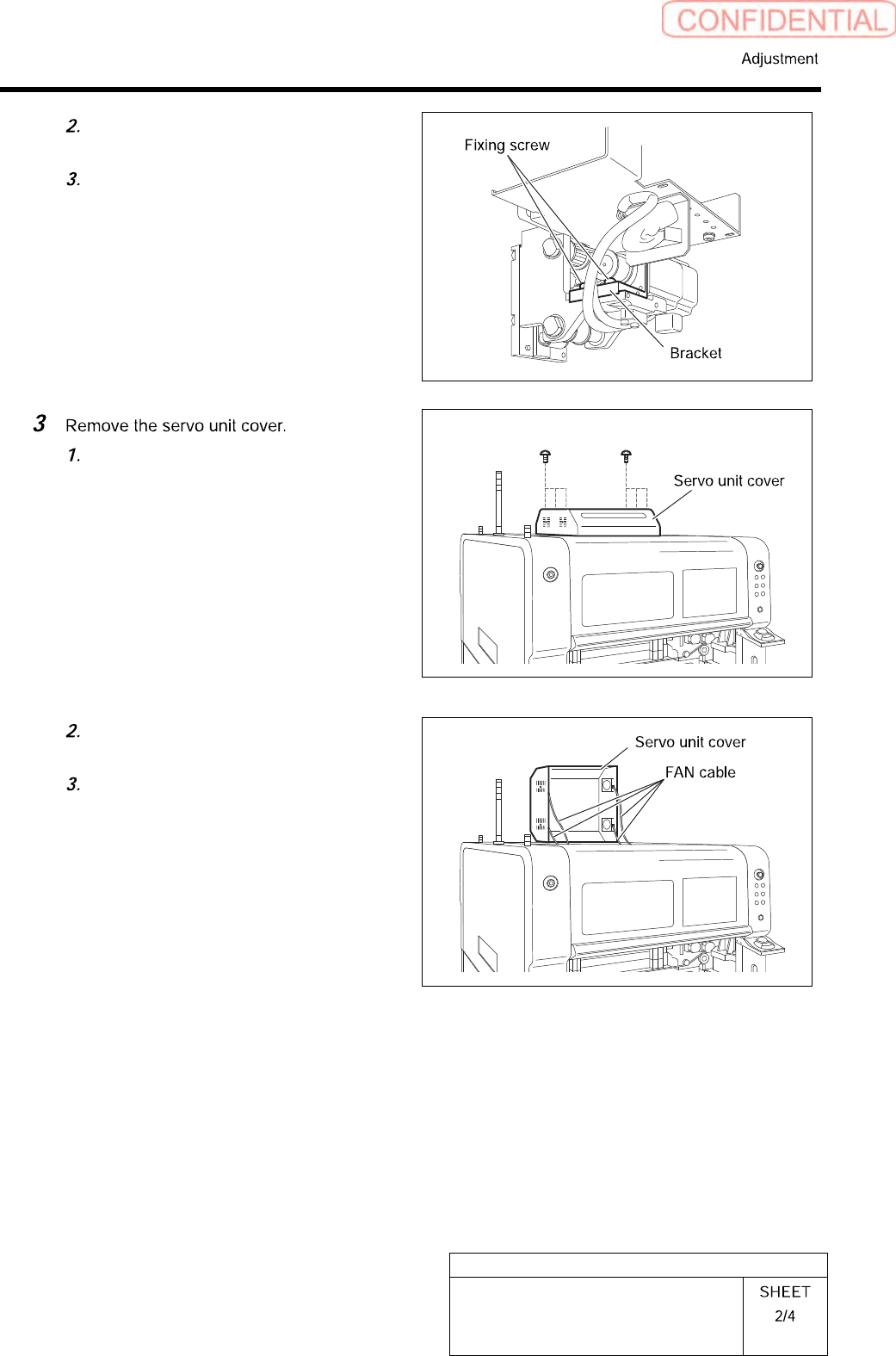
FF/FR Axis Z-Phase Matching
Loosen the two fixing screws for the
motor bracket.
Push the motor bracket to the back,
then the F axis belt is freed.
Loosen the six screws to raise the
servo unit cover.
Disconnect the FAN cable connected to
the servo unit cover.
Remove the servo unit cover.