MAN00000772_SI-G200BB_SVCPDFA.pdf - 第327页
HLGB-10414-01 Phase A djustment for Nozzle Click in an order of MANUAL menu AXIS MO TION tab XY button. Click the Jog Move button in the move mode. Press the right cursor to jog-move the head to vicinity of No.120 of…
HLGB-10414-01
Phase Adjustment for Nozzle
Perform this working on both heads on the front side and rear side.
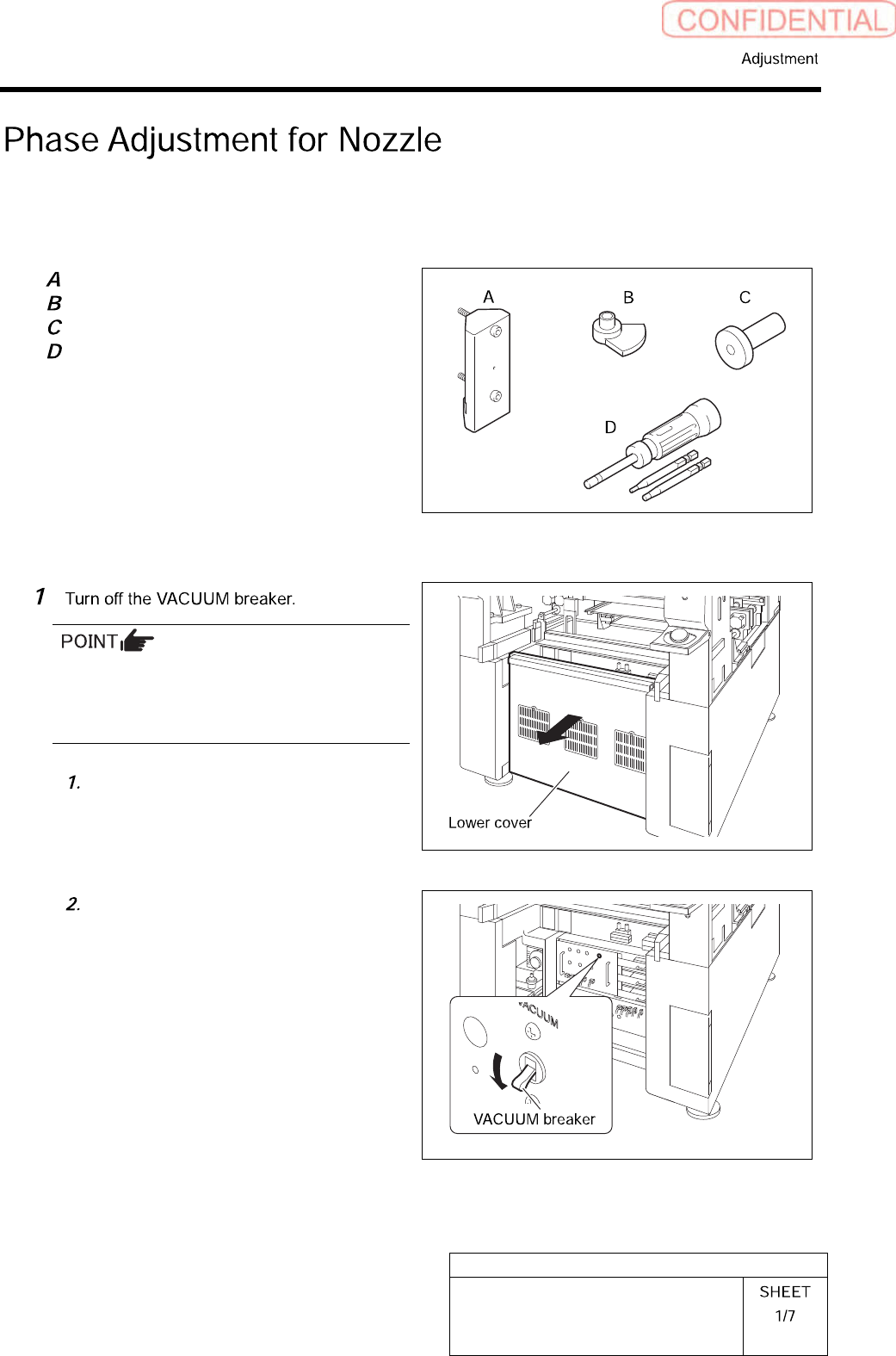
[Necessary jigs]
Phase adjusting jig (1)
Phase adjusting jig (2)
Pull-out jig
Torque driver (15[cN・m]~40[cN・m])
[Procedure]
Turn OFF the VACUUM breaker before
removing the mechanical valve in order to
prevent suction of contaminant and dust from
the mechanical valve.
Loosen the screws (2-+T4×8) to
remove the lower cover on the back of
the unit.
Turn off the VACUUM breaker on the
power unit part.
HLGB-10414-01
Phase Adjustment for Nozzle
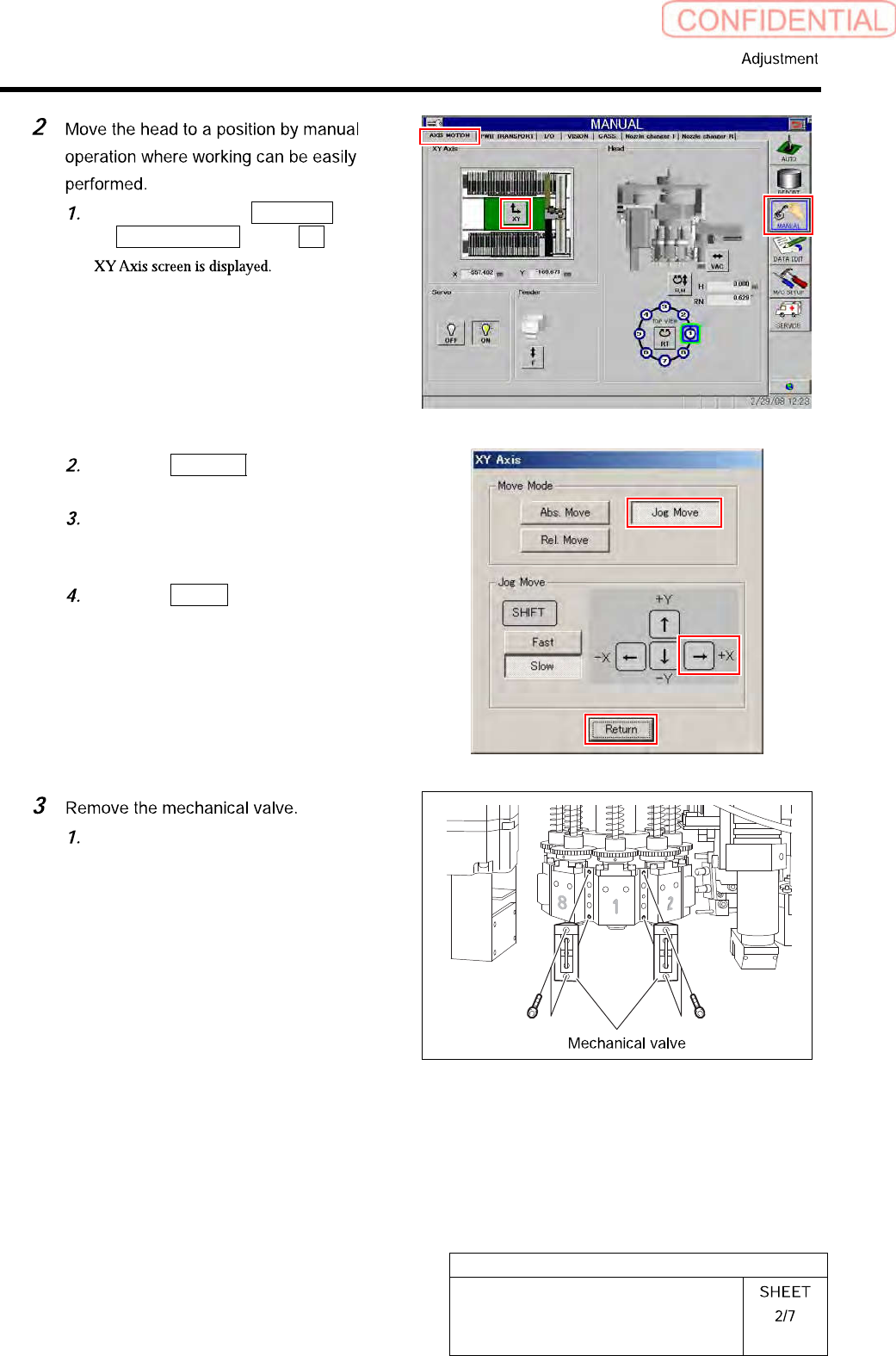
Click in an order of MANUAL menu
AXIS MOTION tab XY button.
Click the Jog Move button in the move
mode.
Press the right cursor to jog-move the
head to vicinity of No.120 of head
supply part.
Click the Return button to close the
XY Axis screen.
Loosen CP-3x10 to remove the
mechanical valves for Index 1 and
Index 2.
HLGB-10414-01
Phase Adjustment for Nozzle
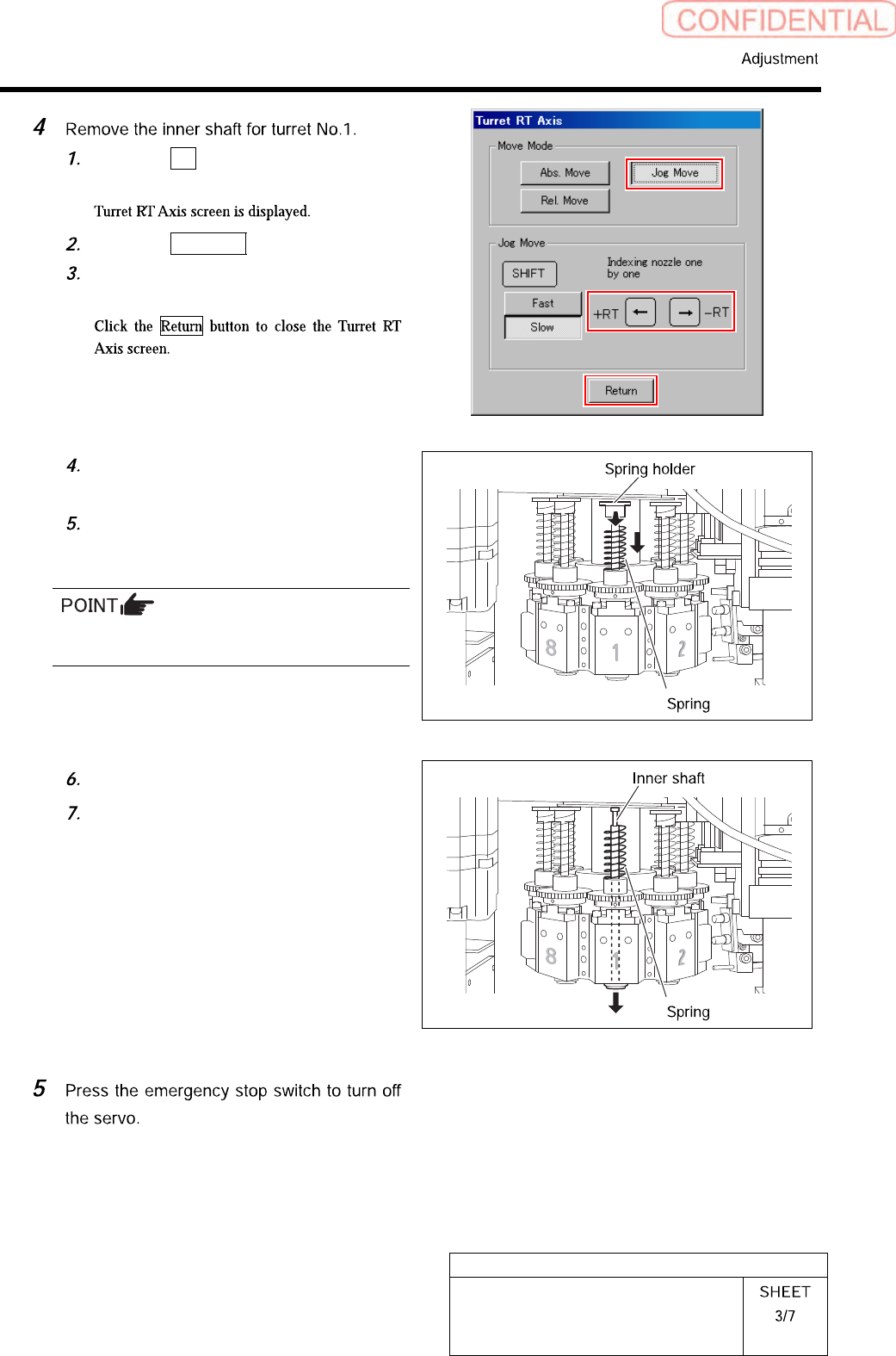
Click the RT button on the Axis
MOTION screen.
Click the Jog Move button.
Press the left and right cursor key to
move the turret No.1 to the front.
Turn the notch on the spring holder to
deep side.
Pull the spring holder toward you with
the spring being lowered down to
remove the spring holder.
Be careful to prevent the inner shaft from
falling.
Remove the spring.
Pull out the inner shaft from lower
side of the head.