MAN00000772_SI-G200BB_SVCPDFA.pdf - 第125页
Install Tray Unit (Re-setup after t ray unit moved) SEET 13/19 WKGB-10105-02 Installing Tray Unit (Re-setup after tray uni t mov ed ) [Setup of tray supply height] 1 Remove front middle cover and rear upper cover . 2 …
Install Tray Unit (Re-setup after tray unit moved)
SEET
12/19
WKGB-10105-02
Installing Tray Unit
(Re-setup after tray unit moved)
15
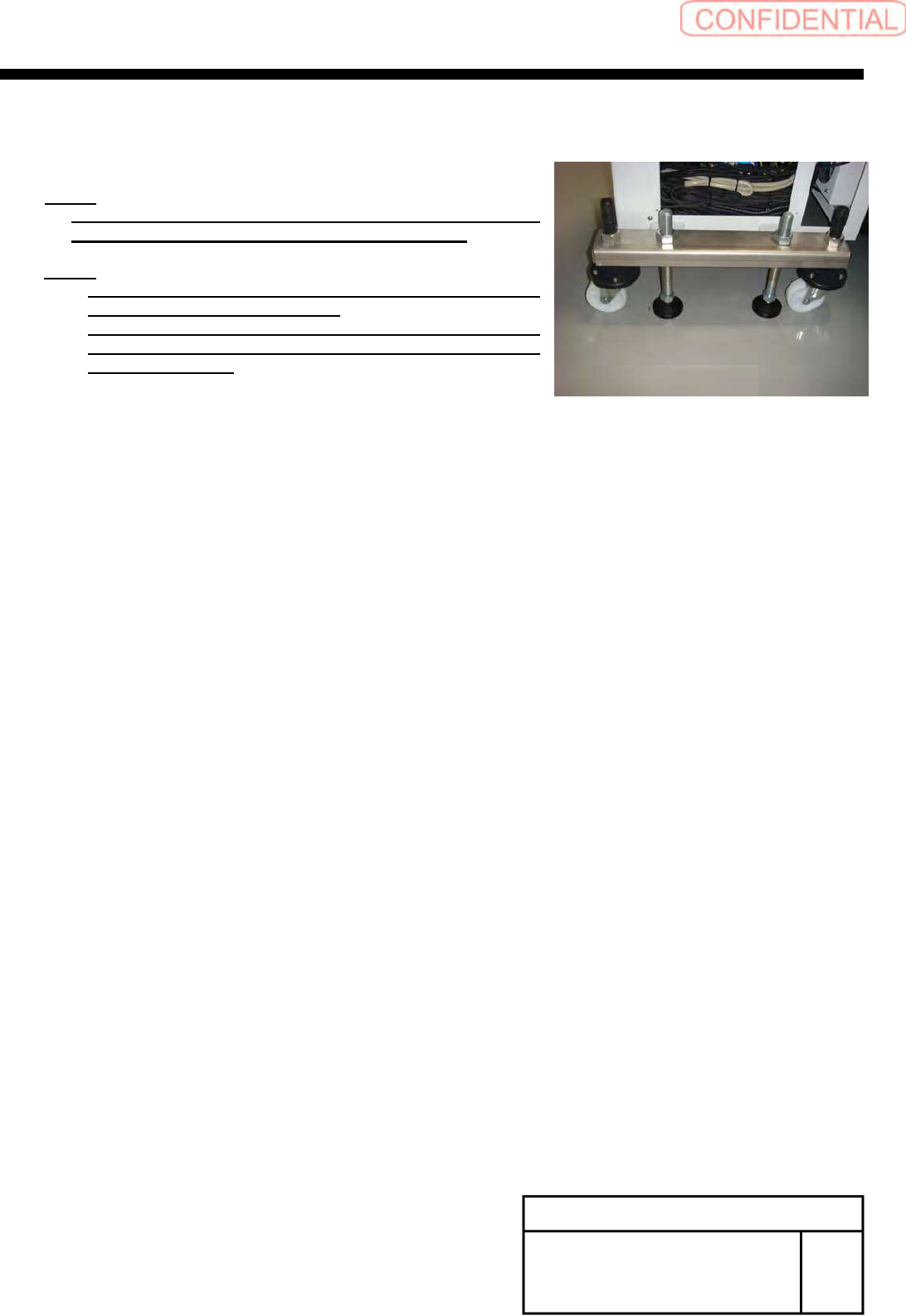
Adjust the height of the caster until
lightly getting to the floor.
NOTE:
If you changed shutter sensor position or shutter roller
position until this step, please adjustment it again.
NOTE:
For re-adjustment shutter roller, refer to “Adjustment
shutter roller [HLGB-10430-01]”.
For re-adjustment shutter closing detect sensor, refer to
“adjustment shutter closing detect sensor
[HLGB-10431-02]”.
Install Tray Unit (Re-setup after tray unit moved)
SEET
13/19
WKGB-10105-02
Installing Tray Unit
(Re-setup after tray unit moved)
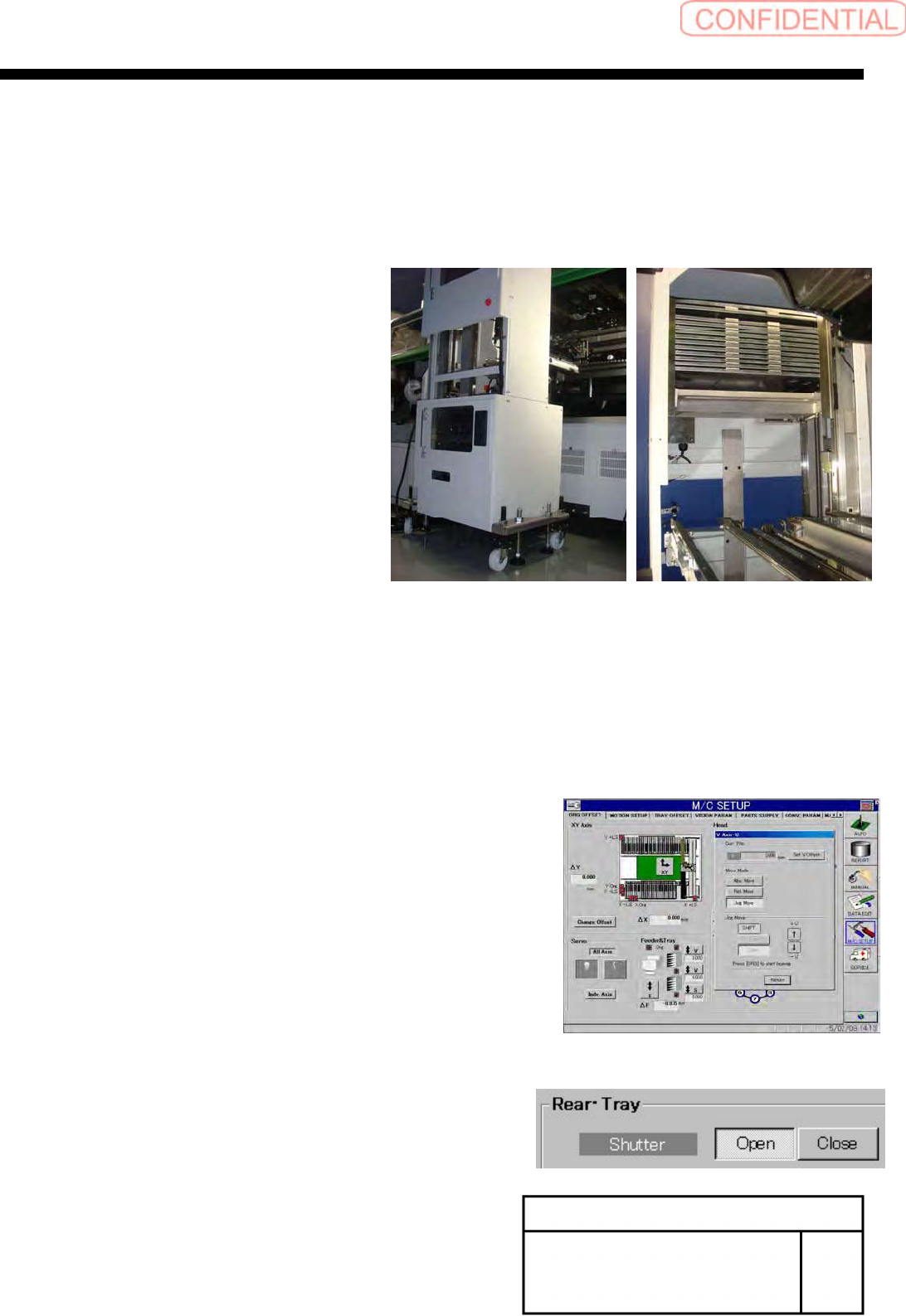
[Setup of tray supply height]
1
Remove front middle cover and rear upper
cover.
2
Adjust a right and left tilt of the tray unit
according to the tilt of S axis.
1.
Set the palette to Z501.
2.
Display operation window of VU axis from Feeder &
Tray group of ORG OFFSET screen on M/C SET
UP mode.
3.
Move the pallet that in Z501 to supply height.
4.
Display CASS screen of manual mode. And Open
shutter.
Install Tray Unit (Re-setup after tray unit moved)
SEET
14/19
WKGB-10105-02
Installing Tray Unit
(Re-setup after tray unit moved)
5.
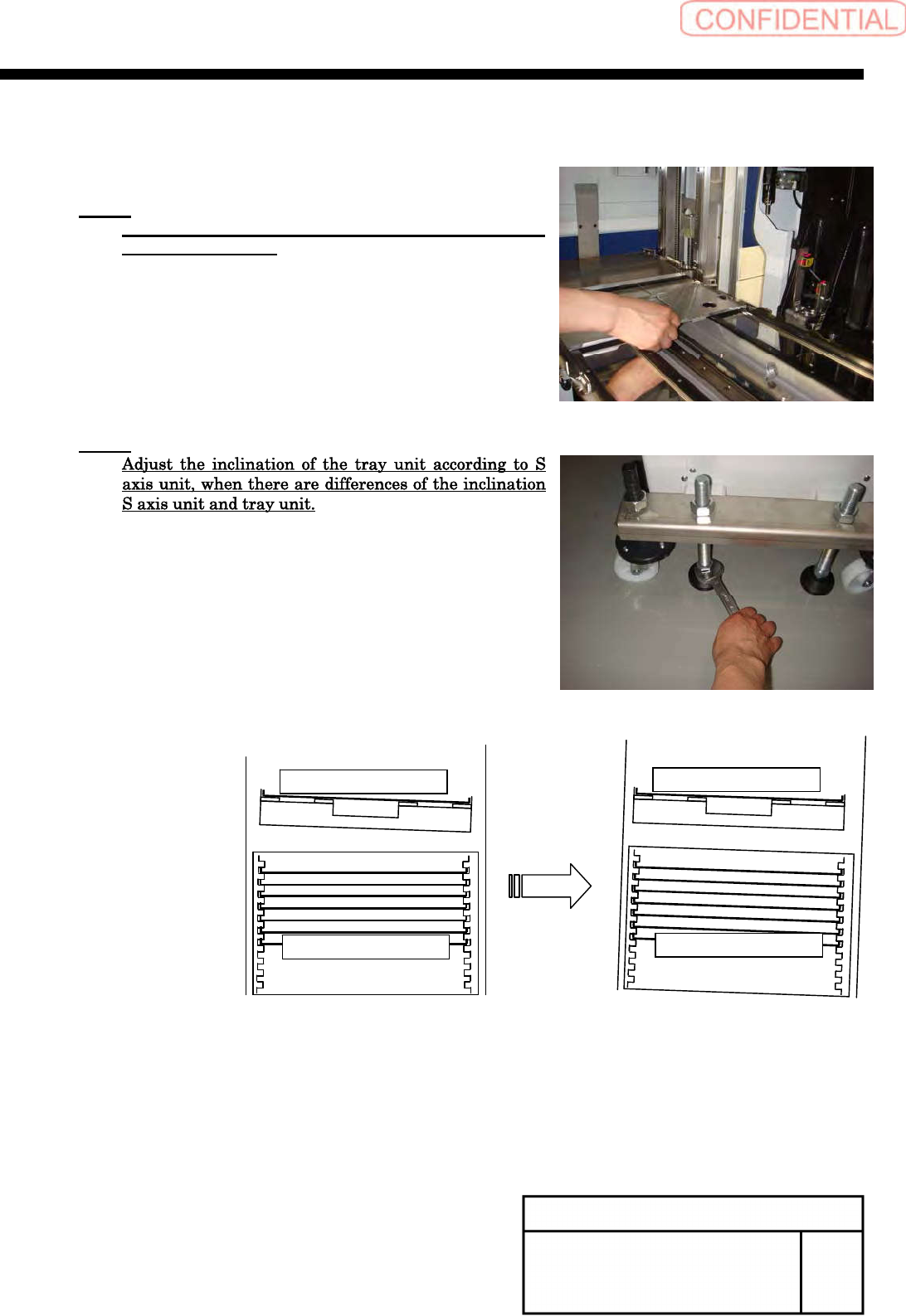
Confirm the smooth movement of the palette from
the tray rack.
NOTE:
Adjust the height of the tray rack again if palette can
not move smoothly.
NOTE:
S-axis Unit
Tray rack
S-axis Unit
Tray rack