MAN00000772_SI-G200BB_SVCPDFA.pdf - 第194页
HLGB-10207-01 RN A xis Origin Offset Setup Click the R.H button on the ORG OFFSET screen. Click the OFF button for the RN axis servo. T urn on the servo for the RN axis at a position where the RN axis is rotated clockwis…
HLGB-10207-01
RN Axis Origin Offset Setup
Perform this working on both heads on the front side and rear side.
[Procedure]
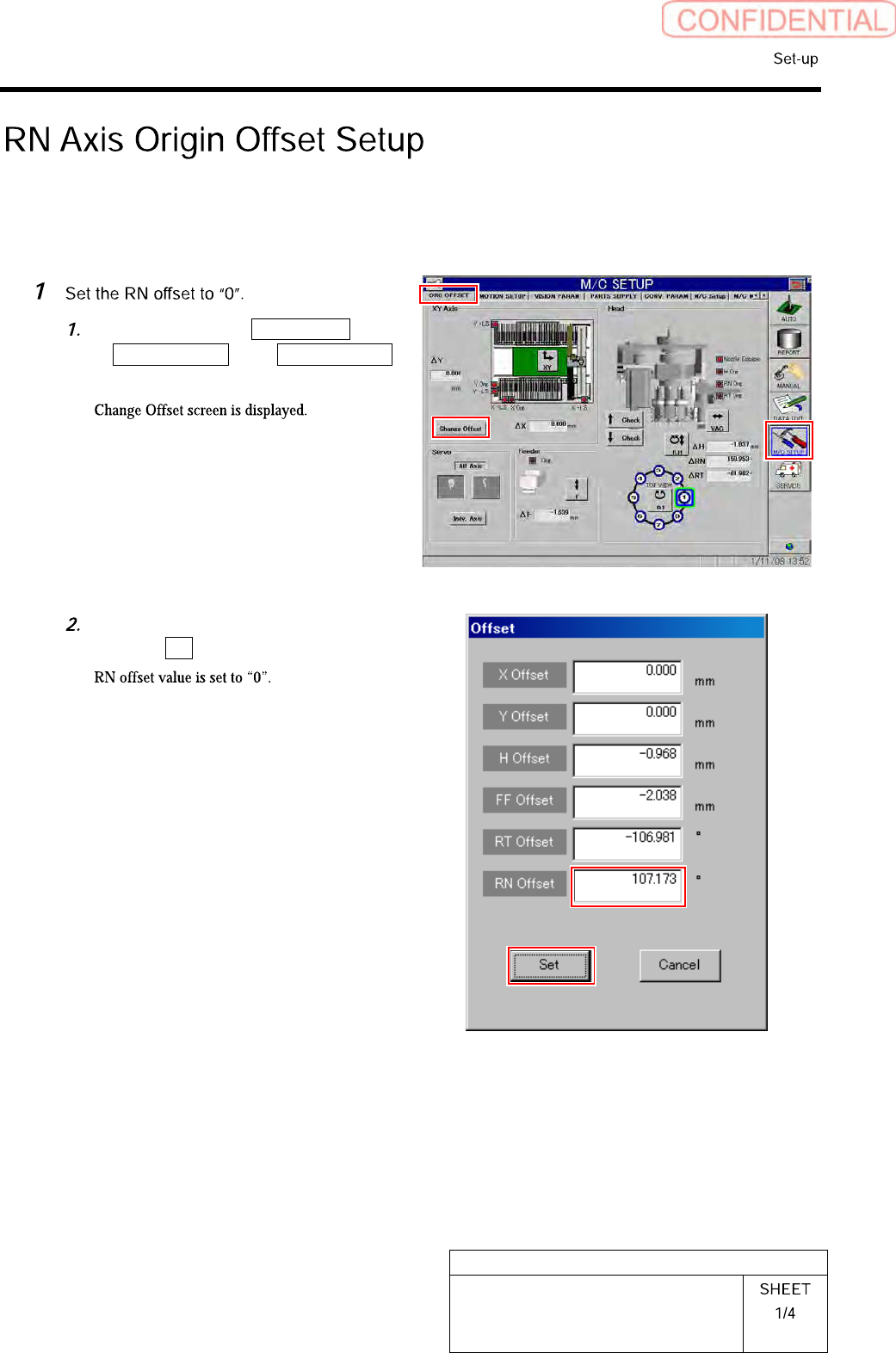
Click in an order of M/C SETUP menu
ORG OFFSET tabChange Offset
button.
Input “0” in the RN Offset box, and
click the Set button.
HLGB-10207-01
RN Axis Origin Offset Setup
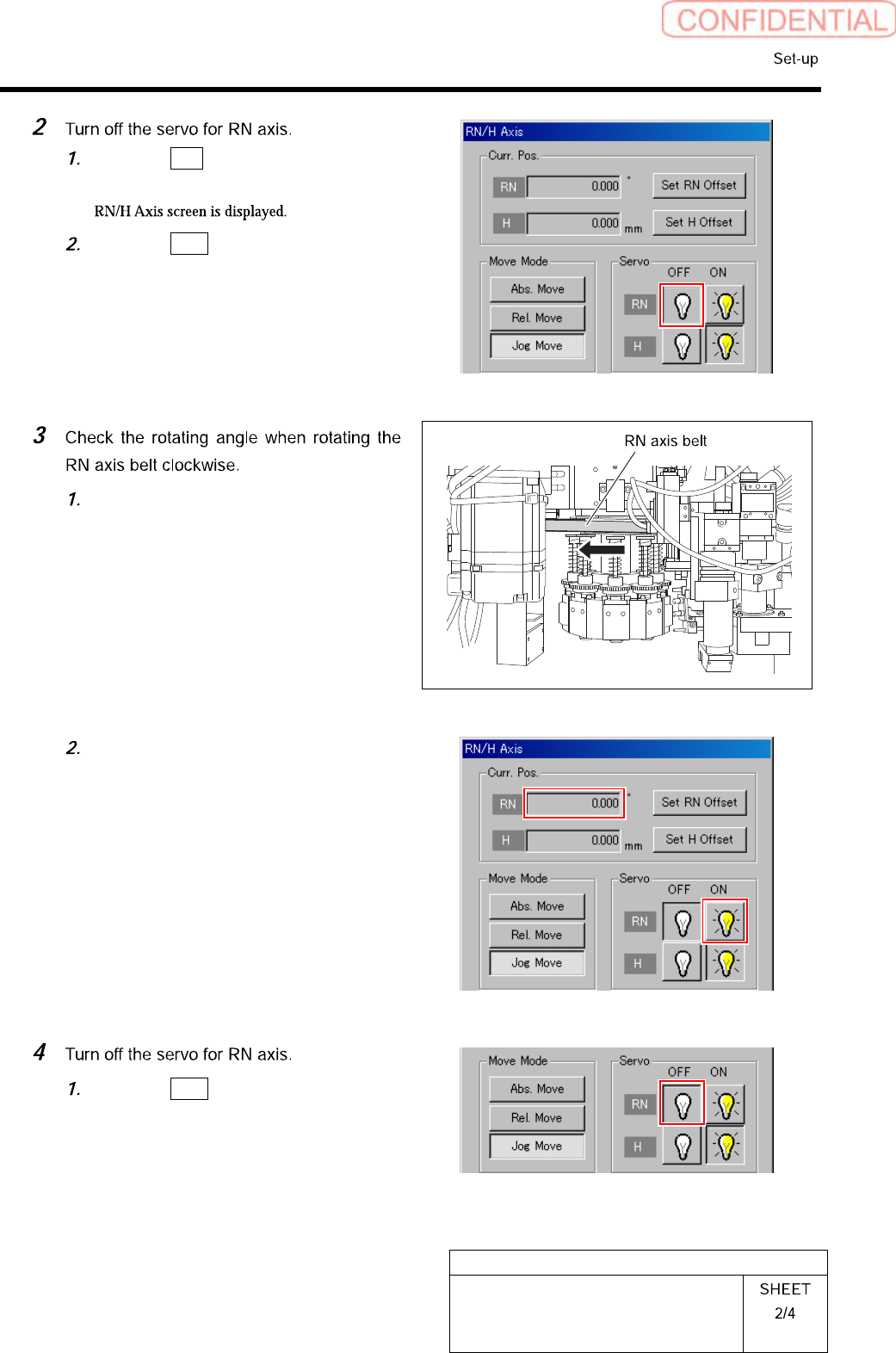
Click the R.H button on the ORG
OFFSET screen.
Click the OFF button for the RN axis
servo.
Turn on the servo for the RN axis at a
position where the RN axis is rotated
clockwise and stops.
Take note of angle of the RN axis
displayed on the RN/H Axis screen.
(Example: 369.7˚)
Click the OFF button for the RN axis
servo on the RN/H Axis screen.
HLGB-10207-01
RN Axis Origin Offset Setup
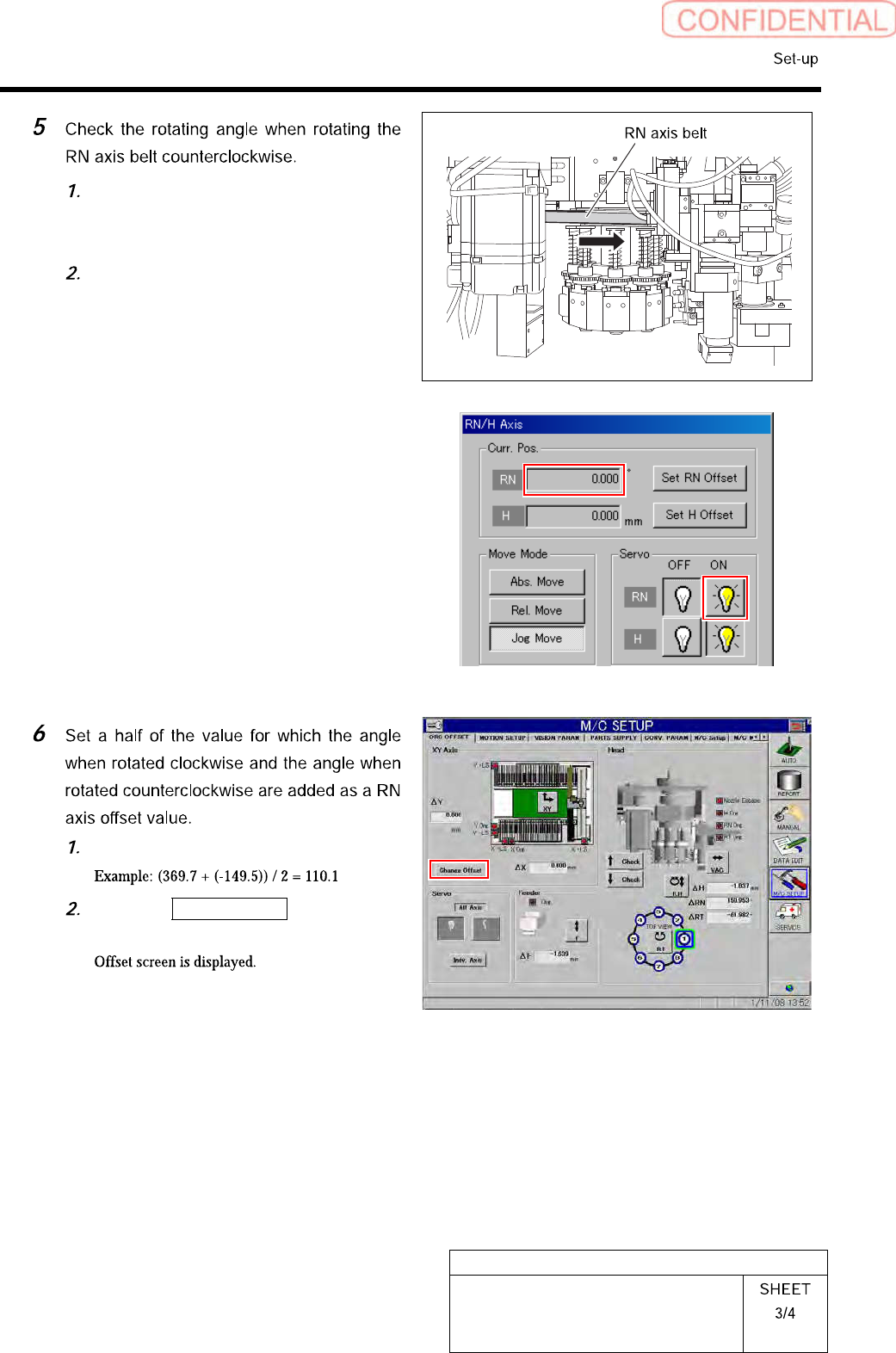
Turn on the servo for the RN axis at a
position where the RN axis is rotated
counterclockwise and stops.
Take note of angle of the RN axis
displayed on the RN/H Axis screen.
(Example: -149.5˚)
Calculate the offset value of the RN axis.
Click the Change Offset button on the
ORG OFFSET screen.