MAN00000772_SI-G200BB_SVCPDFA.pdf - 第136页
System software clear installation process WKGB-10109-01 Systemsoft ware clearinstallationprocess 5/1 1 4. W elcome screen appears. Click Next> button to go next screen. 5. ASM Software License screen appear…
System software clear installation process
WKGB-10109-01
Systemsoftwareclearinstallationprocess
4/11
Systeminstallation(forFrontPC)
1. Connect local PC to the machine front PC via network.
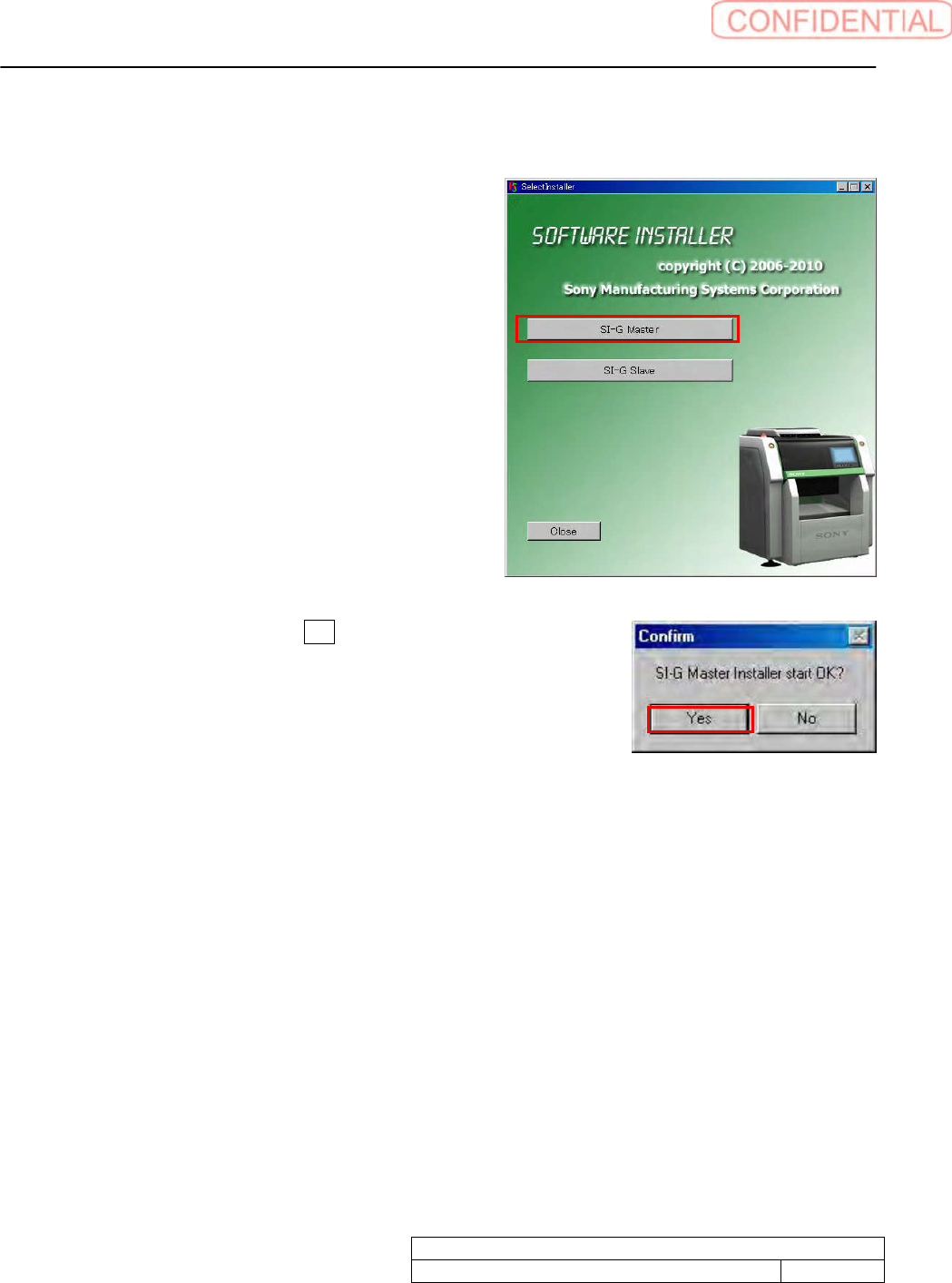
2. Make double click on SelectInstaller.exe to start
installer. Click SI-G Master button.
3. Confirm screen appears. Click Yes button.
System software clear installation process
WKGB-10109-01
Systemsoftwareclearinstallationprocess
5/11
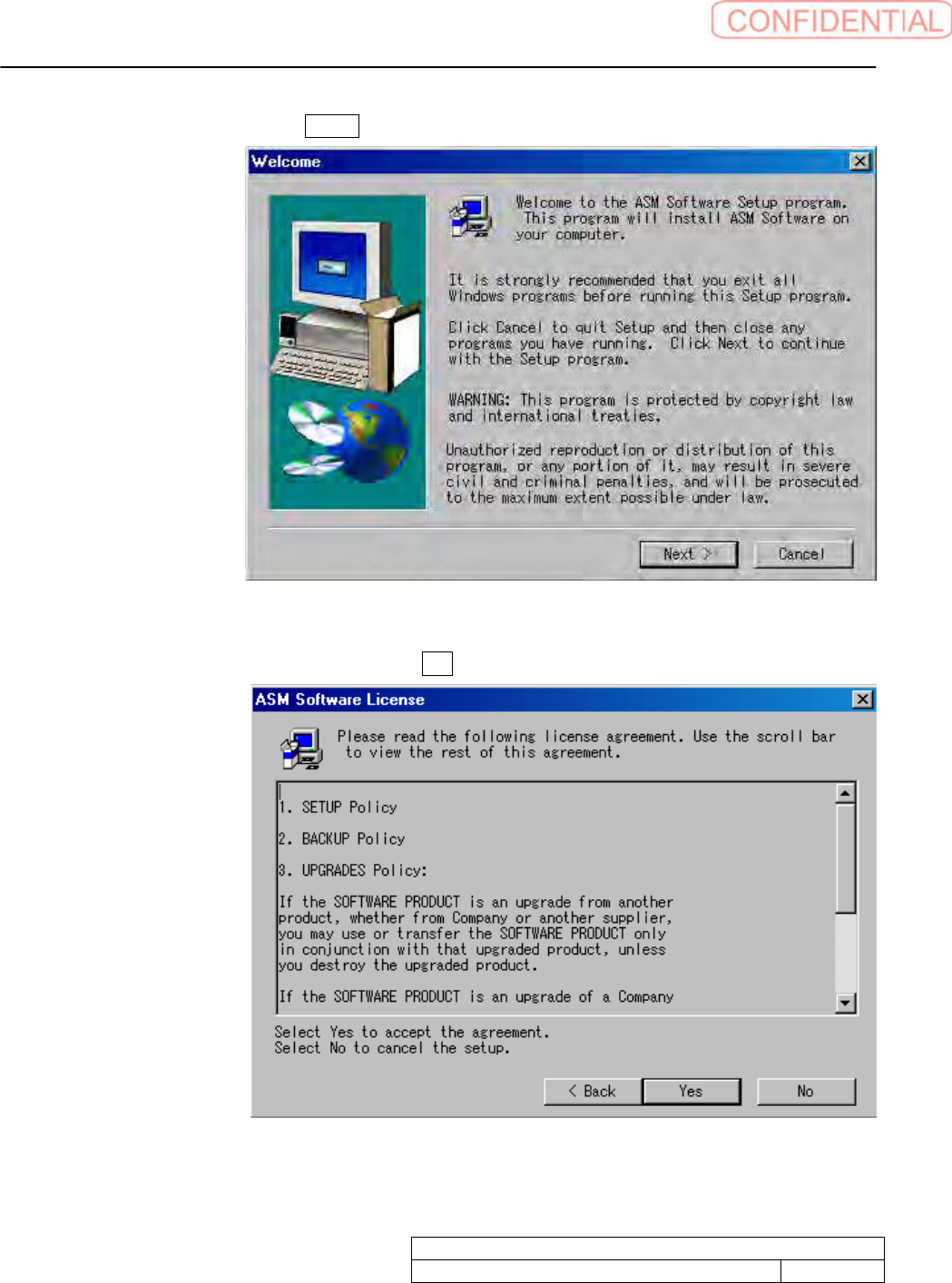
4. Welcome screen appears. Click Next> button to go next screen.
5. ASM Software License screen appears. Click Yes button.
System software clear installation process
WKGB-10109-01
Systemsoftwareclearinstallationprocess
6/11
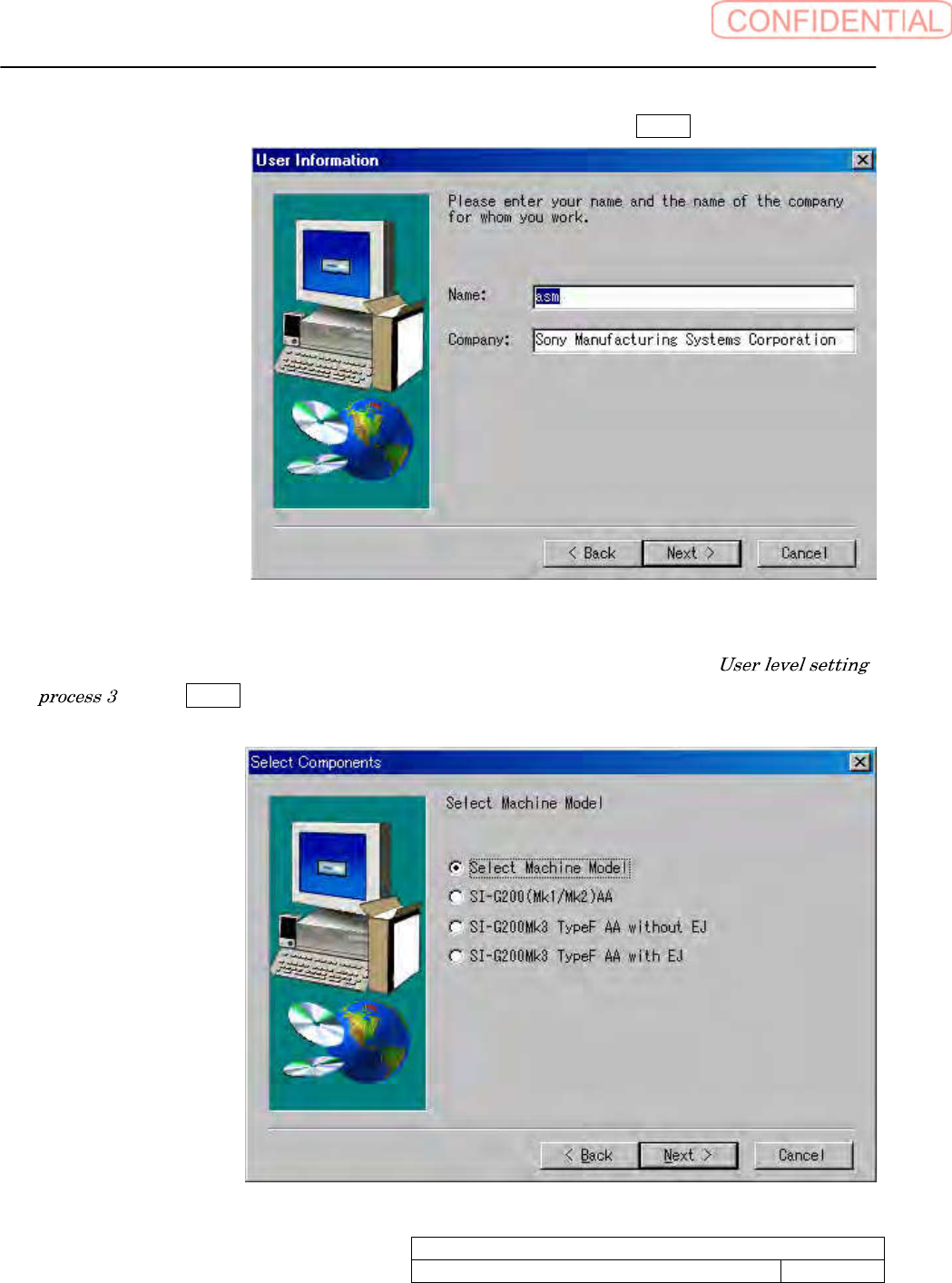
6. User Information screen appears. Input required information to click Next> button.
7. Select Components screen appears. Select machine type which is mentioned in
to click Next> button.
If select Machine Model is selected, the installation can not be proceeded.