MAN00000772_SI-G200BB_SVCPDFA.pdf - 第608页
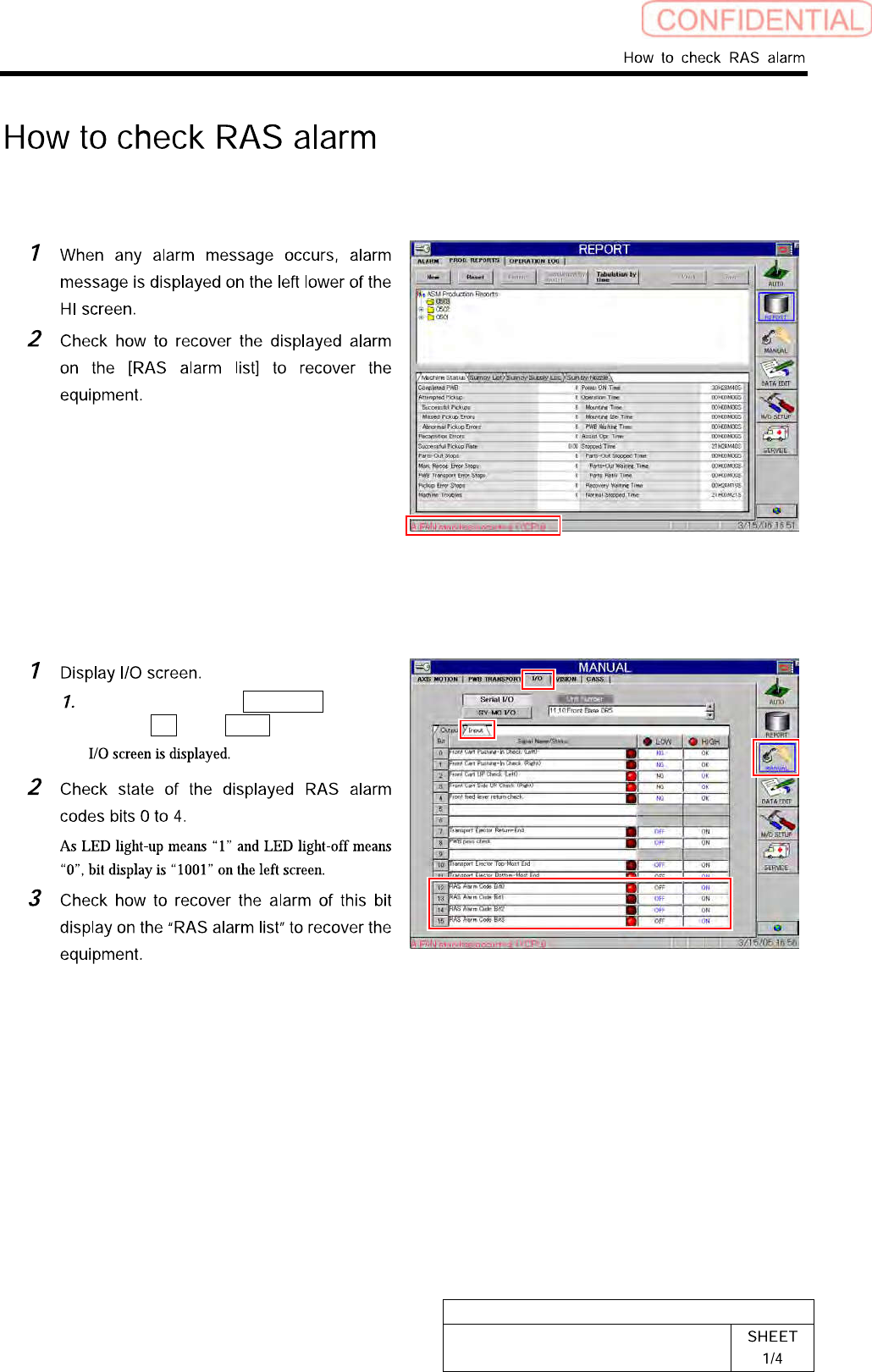
BBGB-10102-01 How to check RAS alarm [Checking procedure on HI screen (alarm message)] [Checking procedure on HI screen (bit display)] Click in an order of MANUAL menu I/O tab Input tab.
BBGB-10101-01
Alarm List for the Servo Pack
"Sigma-III" Series (SGDS type)
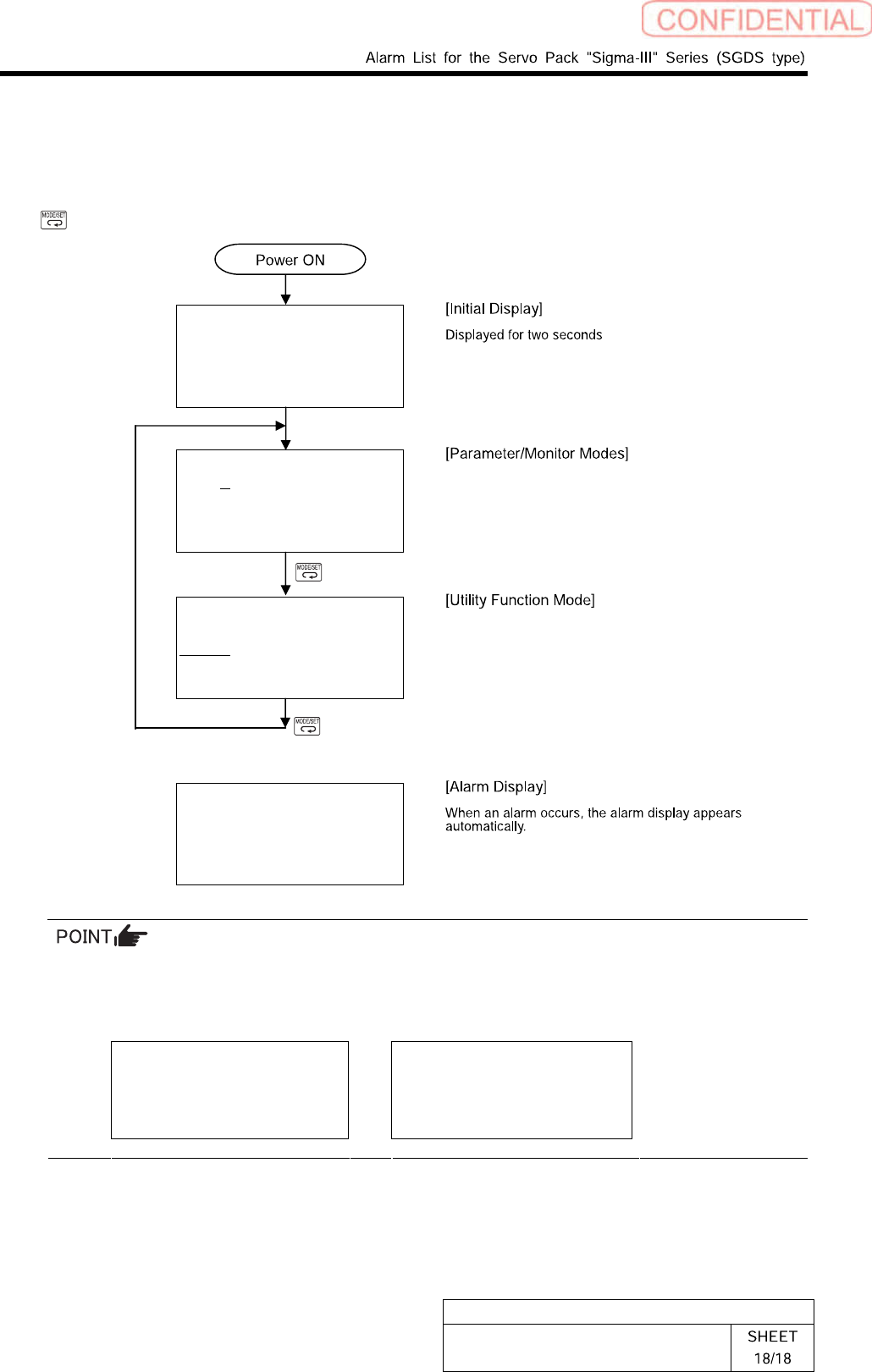
Switching Mode
Connect the digital operator to the SERVOPACK, and turn ON the power to the SERVOPACK.
The initial display appears, and then the Parameter/Monitor Mode display appears. Press the
Key to change the mode. When an alarm occurs, the alarm display appears automatically.
File list loading
Please wait….
BB -PRM/MON-
Un000= 00000
Un002= 00000
Un008= 00000
Un00D=00000000
BB -FUNCTION-
Fn01E
Fn000
Fn001
Fn002
A.D00 -ALARM-
0:D00 00001207196
1:720 00000032651
2:511 00000009043
3:---
If a communications error occurs between the SERVOPACK and digital operator, the following
communications error codes are displayed. These errors may be caused by incorrect connector
connection. Check the connection and correct. Then, turn the power OFF and ON. If the error
still occurs, replace the digital operator or the SERVOPACK.
CPF00
COM-ERR(OP&SV)
CPF01
COM-ERR(OP&SV)
* For detail of how to operate Digital Operator, refer to the “Instruction Manual for Sigma-III
Series SGMS/SGDS Digital Operator” in separate volume.
BBGB-10102-01
How to check RAS alarm
[Checking procedure on HI screen (alarm message)]
[Checking procedure on HI screen (bit display)]
Click in an order of MANUAL
menuI/O tabInput tab.
BBGB-10102-01
How to check RAS alarm
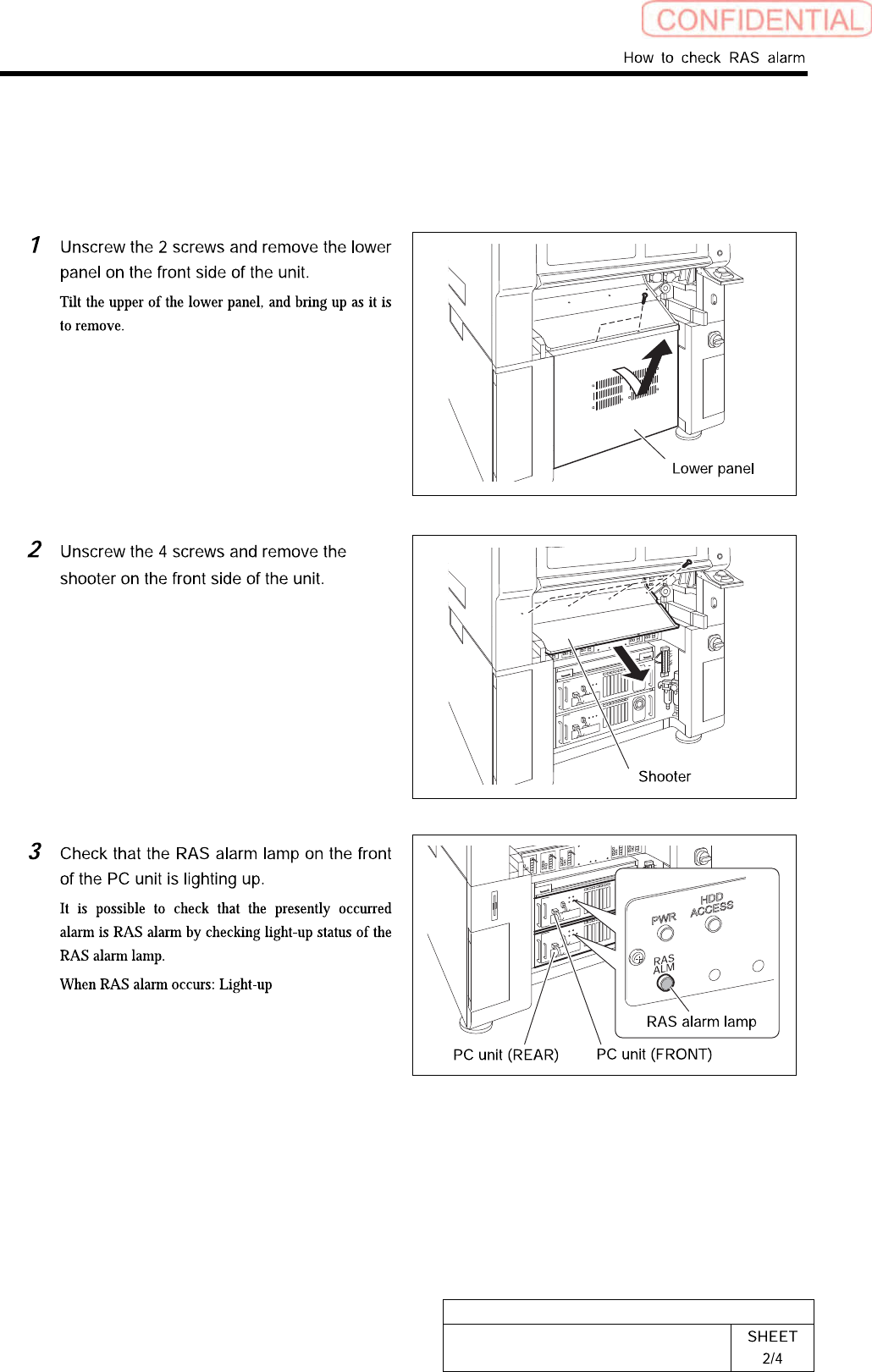
[Checking procedure on DR board]
When the HI screen is not displayed due to trouble on the equipment, check RAS alarm and
perform recovery operation according to the procedure described here.