MAN00000772_SI-G200BB_SVCPDFA.pdf - 第370页
HLGB-10425-01 Adjustment and checking of H-axis soft ware lim it Open Notepad by th e ac_param.ini file. Input “1.500” into a s pace of “SOFT_LIMIT_PLUS” of [AC_ H]. Input “- 26.40” into a space of “SOFT_LIMIT_MINUS” of …
HLGB-10425-01
Adjustment and checking of H-axis
software limit
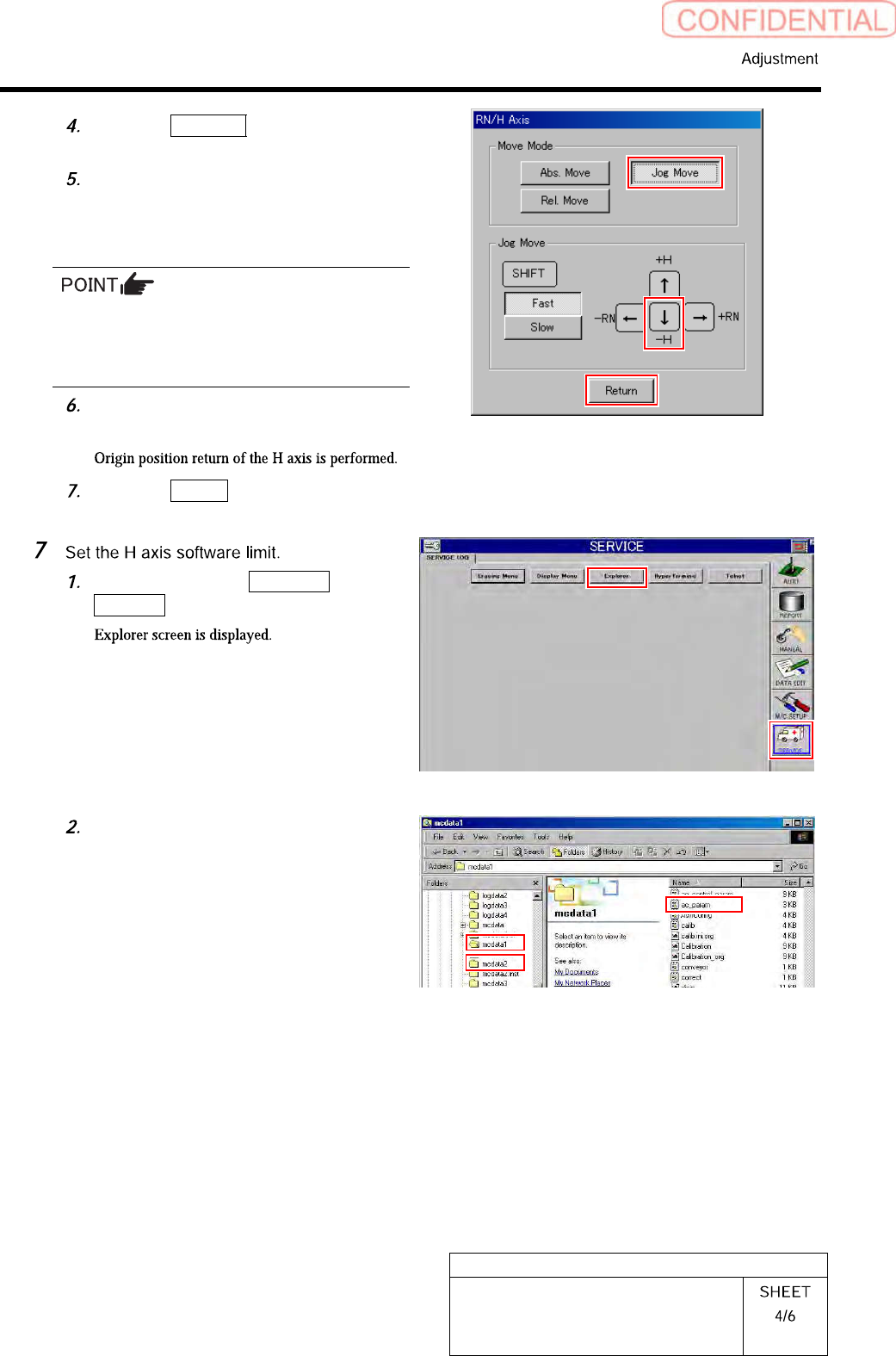
Click the Jog Move button in the move
mode.
Press the downward cursor to
jog-move the H-axis to a position of
-26.7mm, and check that alarm of
over-travel is displayed.
Unless the alarm of over-travel is displayed
when the H-axis is at the position of -26.7mm,
re-perform “Adjustment of OT sensor at bottom
end of H-axis [HLGB-10405-01]”.
Press the [ORG] button on the
operation panel.
Click the Return button to close the
RN/H Axis screen.
Click in an order of SERVICE menu
Explorer button.
Again open the Properties window of
the ac_param.ini file for the front side
and rear side, and check the
“Read-only”.
HLGB-10425-01
Adjustment and checking of H-axis
software limit
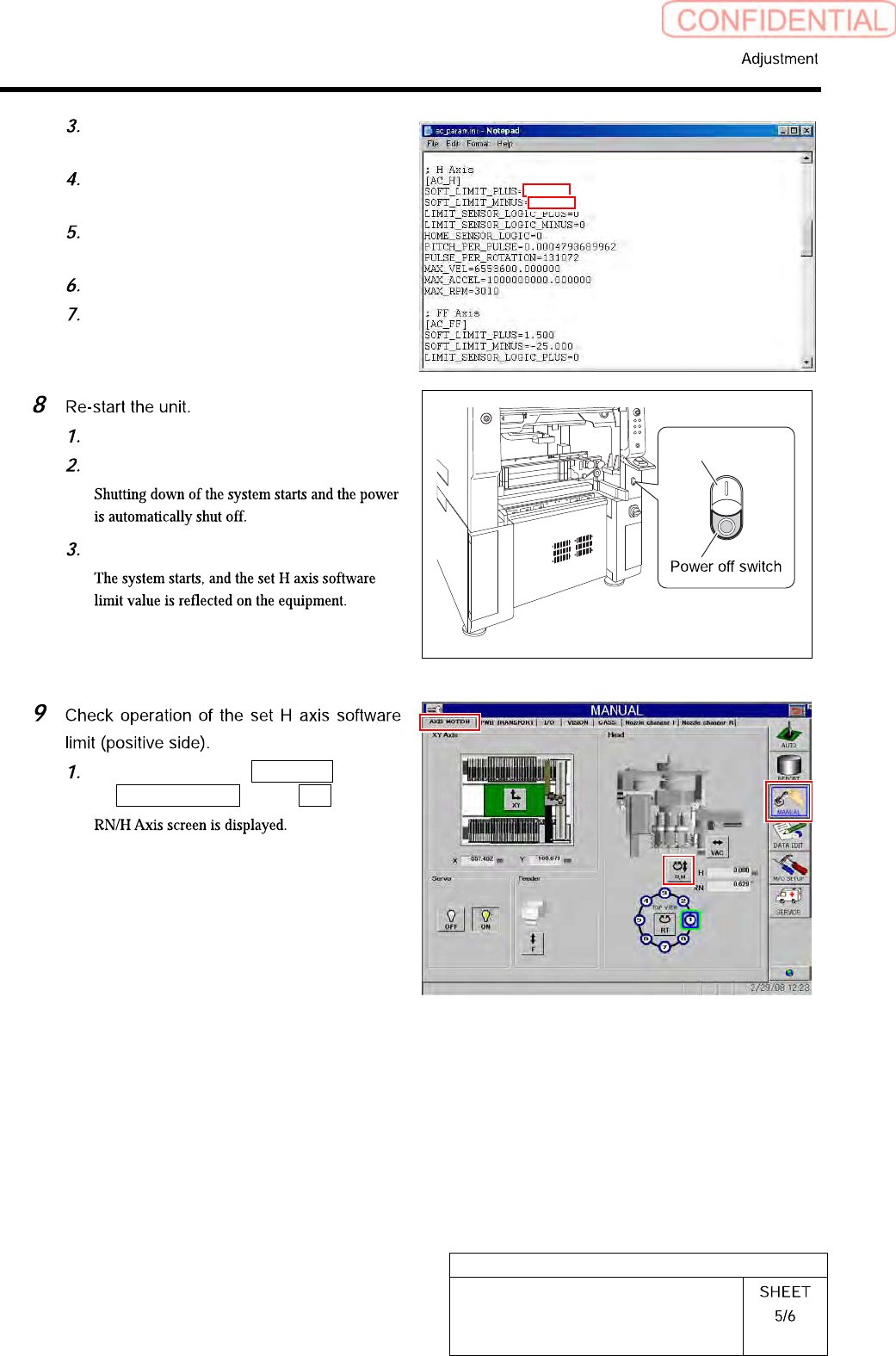
Open Notepad by the ac_param.ini
file.
Input “1.500” into a space of
“SOFT_LIMIT_PLUS” of [AC_H].
Input “- 26.40” into a space of
“SOFT_LIMIT_MINUS” of [AC_H].
Save the ac_param.ini file and end.
Open the Properties window of the
ac_param.ini file, and check the
“Read-only”.
Close the explorer window.
Press the power off switch.
Press the power on switch.
Click in an order of MANUAL menu
AXIS MOTION tab R.H button.
3.800
1.50
-26.40
HLGB-10425-01
Adjustment and checking of H-axis
software limit
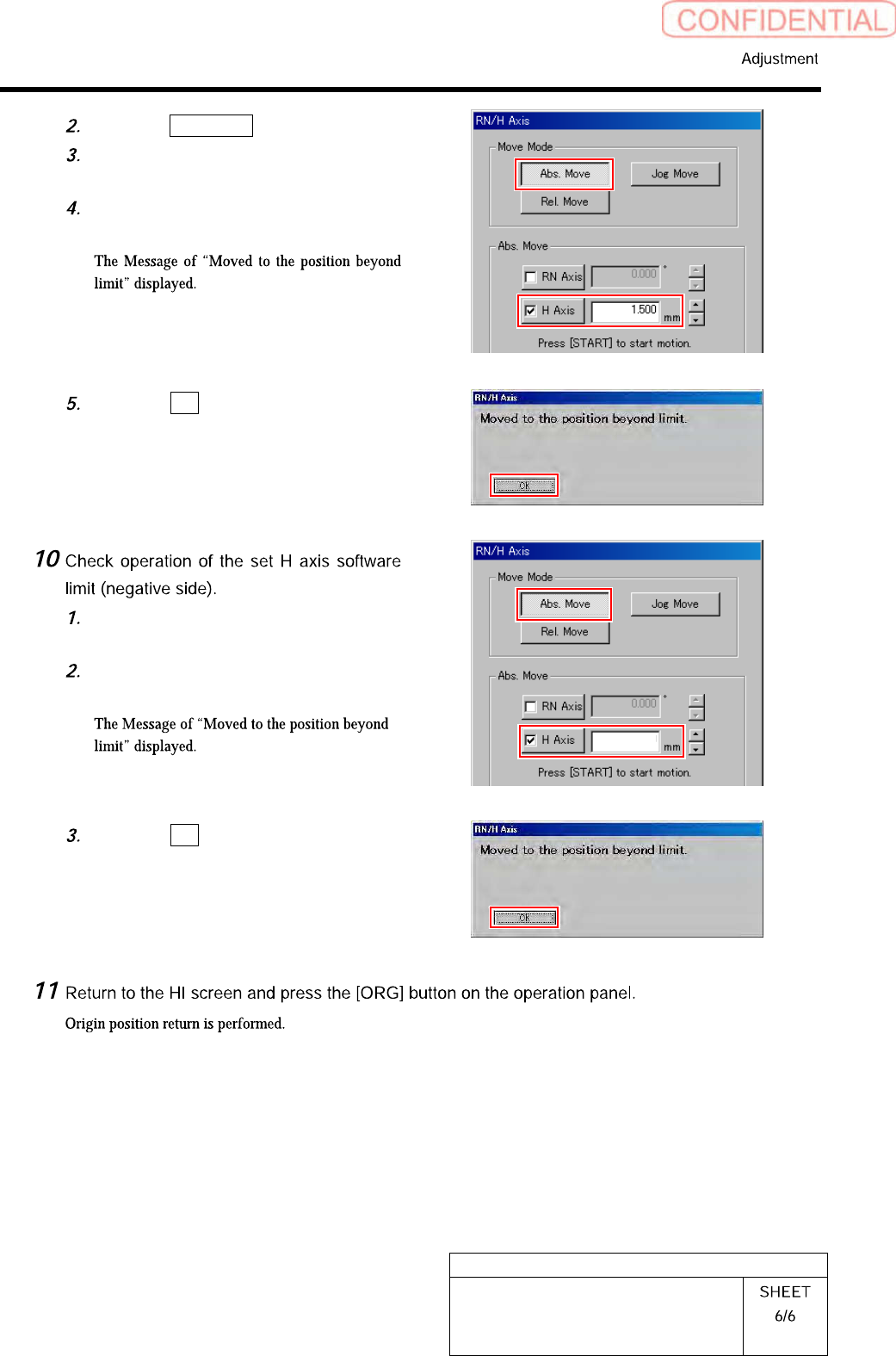
Click the Abs. Move button.
Click the H-axis button and input “1.5”
into the input space.
Press the [START] button on the
operation panel.
Click the OK button.
Input “-26.4” into the input space of
the H-axis in the Abs. Move.
Press the [START] button on the
operation panel.
Click the OK button.
-26.40